The 7 Best Podcast Chairs for Comfort and Quiet Recording
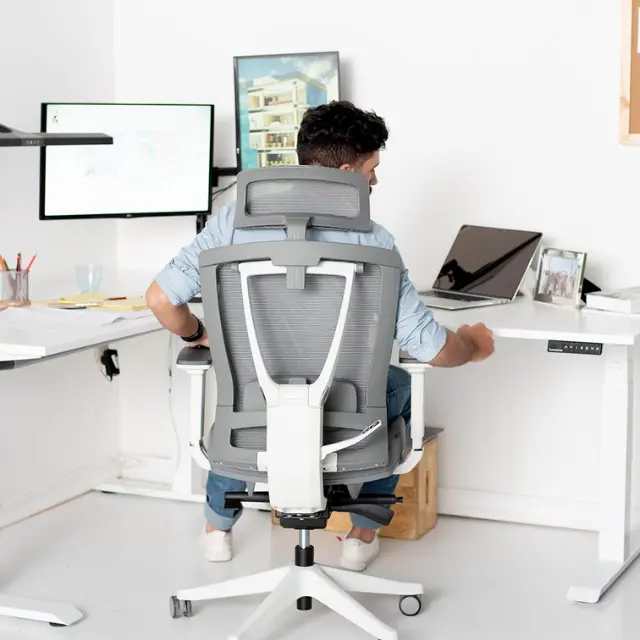

The best podcast chair is one you can sit in for an hour without shifting much, that stays silent on the mic when you do shift, and whose arms stay out of the way of your mic arm. For most hosts that is an adjustable office chair such as the Autonomous ErgoChair Pro; for a tall desk it is a drafting chair with a foot ring, and for a video set with guests it is often a lounge chair.
The catch is that none of the seven makers here publishes a noise rating, so the only way to know if a seat creaks on mic is to record it. Below, 7 podcast chairs compared side by side, what to look for, a 30-second noise test and how to set the chair up around your mic.
Which podcast chair should you choose?
Start with the ErgoChair Pro or the Herman Miller Aeron for long seated sessions, the Steelcase Leap or Branch Ergonomic Chair if you want an armless option or arms you can remove, the Mimoglad for a lower-cost chair with flip-up arms, the Primy drafting chair for a high desk, and the OdinLake L2 for reclining between takes. The table sums up what each maker or seller lists.
| Chair | Suits | What matters for podcasting | Rated capacity | Warranty |
|---|---|---|---|---|
| Autonomous ErgoChair Pro | Daily hosts, long seated sessions | 9 adjustments; recline locks at 5 positions | 300 lb | Lifetime |
| Herman Miller Aeron | Hosts who want a chair sized to their body | Three sizes (A, B, C); adjustable back support | 300 to 400 lb by size | 12 years |
| Steelcase Leap | Hosts who want armless or stool versions | Armless, height-only or 4D arms; stool version | 400 lb (stool 300 lb) | Limited lifetime, 12 years |
| Branch Ergonomic Chair | Mid-price home studios | Removable 3D arms and removable lumbar | 275 lb | See listing |
| Mimoglad Office Chair | Lower budgets, hosts who also play guitar | Flip-up arms, headrest, adjustable lumbar | 300 lb (per listing) | 5 years (per listing) |
| Primy Drafting Chair | Tall desks and standing setups | Foot ring and flip-up arms | 250 lb (per listing) | 1 year (per listing) |
| OdinLake L2 (Ergo PRO 633) | Breaks between recording blocks | Pull-out footrest, adjustable neckrest | See listing | See listing |
What is a podcast chair?
A podcast chair is any chair you record in that stays silent, holds you upright at your mic and fits the height of your desk; there is no separate product category behind the name. Most podcasters use an office chair. Video shows add lounge, accent or director's chairs for guests because they look relaxed on camera.
What separates a podcast chair from a regular desk chair is the microphone. A condenser mic a few inches from your mouth hears a squeaky tilt spring, a caster rolling on a hard floor and an armrest clicking. A chair that is fine for email can be a problem in an interview.
Adjustability does most of the work here, which is what the ergonomic chair meaning comes down to: a seat, back and arms you can set to your body instead of the other way around.

Types of chairs for podcasting and voice recording
Five chair types show up in podcast studios, and the right one depends on how long you sit, how tall your desk is and whether you are on camera. Musicians who also track instruments at the same desk can look at studio chairs built for playing.
Ergonomic office chairs for long sessions
Ergonomic office chairs suit hosts who record or edit for hours, because they adjust lumbar height, seat depth, armrests and recline. Check that the recline locks: a back that floats as you talk can creak and moves your mouth off the mic.
For a small room, a foldable ergonomic chair packs away between sessions, with fewer adjustments than a full office chair.

Task chairs for short or shared sessions
Task chairs are lighter office chairs with seat height and basic tilt. They fit short conversational episodes and shared rooms where one chair moves between editing and recording, though most have no lumbar adjustment.
If the chair shows on camera and you want texture, a fuzzy chair gives a softer look. Run the noise test on it first, because loose fabric and a basic tilt can rustle and click.
Studio stools and drafting chairs for high desks
Drafting chairs and studio stools are the high chairs of podcasting: they raise the seat for a counter-height table or a standing desk set between sitting and standing. Look for a foot ring, since OSHA's chair guidance wants the whole sole of the foot resting on the floor or a footrest.
Backless wobble stools trade back support for movement, and they move as you move, so test one on mic before a long episode.
Some hosts like that movement for active sitting during short, high-energy segments.

Gaming chairs for streaming sets
Gaming chairs look the part on a streaming set and recline far, but many use bucket seats, strap-on lumbar pillows and PU leather that can squeak as you move. If you shop for a gaming chair to record in, look for a recline lock and a fabric or mesh cover, and record a test before the return window closes.
Lounge, accent and director's chairs for interview sets
Podcast room chairs for interview shows are usually lounge chairs, accent chairs or tall director's chairs placed around a table. They look relaxed on camera, but most have no height adjustment, so each mic has to come to its guest on a boom arm or floor stand.
Buy podcast chairs as a set of two (or more) when hosts share a wide shot, so seat heights and eye lines match. For a more personal set, cross-legged chair designs let you sit the way you would on a sofa.
Shows that want a softer studio look can borrow from feminine desk chair designs with curved backs and lighter fabrics. Whatever the style, keep the mic and table at a height every guest can reach without leaning.
What to look for in podcast chairs
A podcast chair needs four things before anything else: a quiet mechanism, arms that clear your mic arm, a seat height that matches your desk, and adjustment that lets you sit upright without effort. The rest is fit and looks.
Quiet mechanism: Chair noise comes from the tilt spring, the gas cylinder, loose arm caps and casters on hard floors. None of these makers publishes a noise figure, so lock the recline while you record and run the 30-second test in the setup section below.
Arms that clear the mic: Fixed armrests that sit higher than your desk edge stop you from pulling in close to a desk-clamped mic arm. Flip-up arms (Mimoglad, Primy), removable arms (Branch) or an armless chair (a Leap option) avoid that. OSHA treats armrests as optional and says they should let your shoulders relax.
Seat height that matches the desk: Most office chairs top out around 20 to 22 inches of seat height: 20.5 inches on the larger Aeron sizes, 22 inches on the ErgoChair Pro. If you record at a counter-height table or a standing desk set high, you need a drafting chair or stool with a foot ring.
Lumbar and seat depth: Adjustable lumbar and seat depth let you sit back against the chair instead of perching on the front edge. OSHA's chair guidance asks for a seat pan that supports most of the thigh without pressing the back of the knee.
Breathable material: Studio lights and a closed door warm up a small room fast. Mesh chairs breathe, which is why many podcast chairs use a mesh back.
Leather on camera: Leather looks sharp on video but holds heat, so genuine leather office chairs suit climate-controlled studios.
Durable cover: A daily recording chair wears at the seat edge and arms first. Our guide to office chair upholstery compares how mesh, fabric and leather hold up.
On-camera look: For video podcasts, a neutral color and a backrest that does not tower over your head keep the frame on you. Check a headrest in a test shot, since it can stick out behind your head in a tight frame.

The 7 best podcast chairs compared
These 7 podcast chairs cover the setups podcasters record in. The order follows the setup each chair suits: full-adjustment chairs for long seated sessions first, then chairs with removable or flip-up arms, then a tall chair and a recliner. Autonomous makes the first pick, so its specs come from our product page; the others come from each maker's or seller's listing, not from testing by us.
1. Autonomous ErgoChair Pro: for long sit-down sessions
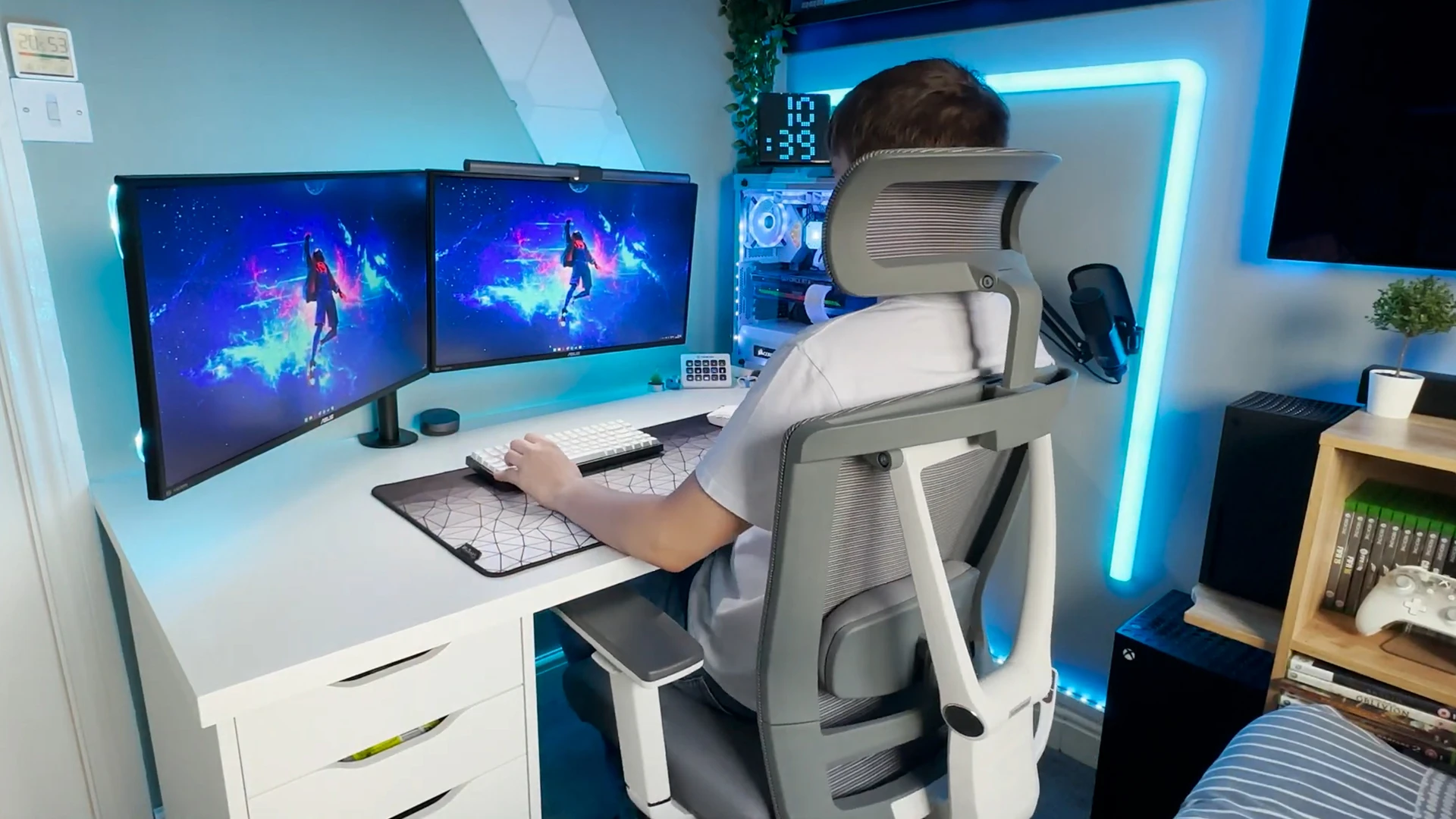
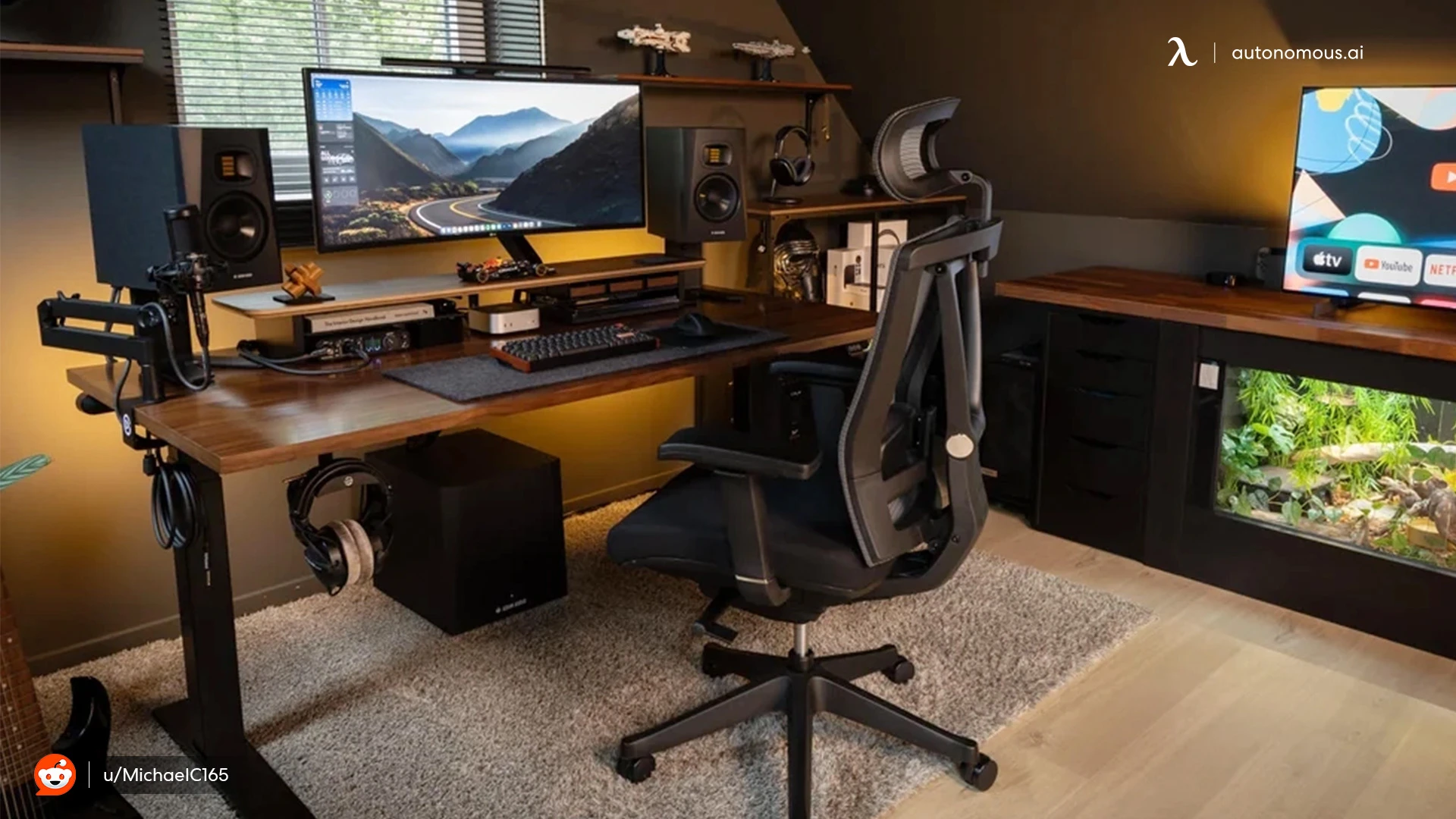
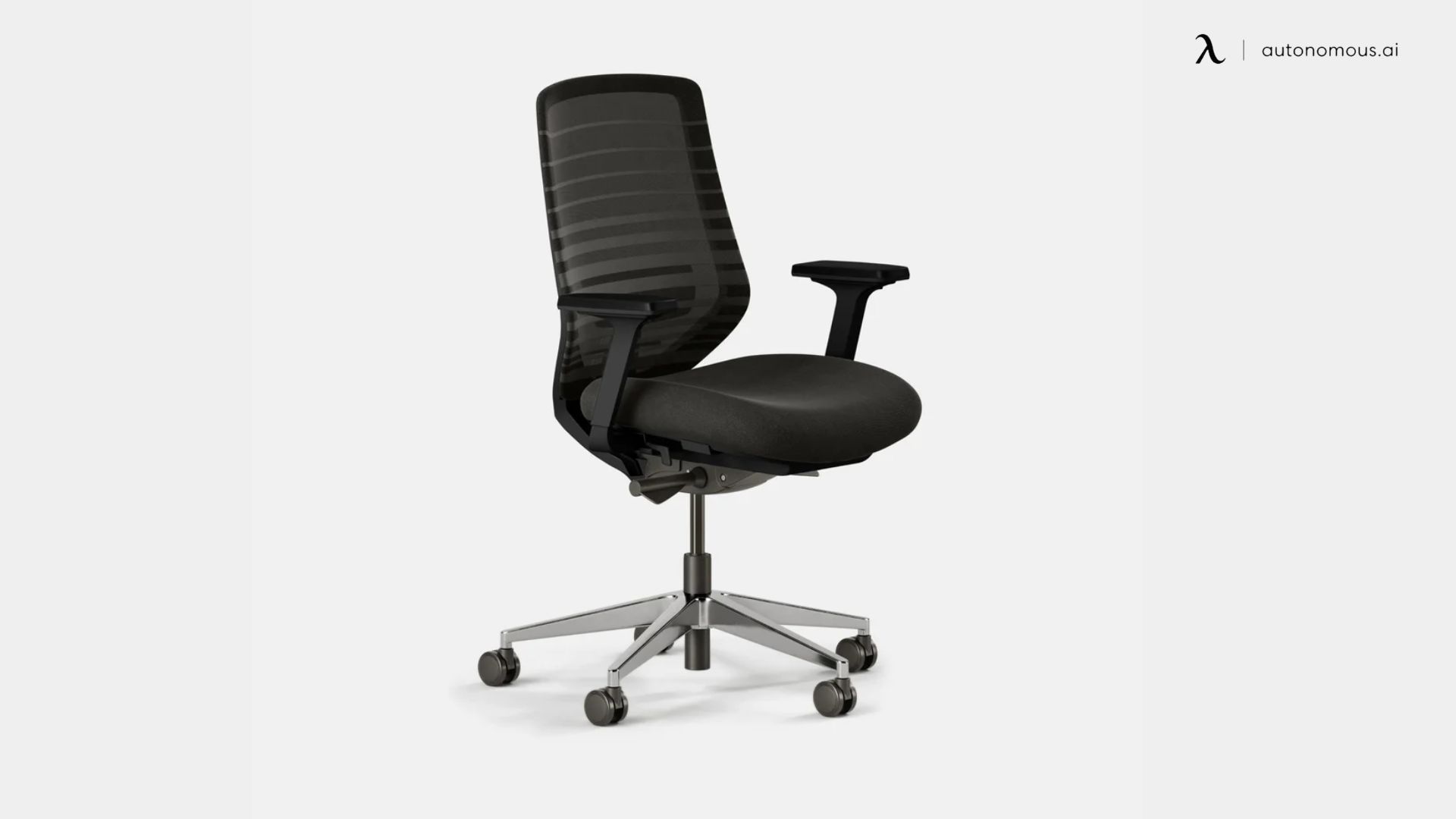
The ErgoChair Pro is a mesh-back office chair with nine adjustment points, built for people who sit in the same spot for hours. The lumbar pad slides 6 inches up and down the back, the seat depth runs 19 to 21.5 inches, and the armrests rise 11 to 14 inches above the seat.
For recording, the useful part is the recline: a synchro-tilt mechanism from Donati tilts back 22 degrees and locks at five positions, so you can lock it upright during takes and lean back during breaks. Autonomous rates the mechanism for 100,000 tilt cycles, the chair for 300 lb, and covers it with a lifetime warranty. You can pick a foam or Cool mesh seat. Autonomous sells it as an office chair for long hours, and the product page rates it for 12-hour days.
Owners report two limits that matter at a mic. The armrests lock only for height, not for slide or swivel, so they drift when you grab them to scoot in. The headrest tension is loose and can slide down if you rest your head on it. The seat also tops out at 22 inches, too low for a counter-height recording table.
| Pros | Cons |
|---|---|
|
|
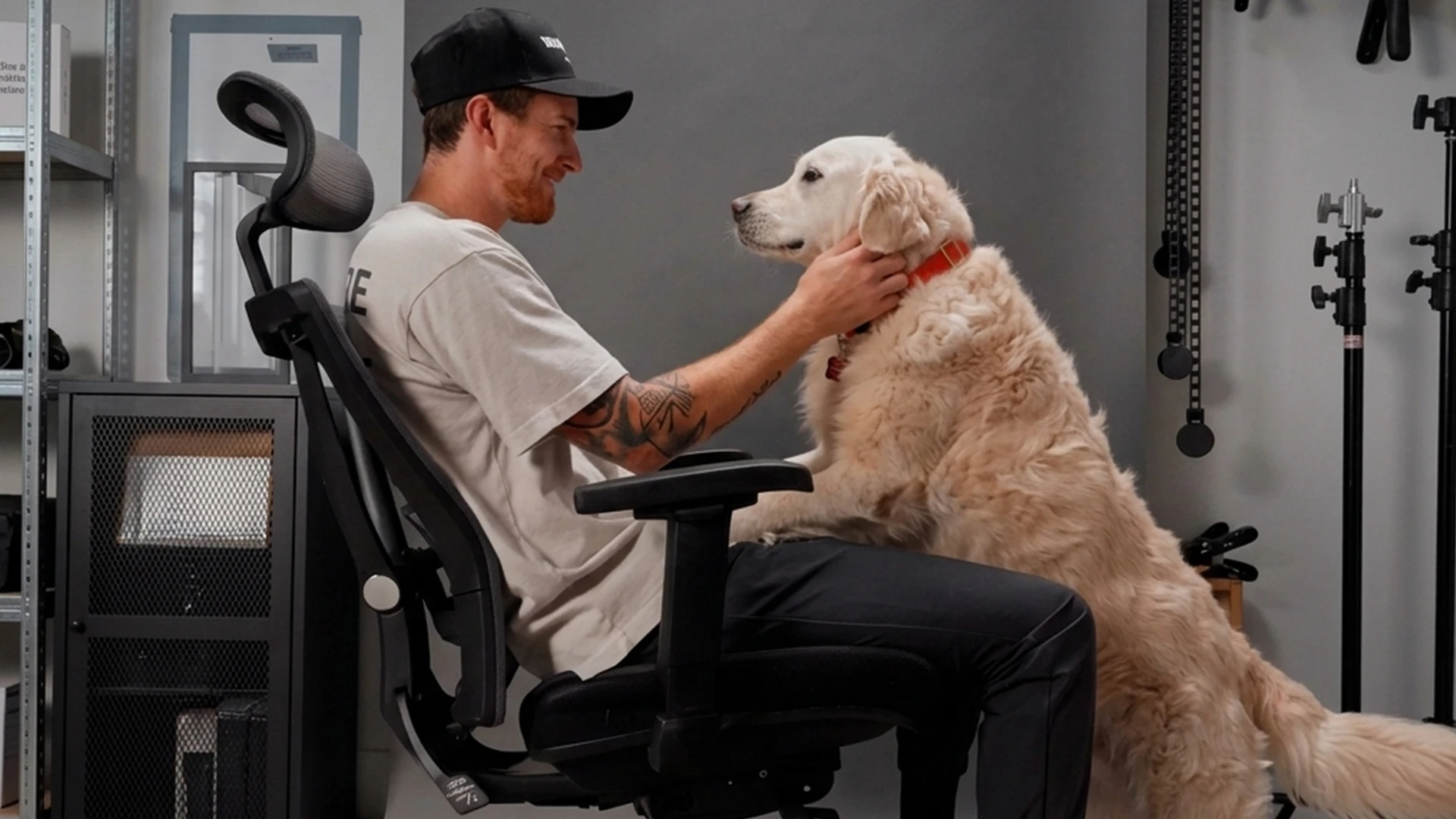
This suits a solo host or co-host who records and edits at the same desk for several hours a day and wants one chair for both.
2. Herman Miller Aeron: for a chair sized to your body
The Aeron is a mesh office chair sold in three sizes, A, B and C, so you pick the frame that fits your height and weight instead of relying on adjustment alone. Herman Miller lists 300 lb for size A, 350 lb for B and 400 lb for C, with a 12-year warranty.
The back uses adjustable PostureFit SL support and the Harmonic 2 tilt, and the seat and back are 8Z Pellicle suspension mesh, which lets air through under studio lights. Seat height runs 14.75 to 19 inches on size A and 16 to 20.5 inches on B and C, so it sits low for a tall desk.
| Pros | Cons |
|---|---|
|
|

3. Steelcase Leap: for an armless chair or a matching stool
The Leap is an upholstered office chair whose LiveBack backrest flexes with your spine, with height-adjustable lumbar and a firmness dial for the lower back. The recline has four stop settings plus an upright lock, which helps you stay still during a take.
Steelcase sells it armless, with height-only arms, or with arms that adjust in four directions, so a mic arm can swing in close. A Leap stool version exists for taller desks. Steelcase rates the chair for 400 lb and the stool for 300 lb, and lists a limited lifetime warranty of 12 years for multi-shift use.
| Pros | Cons |
|---|---|
|
|

4. Branch Ergonomic Chair: for a mid-price chair with removable arms
The Branch Ergonomic Chair is a mid-price mesh chair whose 3D armrests and lumbar rest both come off. That makes it one of the easier chairs here to pull right up to a desk-clamped mic arm.
Branch lists height, tilt and tilt tension, seat depth and height-adjustable lumbar, a synchronous mechanism, an aluminum base and a 275 lb rating, with BIFMA and Greenguard Gold certification. On Branch's site it costs $369 in black and $389 in other colors.
| Pros | Cons |
|---|---|
|
|
5. Mimoglad Office Chair: for a lower budget and flip-up arms
The Mimoglad is a high-back office chair with adjustable lumbar support, an adjustable headrest and flip-up armrests, sold on Amazon. The flip-up arms are the podcast feature: fold them away to pull in close to a mic arm, or to play guitar between segments.
The listing names a 5-year warranty. The listing rates it for 300 lb; check the seat height against your desk before you order. It fits hosts setting up compact bedroom recording studios on a tighter budget.
| Pros | Cons |
|---|---|
|
|

6. Primy Drafting Chair: for a high desk or standing setup
The Primy is a tall drafting chair with flip-up armrests, lumbar support and an adjustable footrest ring, sold as a standing desk chair. It suits hosts who record at a counter-height table or keep a standing desk partway up.
Before you buy, measure the desk height you record at and check the listing's maximum seat height against it: your elbows should land near desk height with your feet on the ring. For more seats in this price range, the best office chairs on Amazon roundup covers other options.
| Pros | Cons |
|---|---|
|
|

7. OdinLake L2 (Ergo PRO 633): for reclining between takes
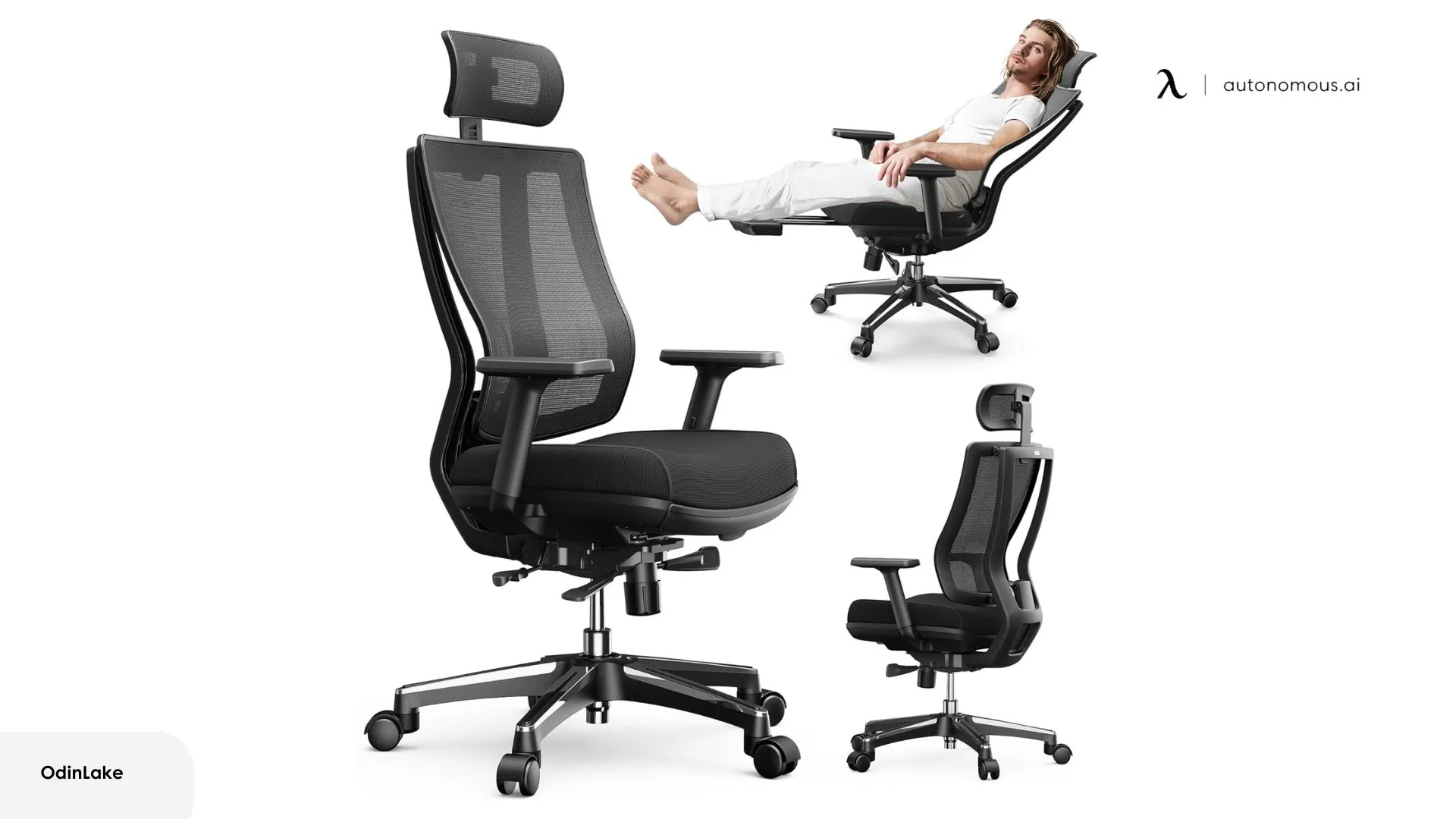
The OdinLake L2 is a mesh office chair with a built-in footrest that pulls out from under the seat, so you can lean back with your legs up between recording blocks. OdinLake lists an adjustable neckrest, armrests and seat depth, and sells it for $319 on its own site.
The footrest is for breaks, not for recording: leaning far back moves your mouth away from the mic and changes how you sound. Lock the chair upright while the mic is live.
| Pros | Cons |
|---|---|
|
|
How to set up your podcast chair and recording space
Set up the chair first and the mic second, then record a test before your first real episode. The three steps below take about ten minutes.
Set the chair to the desk, then bring the mic to you
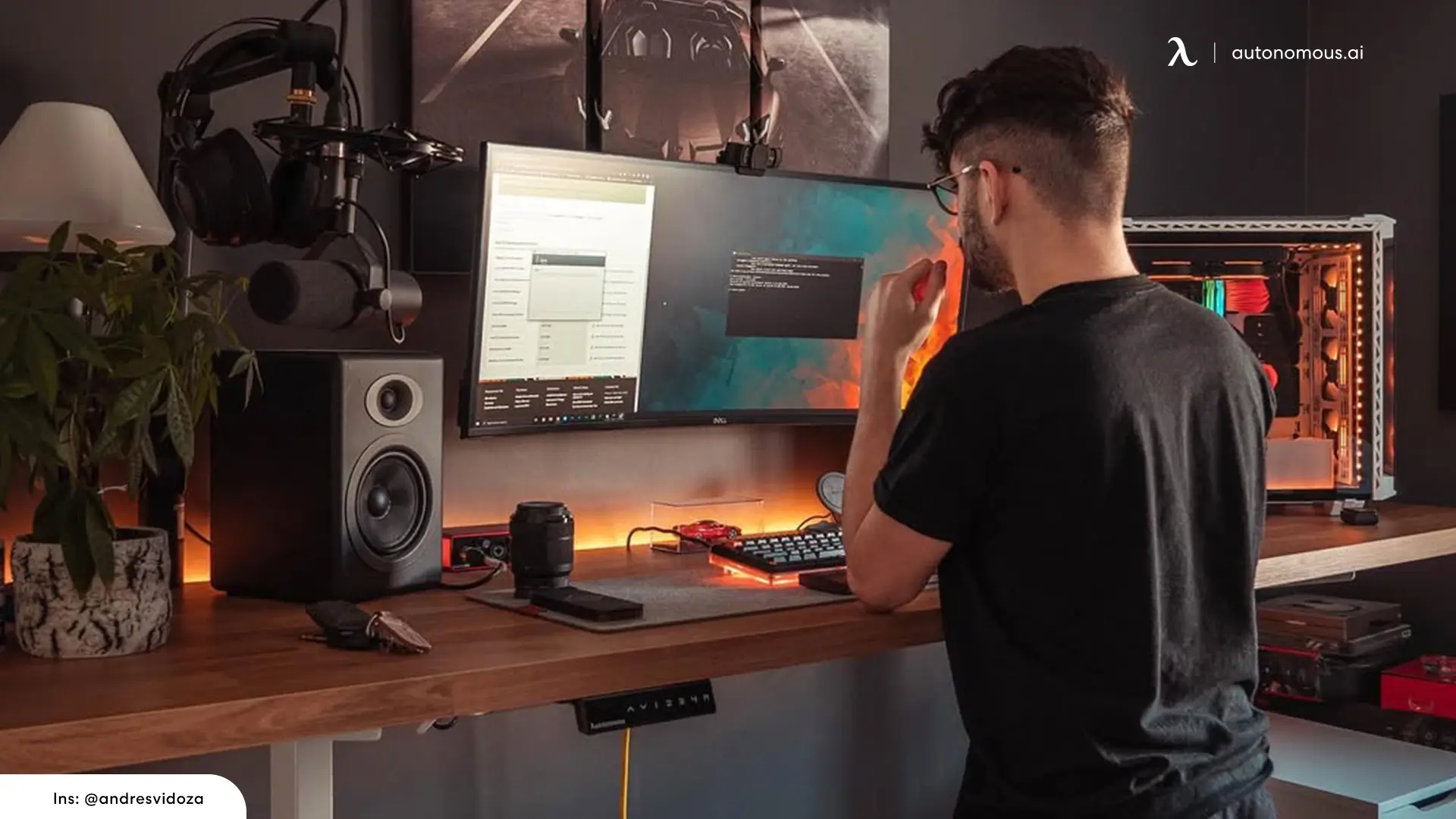
Adjust the seat so your feet rest flat on the floor or a foot ring and your elbows sit close to desk height. Then move the mic arm to your mouth instead of leaning toward the mic, since forward leaning posture creeps in whenever the mic is a few inches too far away.
If the armrests sit too low to support your elbows, a chair arm extender raises the pad. Leave a few inches between your knees and the desk so you do not bump the mic stand mid-sentence.
In a warm room, breathable chair materials keep you from shifting around to cool off.
The desk matters as much as the chair here: our podcast desk guide covers mic arm clamps, desk height and standing desks for recording.
Run a 30-second chair noise test
The only reliable way to find chair noise is to record it with your real mic settings. This test takes 30 seconds:
- Set the mic gain as you would for an episode and put on closed headphones.
- Start recording and sit still for 5 seconds to capture the room on its own.
- Lean back to the first recline stop and return, swivel left and right, then roll a few inches back and forth.
- Rest your forearms on the armrests, lift them off, and shift your weight side to side.
- Listen back and look at the waveform: any spike while you were not talking is chair noise.
Fixes, in order of cost: lock the recline while recording, tighten the arm and back bolts, put a rug or chair mat under casters on a hard floor, then swap the chair if a creak survives all three.
When the room, not the chair, is the problem
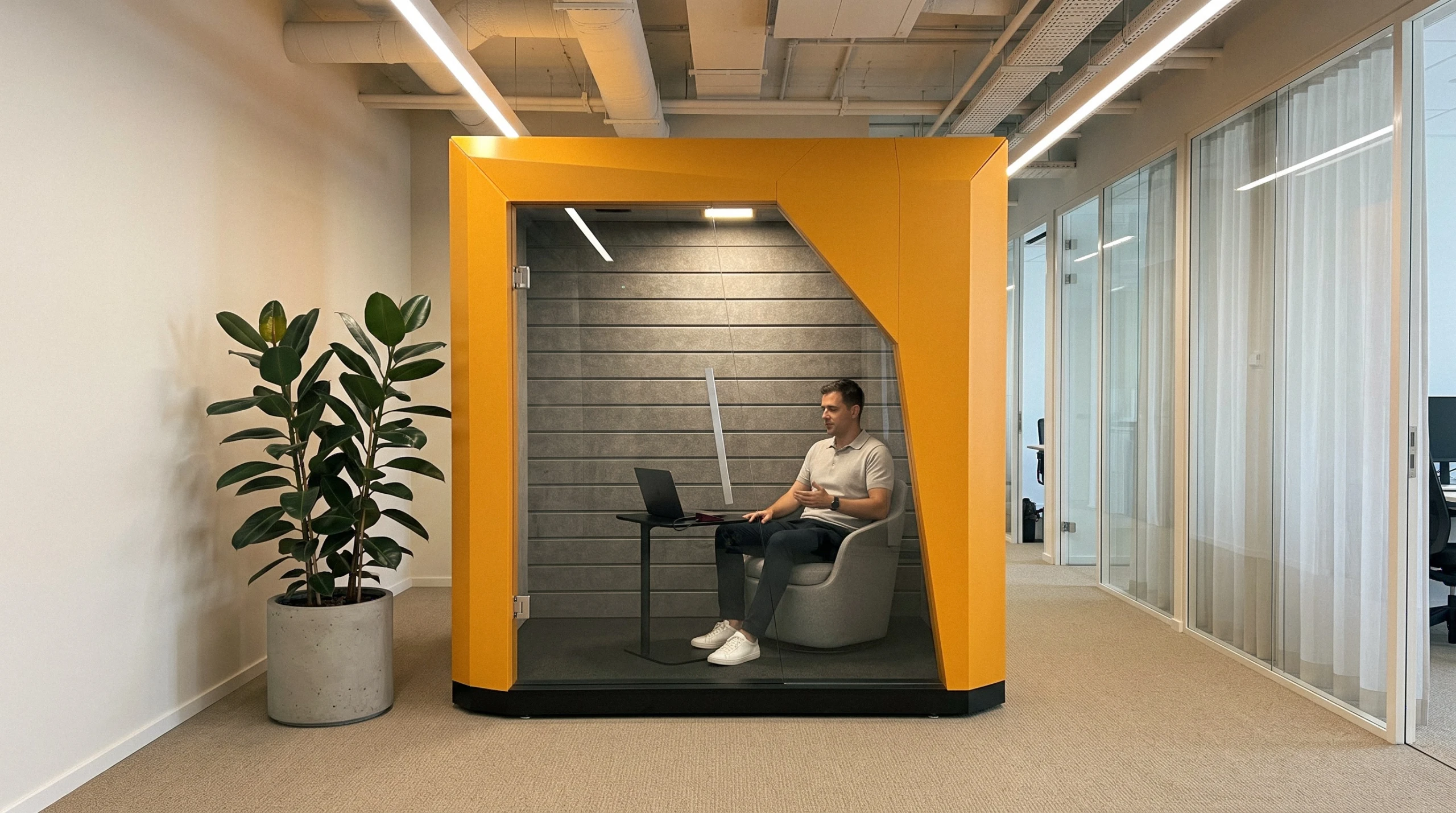
A quiet chair does not fix a room that echoes or a hallway that leaks into the mic. Spaceship is Autonomous's one-person indoor pod, a closed room with felt walls and ceiling that stands inside a larger one. Autonomous lists 30 dB of speech reduction, a figure it marks as preliminary, which suits spoken word, not loud instruments. Its two roof fans always run, at 32 dB(A) at full speed. It is built around a lounge chair and a laptop table (sold separately), not a desk.
FAQs
What chairs do podcasters use?
Most podcasters use an adjustable office chair with lumbar support, a recline lock and quiet casters, because it holds them still at the mic for long sessions. Hosts at tall desks use drafting chairs or stools, and video shows often seat guests in lounge or director's chairs.
What chair does Joe Rogan use?
We could not find a first-hand statement from Joe Rogan or his team naming his studio chair, so any brand you see online is a guess. What you can copy is the setup: an upright seat, the mic brought to your mouth on an arm, and a chair that stays quiet on a test recording.
Can a regular office chair work as a podcast chair?
Yes, a regular office chair works as a podcast chair if it adjusts in height, locks its recline and makes no noise on a test recording. Most podcast chairs are office chairs. Flip-up or removable arms help if fixed armrests stop you from reaching a desk-clamped mic arm.
What is the best high chair for podcasters?
The best high chair for podcasters is a drafting chair or stool with a foot ring and a seat that reaches your elbow height at a counter-height desk. Steelcase makes a Leap stool rated for 300 lb, and drafting chairs like the Primy add flip-up arms.
Can a gaming chair be used as a podcast chair?
A gaming chair can work for podcasting if it locks upright and stays quiet on a test recording. Many gaming chairs use strap-on lumbar pillows and PU leather that can squeak, so record yourself leaning and shifting before you rely on one for interviews.
How do I stop my chair from making noise on recordings?
Lock the recline, tighten the arm and back bolts, and put a rug or chair mat under casters on hard floors. Then record 30 seconds of leaning, swiveling and rolling with your normal mic gain. If the waveform still spikes while you are silent, replace the chair.
Should a podcast chair have armrests?
A podcast chair should have armrests only if they let you sit close to the mic. Fixed arms higher than the desk edge block a desk-clamped mic arm. Flip-up, removable or armless designs avoid that, and OSHA guidance treats armrests as optional as long as your shoulders stay relaxed.
What material is best for a podcast studio chair?
Mesh is the coolest material for a podcast studio chair because it lets air through under hot studio lights. Fabric is quiet and soft on camera. Leather and PU leather look polished on video but hold heat and can squeak, so they suit air-conditioned studios better.
Is it worth spending a lot on a premium podcast studio chair?
A premium podcast studio chair is worth it if you record or edit for several hours most days, because longer warranties and more adjustment pay off with daily use. For weekly episodes, a mid-price chair such as the Branch, OdinLake or Mimoglad covers the basics if it passes the noise test.
Conclusion
The right podcast chair is the one that keeps you still, quiet and close to the mic for a whole episode. Pick by setup: a full-adjustment chair such as the ErgoChair Pro for long seated sessions, removable or flip-up arms if your mic arm needs room, and a drafting chair for tall desks. Then run the 30-second test before you trust it on an interview.
If your show grows into video, a YouTube studio setup adds lights and camera framing to the same desk.
Hosts who play between segments can compare an office chair for guitar players with armless designs.
Start with the chair you already own, test it on mic, and buy only when you hear the problem.