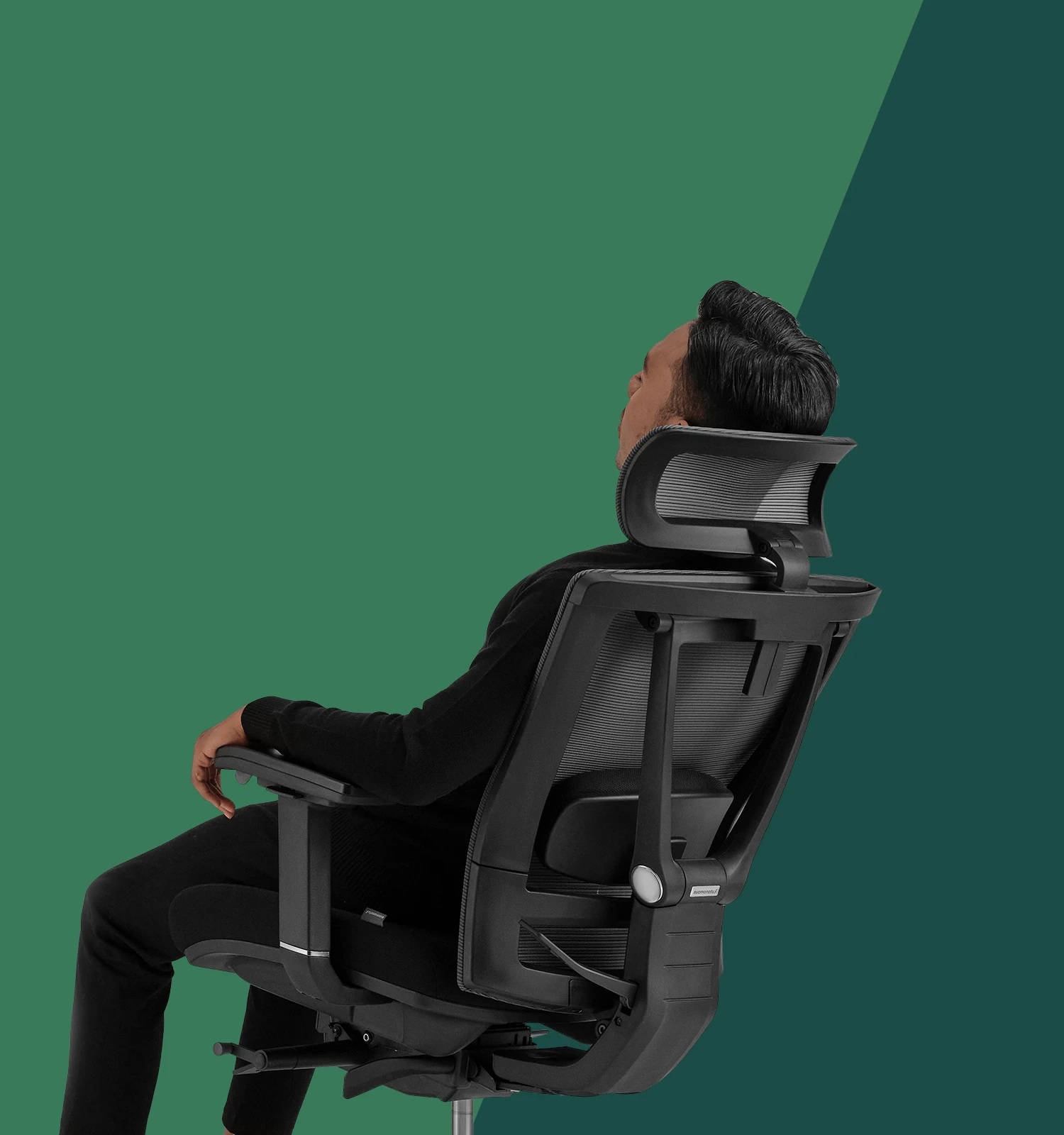
ErgoChair Pro
$42 off for Black Friday.
Built for 12-hour sessions.
Armless Office Chairs: 8 Office Chairs Without Arms for 2026

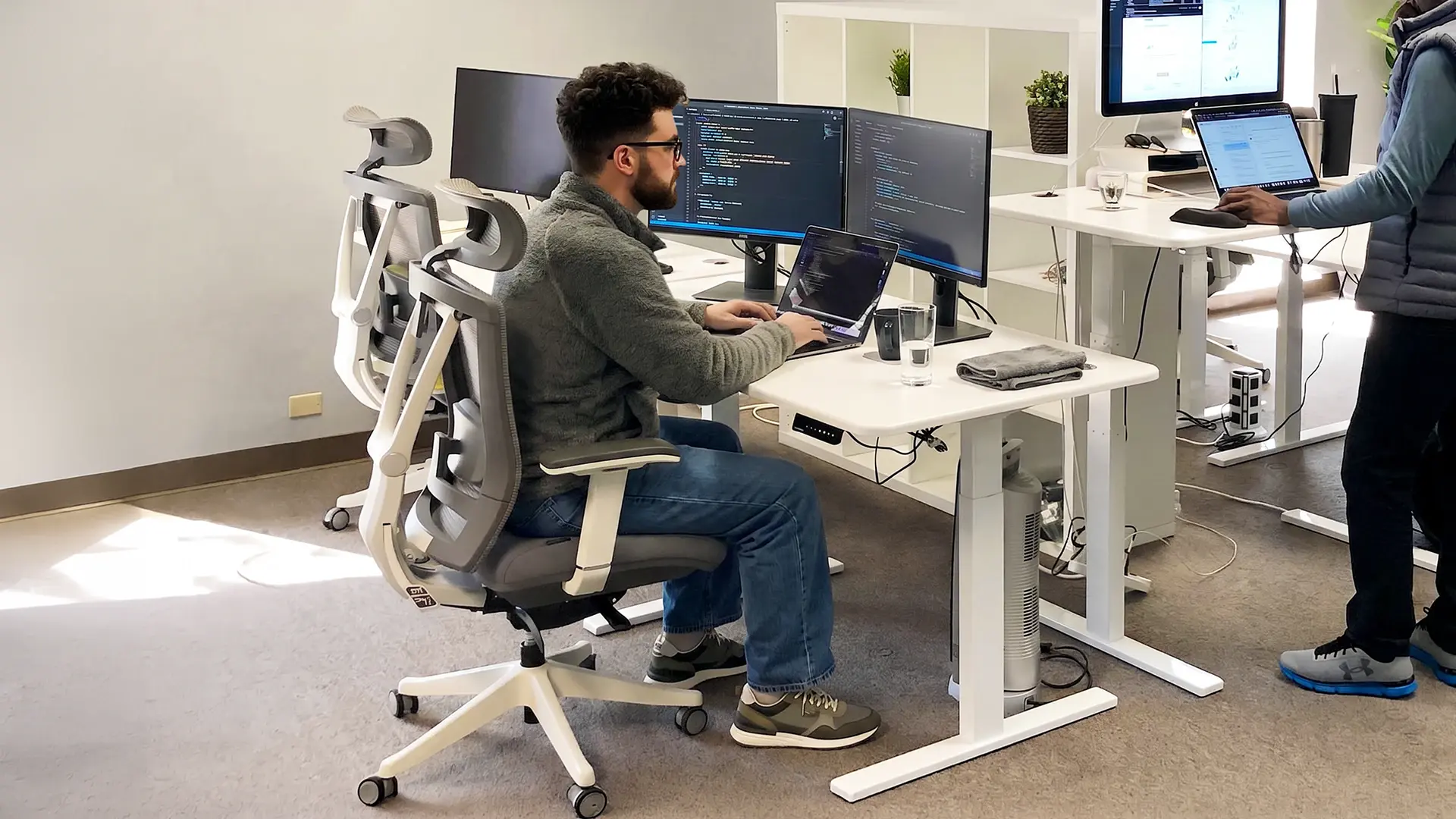
An office chair without arms is the better choice when you need the seat to slide fully under a small desk, like to sit cross-legged or shift a lot, or work in a tight room. It is the worse choice if you type for hours with nowhere to rest your forearms.
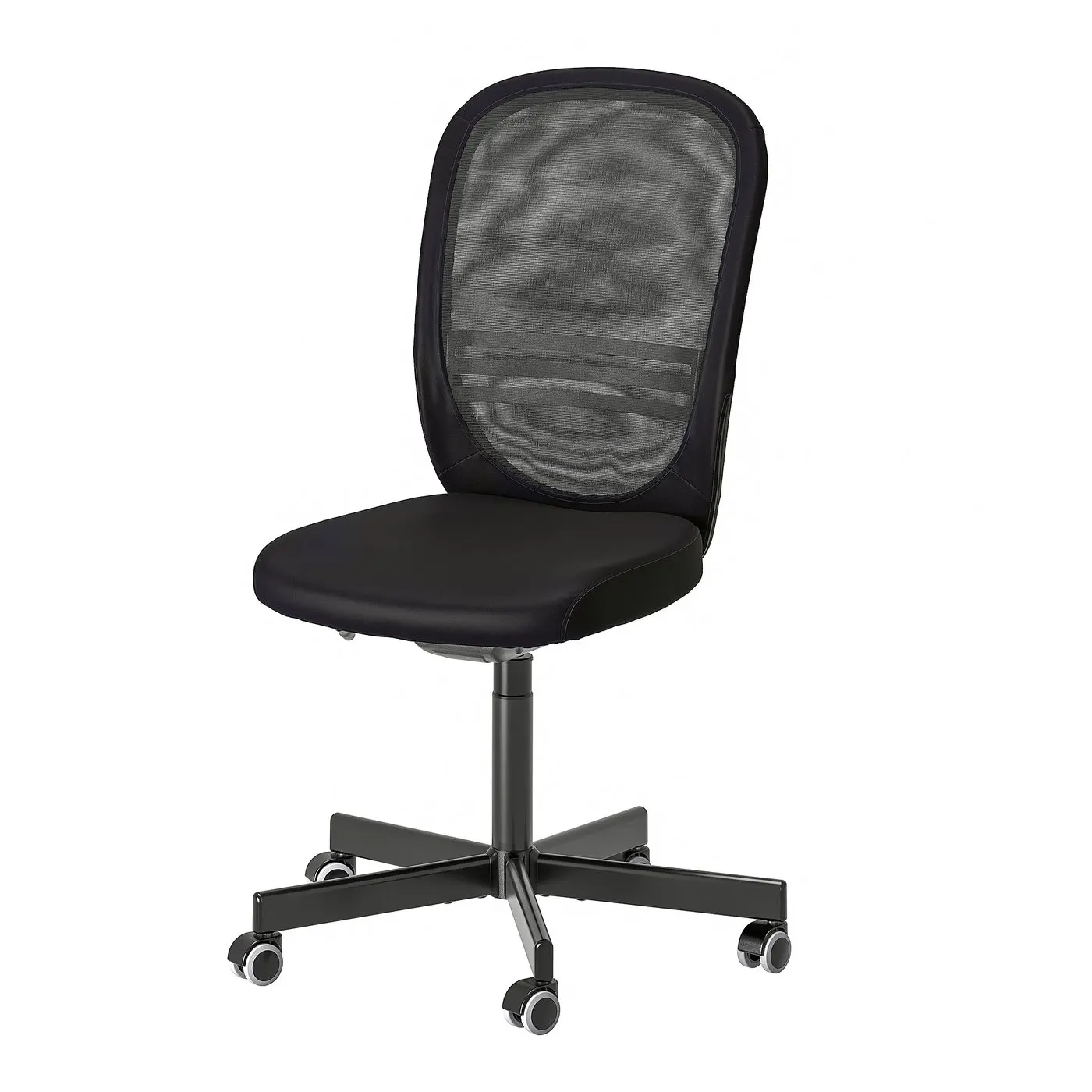
For several hours a day at a small desk, start with the IKEA FLINTAN: it has a high mesh back, a synchronized tilt, a seat 18 1/8 inches wide, and armrests IKEA sells as an add-on if your shoulders complain later. For a wider padded seat, the Boss LeatherPlus has a 20 by 20-inch seat with tilt tension and tilt lock. Both cost under $200; the table below compares all 8 picks.
Autonomous does not sell an armless chair. If you decide you want arms, the ErgoChair Ultra 2's armrests drop to 7 inches above the seat, and it is discounted in the Black Friday chair sale, which takes up to 10% off.
Do Office Chairs Without Arms Cause Shoulder Pain?
An office chair without arms can cause shoulder and neck strain if your arms hang unsupported or you reach forward for hours, but a desk set at elbow height, with the keyboard close, helps prevent it. OSHA describes the job of armrests as supporting your lower arms with your shoulders relaxed, and its keyboard guidance gives the same target without them: elbows about level with the keyboard, close to your body, forearms roughly parallel to the floor and shoulders relaxed.
The fixes, in order:
- Set the desk or keyboard tray at elbow height, so your shoulders do not lift while you type.
- Pull the chair in and keep the keyboard and mouse close, so your elbows stay by your sides instead of reaching forward. The same rules make up good typing posture with or without arms.
- If you rest your forearms on the desk, keep them on the flat surface, not the front edge. OSHA warns that resting forearms on the leading edge of a table causes contact stress.
- Sit back against the backrest and change position often instead of propping yourself on your elbows.
If your shoulders still ache after a week or two, add arm support instead of pushing through: flip-up arms, or arms sold as an add-on such as IKEA's armrests for the FLINTAN, keep most of the armless benefits. Pain that persists is a reason to see a doctor or physical therapist, not only to change chairs.
Armless Office Chairs at a Glance
These 8 chairs are listed as armless on their product pages and were in stock when checked. They are ordered by how much adjustment they give you for long desk hours, from synchronized tilt, through tilt control, down to height only.
| Chair | Back and seat | Rated capacity | Price |
|---|---|---|---|
| IKEA FLINTAN | Mesh back, padded seat, synchronized tilt | 276 lb | $99.99 |
| Boss LeatherPlus Armless Task Chair | Faux leather, 20 in wide seat, tilt lock | 275 lb | $159.99 |
| IKEA LÅNGFJÄLL (no armrests) | Fabric, 20 7/8 in wide seat, tilt | 276 lb | $249.99 |
| Boss Budget Mesh Armless Task Chair | Mesh back, padded seat, back lock | 250 lb | $149.99 regular |
| Boss Perfect Posture Deluxe | Thick padded fabric, no recline | 275 lb | $129.99 regular |
| Serta Armless Mesh Desk Chair | Low mesh back, foam seat | 275 lb | Varies on Amazon |
| Flash Furniture Alan Armless | Ribbed vinyl, low back | 250 lb | Varies on Amazon |
| Furmax Vanity Armless Chair | PU leather, compact | 250 lb | $79.99 list |
Seat size and height decide whether a chair fits you and your desk, so here are the dimensions each product page lists. "Not listed" means the page gives no figure.
| Chair | Seat width x depth | Seat height | Overall W x D x H |
|---|---|---|---|
| IKEA FLINTAN | 18 1/8 x 19 1/4 in | 17 3/4 to 22 7/8 in | 28 x 28 x up to 44 7/8 in |
| Boss LeatherPlus | 20 x 20 in | 19 1/2 to 23 in | 26 1/2 x 27 x 44 in |
| IKEA LÅNGFJÄLL | 20 7/8 x 16 1/8 in | 16 7/8 to 20 7/8 in | 26 3/4 x 26 3/4 x 36 1/4 in |
| Boss Budget Mesh | 18 1/2 x 17 1/2 to 19 1/2 in | 18 to 21 1/2 in | 25 x 28 x 40 1/2 in |
| Boss Perfect Posture | 18 1/2 x 16 1/2 to 17 in | 18 to 23 1/2 in | 25 1/2 x 25 x 40 in |
| Serta Armless Mesh | Width not listed x 16 in | 17 to 21 in | 24 x 26 1/2 x 35 3/4 in |
| Flash Furniture Alan | Width not listed x 16 in | 18 to 23 in | 18 x 21 1/2 x 31 1/4 to 36 in |
| Furmax Vanity | Width not listed x 16 in | 22 in (one value listed) | 17 1/2 x 16 x 29 1/2 to 35 1/2 in |
For a small desk, compare the overall width with the gap between your desk legs. The Boss Budget and Perfect Posture pages list two different seat depths, so both are shown. None of the 8 is rated above 276 lb, so they are not big and tall chairs. If you need more capacity, see the checks in the buying section before you pick any armless model.
The Best Armless Office Chairs by Need
Start with FLINTAN or the Boss Budget Mesh if you want a mesh task chair without arms for full workdays, the Boss LeatherPlus or LÅNGFJÄLL for a wider seat and tilt, and the last three for short sessions, small rooms or a desk that doubles as a vanity.
IKEA FLINTAN: mesh back, with arms you can add later
The FLINTAN gives you the most adjustment on this list at its price: a high mesh back, a synchronized tilt that moves the seat and back together, and a seat height of 17 3/4 to 22 7/8 inches. IKEA lists a 276 lb test load, a 10-year warranty, a removable washable seat cover and casters that lock when nobody is sitting in it.
IKEA also sells armrests for it as an extra option, which makes it the safest bet if you are not sure you will stay armless. The limit: there is no separate lumbar adjustment, so the curve of the mesh back has to suit your lower back as it is.
Boss LeatherPlus Armless Task Chair: a wide seat with tilt control
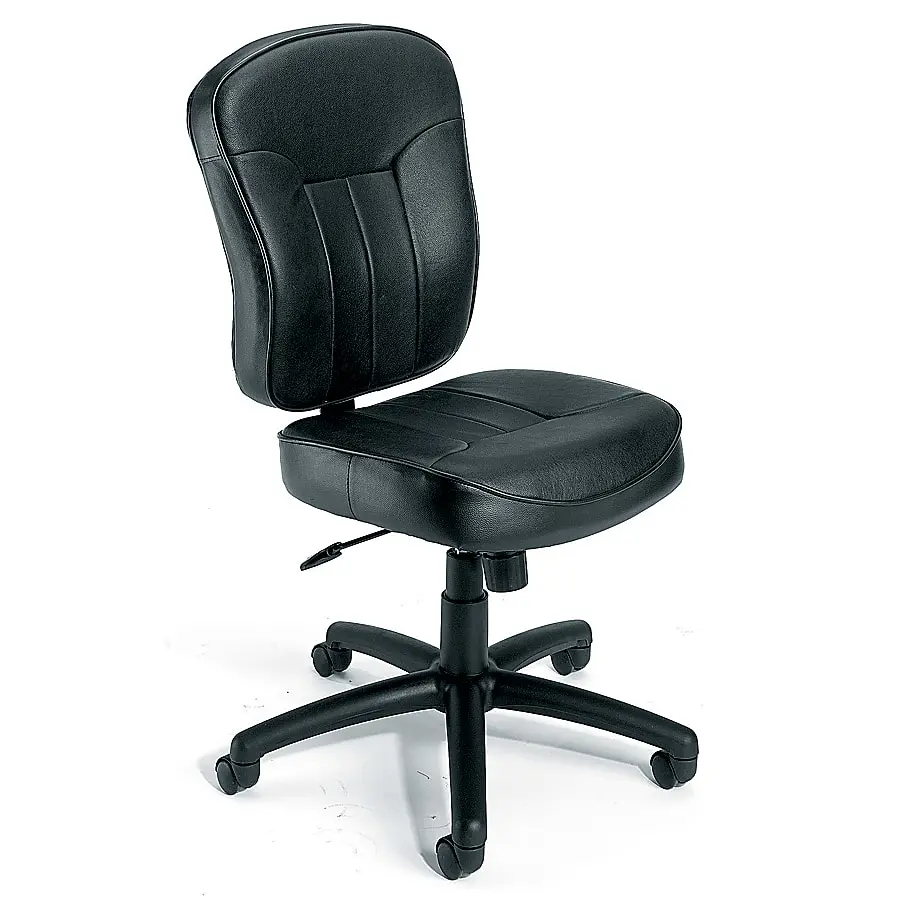
The Boss LeatherPlus suits someone who wants a roomier seat and a back that rocks: the waterfall seat is 20 inches wide and 20 inches deep, and you can set seat height, tilt tension and tilt lock. It holds 275 lb and has a 6-year limited warranty. The limit: the faux leather runs warmer than mesh, and a 20-inch deep seat can press behind the knees of shorter users.
IKEA LÅNGFJÄLL: the widest seat, for meeting rooms and home offices
The LÅNGFJÄLL without armrests has the widest seat here at 20 7/8 inches, with a tilt and height mechanism and a seat that runs from 16 7/8 to 20 7/8 inches. IKEA rates it for business use and lists a 276 lb test load and a 10-year warranty. The limit: the seat is only 16 1/8 inches deep and tops out under 21 inches, so tall users will find it short.
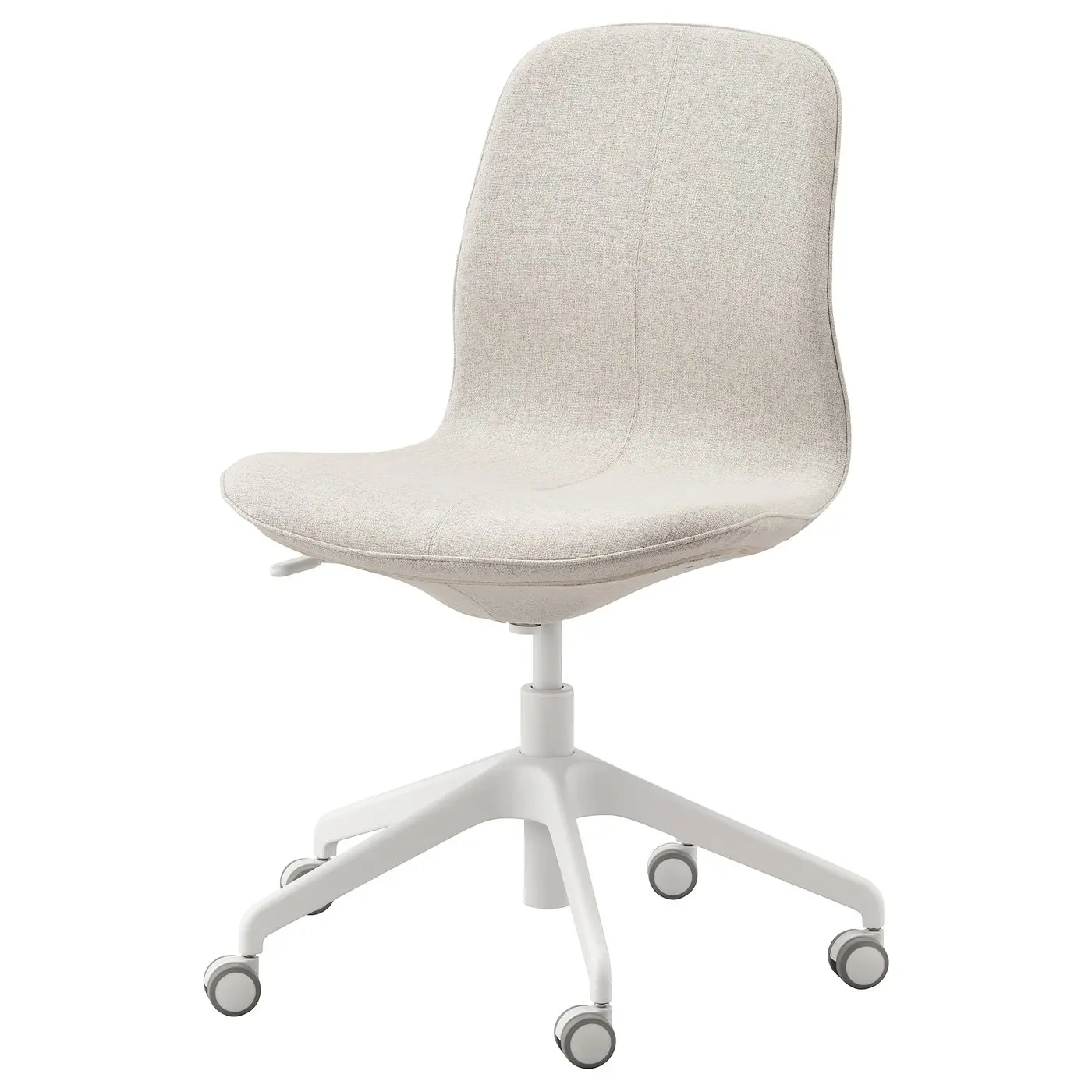
Boss Budget Mesh Armless Task Chair: a simple mesh task chair
The Boss Budget Mesh is a plain office task chair with no arms: a breathable mesh back, a padded seat 18 1/2 inches wide, pneumatic seat height and a mechanism that locks the back upright. Office Depot lists a 6-year limited warranty, the same 6 years as the LeatherPlus. The limit: seat height is the only adjustment, and the page gives 250 lb in the spec table and 275 lb in the bullets, so plan on 250 lb.
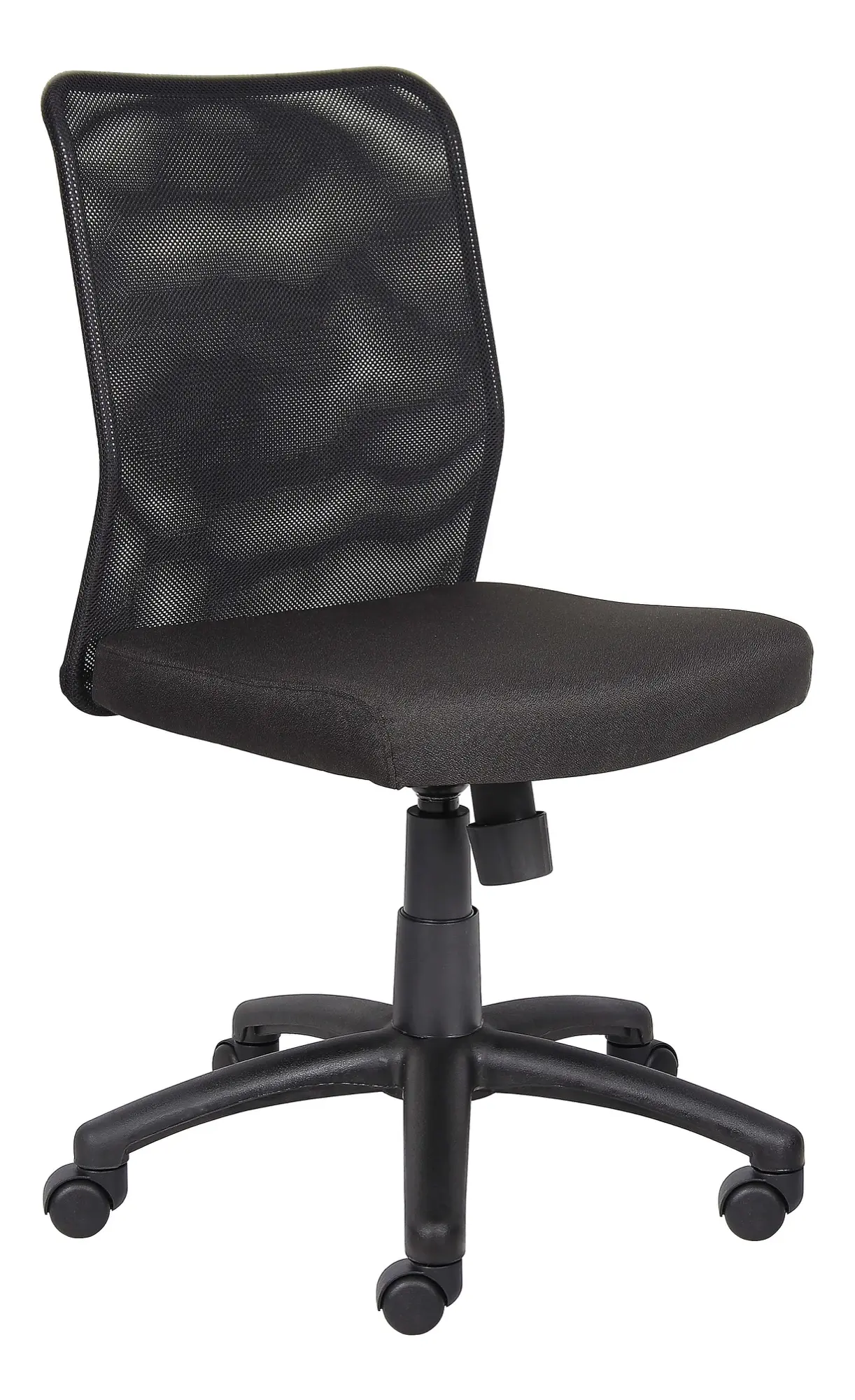
Boss Perfect Posture Deluxe: thick padding on a budget
The Perfect Posture Deluxe is a padded fabric chair in gray with a seat 18 1/2 inches wide and 16 1/2 inches deep, rated for 275 lb. It suits a guest desk or a few hours of work a day. The limits: Office Depot lists no recline and no lumbar adjustment, and the warranty is 1 year.
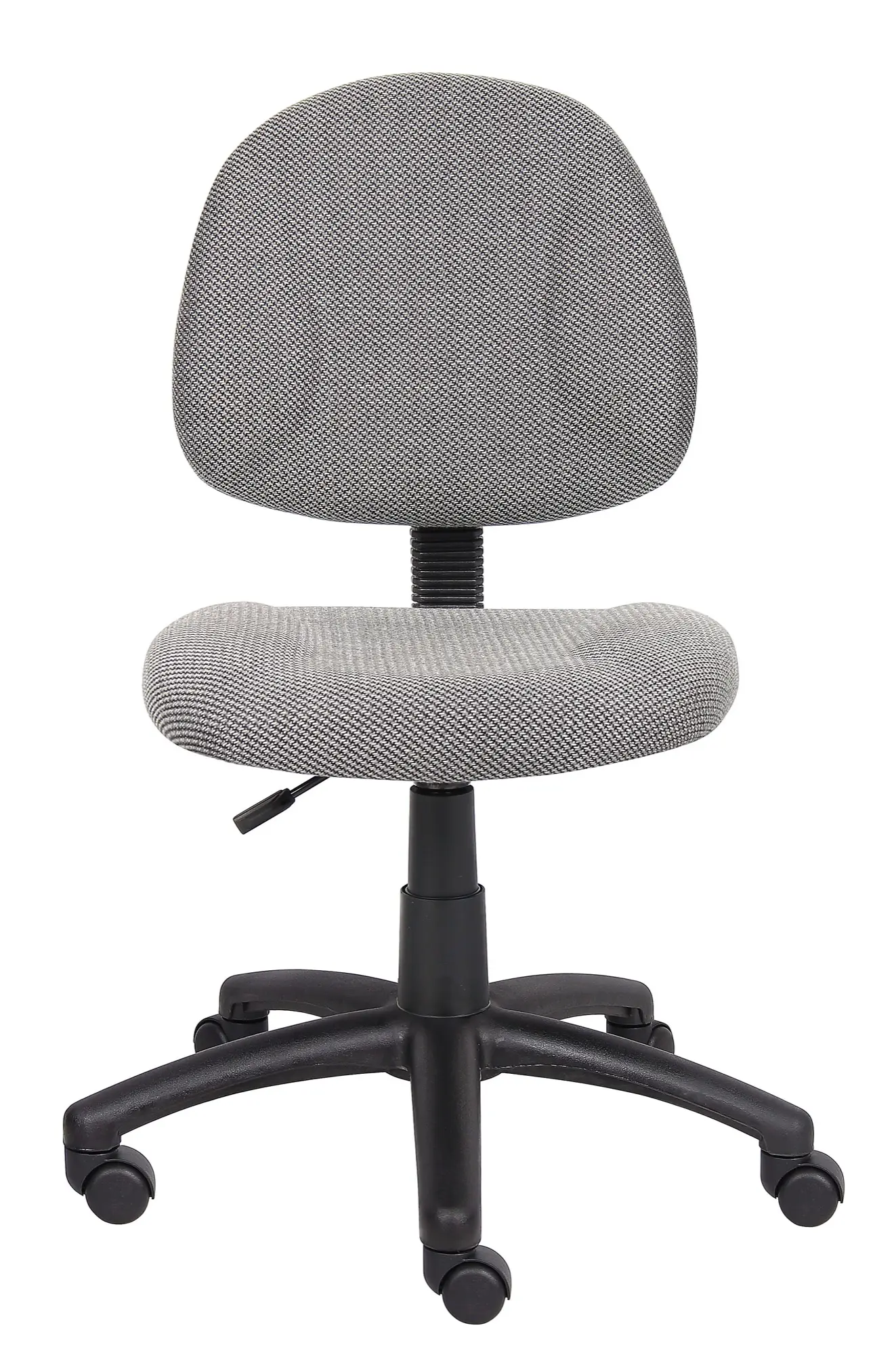
Serta Armless Mesh Desk Chair: a small office chair with no arms
This Serta is a small home desk chair with a low mesh back, a foam seat and dual-wheel casters, in five colors. Serta rates it for 275 lb, and its low profile slides under most desks. The limit: the back stops below the shoulder blades and only the height adjusts, so it works for short sessions better than all-day coding.
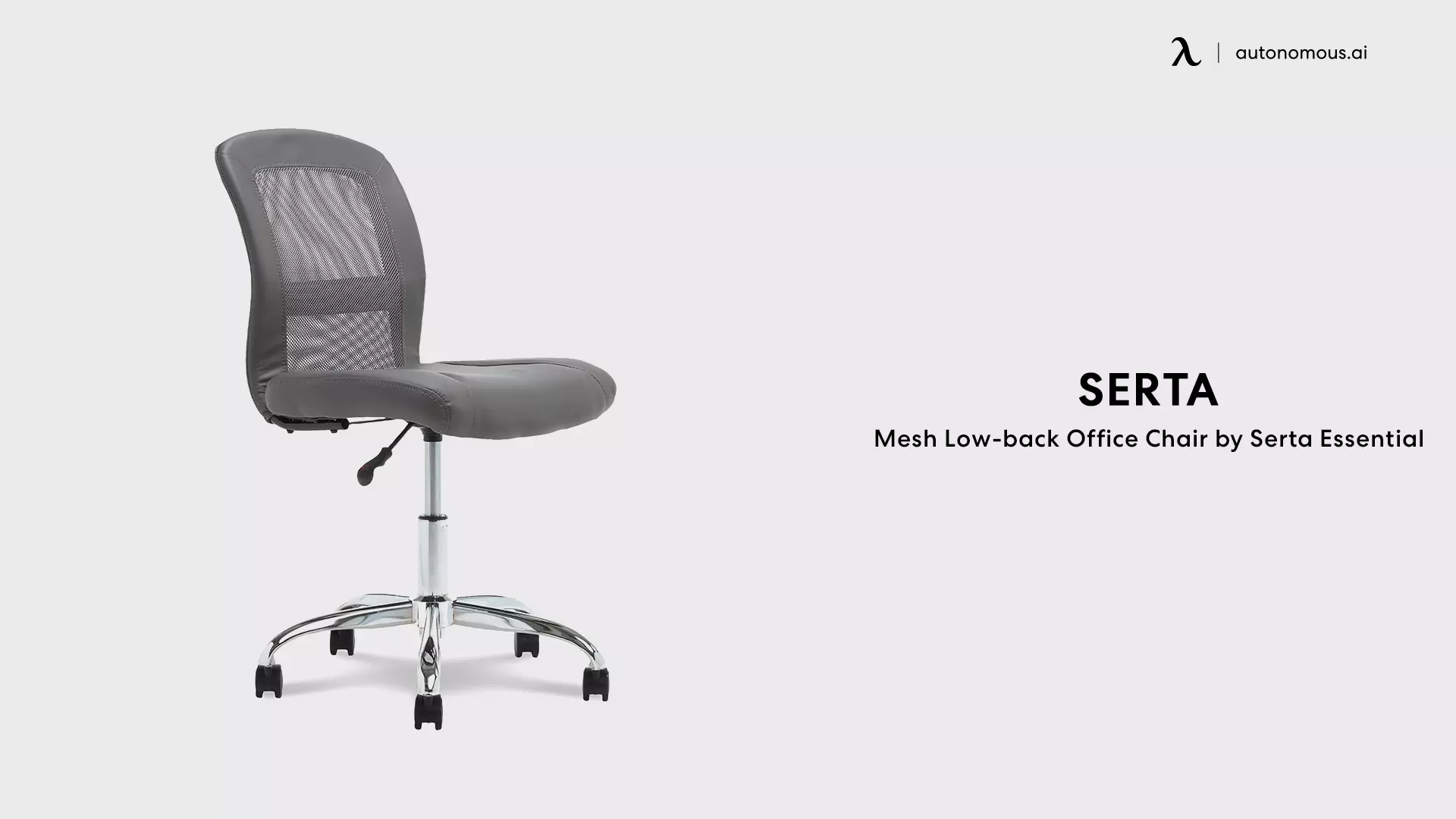
Flash Furniture Alan: a low-back armless chair for looks
The Alan is a low-back chair in ribbed vinyl with a chrome trim, 18 inches wide and 31.25 to 36 inches tall, rated for 250 lb. It wipes clean with a damp cloth, which suits a salon, shop counter or dorm desk. The limit: a low back and height-only adjustment make it a style pick, not a long-hours chair.
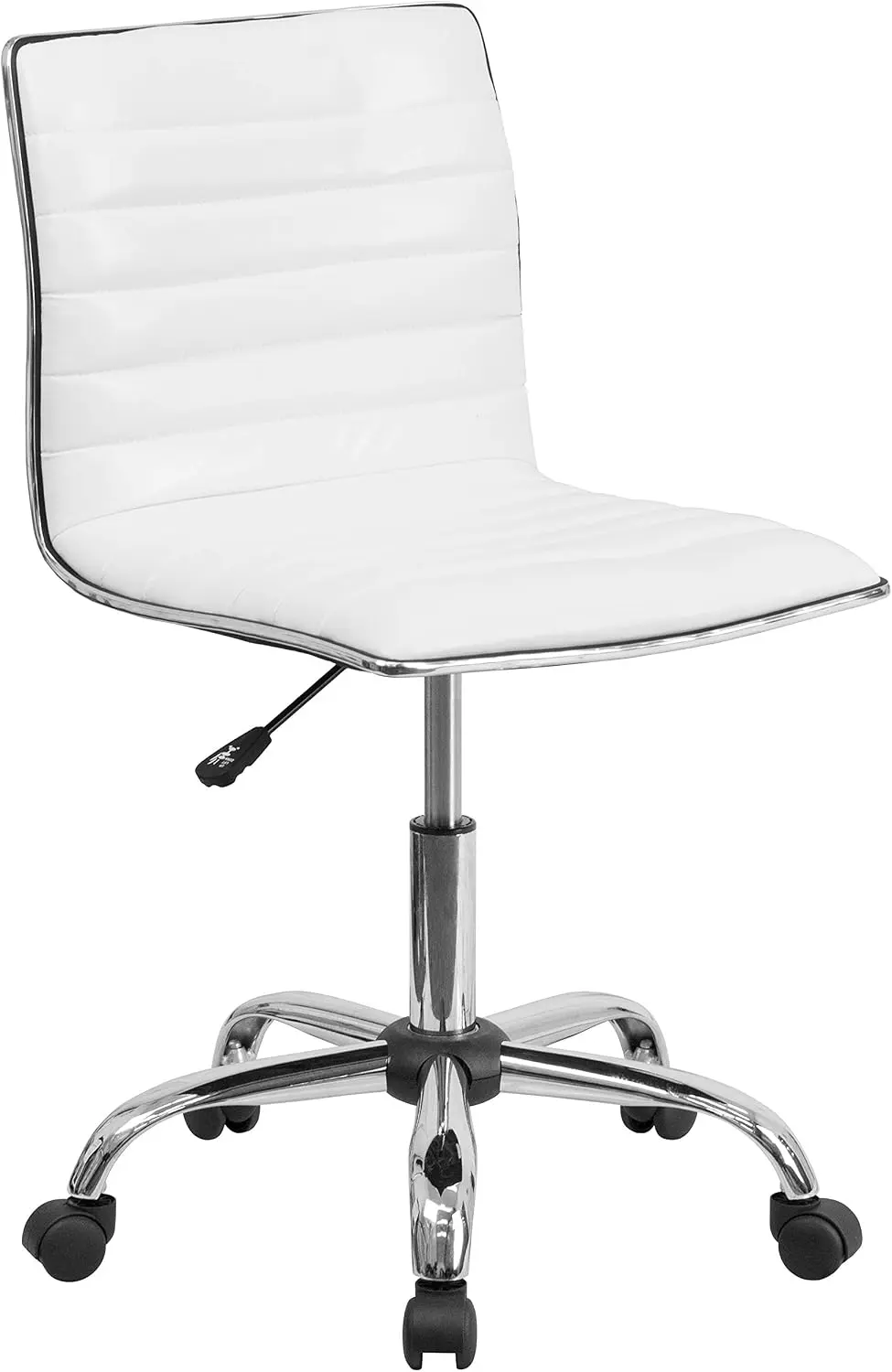
Furmax Vanity Armless Chair: for a desk that doubles as a vanity
The Furmax is a compact PU leather swivel chair with a chrome base, sold as a vanity, makeup or desk chair, with a 250 lb rating. It fits a narrow bedroom desk where a full task chair would not. The limit: it has no tilt and a small back, so treat it as a chair for an hour or two at a time.

Benefits of an Office Chair With No Armrests
The main benefit of an office chair with no armrests is that nothing stops the seat from sliding under the desk or your body from moving. The rest follow from that:
- It tucks under the desk. With no arms to hit the desk edge, you can pull in close to the keyboard and push the chair fully under when you leave, which frees floor space in a small office.
- You can sit the way you like. Cross-legged, one knee up or sitting sideways to talk to someone all work better without arms boxing you in. Larger users who feel squeezed between fixed arms often find an extra-wide office chair or an armless one more comfortable.
- It keeps you moving. Without arms to lean on, you shift and reach more, which is the idea behind active sitting.
- It is lighter and costs less. Fewer parts mean a chair that is easier to roll between desks and usually cheaper than the same model with arms.
- It avoids badly fitting arms. Fixed arms that are too high, too low or too wide do more harm than none. OSHA's chair guidance says that if armrests cannot be adjusted properly or get in the way of your workstation, you should remove them or stop using them.
A quick check: sit at your desk in your current chair and pull in to typing distance. If the arms hit the desk before your belly is a fist's width from the edge, arms are costing you reach.
Common Problems With Armless Desk Chairs
The most common problem with an armless desk chair is that your shoulders and neck end up holding your arms all day. OSHA lists the reverse of this as the job of armrests: support for the lower arms with the shoulders relaxed. Other problems show up after a few weeks of use:
- You lean on the desk. With nowhere to rest your elbows, most people prop them on the desk and slide forward, off the backrest and away from the lumbar support.
- Cheap armless chairs skip other adjustments too. The bigger issue is often not the missing arms but a chair with height adjustment only, no tilt and a short back. Check for chair lumbar support and tilt before you decide.
- Standing up is harder. Arms give you something to push on. Anyone with knee or hip trouble, or who is pregnant, will notice the difference.
- Mouse and phone work tire the arm. Holding a mouse or a phone at your ear with no support loads one shoulder for long stretches.
- Guests sit awkwardly. If you are choosing an office chair for guests who will stay a while, arms give them somewhere to put their hands besides their lap.
Problems With Armless Mesh Office Chairs
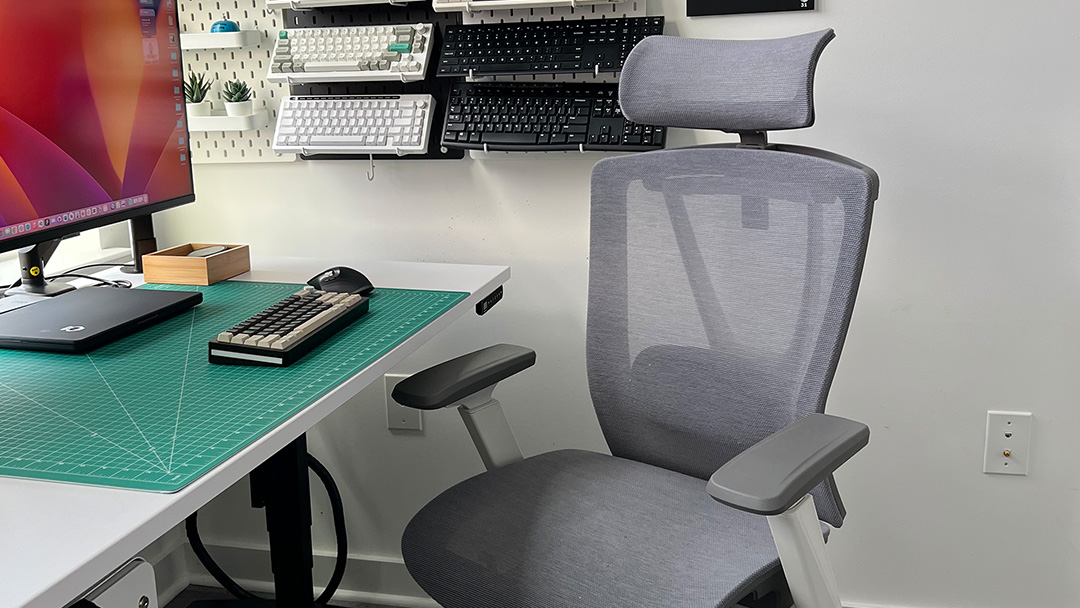
An armless mesh office chair keeps you cooler than a padded one, but it adds two problems of its own: many are low-back designs, and cheap mesh loosens over time. A low mesh back stops below the shoulder blades, so with no arms either, your upper back and shoulders get no support at all.
Mesh that sags turns into a hammock that lets your lower back round. Press a palm into the middle of the backrest: if you feel the frame through the mesh, or the mesh does not spring back, it will not hold your spine. On a mesh seat, run your hand along the front edge. A hard frame rail there presses behind the thighs, which is why a soft "waterfall" front edge matters.
If you want mesh for heat, a high-back mesh office chair with height-adjustable arms solves both problems.
Who Should Not Go Armless
You should keep arms if you type or mouse for more than a few hours a day at a desk too shallow to rest your forearms on. That covers most people who code, game or edit all day. Also skip armless if:
- You already have neck, shoulder or upper back pain that gets worse as the day goes on.
- You need help getting up from a seat; an office chair with adjustable arms gives you something to push on.
- You weigh more than about 275 lb. None of the armless chairs above is rated higher, so look at a big and tall chair rated for 300 lb or more, such as these big and tall mesh office chairs.
- You work on a laptop on your knees or lean back for calls; arms carry your elbows in both positions.
Armless makes sense for short sessions, shared hot desks, small rooms, drafting and craft tables, and anyone who sits cross-legged. If you sit all day, the best chair for sitting all day usually has arms that adjust, not none.
Flip-Up and Add-On Arms: The Middle Option
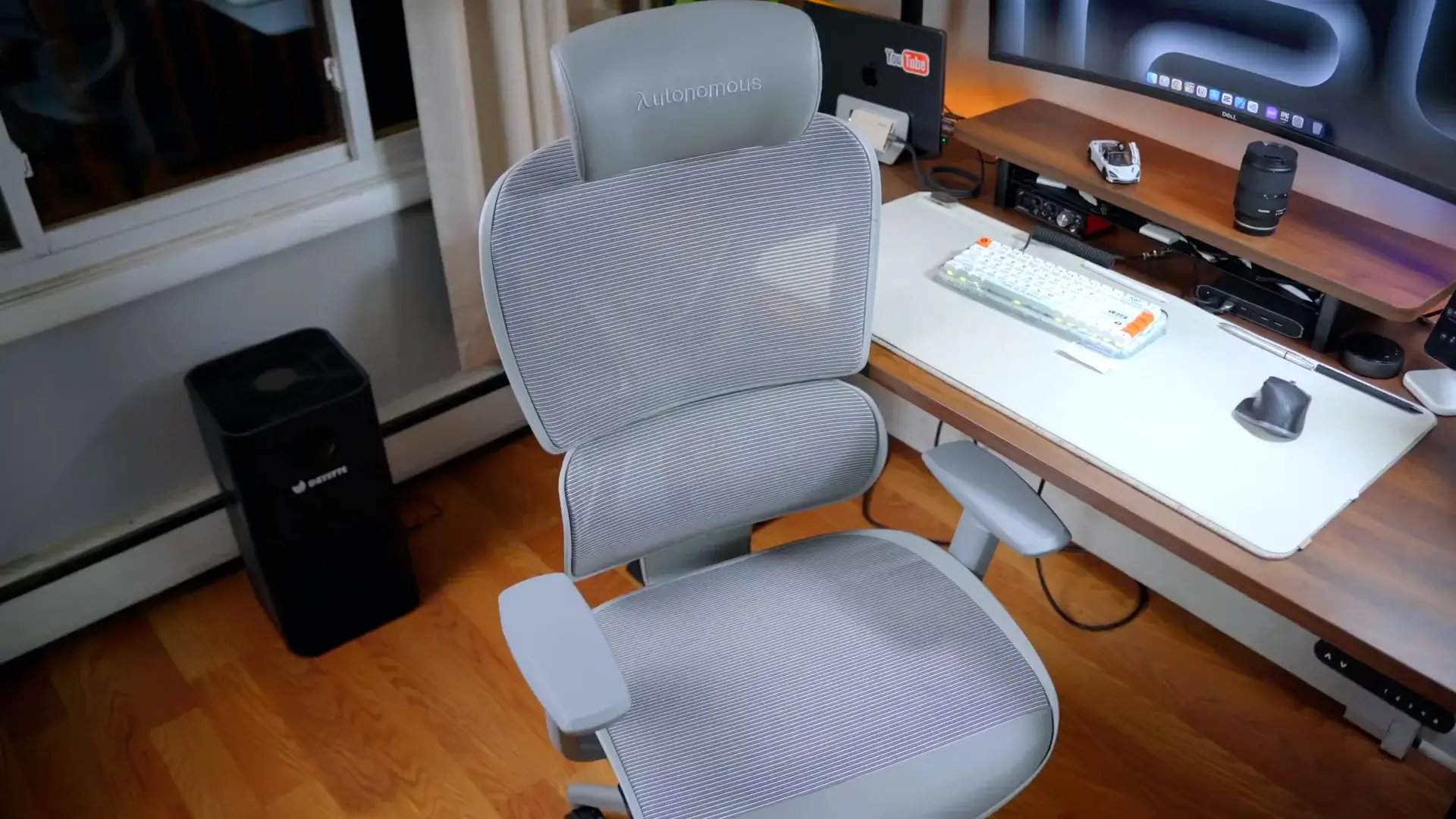
Flip-up arms swing up and out of the way when you want to pull in close, then drop back down when you want support. That gives you most of the armless benefits without losing arm support for long typing sessions. Check that the arms lock in the down position before you buy, because ergonomic office chairs with flip-up arms only help if the arms hold your weight when lowered.
The other route is a chair that sells arms as an add-on. IKEA sells armrests as an extra option for the FLINTAN, so you can start armless and add them later. If your chair already has arms that sit too low or too far back, office chair armrest extenders can bring the pad closer to where your forearms rest.
Keep the Arms but Make Them Fit: The Tuck-Under Check
Arms block your desk only when the top of the armrest sits higher than the underside of the desk. Work it out before you buy: add the seat height you actually sit at (feet flat on the floor) to the chair's lowest armrest height above the seat, then measure from the floor to the underside of your desk. If the first number is lower, the arms slide under.
Autonomous does not sell an armless ErgoChair, and none of its product pages lists removable arms. Here is the same math for the four ErgoChair office chairs, using the seat and armrest ranges on their product pages:
| Chair | Seat height | Armrest height above seat | Armrest top at lowest seat |
|---|---|---|---|
| ErgoChair Ultra 2 | 18 to 23 in | 7 to 11 in | About 25 in |
| ErgoChair Pro | 18.5 to 22 in | 11 to 14 in | About 29.5 in |
| ErgoChair Mesh | 18.5 to 21.5 in | 11 to 14 in | About 29.5 in |
| ErgoChair Core | 20 to 23.8 in | 10.5 to 13.5 in | About 30.5 in |
A fixed desk with its top at 29 to 30 inches usually leaves about 27 to 28 inches underneath. At a 20-inch seat, the Ultra 2's arms sit at about 27 inches, still under most fixed desks; the Pro and Mesh arms sit at about 31 inches. With a standing desk you can raise the desk a little instead. Seat heights are measured differently from maker to maker, so treat these as close estimates and check your own desk.
ErgoChair Ultra 2: arms that drop low enough to tuck under
The ErgoChair Ultra 2 suits someone who wanted armless for the tuck-under reason: its 4D armrests pivot and go as low as 7 inches above the seat. It has a flexing TPE backrest, a 115° recline, a 320 lb rating, a lifetime warranty and a 4.5 rating from 379 reviews. The limit: there is no lumbar dial.

ErgoChair Pro: adjustable lumbar, with arms you set once
The ErgoChair Pro suits taller users, or anyone who keeps the arms out from under the desk, and wants a lumbar pad that slides 6 inches. It has 3D armrests, a 112° recline, a 300 lb rating, a lifetime warranty and a 4.6 rating from 3,398 reviews. The limit: owners report the armrests do not lock on slide or swivel.
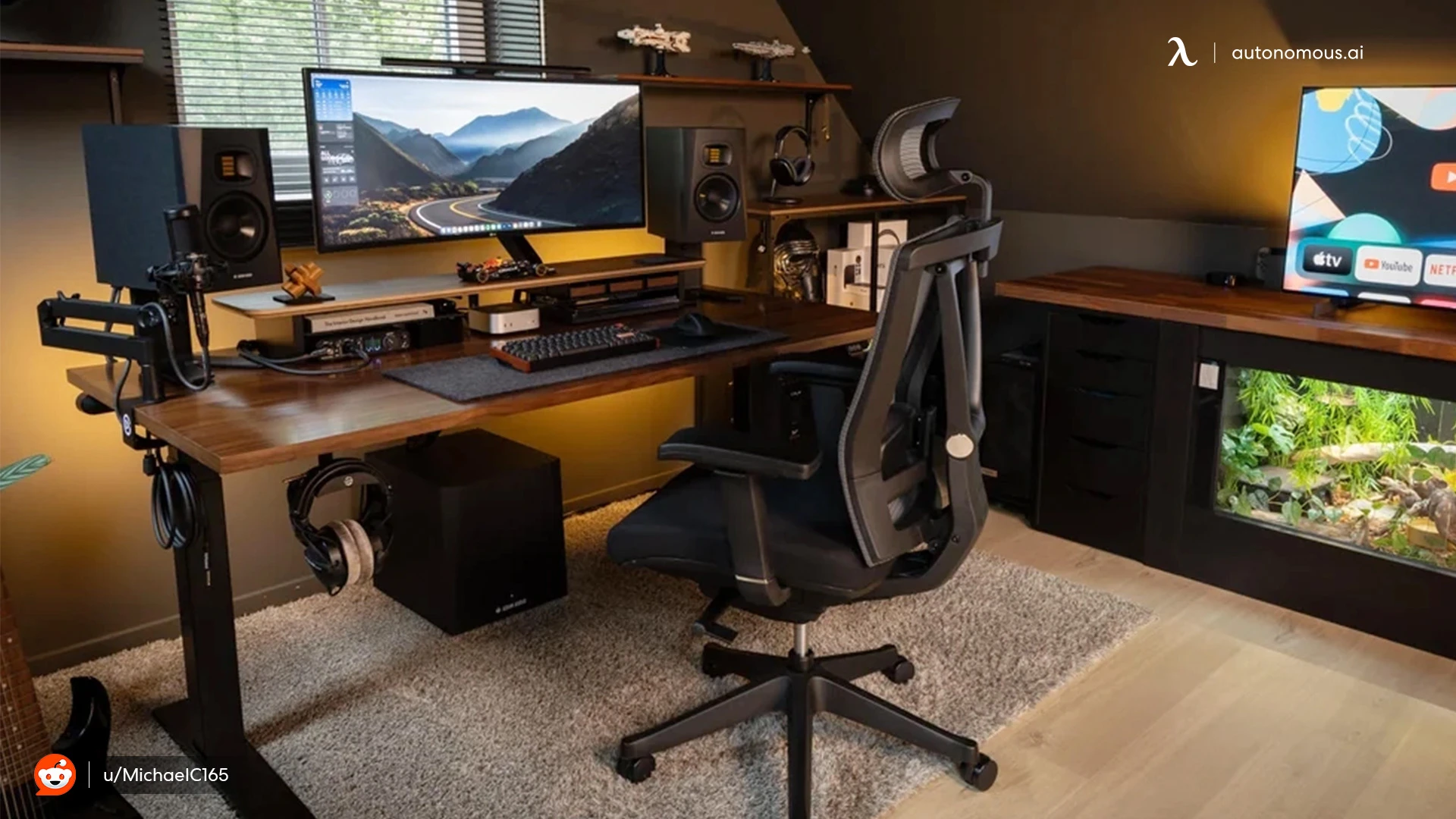
This video shows how the Pro's armrests and seat adjust.
How to Choose an Ergonomic Office Chair Without Arms
Choose an office chair without arms by the same checks as any task chair, with more weight on the back and seat, because they have to do the work the arms would have done:
- Seat height: your feet rest flat on the floor with the back of the knee slightly higher than the seat, the OSHA test. Shorter users may need a footrest ring or footrest.
- Seat width: at least one inch wider than your hips and thighs on each side, per Cornell's checklist. This matters more without arms, since nothing stops you sliding off a narrow seat.
- Seat depth: you can sit back against the backrest without the front edge touching behind your knees.
- Back: a backrest that reaches your mid back at least, with a lumbar curve or adjustment and a recline. OSHA suggests a recline of at least 15 degrees from vertical.
- Capacity and base: a five-star base and a rating comfortably above your weight. For big and tall users, look for 300 lb or more and a seat 20 inches wide or wider.
- Warranty and returns: armless chairs run from a 1-year to a 10-year warranty in the list above. Check the return window before you buy, since comfort shows after a week, not a minute.
- Budget: a good chair does not have to be expensive, and a list of ergonomic office chairs under $200 is a fair starting point.
For a small room, measure the space between the desk legs as well as the depth under the desk. A small office chair with a narrow base parks better than a wide armless one.
Armless Office Chair Care and Maintenance
Caring for an armless office chair takes a few minutes a month:
- Vacuum mesh and spot clean it with mild soapy water, as in this guide on how to clean a mesh office chair; wipe faux leather and vinyl with a damp cloth.
- Tighten the seat and back bolts every few months, and pull hair out of the casters.
- Replace worn casters, gas cylinders or cushions instead of the whole chair; most are standard office chair parts.
FAQs
What is a chair without arms called?
A chair without arms is called an armless chair. In offices it is sold as an armless task chair or armless desk chair. In furniture terms, an armless dining chair is a side chair and a low armless upholstered chair is a slipper chair. A seat with no back or arms is a stool.
Are armless office chairs ergonomic?
An armless office chair can be ergonomic if the rest of the chair adjusts: seat height, a supportive back with a lumbar curve, tilt and a seat that fits your hips and thighs. It is less ergonomic for long typing hours unless your desk supports your forearms.
Is a desk chair with or without arms better?
A desk chair with adjustable arms is better for long typing, mouse and gaming sessions, because the arms take weight off your shoulders. A desk chair without arms is better for small rooms, short sessions, cross-legged sitting and desks where fixed arms would block you from pulling in close.
Is an armless computer chair worth it?
An armless computer chair is worth it for short sessions, small rooms, shared desks and people who sit cross-legged. For full days of typing, mouse work or gaming, a chair with adjustable arms is the better buy, because your shoulders otherwise hold your arms up all day.
Are armless chairs comfortable?
Armless chairs are comfortable for short sessions and for people who move around a lot. Over a full workday, comfort depends on the padding, the back and whether your desk lets you rest your forearms. If you keep leaning on your elbows, you would be more comfortable with arms.
Can you add arms to an armless office chair?
You can add arms to an armless office chair only if the maker sells armrests for that model, as IKEA does for the FLINTAN. Most armless task chairs have no mounting points under the seat. Wooden armless chairs can take custom arms, but that is a woodworking job with glue, screws and brackets.
How do you reupholster an armless chair?
To reupholster an armless chair, unscrew the seat, strip the old fabric and use it as a pattern. Replace flat foam, stretch the new fabric evenly, staple it underneath from the center out, and screw the seat back on.
What is the best armless office chair for big and tall people?
None of the armless chairs checked for this guide is rated above 276 lb, so big and tall users should look for a chair rated 300 lb or more with a seat at least 20 inches wide. Armless designs at that capacity are rare, so a big and tall chair with adjustable arms is often the safer pick.
Is Black Friday a good time to buy an office chair?
It is for the ErgoChair line: the Autonomous Black Friday chair sale takes up to 10% off the ErgoChair line with free shipping and no code, the same amounts run through Cyber Monday, and the 30-day trial and free returns still apply.
Conclusion
An office chair without arms is the right call when tucking under the desk, moving freely or saving space matters more than resting your forearms. For full days of typing, pick a chair whose arms adjust low enough to clear your desk, or one like the FLINTAN that lets you add them later. Run the tuck-under check, compare seat size and capacity against your body, and buy from a seller whose office chair for sale comes with a fair return window.
References
Desk Pro
Black Friday: $70 off.
So 12 hours isn’t 12 hours sitting.