Image
Cart (0)
Best Office Chair Under $300: 6 Chairs Compared for 2026
Smart Products

Best Office Chair Under $300: 6 Chairs Compared for 2026

|Feb 1, 2026
4,653 Views

Finding the best office chair under $300 often comes down to balancing comfort, support, and long-term value. At this price point, expectations are higher than entry-level options, yet choices can still vary widely in quality and feel. Some models focus on adjustability, others prioritize cushioning or build stability, and not every feature translates into real everyday comfort. 

This guide compares carefully selected options to help you see the differences clearly, weigh practical trade-offs, and choose an office chair that fits your workspace and daily sitting habits with confidence.

What Actually Matters When Choosing a Chair Under $300

Finding the best office chair under $300 requires looking beyond spec sheets to understand how a chair performs during your actual workday. While many affordable office chairs in this price range advertise similar features, the real differences emerge after extended use — not during a quick showroom test.

  • Foam Density:

Foam density, measured in pounds per cubic foot, directly affects how long a seat maintains its shape under regular use. The best desk chair under 300 uses foam rated at 1.8 lb/ft³ or higher. Lower-density foam compresses permanently within months, creating uneven support that no amount of repositioning can fix. This durability factor significantly influences office chair cost, as foam quality remains one of the primary material expenses in chair construction.

Mesh seats at this price point often develop center sag after 6-12 months of use, which undermines the postural benefits they're meant to provide. Higher-density foam typically maintains consistent support considerably longer than budget mesh construction.

  • Lumbar Support Positioning in Two Dimensions

Lumbar support that adjusts only vertically—or not at all—works for a limited range of spinal curves. This is common in many of the office chairs under $200, where lumbar systems are simplified to control costs. 

A good ergonomic office chair under $300 provides both height and depth adjustment for lumbar positioning. This allows proper contact with your specific lower back curve rather than forcing adaptation to a fixed pad location. Two-axis adjustment significantly expands the percentage of users who can achieve proper lumbar contact.

  • Weight Capacity:

Weight capacity ratings reflect frame construction quality, which affects durability for all users regardless of body weight. Chairs rated for 250 lbs generally use thinner gauge steel and simpler joint construction than office chair 300 lbs models. 

The best office chair under $300 typically carries a minimum 300 lb capacity rating, indicating reinforced frame components and construction methods that resist developing play or stress points over time.

  • Armrest Structural Integrity:

Armrests experience significant lateral and downward pressure during normal use — pushing off to stand, leaning during calls, resting forearms while typing. This is one of the areas where budget tiers separate quickly: an office chair under $100 often relies on lighter plastic arm assemblies that aren’t built to handle sustained load. 

By comparison, the best ergonomic office chair under $300 maintains rigid armrest positioning under pressure without flexing or rotating. Metal armrest frames generally withstand long-term use better than hollow plastic designs, which tend to develop wobble as connection points wear—a difference that becomes increasingly noticeable over time.

  • Specific Adjustment Ranges:

Measurable adjustment ranges determine whether a chair can properly accommodate your proportions. The best desk chair under 300 should provide seat height adjustment from approximately 17" to 21" to fit users ranging from 5'2" to 6'2". 

When a chair falls outside that range — especially for taller users — it’s often a sign that a standard model won’t offer proper alignment, which is why an office chair for tall men is designed with extended seat height and backrest dimensions. Narrower ranges create positioning compromises that accumulate into discomfort over hours of use, regardless of how many adjustment controls the chair includes.

best office chair under $300

6 Best Office Chairs Under $300 That Hold Up to Daily Use

Chairs in the $300 range separate themselves through construction choices that affect durability and comfort over months of use, not marketing claims. The models below represent different approaches to common needs — sustained lower back support, breathable materials for longer sessions, or executive styling with practical features — each built around specific tradeoffs that matter once the initial impressions wear off.

  • Side-by-Side Comparison:

Best Office Chair Under $300

Best For

Core Comfort / Feel

Key Tradeoff

Logicfox Ergonomic Office Chair (Double Lumbar)

Strong lower-back support, upright work

Firm, structured seat with consistent lumbar contact

Lumbar presence may feel too assertive for some

Tempur-Pedic Mesh Back Swivel

Cushioning comfort, smaller frames

Gradually softening seat with relaxed support

Limited adjustability and lighter lumbar contour

Hbada P5 Ergonomic Office Chair

Recline breaks, responsive seating

Spring-based seat with active rebound and footrest

Bulkier footprint, basic armrest adjustment

GABRYLLY Ergonomic Office Chair

Cooling, minimal setups

Tensioned mesh with firm, breathable support

Fixed lumbar curve and seat depth

Serta Bryce Executive Chair

Plush comfort, executive styling

Sink-in foam feel similar to padded furniture

Loses structure during long sitting

Techni Mobili Executive Mesh Chair

Stable, traditional office posture

Anchored high-back support with controlled recline

Very limited adjustability

1. Logicfox Ergonomic Office Chair — Double Lumbar Support

Best for: Users who want consistent lower back support that stays noticeable throughout the workday

The Logicfox Ergonomic Office Chair is defined less by how it feels at first sit and more by how consistently it supports the lower back over time. Its dual lumbar system adjusts vertically and horizontally, allowing the support to stay aligned as you shift posture rather than falling out of place.

The seat has a medium-firm feel that resists compression as the day goes on. Compared to what many people expect from an office chair with cushion, the cushioning here is intentionally restrained — designed to provide support rather than softness. Instead of relying on thick padding, the seat maintains a consistent surface after several hours, which some users find helps reduce fatigue and maintain focus. Recline is controlled and limited to a few lockable positions, favoring stability over frequent movement.

Flip-up armrests accommodate closer desk positioning, and the adjustment controls require minimal daily intervention once set to your proportions. Standard Class 4 gas cylinders and 3" casters allow straightforward replacement if needed. Once the chair is adjusted to fit, it generally doesn’t require much day-to-day tweaking, which suits users who prefer a consistent setup rather than frequent adjustments.

Pros

  • Dual-axis lumbar adjustment (height + depth) maintains lower back contact during movement
  • Medium-firm foam density holds shape better than softer budget alternatives
  • Three tilt lock positions beyond just upright
  • Flip-up armrests improve desk clearance

Cons

  • Lumbar support may feel overly assertive for users preferring minimal back contact
  • Firmer seat feel won't suit those who prefer plush cushioning

Who should skip

  • Users who prefer softer, more yielding seat cushions
  • Those who lean back frequently and want minimal lumbar presence

2. Tempur-Pedic Mesh Back Swivel Office Chair

Best for: Users who prioritize seat cushioning comfort over extensive adjustability

This mid-back office chair centers its design around the proprietary material seat cushion, which responds to body temperature and weight distribution differently than standard foam. Its defining feature is the proprietary cushioning, which reacts slowly to body heat and weight instead of offering immediate resistance. Rather than feeling firm or springy, the seat softens gradually as you sit, creating a more relaxed, sink-in sensation that some users associate with reduced pressure during longer sessions.

The mesh backrest provides airflow but offers minimal lumbar contouring — it curves to follow your back rather than actively pushing into specific support zones. Adjustments are present but restrained. Armrests move up and outward, offering basic positioning without depth control. The synchro-tilt reclines the backrest while subtly shifting the seat, encouraging small posture changes rather than deep recline. 

Because the chair doesn’t rely on aggressive lumbar pressure or complex adjustments, it can feel more forgiving for users with smaller frames who often find highly contoured chairs overwhelming. For readers exploring options like an office chair for short people, this kind of softer, less prescriptive fit can sometimes feel easier to settle into, depending on desk height and sitting habits.

The overall effect is a chair that favors steady comfort and familiarity over customization or frequent adjustment.

Pros

  • Contoured armrests reduce pressure points on forearms during extended typing
  • Wide seat (20.1") accommodates larger body frames comfortably
  • Chair material maintains consistent feel across temperature changes

Cons

  • No headrest option available for neck support during recline
  • Tilt tension adjustment range narrower than competing models
  • Seat depth (24.8") may create edge pressure for users under 5'6"

Who should skip

  • Users who need assertive lumbar support for lower back issues
  • Those requiring extensive adjustment ranges for fit customization
  • People who prefer firmer seating that resists compression

3. Hbada P5 Ergonomic Office Chair

Best for: Users seeking spring-based cushioning and an integrated footrest below typical price points for these features

The P5 takes a different approach to seat comfort by using a spring-supported cushion rather than traditional solid foam. Beneath the memory foam layer are 16 independent coil springs, which create a noticeably responsive feel when sitting. As you shift weight or change posture, the seat compresses and rebounds more actively than standard foam, giving the chair a slightly dynamic sensation.

Lumbar support is adjustable vertically and horizontally, allowing you to position it where it feels most supportive, though it remains fixed once set rather than moving with your body. Unlike some office chairs with headrest that extend support upward, this desk chair under $300 focuses its adjustability on lumbar positioning and armrest height.

The integrated footrest slides out from beneath the seat and locks into place with a firm pull, offering an option for reclining breaks. Recline reaches up to 135°, with lockable positions controlled by a lever under the seat. Armrests adjust in height only, keeping the overall setup simpler than chairs with multi-directional arm support.

Pros

  • Integrated footrest offers added comfort during reclining breaks
  • Adjustable seat depth accommodates different leg lengths
  • Recline locks at multiple angles up to 135°

Cons

  • Armrests adjust only vertically, with no width or depth movement
  • Extended footrest can reduce clearance in tighter desk setups
  • Heavier build makes frequent repositioning less convenient

Who should skip

  • Users who need fully adjustable armrests
  • Those working in compact spaces where footrest clearance is limited
  • People who frequently move or reposition their chair

4. GABRYLLY Ergonomic Office Chair 

Best for: Budget-conscious users who prioritize cooling and space-saving design over plush comfort

This ergonomic office chair under $300 uses full-mesh construction across both seat and backrest, creating continuous airflow through the entire contact surface. You sit on top of the tensioned mesh rather than sinking into padding, which maintains ventilation but provides a firmer surface than foam alternatives. 

During the first hour, the mesh feels supportive. After three to four hours, the firmness becomes more noticeable — this characteristic matters more or less depending on whether you prefer cushioned give or structured support.

The headrest adjusts vertically and angles forward via a rear knob, fitting comfortably within the height range the chair is designed for (roughly 5' 5" to 6' 2"). Lumbar support is built into the mesh backrest’s curvature rather than offered as an adjustable component.

Recline ranges from 90° to 120° and locks using a lever beneath the seat. With a stated weight capacity of up to 400 lbs, the chair emphasizes structural strength despite its lighter, minimal design. Because the seat depth does not adjust, thigh support depends more on body proportions than it would in an office chair with adjustable seat depth.

Pros

  • Mesh construction maintains airflow across seat and back during extended use
  • Armrests fold up completely for desk clearance and alternative sitting positions
  • 120° recline angle allows substantial backward positioning
  • 400 lb capacity reflects reinforced frame design

Cons

  • Mesh firmness differs significantly from cushioned foam surfaces
  • Lumbar curve remains fixed without height or depth adjustment
  • Headrest positioning best suited for users under 6'2"
  • Armrests adjust only vertically, not laterally or in depth

Who should skip

  • Users who sit 6+ hours daily and prefer padded support
  • Taller individuals needing extended headrest reach
  • Those requiring adjustable lumbar positioning mechanisms

5. Serta Bryce Executive Office Chair

Best for: Users prioritizing cushioned comfort and executive appearance over extensive adjustability 

The Bryce applies mattress-industry foam construction to office seating — multiple foam densities stacked to create graduated cushioning. This layering creates a sink-in quality similar to padded furniture rather than the firm, supportive feel of ergonomic task chairs.

Over a full workday, this softness reads differently depending on preference — some users find it comfortable for extended periods, while others notice they're sitting in compressed foam rather than on structured support.

Visually, the chair leans into executive styling with bonded leather upholstery, a tall backrest, and generously padded surfaces. That design emphasis comes with limited adjustability. You can adjust seat height and recline, but the chair assumes a generally comfortable fit rather than allowing precise customization for different body proportions or the reinforced construction found in a heavy-duty office chair.

Controls for height and tilt lock sit on the sides of the seat, with a tension knob underneath to adjust recline resistance. Recline ranges from roughly 107° to 122°. Dual-wheel casters roll smoothly on carpet, though movement feels less fluid on harder flooring.

Pros

  • Soft, multi-layer foam provides an immediately comfortable, cushioned sitting feel
  • Executive leather design offers a more traditional look than most chairs in this price range
  • Simple adjustment setup suits users who prefer minimal setup and fewer controls

Cons

  • Softer foam loses structure during longer sitting sessions
  • Bonded leather may show wear sooner than mesh or fabric alternatives
  • Lacks the fine-tuning options found in more task-oriented chairs

Who should skip

  • Users needing armrest height changes for varied desk setups
  • Those wanting firm, consistent support during long work sessions
  • People who customize chair settings frequently throughout the day

6. Techni Mobili Executive Mesh Office Chair

Best for: Users who want a straightforward, high-back chair that feels familiar and stable without needing frequent adjustments

The Techni Mobili Executive Mesh Office Chair follows a more traditional design path than most chairs in this price range. The high backrest provides continuous support from the lower back through the shoulders, creating a more anchored sitting position that feels especially suited to desk work that stays upright rather than highly dynamic.

Where many mesh office chairs with adjustable lumbar support are built around extensive customization, the Techni Mobili takes a more restrained approach to adjustability. Seat height and tilt tension are easy to set, and once adjusted, the chair tends to stay put. The recline feels controlled rather than flexible, favoring stability over movement. This can be appealing for users who prefer a consistent seating posture throughout the day instead of frequent posture changes.

One distinctive detail is the integrated coat hanger at the back of the chair. While small, it reinforces the chair’s executive, office-first orientation and keeps personal items close without cluttering the workspace. The metal base and smooth-rolling casters contribute to a solid, planted feel that works well in shared or professional environments.

Pros

  • High backrest provides steady upper-back and shoulder support
  • Mesh back improves airflow while maintaining structure
  • Simple adjustment setup
  • Integrated coat hanger adds practical workspace convenience

Cons

  • Limited adjustability compared to task-focused ergonomic chairs
  • Armrests are fixed and may not suit all desk heights
  • Recline favors stability over flexibility

Who should skip

  • Users who want frequent posture changes or fine-tuned adjustability
  • Those with non-standard desk heights or ergonomic requirements

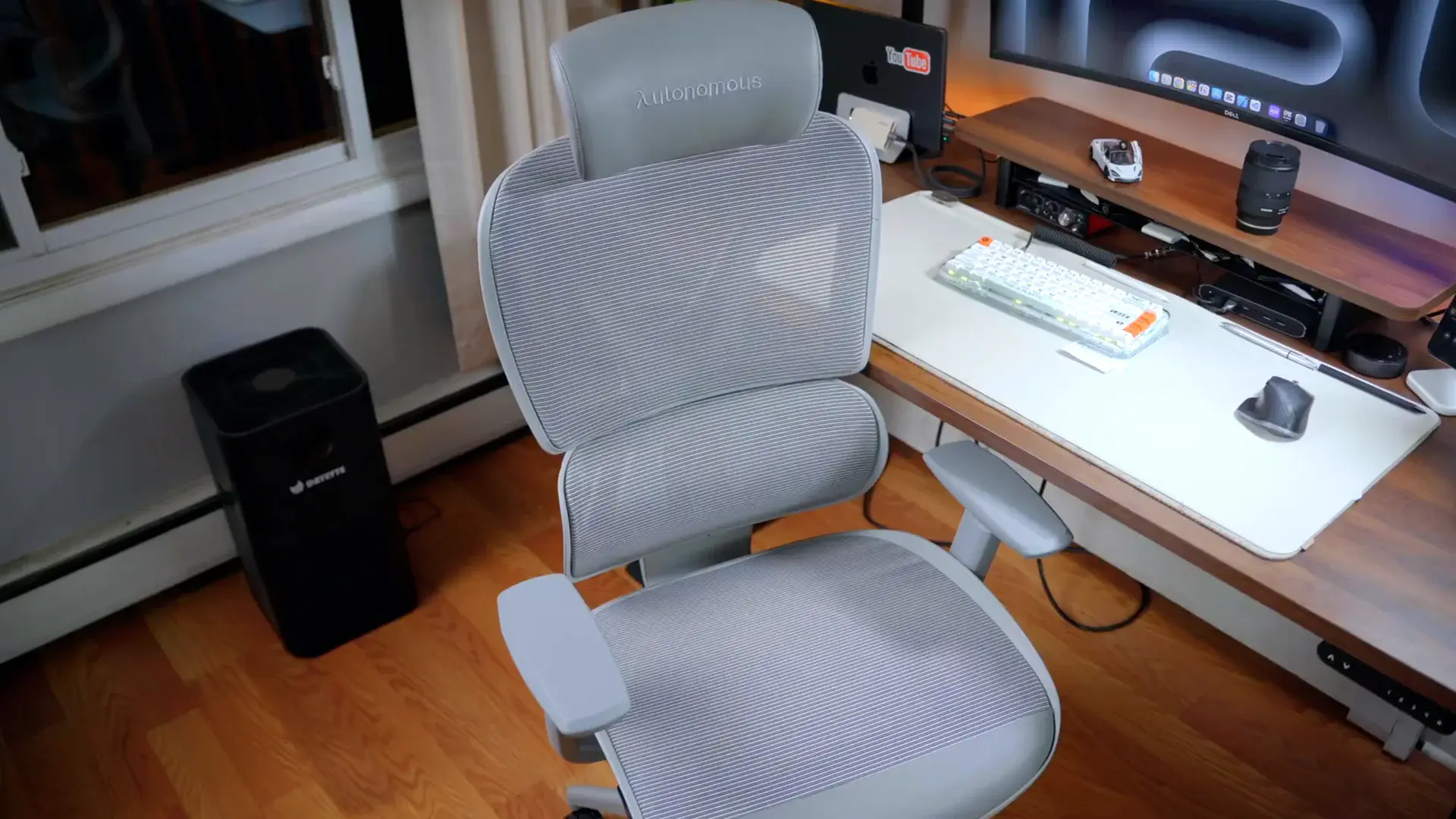
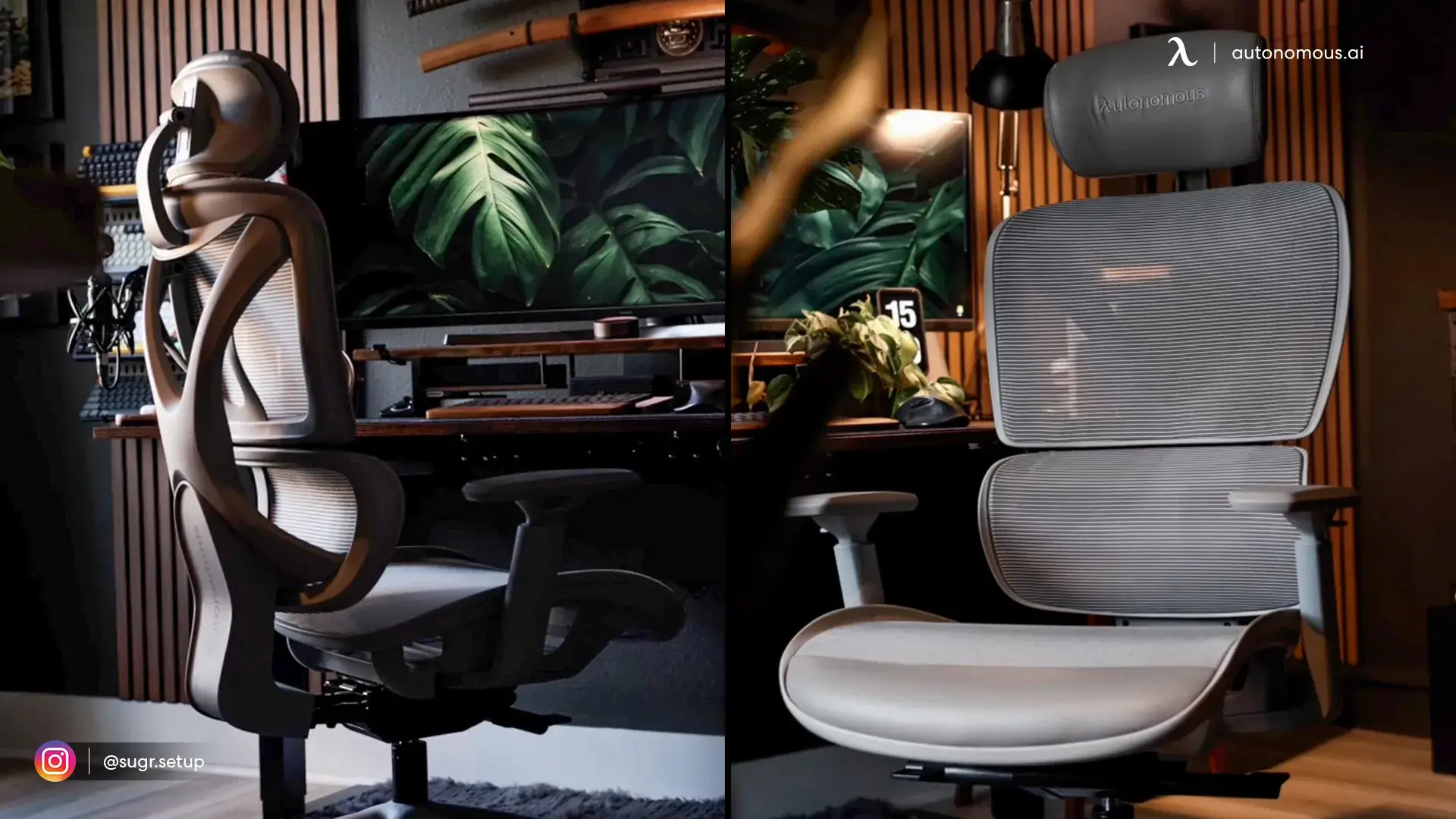
A Step-Up Alternative to Consider: Autonomous ErgoChair Core

When comparing the best office chair under $300, it can be useful to briefly look beyond that boundary—not to change direction, but to add perspective. The difference above this range isn’t usually about immediate comfort. It tends to show up in how a chair accommodates people whose proportions or desk setups don’t align neatly with standard sizing.

The Autonomous ErgoChair Core sits in the $300–$400 tier and serves as a practical reference for that shift. Rather than changing how sitting feels in a dramatic way, it expands how precisely the chair can be set up, particularly for users who often find themselves making small compromises with budget task chairs.

Best for: Users outside standard sizing who need seat depth adjustment and multi-directional armrest positioning

One of the most meaningful changes at this level is adjustable seat depth. This mesh chair allows the seat pan to slide forward and backward by roughly 2 inches, addressing two common issues: pressure at the front edge of the seat for shorter users, and insufficient thigh support for taller ones. This adjustment alone can resolve discomfort that no amount of lumbar tuning fixes.

The recline mechanism also separates seat and backrest movement. The backrest can tilt up to 18° while the seat stays level, allowing brief posture changes without shifting leg position or disturbing foot contact with the floor. This matters more than deep recline angles in day-to-day work, especially for users who alternate between focused tasks and short recovery breaks.

Armrest adjustment extends beyond height into lateral and forward movement, enabling more precise alignment with keyboard and desk edges. In tighter or non-standard workspaces, this added range can be the difference between neutral arm support and persistent shoulder tension. 

Pros

  • Seat depth adjustment improves fit for non-average leg lengths
  • Independent backrest recline allows posture changes without shifting the seat
  • Armrests adjust laterally and in depth, offering more precise alignment
  • Mesh construction supports airflow during longer work sessions

Cons

  • Weight capacity lower than several chairs in the main list
  • Multiple adjustment points require initial setup time

FAQs

What is the best office chair under $300?

The best office chair under $300 is one that balances comfort, adjustability, and consistent support for daily use. Rather than focusing on one feature, the strongest options combine reliable lumbar support with a stable recline and practical adjustments. The best choice depends on how long you sit and how much customization you need.

Are office chairs under $300 actually ergonomic?

Many office chairs under $300 are genuinely ergonomic and support healthy sitting posture. While they lack advanced mechanisms found in higher-end models, they typically include lumbar support, height adjustment, and recline that meet everyday ergonomic needs.

Is an ergonomic office chair under $300 good for long hours?

An ergonomic office chair under $300 can support long work hours if its comfort holds up over time. Chairs that maintain lumbar support and seat stability after several hours tend to perform better than those that feel soft only at first.

What features matter most in the best ergonomic chair under 300?

The most important features in the best ergonomic chair under 300 are consistent lumbar support, a stable recline, and usable adjustments. Extra features matter less than how naturally the chair supports posture throughout the day.

Can the best desk chair under 300 help with back pain?

The best desk chair under 300 can help reduce back discomfort by supporting proper posture during prolonged sitting. While it is not a medical solution, good lumbar support and balanced seating can ease everyday strain.

What’s the difference between a $200 chair and the best office chair under $300?

The best office chair under $300 usually offers better adjustability, stability, and comfort consistency than $200 options. The improvement is typically felt during longer sitting sessions rather than through dramatic feature changes.

How do I choose the right office chair under $300 for my desk?

The right office chair under $300 is one that fits your desk height, workspace size, and sitting habits. Proper alignment with your desk often matters more than having extra features.

best office chair under $300

Conclusion

The chairs in this guide address different priorities at similar price points. Some emphasize cushioned comfort over firm support. Others prioritize ventilation through full-mesh construction. A few focus on specific features like flip-up armrests or integrated footrests that solve particular workspace challenges.

What matters most depends on how you actually sit. If you run warm during long sessions, mesh construction keeps air moving. If you prefer sinking into cushioning, layered foam delivers that feel. If your desk setup requires tucking the chair completely underneath when not in use, flip-up armrests make that possible. Those prioritizing spinal alignment may find the best office chair for posture offers different design considerations than general comfort-focused models.

Compared to the best office chairs on Amazon, these options represent a specific price-to-feature balance. What separates these chairs from an expensive office chair isn't always immediate comfort, but rather the materials used and how many years of daily use the components can withstand. The right chair under $300 isn't the one with the most features. It's the one whose core design aligns with how you actually work.

Desk 5 AI

Stay connected with us!

Subscribe to our weekly updates to stay in the loop about our latest innovations and community news!

Interested in a Link Placement?

Spread the word