


Real Developer Desk Setup for Multi-Agent Workflows

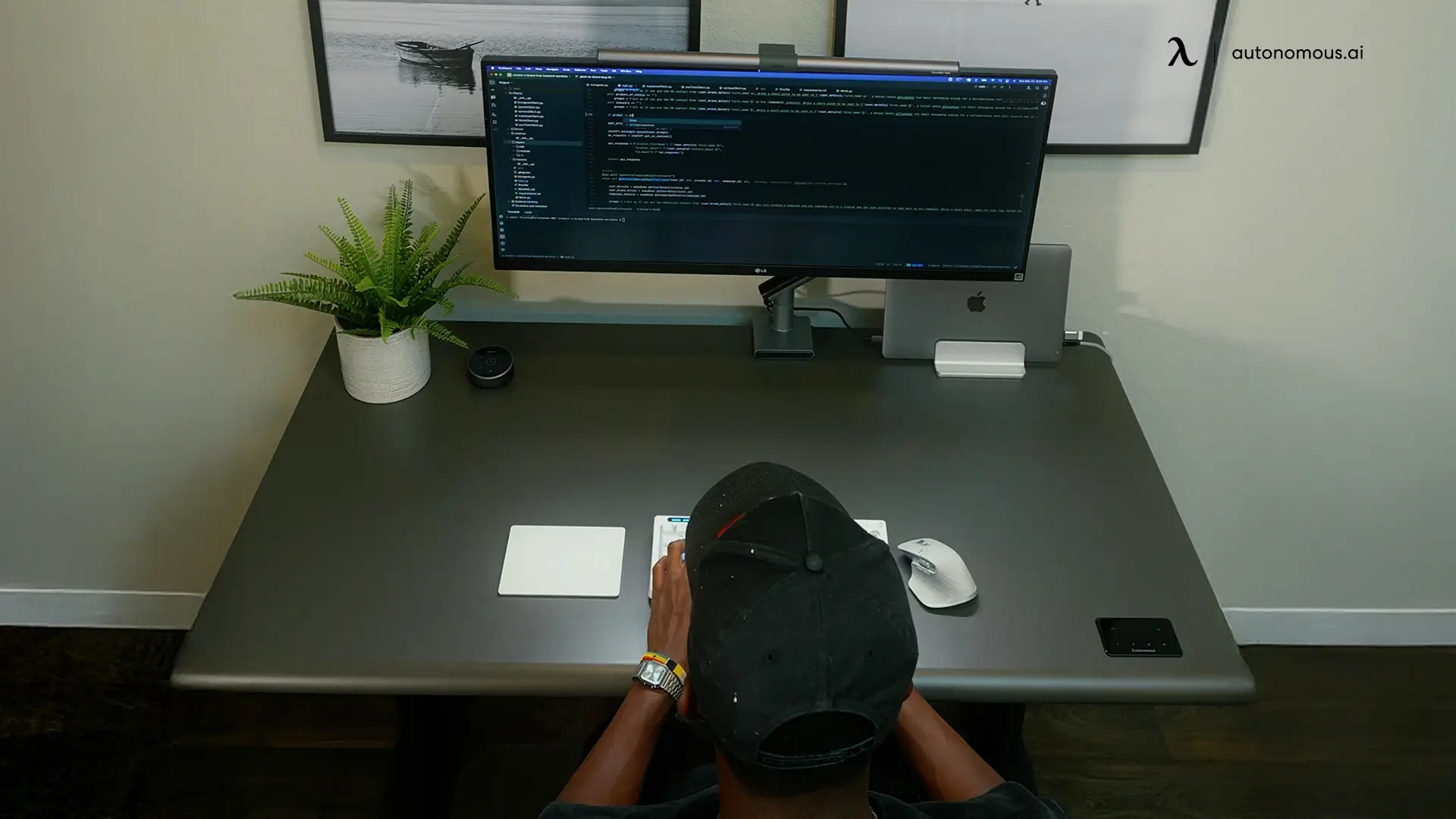
Most developer desk setup guides were written for a 2020 workflow: one editor, one task, eight hours. That's not the day anymore. Half of it goes to supervising agents now: routing prompts, reading diffs, deciding what ships.
The rig built for the old day is overbuilt where typing matters and underbuilt where supervision does. This one is for operators running three or more parallel sessions. If that's you, you already know which piece of your current rig is breaking first.
The rig, in 5 lines.
- Ultrawide screen before anything else. 38" minimum, 49" if it fits.
- The desk is wide enough to hold it. 60"+, stable at full standing height.
- Durable chair that survives hour 11, not hour 4.
- Low ambient light for the 2am session.
- Keyboard last, the $150 one is fine.
Screen first. keyboard last. everything else in between.
Inside 6 real working desk setups.
Before the reasoning, the evidence. Six rigs from working devs, none of them staged for a desk-tour post. Spec lines first, verdict underneath.
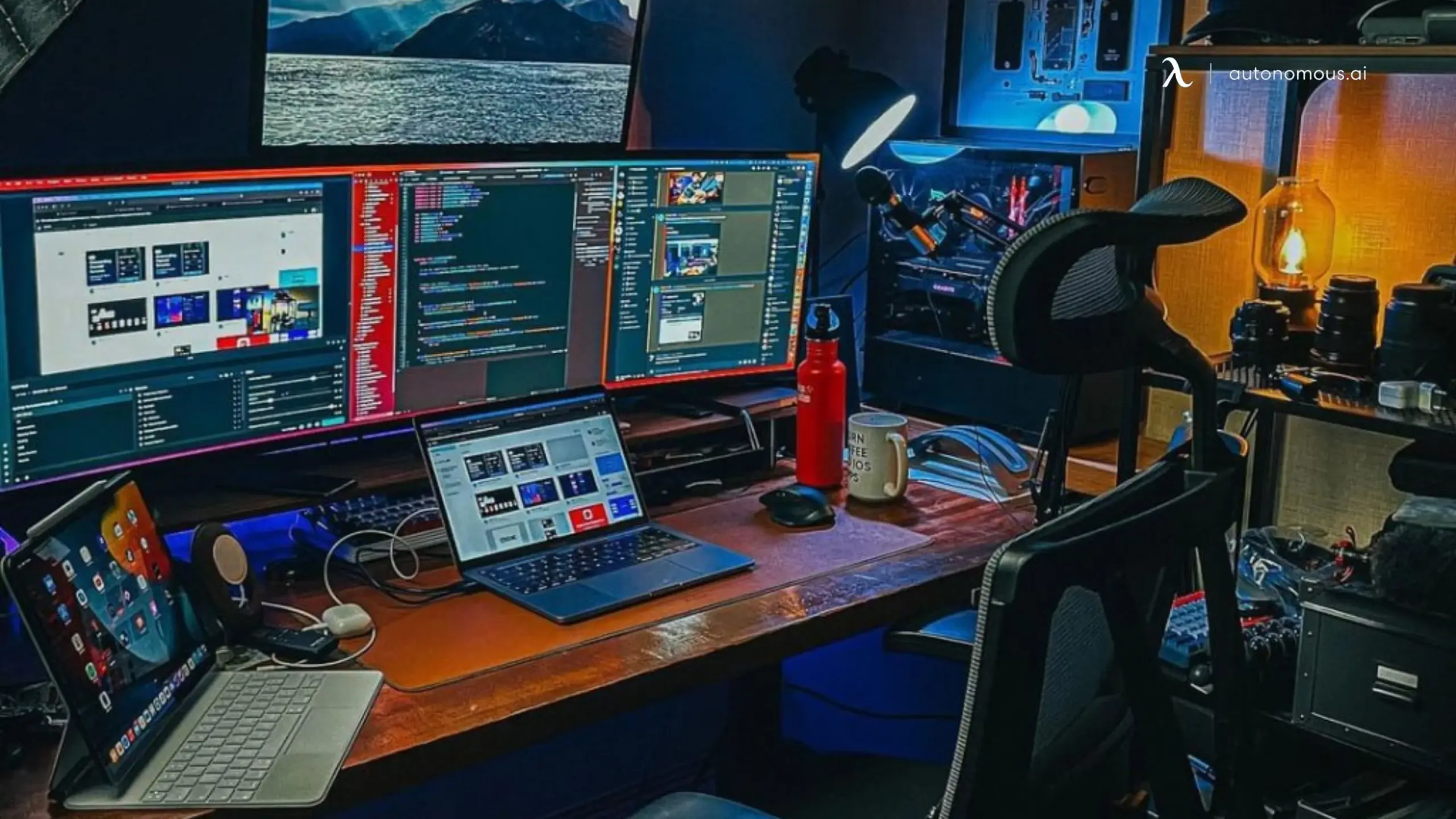
The content-stack rig.
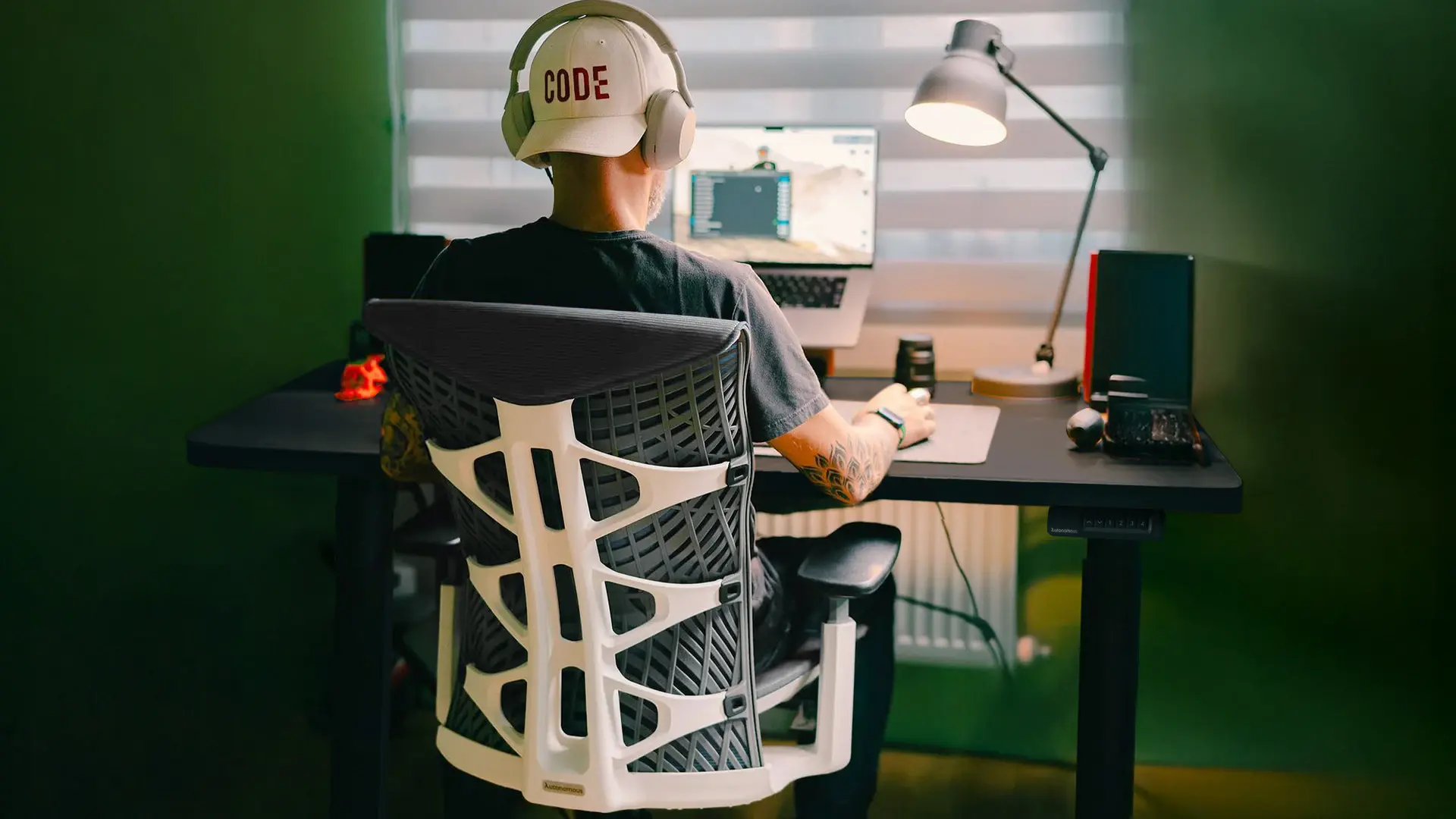
2 Ultrawides + MacBook overhead + iPad · standing desk 60"+ · black mesh Autonomous ErgoChair Pro · desk lamp + warm pendant + blue/red bias · trackpad-first, keyboard hidden.
Build (est): $3,500-5,000
Best for: devs whose day splits between code, video, and audio
Four addressable surfaces, only one of them typing-first. The hidden keyboard tells you everything: this operator reads, edits, and reviews more than they write. Copy this if Premiere or DaVinci sits in the rotation. Skip it if your day is pure IDE.
Credit: aivars_meijers
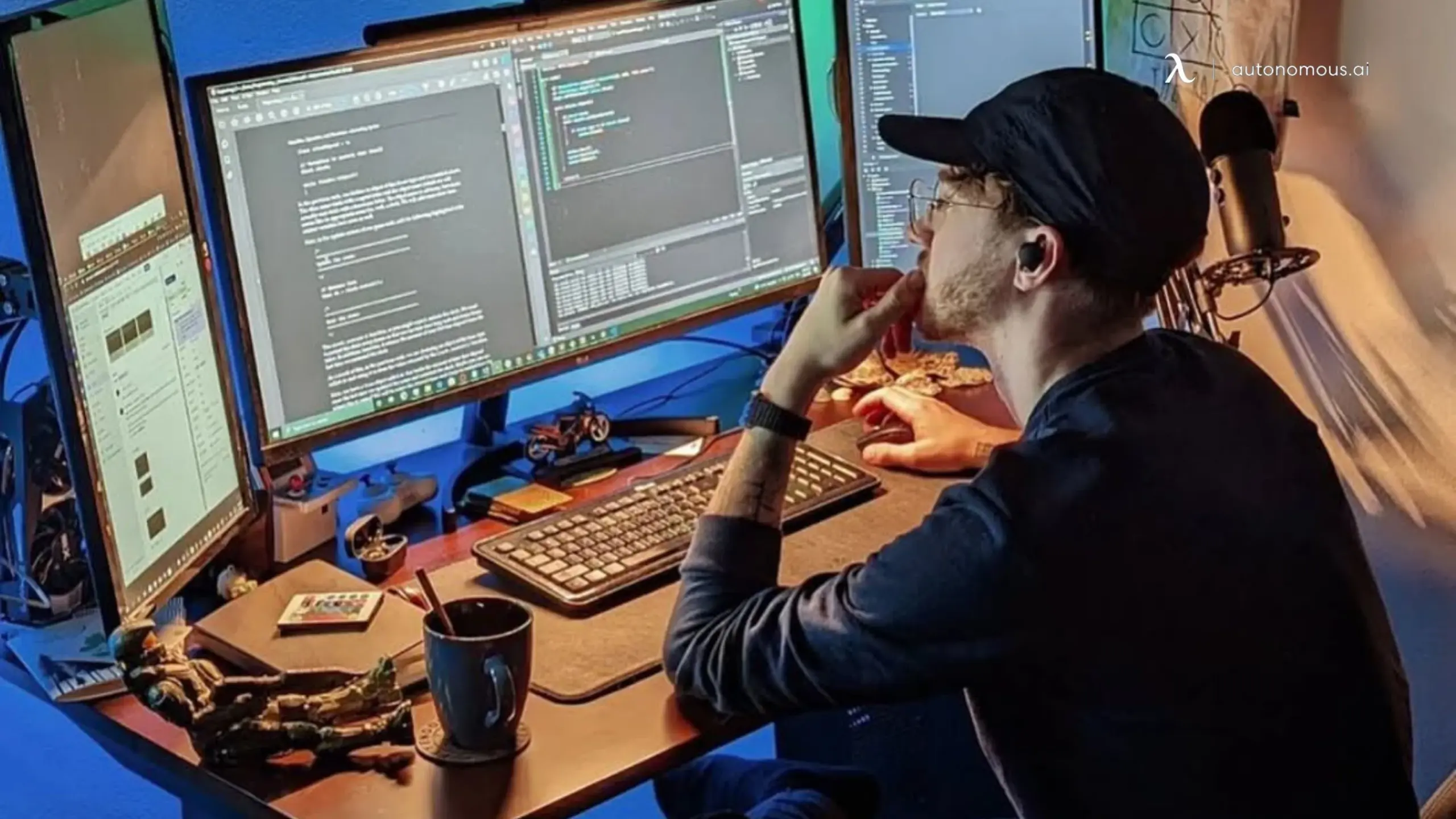
The triple-screen coder.
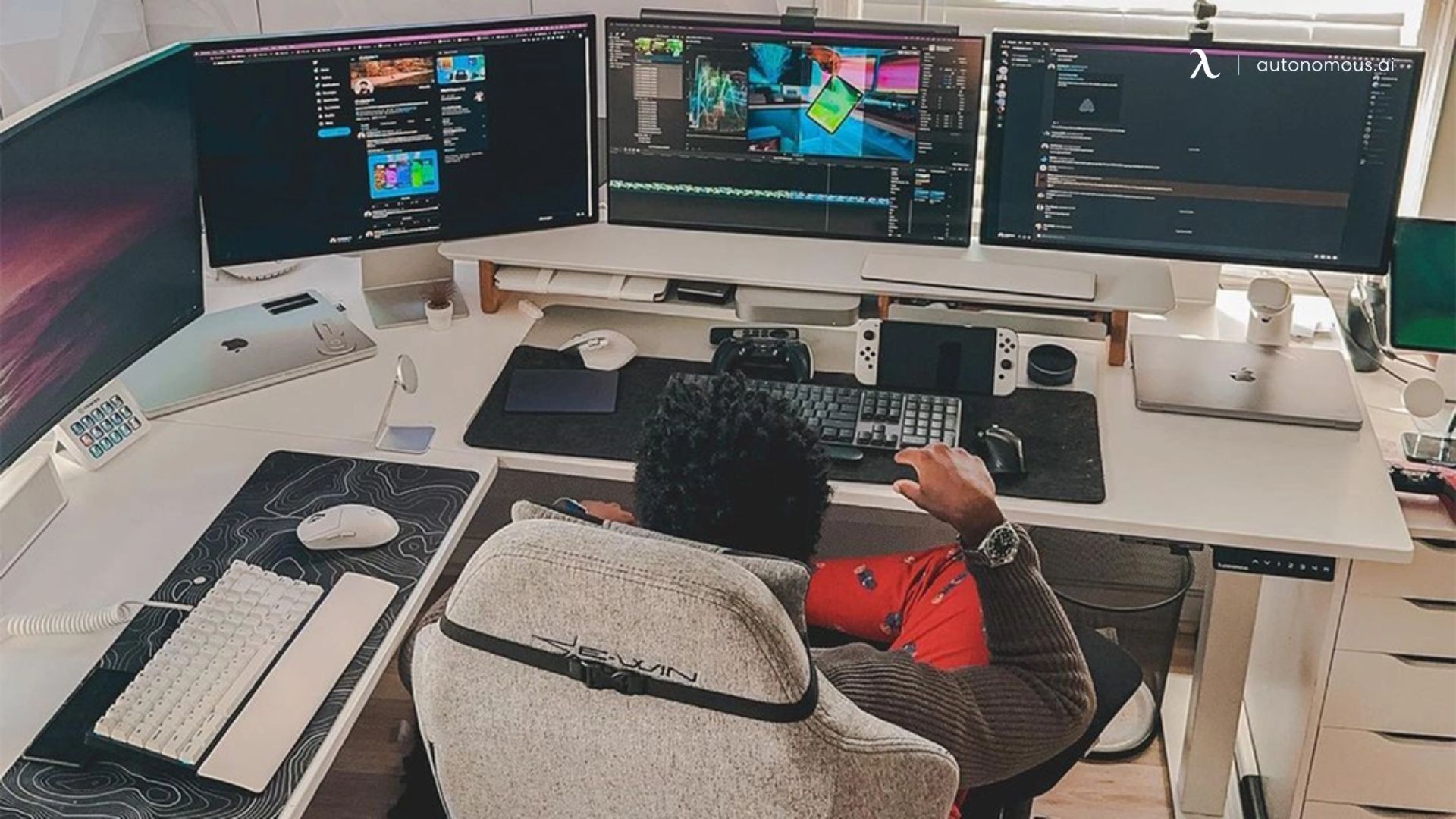
2x 27" Side-by-side + dedicated code panel right · wood-top adjustable Autonomous Desk 2 · low-profile mesh chair · monitor bar + green bias wash · full-size mechanical with wrist rest
Build (est): $2,500-3,500
Best for: vim and tmux operators who still type most of the day
Roughly 7,680 horizontal pixels, every pane visible without alt-tab. Terminal, IDE, and reference always on. No riser, no shelf, no aesthetic spend on the input layer. The cheapest of the four rigs, and the one most working programmers will recognize as their own.
Credit: @justinbieshaar
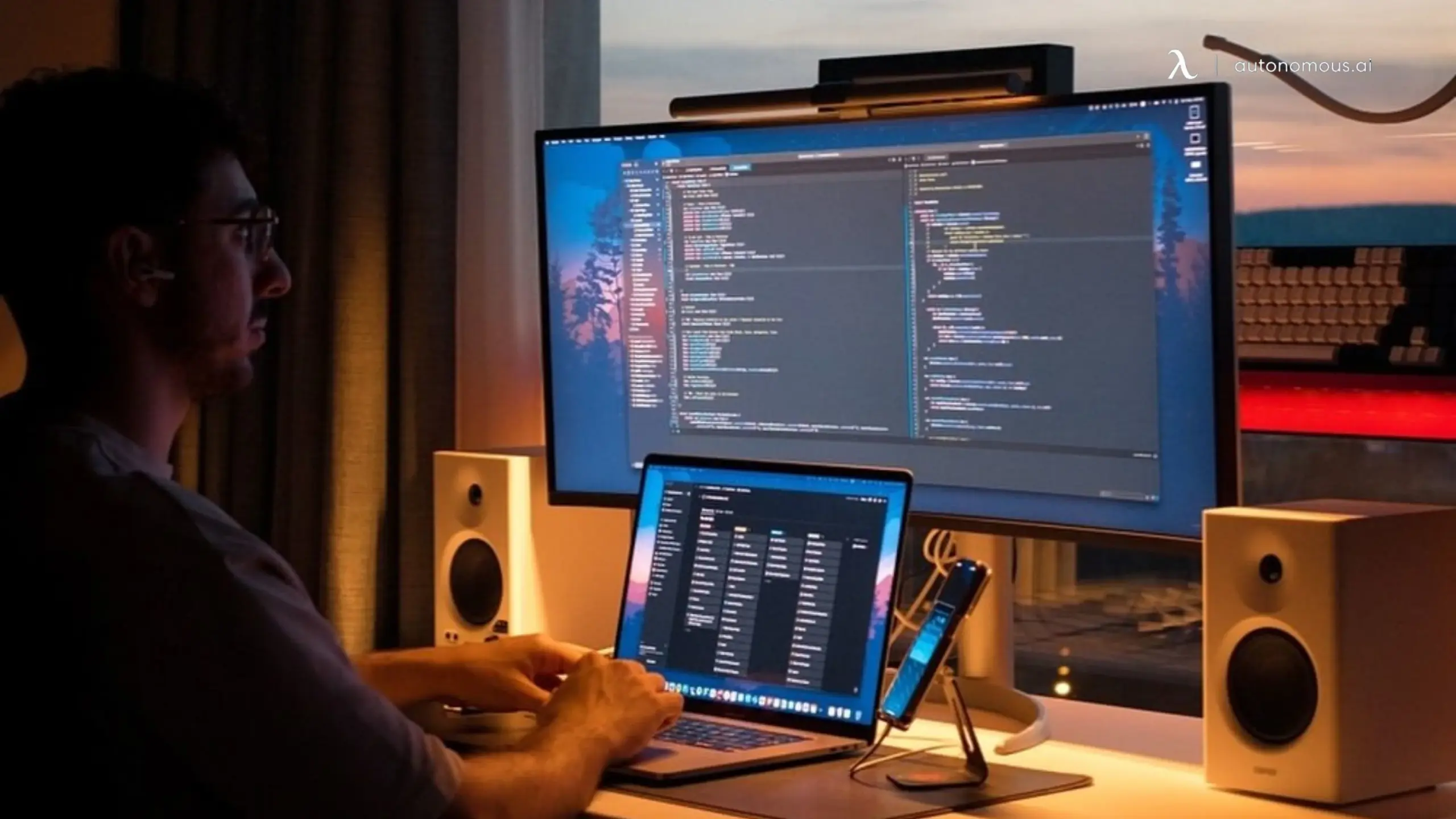
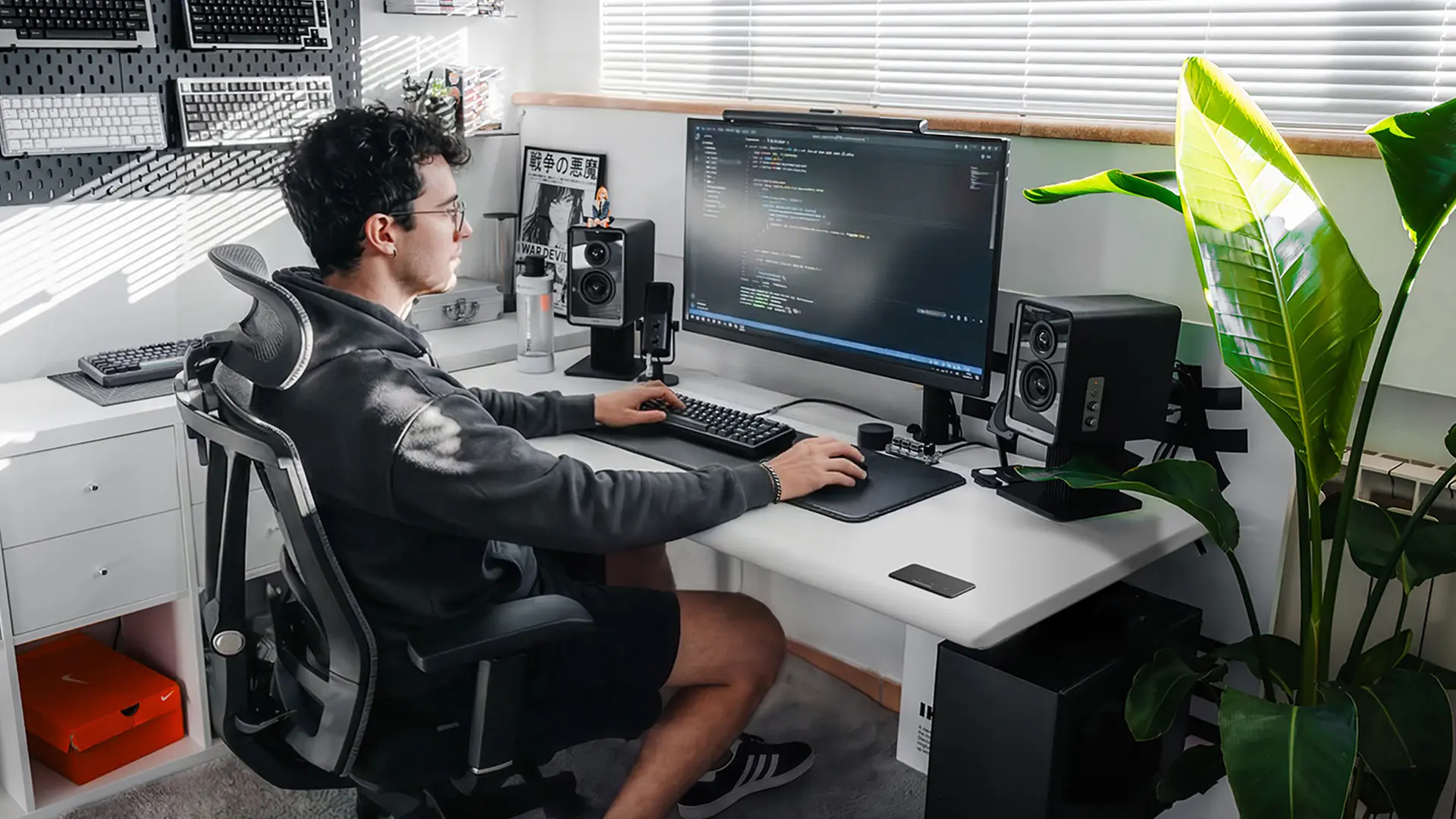
The minimalist ultrawide.
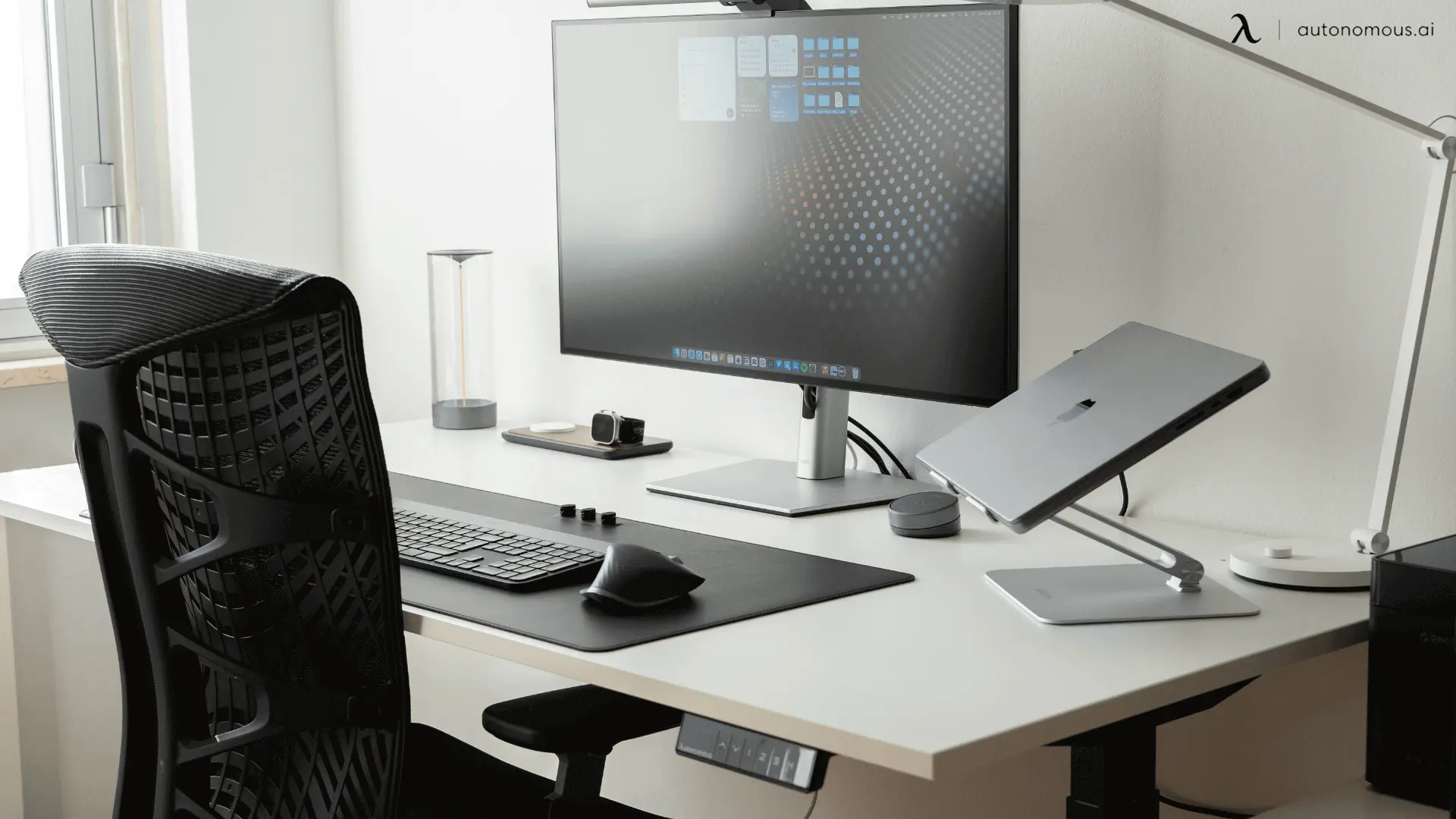
One 34"+ ultrawide + MacBook Pro 16" underneath · narrow white Autonomous Desk 2 · chair · screen bar + warm lamp + window LED · custom mechanical, studio monitors framing the screen.
Build (est): $3,500-5,000, weighted to screen and audio
Best for: product devs running one or two deep sessions a day, not five parallel ones
Two screens, three contexts, no third panel needed. The chair didn't make the photo, which is the honest priority order for this workflow. Copy this if your work is shipping products, not supervising agents.
Credit: kosdevlab
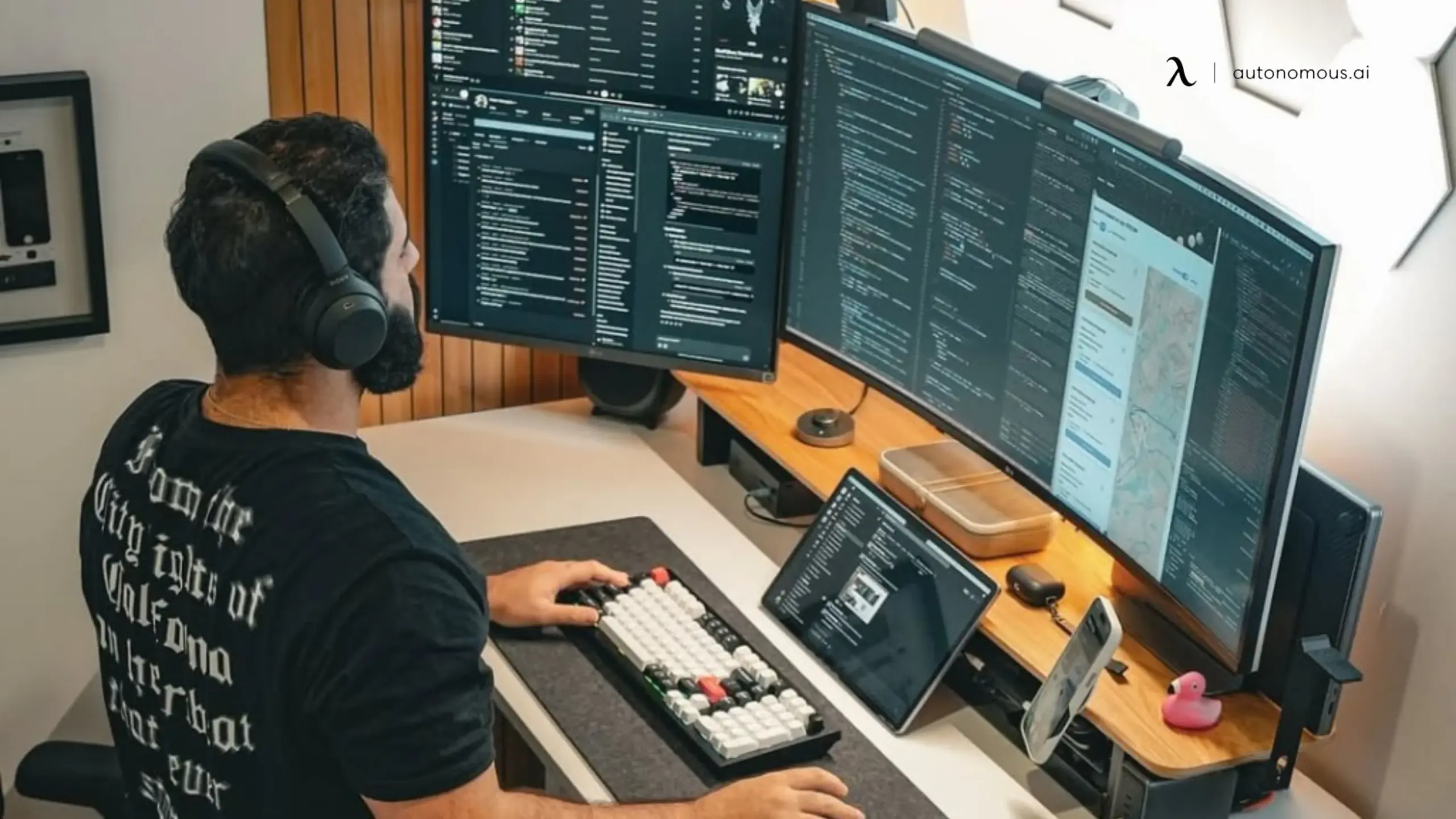
The standing-first rig.
Curved ultrawide + vertical 27" left + iPad on stand · white standing desk at full height · mesh chair behind, used not staged · hex wall panels + monitor light bar · TKL custom mechanical with wrist rest.
Build (est): $3,000-4,500
Best for: async-heavy devs who live in chat and code in parallel
Four addressable contexts, two of them cheap. Standing default, not standing optional. The only rig of the four that justifies its custom keyboard, because this operator types enough to feel the difference. Copy this if Slack, Linear, and the IDE all need to be on screen at once.
Credit: @peterpan
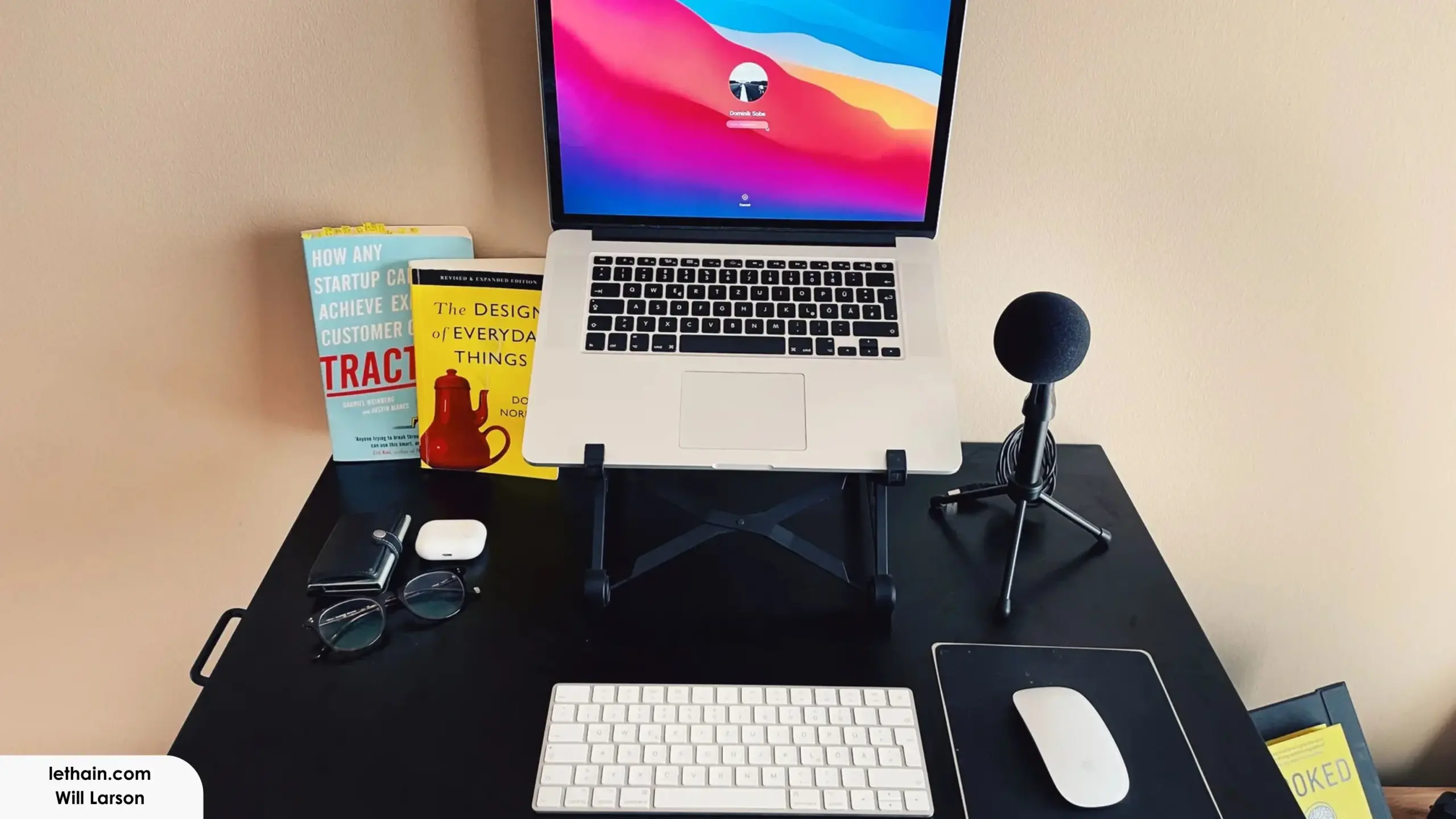
The laptop-only minimalist.
MacBook Pro 15" on a folding stand · black desk, ~48" wide · chair out of frame · ambient room light only · Magic Keyboard + Magic Mouse + USB mic.
Build (est): $800-1,200
Best for: solo founders running one session at a time, mostly typing and reading
One screen. No external monitor. Two books on the desk, both worn. This is the rig that ships when the workflow is product thinking and customer calls, not parallel agent supervision. Pieter Levels has shipped eight figures from a setup that looks roughly like this. Copy it if your bottleneck is decisions, not screen real estate.
Credit: Will Larson in Lethain.com
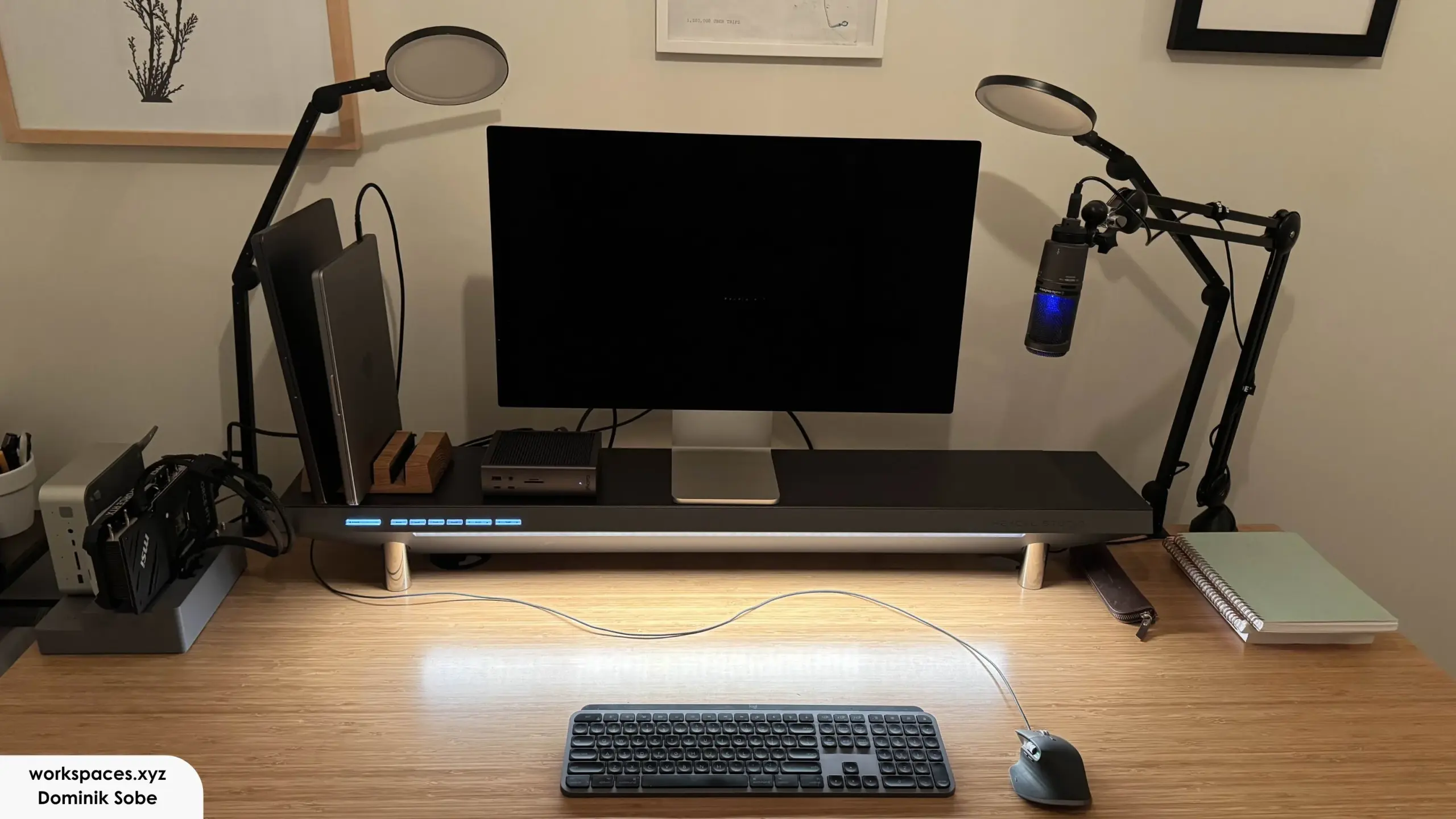
The staff-engineer station.
Apple Studio Display + MacBook Pro vertical-docked on the left · bamboo-top standing desk, ~60" · two articulating LED task lamps + screen-bar underglow · CalDigit dock visible, dedicated mini PC on the left · Logitech MX Keys + MX Master 3 + condenser mic on boom arm
Build (est): $4,500-6,500
Best for: senior ICs and tech leads splitting the day between code, design review, and calls
One main panel, laptop vertical-docked as a second surface, dock and mini PC handling the rest. Two task lamps because the work runs across the screen and notebook, not screen only. MX Keys and MX Master are the input pairs that disappear into the workflow at this level, which is why they keep showing up.
Credit: Dominik Sobe in workspaces.xyz
The 5 things that matter for your setup, in order.
Six real developer desk setups, one pattern underneath. Here is the reasoning behind the priority order, component by component, in the sequence that actually changes the day.
Screen first.
Half the rigs above run ultrawide for a reason. Two IDEs, a terminal, an agent stream, and docs don't fit on a dual 27" without window cycling, and cycling is the failure mode that breaks supervision. Refresh rate, HDR, and color accuracy are where most programmer desk setup guides waste the budget. The only screen variable that moves output is horizontal pixel count.
Spec: 49" ultrawide at 5120×1440, or 38" at 3840×1600.
Skip if: four active panes already fit at readable width on your current panels.
The desk under it.
An ultrawide weighs 20 to 25 lbs and amplifies any movement in the frame. A standing desk that feels stable seated can shimmer at full standing height, which is when the screen is hardest to read. The desk has to hold up to the load above it before anything else matters.
Spec: 60" minimum width, steel frame, dual motor, weight capacity well above your actual load.
Skip if: your current desk is stable at full standing height with the screen you actually plan to run.
Chair for hour 11.
This workflow runs 12 to 14 hours, often consecutive, often late. Most recommendations are written for an 8-hour office day and quietly fail at hour eleven, which is exactly when judgment matters most and posture is doing the least work on its own. An ergonomic chair earns its spot by holding up at that hour, not the first one.
Spec: high-density foam, lumbar that locks where you set it, recline stable mid-position, armrest adjustment.
Skip if: your current chair still feels neutral at hour eleven, not just hour one.
Keyboard last.
Active typing is a minority of the session once prompting, reading output, and reviewing diffs are in the rotation. Every PC coding setup listicle gets the priority backwards by leading with the keyboard. Pain is a signal worth listening to. Anything past comfort is a hobby.
Spec: $100 to $150 mechanical with reliable input and multi-year build quality.
Skip if: your current keyboard works and your hands don't hurt.
Who this setup isn’t built for.
This developer desk setup answers one workflow. Four cases where a different post serves you better.
One session at a time. A laptop on a kitchen table produces the same output as a $3,000 rig for single-IDE work. Setup 5 above is the honest version of this answer.
Meeting-heavy days. If half the day is calls, the rig question is camera, audio, and screen-share comfort, not parallel agent supervision.
The photo, not the workday. RGB, stacked triple-27s for a one-IDE workflow, vertical mice, stream decks without a livestream attached. Different job, different rig.
Synchronous team work. Engineering managers reviewing PRs from humans have a different rig problem. Different post.

FAQs.
How much does a complete developer desk setup cost?
A working desk setup runs roughly $1,800-$3,500 depending on choices: ultrawide monitor ($600-1,200), adjustable desk ($600-900), long-session chair ($500-1,000), lighting and peripherals ($250-500). Most of the budget should go to the screen, desk, and chair.
Does this coding desk setup apply if I'm not running AI agents?
Partly. The screen-space and ergonomic recommendations apply to anyone working 10+ hour days or running more than three or four panes at once. The keyboard recalibration is workflow-specific. If your day is mostly active coding rather than agent supervision, a higher-end keyboard ranks higher in the priority order.
Will this programmer desk setup work in a small apartment?
Yes, with one limit. A 38" ultrawide on a 55" desk is the smallest viable version of this programmer desk setup; a 49" ultrawide needs at least 60" of width and won't fit most apartment workspaces. Wall-mounted monitor arms recover surface area on smaller desks if storage moves elsewhere.
Do I need a dedicated always-on machine for an agent-driven coding setup?
Not at the start. A current-generation laptop handles three to four parallel Claude Code sessions without issue, and a coding setup of that size doesn't require separate hardware. A dedicated machine becomes useful when background agents run 24/7 or local model inference enters the workflow — treat it as a later upgrade.
What's the single most important upgrade in a programming desk setup?
The monitor. For an operator routing multiple agent sessions, screen real estate is the constraint that shows up first and bounds every other workflow improvement. A 38" or 49" ultrawide replacing a dual-27 setup produces a measurable difference in supervision capacity within the first week.
Bottom line.
If only one upgrade fits the budget this quarter, make it the screen. Two, make it the screen and the desk that holds it. Everything else can wait until the workload makes it the next bottleneck.
The desk is the component that has to accommodate every upgrade above and below it in the priority order. Start there if the current desk can't hold the screen the workflow needs.