Neck Pain Isn't a Neck Problem: Pick a Chair That Fixes It
Table of Contents
- Your neck pain doesn't start in your neck.
- What actually matters in a chair.
- Twelve chairs worth considering.
- 1. Autonomous ErgoChair Pro
- 2. SIHOO Doro C300
- 3. Autonomous ErgoChair Ultra 2
- 4. Hbada E3 Pro
- 5. Steelcase Gesture with Headrest
- 6. Branch Ergonomic Chair (with Headrest)
- 7. OdinLake Ergo MAX 747
- 8. Logicfox Ergonomic Pro
- 9. Techni Mobili Executive
- 10. Humanscale Chair with Headrest
- 11. Nouhaus Ergo3D
- 12. Staples Dexley
- Setting up your chair the right way.
- FAQs.
- Closing.
Your neck hurts by 3pm. A new pillow didn't fix it. Stretches didn't fix it. The cause is the eight hours at your desk, and most guides to office chairs for neck pain miss the part that matters: the chair is one piece of a bigger setup, and the feature everyone points to is the one most people get wrong. This covers what's causing the pain, what to look for in a chair, and which ones are worth the money.
Your neck pain doesn't start in your neck.
Your neck pain starts in your lower back. When the lumbar collapses, your upper back rounds, your head drifts forward, and your neck holds it there for eight hours.
Here's the math. Your head weighs about 12 pounds in a neutral position. Tip it two inches forward toward your screen and the load on your neck roughly doubles. By 3pm you've been holding 20+ pounds with the small muscles at the base of your skull.
Sit up. Press your lower back into the chair. Your head pulls back over your shoulders without any effort from the neck. That's the entire logic of an office chair for neck pain in one motion.
A chair's lumbar support is doing the job your back muscles can't do for eight hours straight. When it's holding, your spine stacks naturally and the neck does almost nothing. When it isn't, your muscles try to compensate and eventually give up, and the neck inherits the load. That's the case for an office chair for long hours over a basic task chair — the support has to outlast your muscles, not match them.
How the pain shows up tells you what stage you're in:
- Morning stiffness. Daytime posture leaking into sleep posture.
- Afternoon ache peaking by 5pm. Classic forward-head fatigue. Most common pattern.
- Tension headaches across the forehead or behind the eyes. Often misread as regular headaches.
- Radiating pain, numbness, or tingling down the arm or hand. This is not a chair problem. Book a physical therapist.
The first three respond to a better ergonomic chair and setup. The fourth doesn't.

What actually matters in a chair.
Most reviews lead with the headrest. They're wrong. The headrest is the last feature that matters, not the first. Here's the real order, working the chain your spine collapses through in reverse.
Here's how the chain assembles: lumbar depth holds your pelvis neutral, backrest height keeps your upper back from rounding, headrest position catches what's left. Each spec is one link. Miss one and the whole chain still breaks.
Working the order in reverse from how your spine collapses:
Lumbar depth adjustability.
Not just height. Depth. The pad has to move in and out, not only up and down. This is where the chain starts. A fixed lumbar hitting the wrong spot is no lumbar at all. If you remember one spec from this article, this is it.
Backrest height that reaches your upper back.
If the chair stops at mid-back, the upper back rounds anyway and the head still drifts forward. Look for a backrest that reaches at least the bottom of your shoulder blades, which is what makes a high back office chair with headrest the safer default for chronic neck pain. Tall users get burned here most often. Most chairs are built around a 5'10" frame.
Headrest at skull-base height.
A headrest only works if it catches the base of your skull, not the middle of your neck. Set too low or too far forward, it pushes your head into the same tilt that caused the pain. Height-adjustable headrests are the only ones worth having. Fixed headrests are decoration.
Seat depth.
Too deep and you slide forward to find the front edge, which collapses the lumbar. You want two to three fingers of clearance between the front of the seat and the back of your knees. Adjustable seat depth (sometimes called a seat slider) is worth paying for if you're under 5'8" or over 6'.
Recline with a lock.
A locked recline at 100 to 110 degrees opens your hip angle and lets the lumbar reset. Not for napping. For working. A good office chair for neck support reclines without losing back contact. Cheap chairs lose contact the moment you lean.
Body fit.
The spec marketing pages are never named. None of the above matters if the best office chair for neck pain is the wrong size for you. A perfectly specced chair built for a 5 '10 " frame still fails a 6 ' 3" user. Check seat dimensions, backrest height, and weight capacity against your actual body before you buy a good office chair for neck pain.
One last note on material. A mesh office chair breathes better over long sessions and a padded one feels firmer at first. Both can work for neck pain. What you can't fix with material is the lumbar depth or the backrest height, so don't let mesh-versus-padded distract you from the specs that actually matter.

Twelve chairs worth considering.
Each entry covers how the chair handles the lumbar-to-neck chain, where it falls short, and what it costs. The right office chair for neck pain is the one that fits your pattern and your frame, not the one at the top of someone else's list.
1. Autonomous ErgoChair Pro
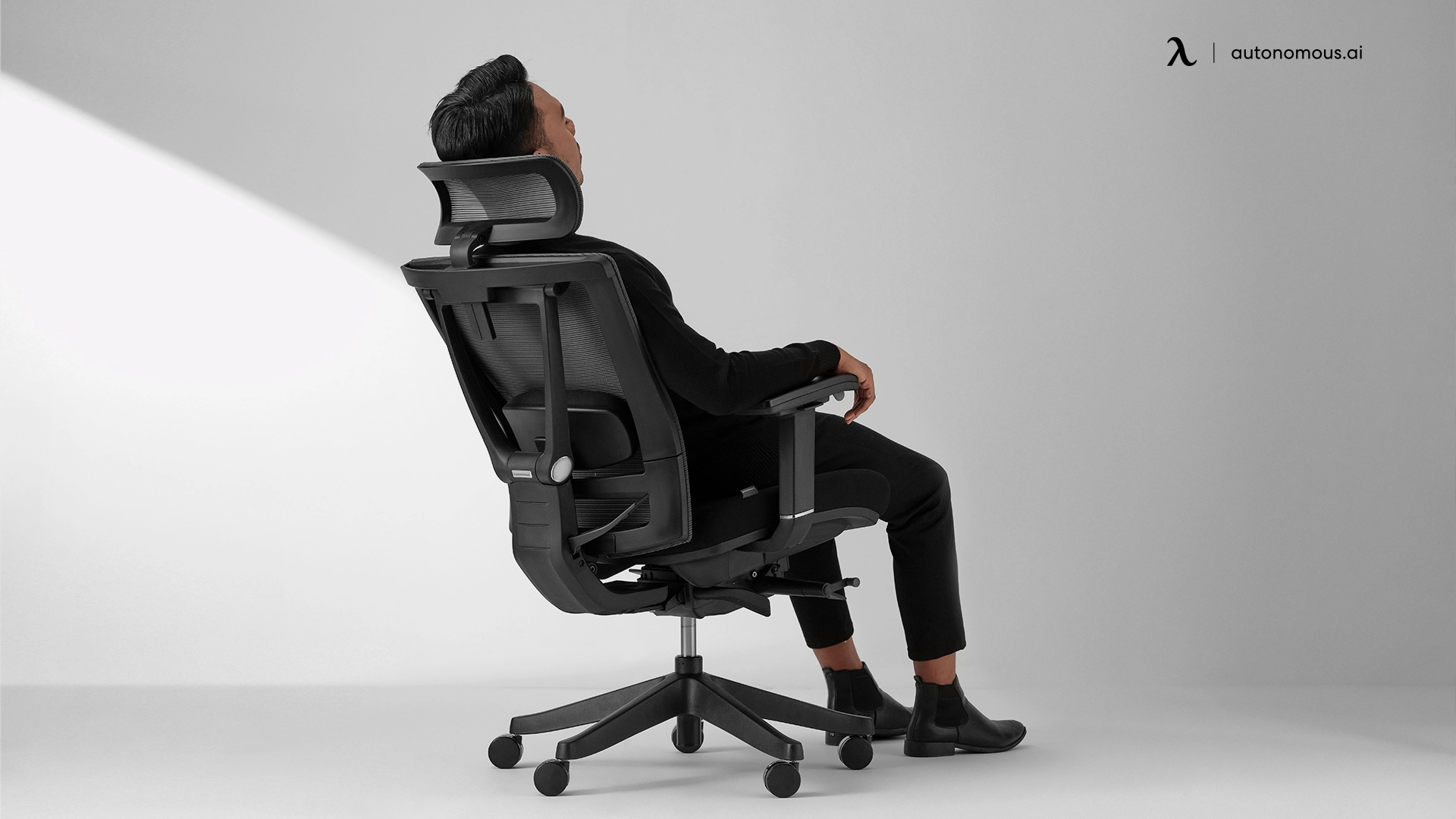
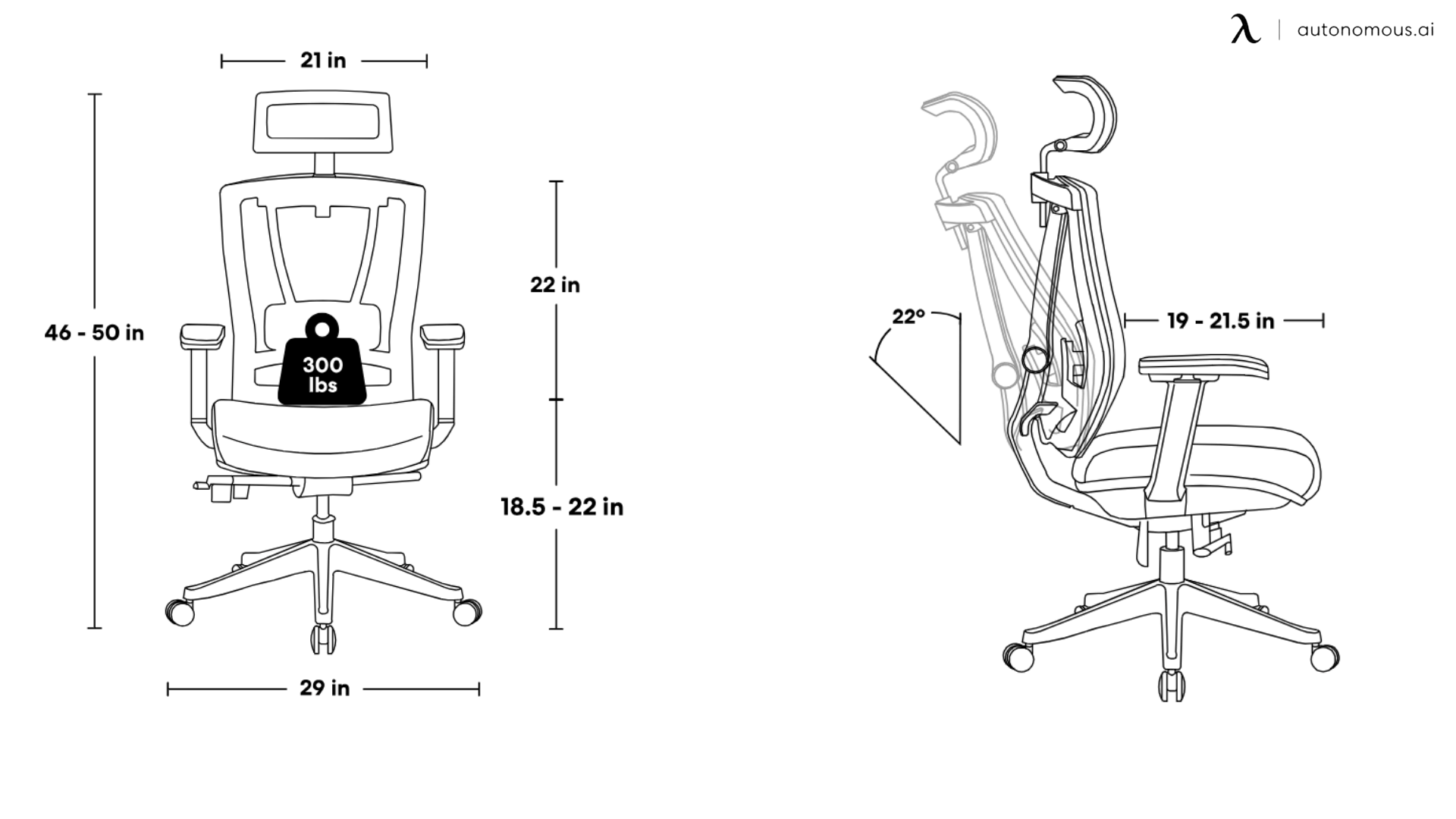
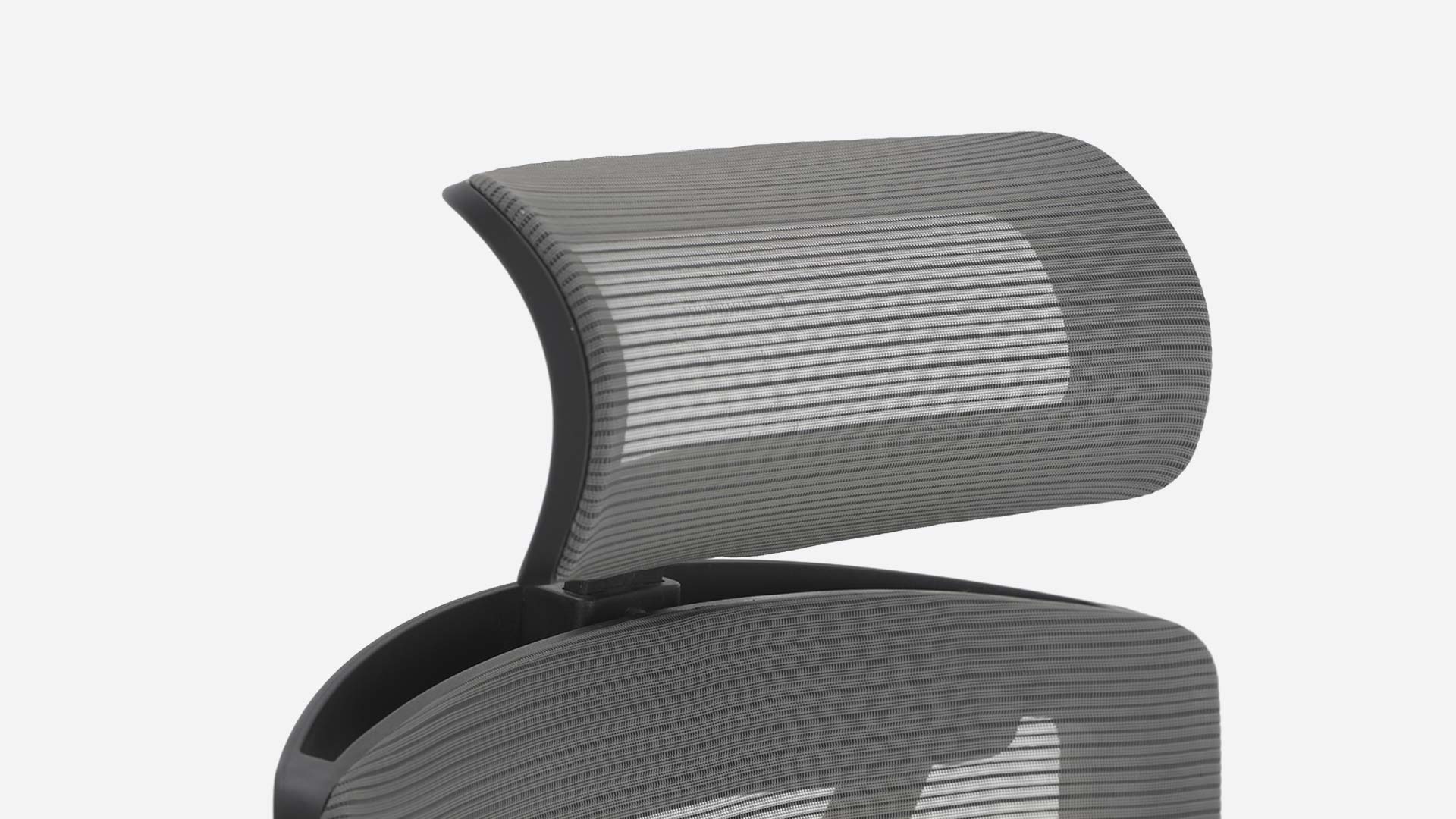
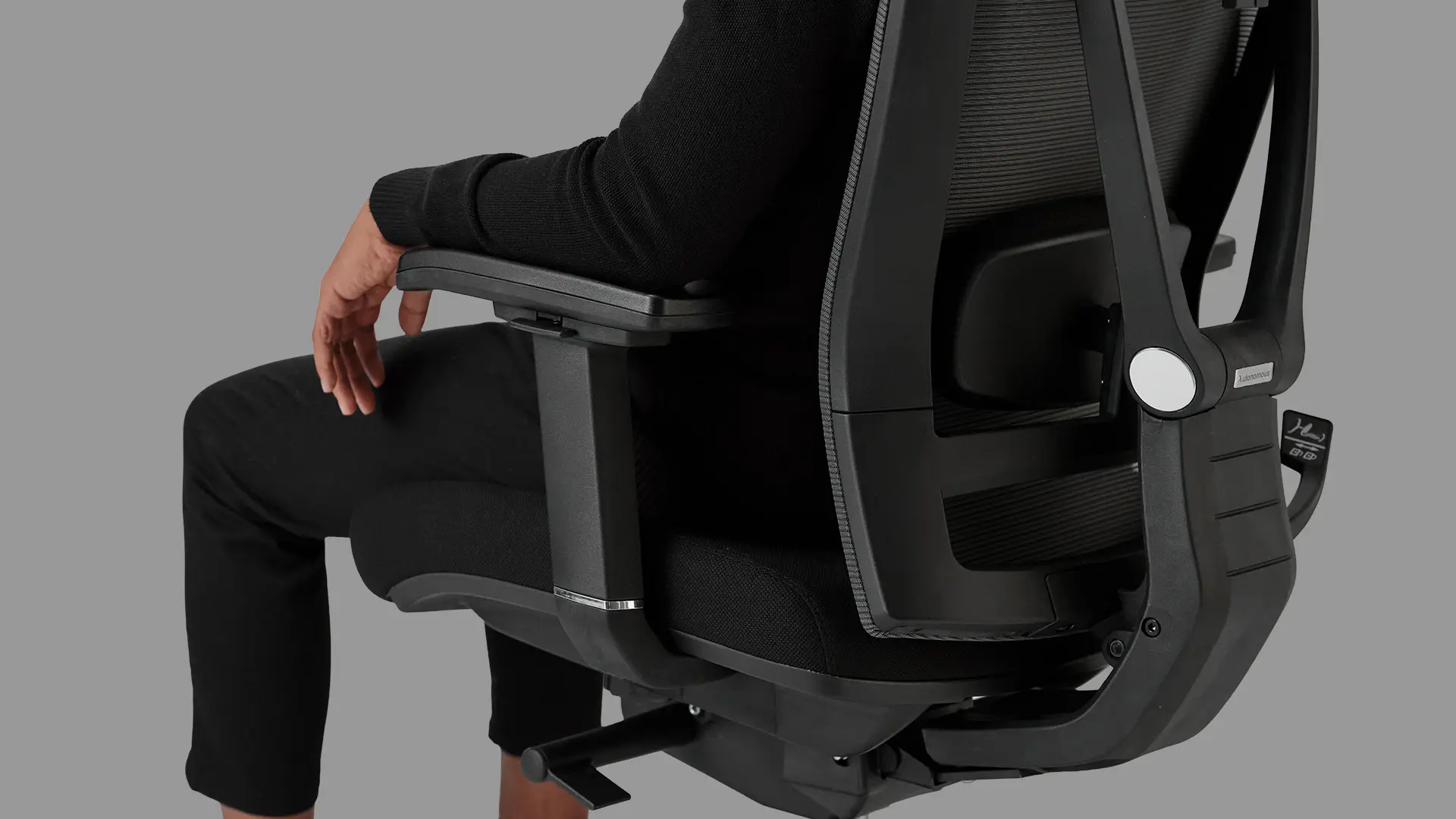
The lumbar adjusts in depth, not just height, which is the spec doing the real work. It pushes into your lower back at the depth you set, which holds the pelvis neutral and keeps the chain from collapsing at the upstream end. The headrest tunes to skull-base height and the 4D armrests keep your shoulders from rising into trap-tension. For average-height users with chronic forward-head pain that builds up over months, this catches most of what needs catching.
Fails for users over 6 '2", where the backrest stops short of the upper shoulder blades and the head still drifts forward by mid-afternoon. Best fit for 5'8" to 6'2", desk-based work, moderate forward-head pain that's been building over months rather than years.
2. SIHOO Doro C300
The case for this chair is movement, not depth. The backrest flexes when you shift, twist, or lean toward a second monitor, which keeps the lumbar from locking into a fixed bad position over the workday. For neck pain caused by holding still too long, the kind that creeps in by 2pm when you realize you haven't moved in three hours, that flex matters more than it sounds.
The exposure is the lumbar itself. It adjusts in height but not in depth, so the upstream support is responsive but shallow. For neck pain rooted in a chronic forward-head pattern that needs aggressive lower-back correction, the chair won't push back hard enough. Good fit for active users whose pain comes from stillness. Limited fit for chronic structural slouch.
3. Autonomous ErgoChair Ultra 2
Different approach to the same problem. Instead of catching forward head drift after it happens, the adaptive backrest flexes through your upper back to prevent the rounding that causes the drift in the first place. The X-shaped lumbar engages the full lower curve rather than pressing at a single point. Tall users feel this most because the backrest reaches higher than most chairs at this price.
The trade-off is the missing traditional headrest. If you're someone who leans back and wants something firm to rest your skull against, you'll miss it. If you sit upright most of the day and want the chair to prevent posture drift rather than catch it, this is the chair.
4. Hbada E3 Pro
Built for the user willing to dial in their headrest position. The headrest moves on four axes, which means you can put it exactly at your skull base. Most chairs miss by an inch. This one doesn't, when set correctly. The footrest matters too: when your feet load through a footrest, your pelvis stays neutral and the lumbar holds the position it's set to.
The exposure isn't a missing spec, it's a user one. A 4D headrest set wrong is worse than a fixed headrest set correctly. If you'll spend 15 minutes on day one and benefit for years, this earns its place. If you'll set it once and never touch it again, you're paying for adjustability you won't use. Best fit for methodical users with chronic forward-head pain who'll dial it in.
5. Steelcase Gesture with Headrest
Built for users who don't sit in one position. The backrest tracks you as you pivot to your phone, lean toward a second screen, or shift to type on a laptop. Most chairs lose lumbar contact when you do any of these, which lets the chain reset every time you move. This one stays in contact, which is why people who multi-device through the day feel a difference within the first week.
The headrest is the weak link. Sold separately, it sits high on some users, closer to mid-cervical than skull-base, which limits how much it can actually unload the neck. The chair body alone catches the lumbar end of the chain well. The full setup with headrest is good but not proportional to the price for everyone. Best fit for users who move constantly and want the chair to follow without losing support.
6. Branch Ergonomic Chair (with Headrest)
A clean mid-tier build with a headrest add-on that's the reason it earns a spot here. Without the headrest, Branch is a competent task chair that stops at the upper back and leaves the cervical end exposed. With it, the upper end of the chain gets caught and the chair becomes a real option for forward-head patterns and the tension headaches that come with them.
The lumbar adjusts in height but not in depth, which is the most common shortcut at this tier. Users whose lower back happens to match the built-in curve get most of the benefit. Best fit for 5'6" to 6'1" with mild-to-moderate pain. Skip if you're tall enough to need the backrest reaching well into your upper shoulders.
7. OdinLake Ergo MAX 747
Built around a three-section backrest that supports the lower back, mid-back, and upper shoulders independently. The upper section is what makes the difference for neck pain — it stays in contact with your upper back where most chairs lose it, which prevents the rounding that pulls your head forward. The lumbar adjusts in both height and depth, which is the upstream spec that matters most.
The trade-off is density of controls. The chair has more adjustments than most users will learn, and the benefit only shows up if you tune them. Set casually, half the chair stays at factory default and you're paying for capability you don't use. Best for tall users (the upper section is where the chain breaks for them on most other chairs) and for methodical users who'll work through the adjustments.
8. Logicfox Ergonomic Pro
Bets on giving you eight separate adjustments instead of perfecting any single one. Headrest tunes to skull-base, the seat slides to your leg length, the recline locks at the angle that lets the lumbar reset, the armrests slide under your forearms instead of your elbows. The range of correction is real, and methodical users can catch most links of the chain.
The lumbar itself only adjusts in height, so the deepest part of the chain stays shallow even when everything else is tuned. Good chair for users who'll actually keep tuning. Wasted on set-and-forget users.
9. Techni Mobili Executive
Catches the upstream link with depth-adjustable lumbar, which is unusual at this price point. The lumbar can be tuned in and out, not just up and down, so the lower-back support can press into your actual curve instead of approximating it. The headrest adjusts, the seat back raises and lowers as a unit, and the recline locks at 130 degrees.
The trade-offs are build refinement and capacity. Adjustment mechanisms work but lack the precision feel of chairs twice the price, the 280-pound weight cap is on the lower side, and the backrest tops out short for users much over 6 feet. Best fit for average-height users who want depth-adjustable lumbar at the lowest price the market currently offers it.
10. Humanscale Chair with Headrest
Take the manual controls out of your hands. The recline adjusts to your body weight automatically. The headrest follows your head as you move. The bet is that most people set their chair wrong and never re-adjust, and a chair that adjusts itself bypasses the failure mode.
The catch is that some users want firm positional control and find the auto-tracking too floaty. The chair doesn't catch you the way a locked recline does, and the headrest moves rather than holding a fixed support point. If you like the chair to follow your body without you thinking about it, this works. If you like the chair to hold a specific position you set, this won't feel right.
11. Nouhaus Ergo3D
Catches the upper end of the chain well. The 3D headrest tunes to skull-base in three dimensions, which is unusual at this price, and the backrest moves with you through small posture shifts. For neck pain that shows up as upper-neck tension and tension headaches, the cervical end of the chair does its job.
The lumbar adjusts in height only, and the backrest tops out short for users over 6'2". Tall users get the headrest right but lose contact at the upper back, which lets the chain reset above the support. Average-height users with the lumbar set correctly get most of the benefit. Good fit for 5'6" to 6'1" with moderate pain centered in the upper neck. Limited fit for tall users or for pain rooted deep in the lower back.
12. Staples Dexley
The entry-level chair has a real adjustable headrest at a price most chairs in this range. The headrest tunes to skull-base, the mesh keeps you cool, and the build is honest for the price. None of the depth controls that catch the upstream end of the chain are here.
The lumbar isn't tunable in any meaningful way. You get whatever curve is built into the backrest, and either you fit it or you don't. The chair catches the cervical end of the chain reasonably well and leaves the lumbar end exposed. Best for a recent or mild neck pain, tight budget, and the expectation that you're buying time rather than buying a structural fix. If your pain is chronic, radiating, or accompanied by morning stiffness that's been going on for months, this chair won't be enough.
The pattern across all twelve: lumbar depth and backrest height are where chairs succeed or fail at handling neck pain. The headrest matters too, but only after those two are working. A good office chair for neck pain or what's sometimes called a posture office chair catches the lumbar first and the head second.
Setting up your chair the right way.
A good office chair for neck support only works if it's adjusted to your body. Most people set theirs once on day one and never touch it again, which is why most chairs underperform their specs. Five minutes of setup, in chain order:
Lumbar first.
Press your lower back into the chair and adjust the lumbar until it pushes into your lower-back curve, not just touches it. This is where the chain starts. Get this wrong and nothing else matters.
Recline second.
Lock it at 100 to 110 degrees. Slightly past upright. Open your hip angle and let the lumbar do its job. Bolt-upright is harder on your lower back than people realize.
Headrest third, if you have one.
It should catch the base of your skull when you lean back, not push your head forward when you sit upright. If it forces your head forward at any setting, take it off.
Monitor last, and this is the one most people skip.
Top of the screen at eye level, roughly an arm's length away. The most common cause of neck pain in people with good chairs is a monitor set too low. If you're working off a laptop on a desk, no chair will save you.
Test it: sit normally for an hour. If your neck is quieter at the end than it was at the start, the setup is working. If not, the lumbar or the monitor is usually the reason.

FAQs.
Does an ergonomic chair actually help with neck pain?
Yes, if the neck pain is posture-related and the chair holds the lower back. An office chair for neck pain works by supporting your lumbar so your back muscles don't have to, which prevents the upper-body collapse that drags your head forward and overloads the neck. It won't help if your pain is from disc damage, whiplash, or nerve compression.
Do I need a chair with a headrest, or is a high-back chair enough?
A high-back chair without a headrest can be enough if your pain is mild and you sit upright most of the day. A headrest matters more when you recline to think, when your pain is chronic, or when you spend long stretches looking at screens above your eye line. The bigger issue is headrest position: a headrest that sits too high or too far forward makes neck pain worse, not better.
Mesh or padded, which is better for an office chair for neck pain?
Material is mostly irrelevant to neck pain. Mesh breathes better and stays cooler over long sessions. Padded chairs feel firmer at first and softer over time. What actually matters for neck pain is whether the lumbar adjusts in depth and whether the backrest reaches your upper back, both can come in either material.
How long before a new ergonomic chair for neck pain starts working?
Significant improvement typically takes two to four weeks, because your back muscles have been compensating for the wrong posture for months and need time to relax into the new support. If you feel nothing different after 30 days of consistent use and proper setup, the chair isn't the right fit for your body.
Can an office chair fix forward head posture or tech neck?
A chair can prevent the forward head drift that causes tech neck, but it can't undo posture patterns already locked in. A good office chair for neck support holds the lower back so your upper body stays stacked and the head doesn't drift forward in the first place. For posture that's already collapsed, you'll need the chair plus targeted stretching and a corrected monitor height to fully reverse it.
What if my neck pain doesn't improve after switching chairs?
The most common reasons are setup and monitor height. A chair set up wrong won't help, and even a perfectly set chair can't correct for a screen positioned too low, your head will still tilt down to read it. If both are correct and your pain hasn't improved after 30 days, the cause is likely outside the chair: disc issues, nerve compression, or a sleep posture problem.

Closing.
Neck pain at your desk isn’t random. It’s a chain failure that starts in your lower back and ends in your neck. The right office chair for neck pain fixes that chain, but only if it fits your body and is set up correctly. Start with lumbar depth, make sure the backrest reaches your upper back, and treat the headrest as a final adjustment, not the solution. Get those right, and your neck stops doing work it was never meant to do.


(1).webp)


(2).jpg)