AI Agent for Slack: Use Cases, Setup & One Simpler Path

Table of Contents
Your team already lives in Slack. The question is whether your tools do too.
An AI agent for Slack promises to change how work actually gets done — handling meeting prep, surfacing CRM data, routing tickets, and automating reporting without anyone leaving the channel. It's a compelling idea. But between the promise and the working setup, there's a gap most guides skip over: the integration work required to make it real.
This post covers what AI agents for Slack genuinely do, the use cases worth building, and how different teams are approaching the setup.
What Is an AI Agent for Slack?
A lot of tools get called agents these days. In the context of Slack, the term has a specific meaning worth pinning down before diving into use cases.
A Slack AI agent is software that operates inside your workspace with a degree of autonomy — it doesn't just respond when called. It reads context from conversations, connected tools, and shared files, then takes action based on what it finds — behaving less like a traditional chatbot and more like one of the AI assistants teams are increasingly deploying across their workflows.
That distinguishes it from two things people often confuse it with.
The first is a standard Slack bot. Bots respond to commands. You type /summarize and something happens. That's useful, but it's reactive. A true AI agent in Slack monitors, reasons, and acts — the difference between a tool you operate and one that operates alongside you.
The second is a Slack AI integration in the traditional sense — installing Google Calendar or Jira from the Marketplace so they push notifications into a channel. Those connections move data. They don't make decisions about it.
A Slack agent sits above both. It has access to your tools, understands the context of your work, and can move between systems to complete a task end to end.
Here is how the three compare at a glance:
Slack Notification Integration | Slack Bot | AI Agent for Slack | |
Reacts to commands | Yes | Yes | Yes |
Reads context | No | Partially | Yes |
Takes autonomous action | No | No | Yes |
Works across tools | No | No | Yes |
The table above reflects the functional ceiling of each approach — not a quality judgment. A notification integration is the right tool when you need one app to surface updates in a channel. A bot handles well-defined, repeatable commands efficiently. The AI agent layer becomes relevant when the work requires reasoning across multiple inputs and acting without step-by-step instruction.
Most teams start with integrations and bots. They hit the ceiling — usually around the point where they have eight tools installed, three bots configured, and still find themselves manually connecting the dots between what each one surfaces. That ceiling is where the AI agent conversation begins.
What AI Agents for Slack Actually Do — 7 Real Use Cases
Understanding what an AI agent is and knowing what to actually do with one are two different things. The use cases below reflect how teams are genuinely putting Slack AI to work today — not hypothetical workflows, but concrete problems with concrete resolutions.
1. Morning Briefing and Daily Prioritization
By the time most people open Slack in the morning, the workspace has already moved without them. Three channels have new activity, a decision landed in #product at 11pm, and something that was a question yesterday is now an action item with someone's name on it — just not yet theirs. The first stretch of the day becomes archaeology instead of work.
An AI agent in Slack changes that opening sequence. It monitors relevant channels, cross-references the calendar, and surfaces a prioritized digest before the first meeting — flagged action items, pending approvals, anything with a deadline attached — the kind of proactive AI behavior that removes reconstruction work before the day begins. The reconstruction work happens in the background. The day starts today, not catching up on yesterday.
2. Meeting Preparation
Most meetings have a preparation problem that nobody has fully solved. Not a motivation problem — people intend to read the doc, to scan the relevant thread, to remember what was decided last time. The intention is there. What's missing is the ten minutes of uninterrupted time to actually do it, which rarely exists between the previous meeting and the current one.
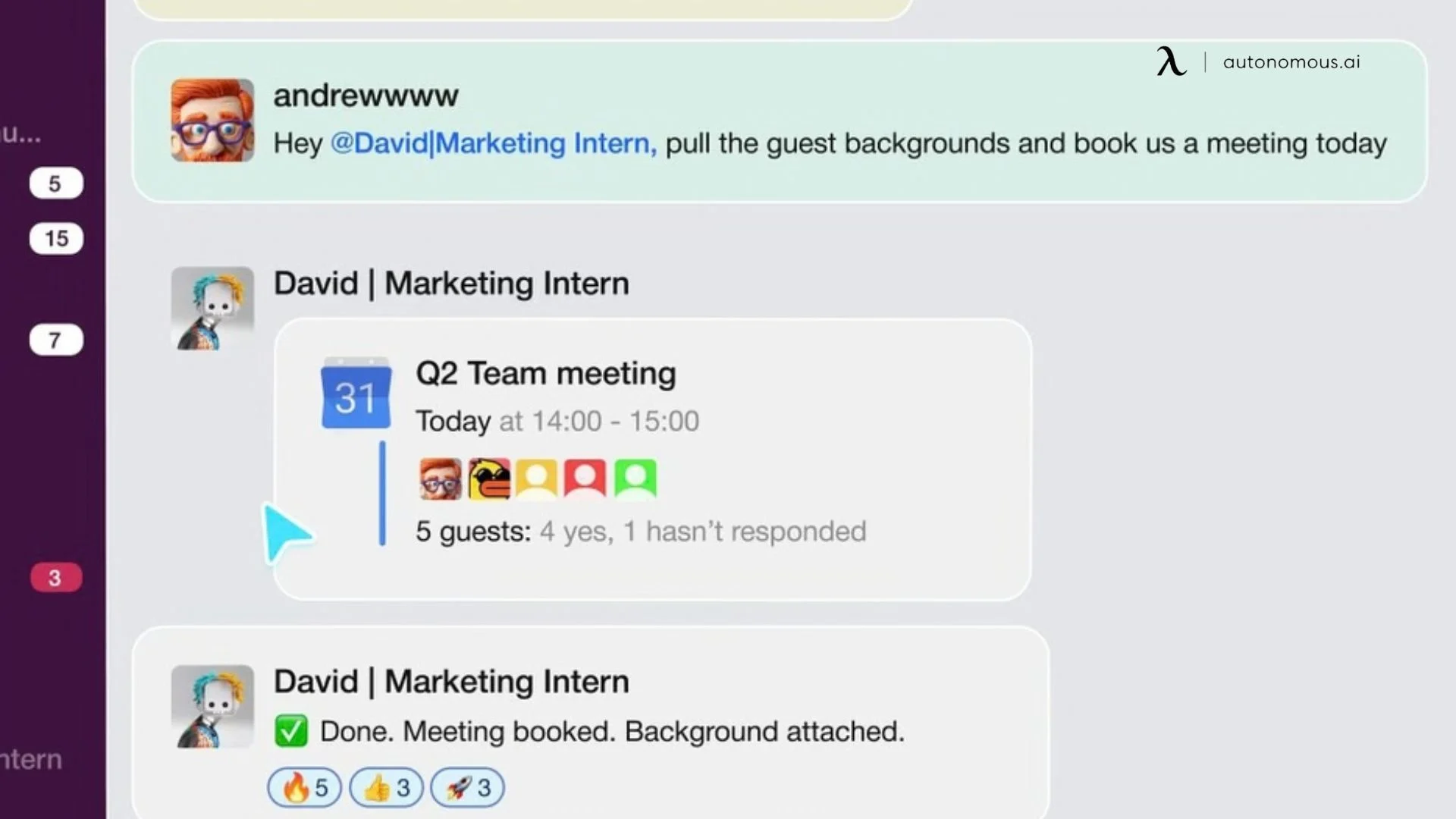
This is where a Slack AI agent earns its place in the calendar workflow. It cross-references the meeting invite against related channels, past threads, shared files, and open tasks — then delivers a pre-meeting brief automatically: the settled decision from three weeks ago, the doc two people read and four didn't, the action item that still has no owner — functioning as an AI scheduling assistant that generates the pre-meeting brief without being asked.
For teams running back-to-back schedules across time zones, this kind of Slack AI integration with calendar tools — Google Calendar, Outlook, Zoom — is often where the productivity gain is most immediately visible. Preparation stops being a personal responsibility and becomes a system output.
3. Marketing Performance Reporting
Pull the numbers from Google Ads. Open Meta Business Suite. Cross-reference the CRM for conversion data neither platform sees completely. Format everything into something readable. Post it to Slack. This is a process that takes real time, happens at best weekly, and produces a report the team acts on days after the data it describes was actually current.
The gap between when the data exists and when the team sees it is where optimization opportunities quietly expire. A Slack AI integration connected to ad platforms and CRM data closes that gap — pulling performance data on a set schedule, generating a structured summary, flagging variance from targets, and posting it to the right channel without manual assembly. The insight arrives closer to real time. The decision that follows it does too. The same need for multi-system reporting also shows up in budgeting and forecasting workflows, where an AI-powered financial assistant supports faster analysis with less manual work.
4. Sales Intelligence and Deal Updates
Context-switching mid-call is a tax with two receipts. The first is the seconds spent opening the CRM, finding the right record, and scanning for the relevant detail. The second — less visible but more costly — is the break in conversational momentum that the prospect notices even when they don't name it.
The alternative: the rep types the account name into Slack. The AI Slack bot pulls deal status, last activity, open tasks, and relevant notes from the CRM and posts them in the thread within seconds. No tab opened. No record pulled under pressure. The information arrives as a single message at the moment it's needed.
This use case is where Slack AI integration with CRM platforms — Salesforce, HubSpot, Zoho — delivers the clearest measurable impact. Reps stop losing momentum to lookups. Pipeline context becomes a Slack conversation, not a separate workflow. For sales teams already living in Slack, it is the lowest-friction upgrade available.
5. Support Ticket Triage and Escalation
The tickets that slow a support queue down are rarely the complex ones. Genuinely complex issues get escalated immediately — everyone recognizes them. The ones that stall are the edge cases: requests that almost fit a standard category but not quite, policy questions that sit one level above what the frontline agent can decide, exceptions that need someone with authority to simply say yes or no. They sit in the queue, aging, while the person who could resolve them in thirty seconds remains unaware a decision is waiting.
A Slack agent connected to support documentation handles classification before the stall can form. Routine requests route automatically based on established logic. Edge cases surface in the escalation channel already assembled — the full ticket, the relevant policy section, the history of similar resolutions, and structured action buttons for the team to approve, deny, or reassign.
6. Internal Knowledge Retrieval
The problem with institutional knowledge is not that teams fail to document things. Most teams document extensively. The problem is that documentation accumulates across too many systems, named too inconsistently, by too many people who each had a logical reason for where they put it at the time. A technical decision from eighteen months ago exists — in a closed ticket, in a Notion page inside a section nobody navigates to anymore, in a Slack thread that search surfaces only if you know the exact phrase to look for.
What changes with an AI agent in Slack is not the organization of that knowledge — nothing gets cleaned up or restructured. What changes is the retrieval. A question posted in a channel returns a sourced answer with a link, the relevant section, and the last updated date. The asker doesn't need to know which system holds it. The agent searches across all of them simultaneously and surfaces what's relevant. The mess stays exactly as it is. It just stops being an obstacle.
7. Cross-Tool Workflow Automation
There is a version of this that sounds minor until it's measured. A Jira ticket takes two minutes to create from a Slack decision. An Asana task takes less. Neither is a significant burden in isolation. But a team making forty decisions a week across five active projects is also making forty manual handoffs from conversation to system of record — and that accumulated friction is not just a time cost. It's the condition under which things fall through. Not because the team is disorganized, but because the step between identifying work and logging it is just small enough to defer and just frequent enough to matter.
A properly configured Slack AI agent closes that gap at the moment it opens. It reads the conversation, identifies the action, creates the corresponding task or ticket in the correct tool, assigns it, and confirms back in the thread — the kind of AI automation for small businesses and growing teams that removes the manual handoff entirely.
Why Setting Up an AI Agent for Slack Is Harder Than It Sounds
The use cases in the previous section are real and well-documented across teams of different sizes and industries. What gets discussed less openly is the setup work required to reach them — not because it's prohibitive, but because understanding it upfront saves a significant amount of reconfiguration later.
Getting a functional Slack AI integration across even three or four of those use cases means making decisions about architecture before touching a single app. The teams that get there cleanly are usually the ones who treated it that way from the start.
1. Starting With the Slack App Marketplace
The Slack App Marketplace is the natural entry point. With over 2,600 available apps — Google Calendar, Jira Cloud, Asana, Google Drive, Zoom, Trello, OneDrive — most tools a team already uses have an integration ready to install.
Each installation follows a consistent pattern: find the app, authenticate, configure channel routing, set permissions, define notification triggers. For a single tool, this is straightforward. For eight to ten tools, the decisions compound quickly. Which channel receives Jira updates? Does the Google Drive alert fire for every file activity or only external shares? Does Asana notify on task creation, completion, or both?
Reasonable questions — they just require deliberate thinking at a point when most teams are focused on getting things connected rather than connected correctly.
2. The Gap Between Connected and Intelligent
Once integrations are in place, a structural reality becomes apparent. Each connected app operates within its own scope. Google Calendar surfaces meeting updates. Jira surfaces ticket movement. Asana surfaces task assignments. Each does its job accurately and independently.
What they don't do is share context with each other. The meeting notification has no visibility into relevant Jira tickets. The Asana update has no awareness of the #product decision made an hour earlier that changes its priority. Data arrives from multiple directions — but the connections between that data remain a human responsibility.
This is the gap that an AI Slack bot or agent layer is designed to address — reasoning across inputs from multiple tools rather than reporting from each one in isolation. Building that reasoning layer on top of individually configured integrations is the next architectural step, and it typically involves either a third-party automation platform, custom API development, or a dedicated Slack AI build with its own setup, authentication, and ongoing configuration requirements.

3. The Ongoing Configuration Reality
Initial setup has a clear endpoint. What follows is less defined.
Tool APIs update on their own schedules. Authentication tokens expire. A Slack agent configuration that ran cleanly for months may need adjustment after a connected platform update. A workspace reorganization can quietly redirect alerts to the wrong channel. A new Jira ticket category that didn't exist when the routing logic was written may not classify correctly until someone notices it isn't.
Each is manageable in isolation. Across a full integration stack, they represent a recurring responsibility that benefits from a clear owner.
4. The Architectural Decision Underneath All of It
Teams that build effective AI agents in Slack setups share one common approach: they define what the system needs to do before deciding how to build it. Tool connections, data flows, channel routing, and ownership were decisions made at the architecture stage — not discovered through trial and adjustment.
That clarity makes the Marketplace route viable and sustainable for teams with the resources to maintain it. It also makes the tradeoffs visible for teams asking whether a different approach to the integration layer might serve them better — one that reduces per-tool configuration overhead without reducing the cross-tool intelligence the use cases actually require.
There's a Simpler Way: One AI Agent That Connects Everything Through Slack
The architectural challenge described in the previous section — multiple integrations, independent data streams, ongoing configuration overhead — points toward a practical question worth examining: what would it look like if the integration layer sat closer to the tools themselves, with Slack serving as the unified surface where the outputs of that connectivity show up?
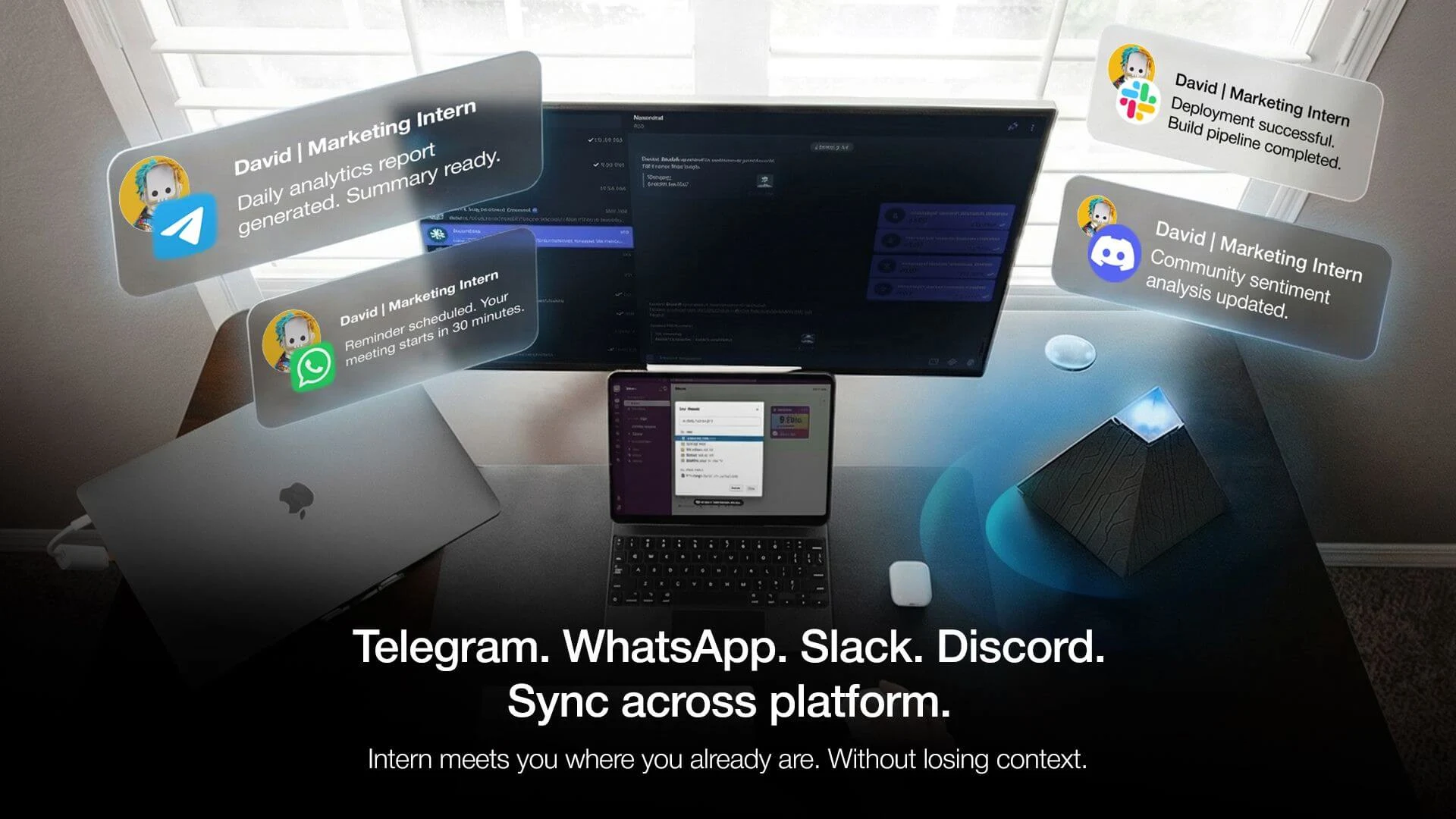
That is the premise behind a growing category of cross-platform AI agents. Instead of installing and maintaining each tool's Slack app separately, a single agent connects to the full stack directly — and Slack becomes the interface where work gets communicated and actioned, without carrying the per-tool configuration weight.
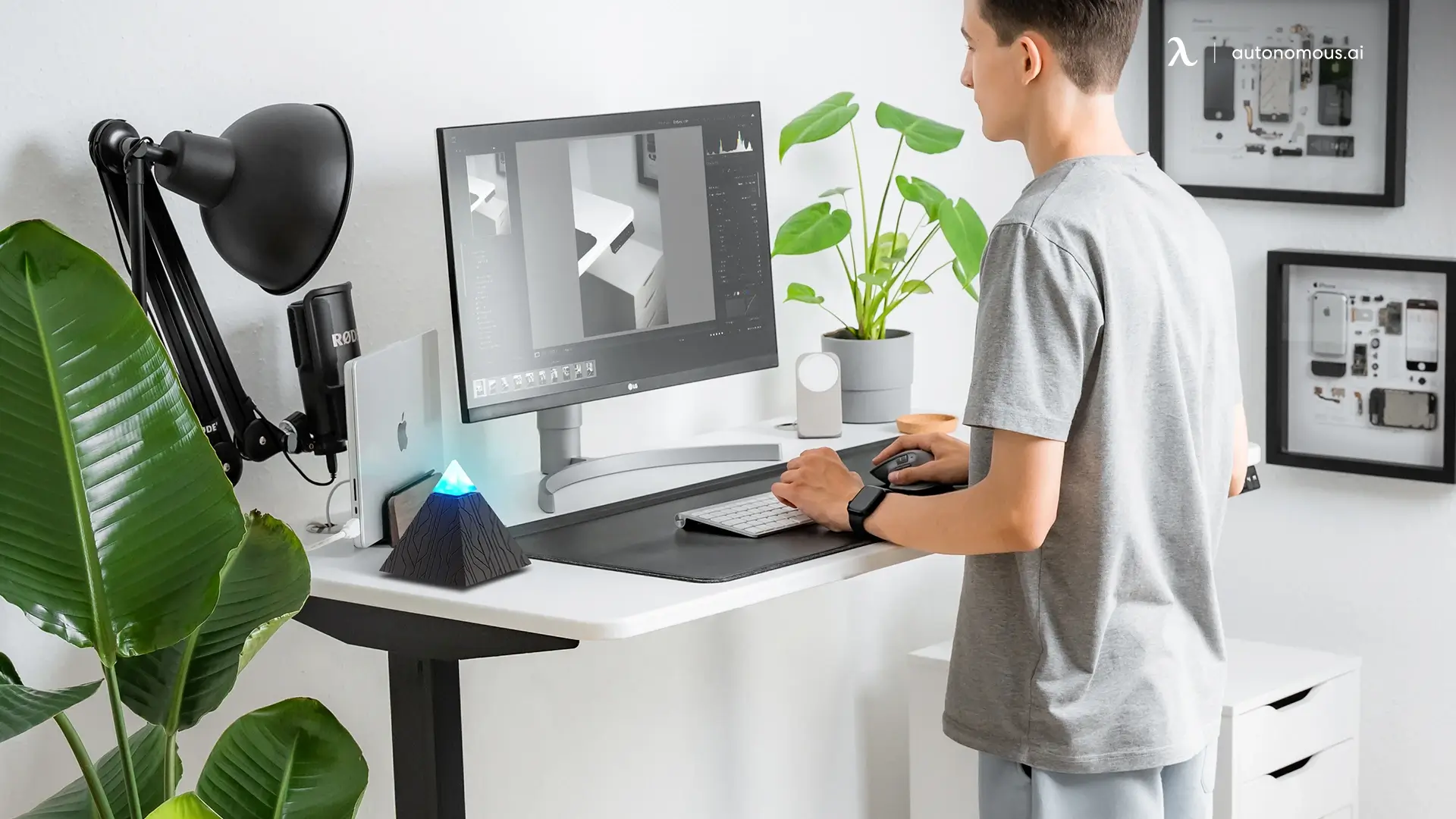
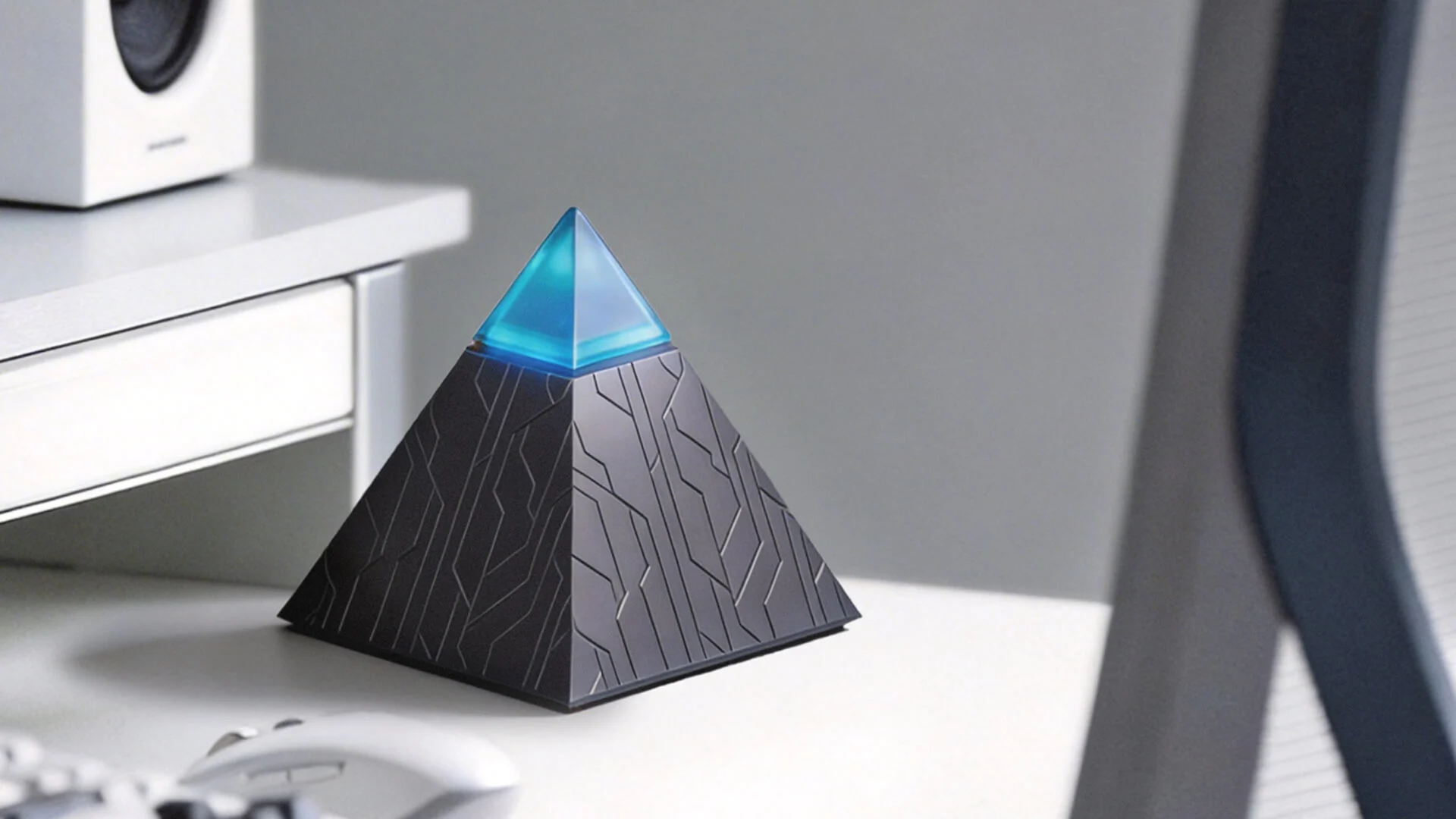
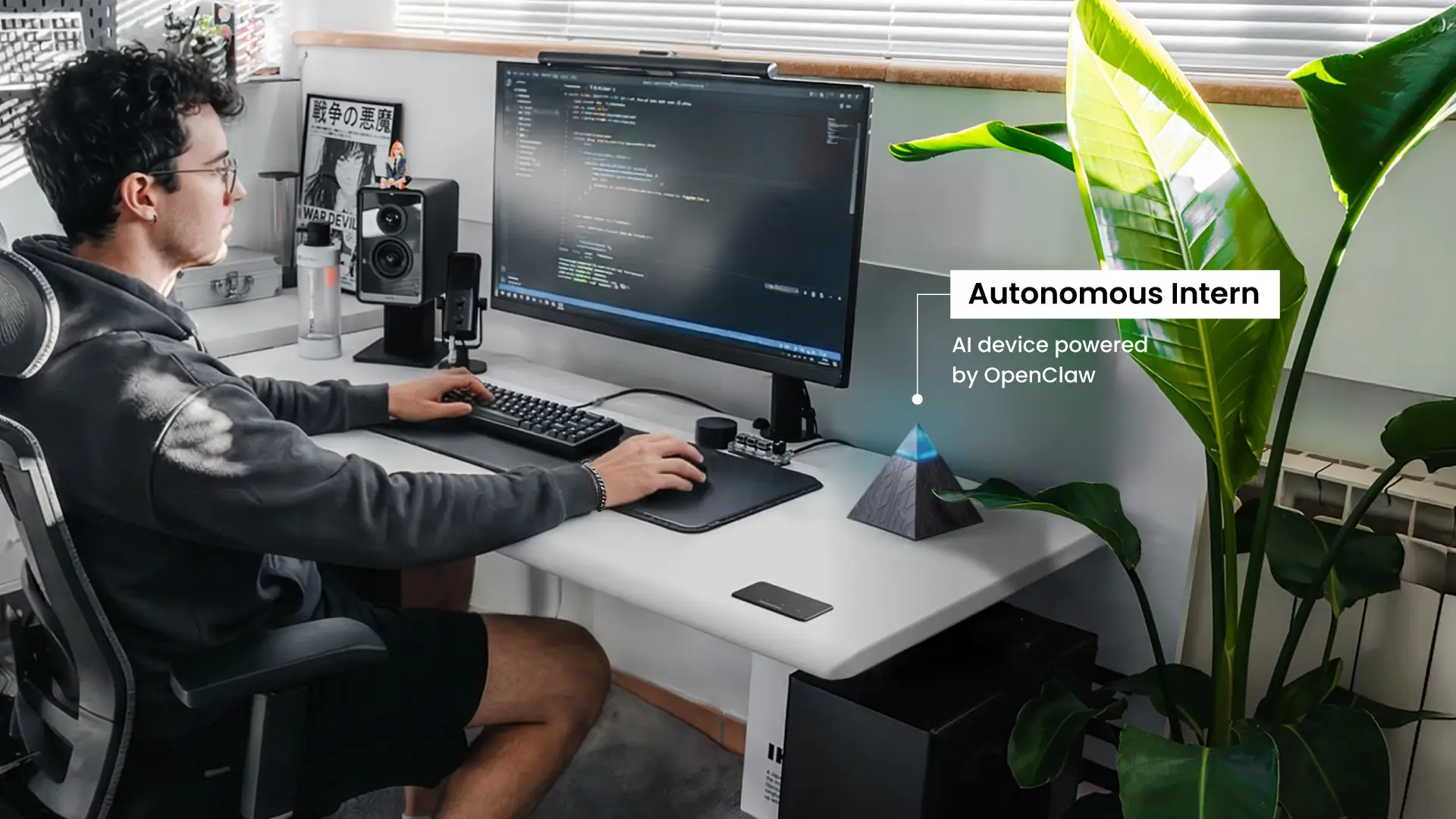
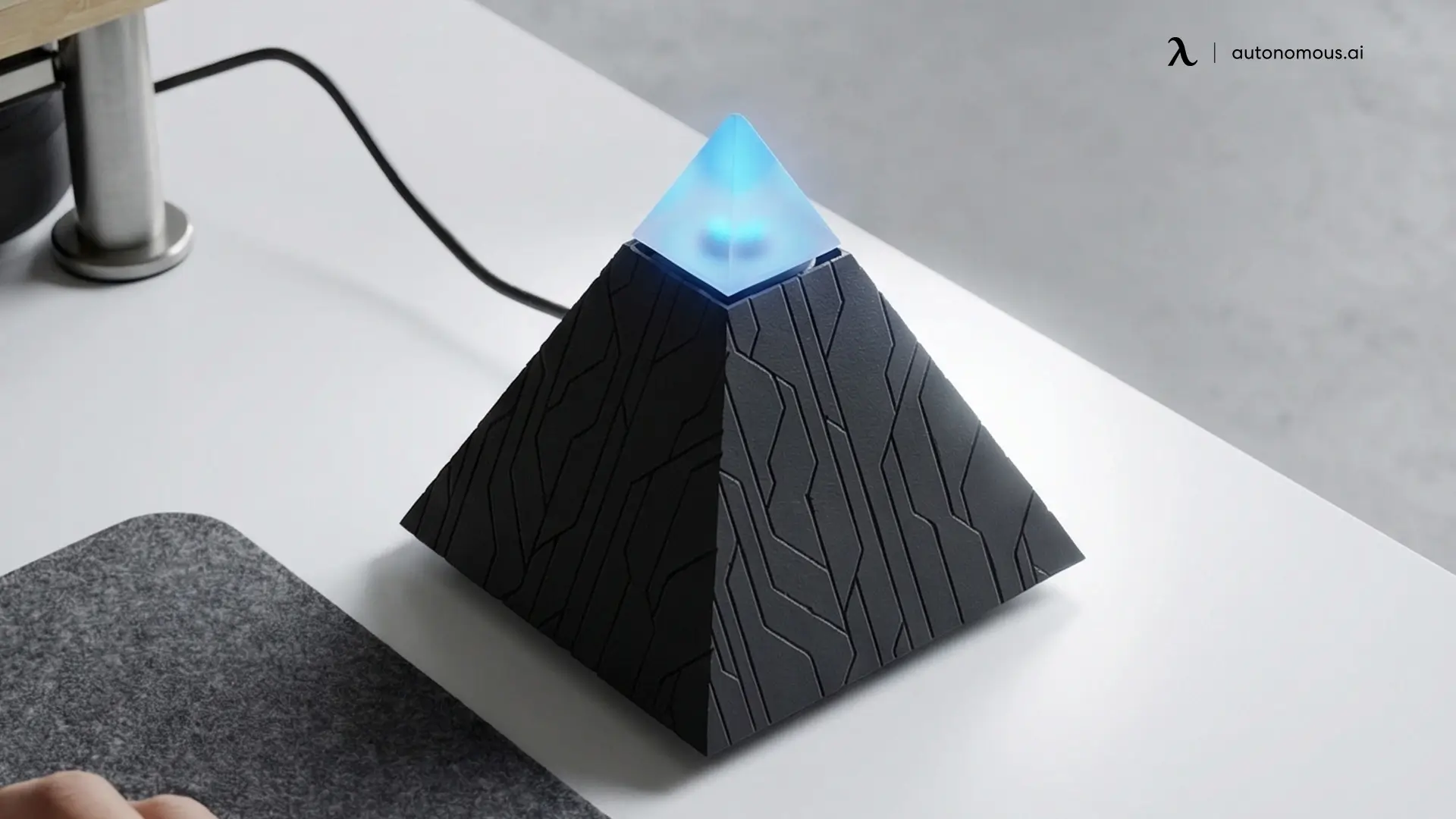
One example of this approach is Autonomous Intern. It operates as a standalone desk device — no installation on a work laptop, no browser extension, no additional software layer required — and connects directly to the tools a team already uses: Google Calendar, Gmail — where it handles tasks like an AI email assistant — Google Drive, Jira, Asana, Zoom, Trello, and others. The Slack integration sits at the Intern layer, which means the team interacts with their full tool stack through a single, consistent Slack AI interface.
How the Architecture Actually Works
The difference between this personal AI assistant and a conventional Slack integration stack is not about features — it is about where the intelligence sits in the system. Modern setups increasingly rely on connecting AI assistants to your business data sources to centralize decision-making across tools.
A standard multi-tool Slack setup connects each tool to the workspace individually. Google Calendar connects to Slack. Jira connects to Slack. Asana connects to Slack. Each does exactly what it is configured to do — surfacing updates, keeping the right information visible across the right channels. This model is built for visibility, and it handles that reliably.
Where the two approaches serve different needs is at the action layer — when the goal shifts from surfacing information from individual tools to acting across multiple tools from a single point of contact.
Here is how the two models compare:
Standard Slack Integration Stack | Autonomous Intern | |
Tool connections | Per-tool, configured individually in Slack | Connected at the device level, managed once |
Query scope | Single tool per integration | Draws from full connected stack in one response |
Context across tools | Managed manually or per session | Maintained continuously at the device level |
Setup requirement | Per-tool authentication, channel routing, notification logic | Single device setup, tools connected directly |
Maintenance | Per-integration, ongoing | Centralized at the Intern layer |
Best suited for | Clearly scoped tool connections with dedicated ownership | Cross-tool action from a single Slack interface |
Neither model is universally the stronger choice. A well-architected Marketplace stack works effectively when tool connections are clearly scoped and there is dedicated ownership over ongoing configuration. Autonomous Intern fits teams looking to consolidate that overhead into a single layer — particularly those who need a cross-tool AI agent for Slack capability without building and maintaining the integration architecture that would otherwise be required to support it.
The right fit depends on the team's existing stack, technical resources, and how the AI agent in the Slack layer needs to scale over time.
Finding the Right AI Agent for Slack: A Capability Spectrum
Not every team needs the same depth of Slack AI capability — and the setup complexity required scales directly with how much cross-tool action the agent needs to perform. The spectrum below maps the three main approaches against the factors that matter most in the evaluation.
Native Slack AI | Cross-Platform Agent | Custom API Build | |
Capability depth | Within Slack data only | Cross-tool action from a single interface | Fully custom, depends on build |
Setup investment | None | Single device or platform setup | Developer build required |
Maintenance | Managed by Slack | Centralized at the agent layer | Internal technical ownership |
Cross-tool context | Slack workspace only | Unified across connected stack | Depends on architecture |
Best for | Summaries, search, recaps within Slack | Multi-tool action without per-tool configuration | Specific workflows, technical teams |
Example | Slackbot, Slack AI features | Autonomous Intern | Slack API custom agent |
Where a team sits on this spectrum comes down to two questions.
- How many tools need to connect — and how do they need to interact?
Native Slack AI handles everything within the workspace cleanly. The moment the requirement extends to acting across external tools simultaneously — pulling from a CRM, creating a ticket, retrieving a document, updating a calendar — the architecture needs to move beyond what a within-Slack solution is designed to do. This becomes especially important when evaluating issues around AI privacy and security, since cross-tool access changes how data moves across systems and who controls that access layer.
- What internal resources exist to build and maintain it?
Teams with dedicated technical ownership can build precisely what they need via the Slack API. Teams who need a cross-tool AI agent in Slack capability without the build and maintenance commitment are better served by a cross-platform agent that centralizes that overhead rather than distributing it across individually configured connections.
Most teams start at the left of this spectrum and move right as their stack grows. The practical question at each stage is not which option has the most capability — it is which one delivers the right capability for the current operational reality without generating a maintenance overhead that outpaces the value it returns.
FAQs
How does a Slack AI agent differ from Slackbot?
A Slack AI agent works beyond Slack by connecting to external tools and taking action across systems, while Slackbot primarily operates within Slack conversations. Slackbot is Slack’s native assistant, designed to summarize channels, answer questions from workspace history, and generate content based on existing Slack data. In contrast, an AI agent for Slack can integrate with tools like Jira, Asana, Google Drive, and CRM platforms to execute tasks across your entire workflow. One works inside Slack. The other works through it.
What can an AI agent for Slack actually do?
An AI agent for Slack can automate daily tasks, retrieve information, and take action across connected tools directly within Slack. Depending on its setup, it can handle morning briefings, meeting preparation, performance reporting, CRM lookups, support ticket triage, internal knowledge retrieval, and cross-tool workflow automation. The more tools it’s connected to, the more value it delivers.
Is Slack AI the same as an AI agent for Slack?
No, Slack AI is a subset of what an AI agent for Slack can do. Slack AI refers to built-in features like thread summaries, channel recaps, daily digests, and AI-powered search within workspace history. An AI agent for Slack is a broader concept that includes both native features and external or cross-platform agents that can connect to other tools and take action. Slack AI is one implementation — not the full category.
How do I set up an AI agent for Slack?
You can set up an AI agent for Slack through native features, integrations, or cross-platform tools depending on your needs. The setup is automatic with a paid plan. For individual integrations, apps can be installed and configured via the Slack Marketplace. For more advanced use cases, cross-platform agents like Autonomous Intern can be connected to your tool stack, or a custom agent can be built using the Slack API with defined workflows and logic.
How long does it take to get an AI agent in Slack fully operational?
Native Slack AI is available immediately on paid plans with no additional setup. A cross-platform agent like Intern is designed for same-day setup — connecting directly to existing tools without per-tool Slack configuration. A custom agent built via the Slack API has a timeline determined by the complexity of the required logic, the number of tool integrations involved, and the availability of developer resources — typically ranging from days for a scoped build to several weeks for a full cross-tool implementation.
What is the best AI agent for Slack?
The best AI agent for Slack depends on your team’s use case and level of automation needed. Slack AI is ideal for summarization and search within Slack. A cross-platform AI agent for Slack like Intern is better suited for teams that need to take action across multiple tools from a single interface. Custom Slack API solutions offer the most flexibility but require technical resources to build and maintain.
Can I use an AI agent for Slack without coding?
Yes, many AI agents for Slack are designed to work without coding. Native Slack AI features require no setup beyond activation. Many third-party and cross-platform solutions — including Autonomous Intern — offer plug-and-play experiences that connect to your tools without API configuration or developer support. Custom-built agents using the Slack API are the main exception and require technical expertise.
How do I connect multiple tools to Slack with AI?
You can connect multiple tools to Slack either through individual integrations or a unified AI agent layer. The standard approach is installing each tool separately from the Slack Marketplace and configuring them individually. However, an AI agent for Slack can act as a centralized layer that connects multiple tools and enables them to work together, reducing setup complexity and allowing coordinated actions across platforms.
What is the difference between a Slack AI integration and a Slack AI agent?
A Slack AI integration connects one tool to Slack, while a Slack AI agent coordinates actions across multiple tools. Integrations typically send notifications or data from a single external tool into Slack. An AI agent for Slack goes further by understanding context across multiple systems, making decisions, and taking action without step-by-step human input. Integrations move data. Agents act on it.
Is an AI agent for Slack secure?
Security depends on how the AI agent for Slack is implemented and the tools it connects to. Slack AI operates within Slack’s existing security and compliance framework. Third-party or cross-platform agents have their own security standards, which should be reviewed based on your organization’s requirements. Key factors include data handling, encryption, and compliance certifications.
Can an AI agent in Slack work across remote and hybrid teams?
Yes. Because the AI agent in Slack operates through the workspace itself, it is accessible to any team member regardless of location or device. Cross-platform agents that connect to tools like Google Calendar, Zoom, and project management platforms extend that accessibility further. For remote and hybrid teams, the always-on nature of an agent layer is particularly relevant.

Conclusion
AI agents for Slack work. The use cases are proven, the tools exist across a range of technical requirements and budget profiles, and the productivity gains are well-documented across teams of different sizes and industries.
Where most implementations stall is not at the capability level — it is at the integration layer. Getting the right tools connected, keeping them maintained, and making them work in coordination rather than in isolation is the operational challenge that determines whether the agent delivers on its promise or adds to the overhead it was meant to reduce.
The architecture decision made at the start shapes everything that follows. Whether that means native Slack AI, a carefully configured Marketplace stack, or a cross-platform agent like Intern that consolidates the integration layer entirely — the clearest path forward is the one built around what the team actually needs to get done.