.svg)



Table of Contents
Modern work increasingly demands space to think, sketch, and adapt in real time. A whiteboard standing desk brings those needs together by turning the work surface itself into a place for ideas, not just equipment. By combining height adjustability with a writable surface, this type of standing desk supports movement while encouraging visual thinking throughout the day.
For home office setups, classrooms, and collaborative environments, it offers a more fluid way to plan, organize, and refine thoughts without stepping away from the workspace.
What Is a Whiteboard Standing Desk?
A whiteboard standing desk is a height-adjustable workstation that integrates a writable surface directly into the desk itself. Instead of separating work tools from thinking tools, the desk becomes both. Users can sit or stand while sketching ideas, outlining tasks, or mapping concepts directly on the surface.
Some designs function as a standing desk with a whiteboard top, while others combine a traditional standing desk with whiteboard panels or modular writing areas. As a whiteboard adjustable desk, it supports proper sitting postures while keeping ideas visible, editable, and always within reach.
Key Features to Look for in a Whiteboard Standing Desk
Most whiteboard standing desks with writable surfaces look promising until you actually try to work on them. The difference between a gimmick and a genuinely useful whiteboard standing desk comes down to a few critical details.
- Start with the writing surface itself:
Start with the writing surface itself. Run your hand across it. Quality surfaces feel smooth but not slippery, with a subtle texture that grips dry-erase markers without absorbing them. The difference often comes down to underlying desk materials, which influence how evenly ink lays down, how easily it erases, and how the surface holds up over time. The good ones resist ghosting, wipe clean without streaking, and stay legible whether you're working under harsh office fluorescents or natural light. A mediocre surface stops being useful the moment it becomes harder to read than to ignore.
- Evaluate stability at full extension:
Here's what separates functional from frustrating: place your hand on the desktop at standing height and apply moderate sideways pressure, as if you're writing. Does the desk wobble? Even slightly? With a whiteboard adjustable desk, instability compounds every time you try to sketch or brainstorm. Look for solid steel standing desk frames with dual-motor systems for electric models, or robust crank mechanisms for manual options.
- Consider the usable writing area:
A standing desk with a whiteboard works best when you have at least 24 inches of clear writing space without compromising your monitor placement or keyboard position. Some desks offer full-surface whiteboards; others provide designated zones. Think about your workflow: Do you need expansive brainstorming space, or focused note-taking areas? Neither is wrong, they're just different use cases.
- Check for integrated accessories:
Quality designs include marker trays, eraser storage, or magnetic surfaces that hold reference materials. These details signal that the manufacturer understands how you'll actually use this desk, not just that they slapped a whiteboard coating onto standard furniture.
The best whiteboard standing desk balances both functions seamlessly — you shouldn't feel like you're compromising workspace functionality to gain writing space, or vice versa.
5 Best Whiteboard Standing Desks
A well-designed whiteboard standing desk is not defined by novelty, but by how seamlessly it fits into real work. The best options combine a reliable sit–stand mechanism with a writable surface that feels intentional, not improvised. Below are standout desks that approach this balance in different ways, each suited to specific workflows and spaces.
- A Quick Glance:
Product | Writing Surface Type | Writing Plane | Surface Coverage | Best for |
UPLIFT Whiteboard Standing Desk | Coated whiteboard desktop | Horizontal | Partial (shared with equipment) | Ongoing work where writing and typing alternate throughout the day |
Mind Reader Standing Whiteboard Desk | Coated whiteboard panels | Horizontal | Small | Short notes, reminders, and shared or temporary use |
MarkIt Up Flip-Up Whiteboard Desk | Coated whiteboard panel | Angled / vertical (when flipped) | Dedicated panel | Structured writing sessions separated from desk work |
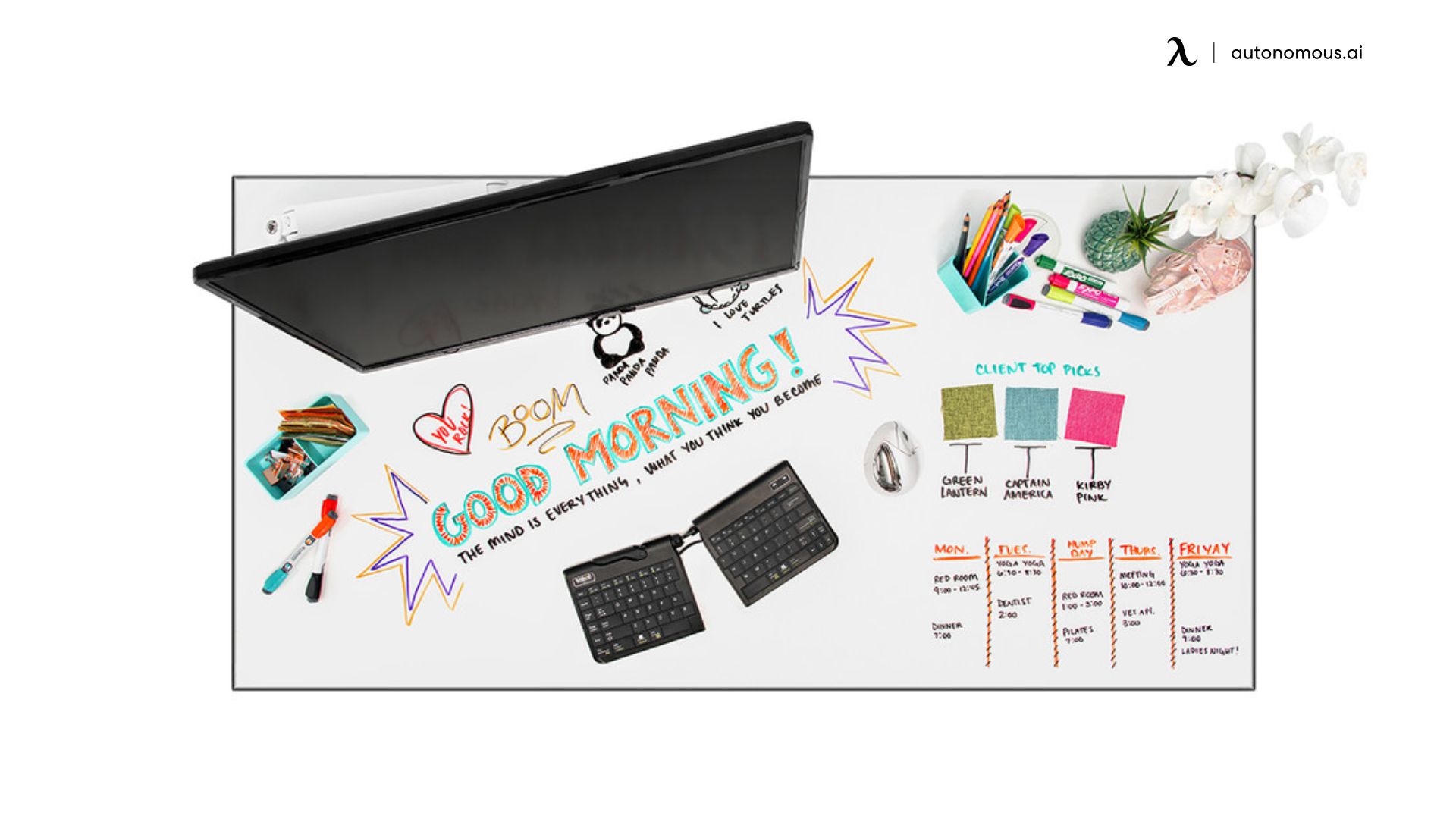
VIVO Electric Dry Erase Desk | Full-surface coated whiteboard | Horizontal | Full desktop | Large, side-by-side layouts that stay visible during active work |
KOUPA Writable Glass Standing Desk | Tempered glass | Horizontal / tilted | Full desktop | Brief annotations and numeric references rather than full layouts |
1. UPLIFT Whiteboard Standing Desk
Unlike mobile or secondary whiteboard desks, this whiteboard standing desk is intended to carry monitors, peripherals, and writing simultaneously. That design choice directly affects how the desk is used: writing happens around equipment rather than on a clear surface.
Because the whiteboard top is available in multiple sizes, usable writing space depends heavily on configuration. On narrower tops, monitors quickly consume the center area, leaving writing to the margins. On wider tops, notes can coexist more comfortably with screens, but the surface still functions as a hybrid rather than a dedicated planning board.
The surface coating is designed for dry-erase use but behaves differently from glass. Writing pressure is forgiving, though marker residue can appear if notes are left for extended periods. This makes the desk better suited to active, regularly updated notes than long-term reference material.
The electric frame provides predictable height transitions and sufficient rigidity for writing at standing height. Stability is adequate for lists, diagrams, and structured notes, but not ideal for heavy sketching that applies lateral force. If your home office desk has to pull double duty, screen work and spontaneous notes, this design strikes that balance without surrendering the full surface to writing.


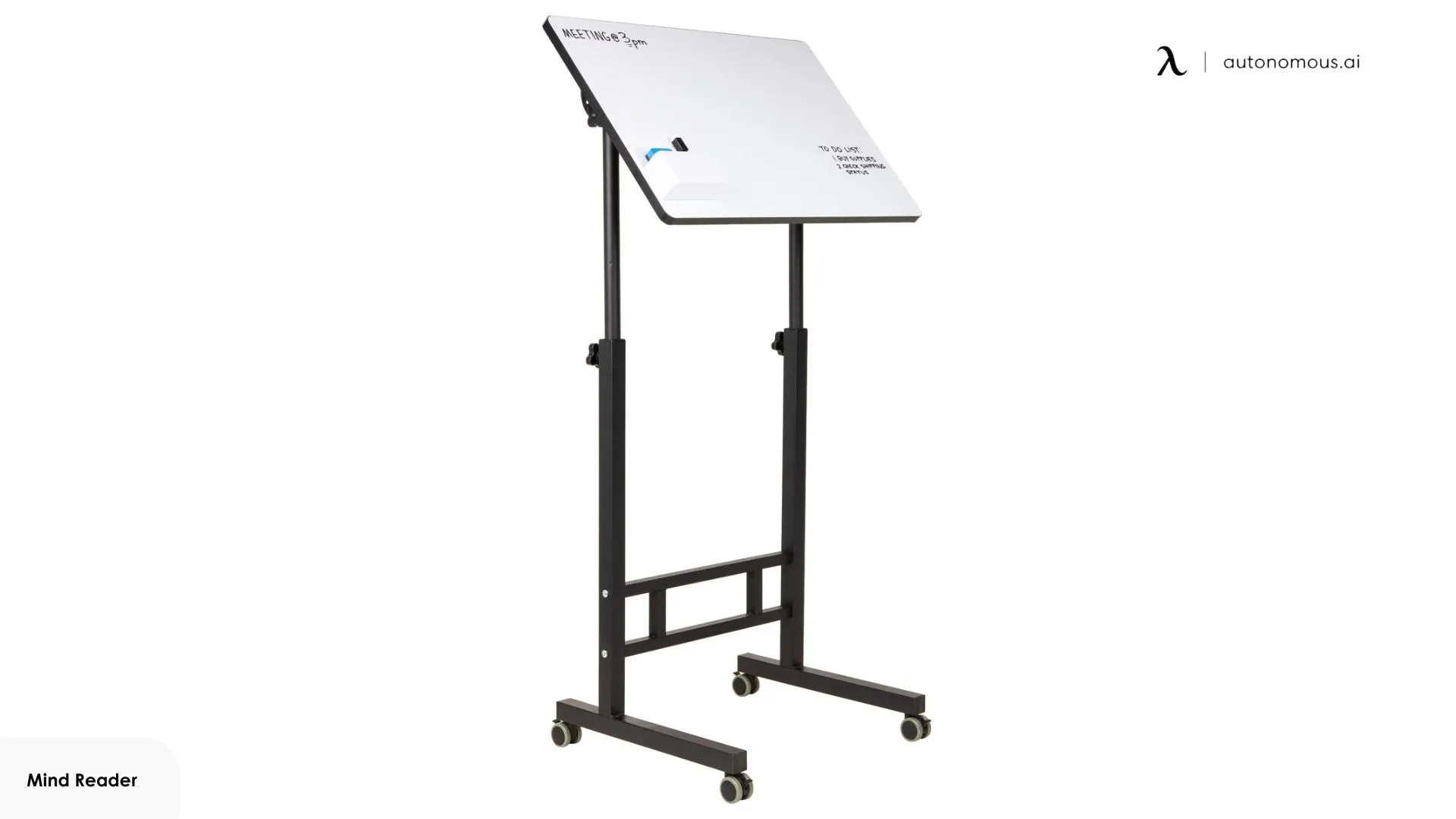
2. Mind Reader Standing Whiteboard Desk
This whiteboard adjustable desk is fundamentally a mobile writing cart, not a full workstation. Its narrow footprint and rolling base prioritize movement and access over surface area. Writing surfaces are smaller and positioned for visibility rather than extended use.
Because of its size, this desk naturally limits writing density. Notes tend to be brief and disposable: reminders, short lists, or simple diagrams. Attempting to use it for complex layouts quickly runs into space constraints, which is a deliberate trade-off given the desk’s portability.
Manual height adjustment supports repositioning between users or locations, not frequent posture changes during a single session. The lightweight frame remains functional for normal writing, but it does not tolerate heavy pressure or prolonged use, which naturally limits session length.
Where the desk works well is in shared or transitional spaces. Locking casters allow it to function as a movable reference point, brought in when needed and removed when not. It serves best as a communal writing surface rather than a personal workstation, and its design makes that boundary clear.
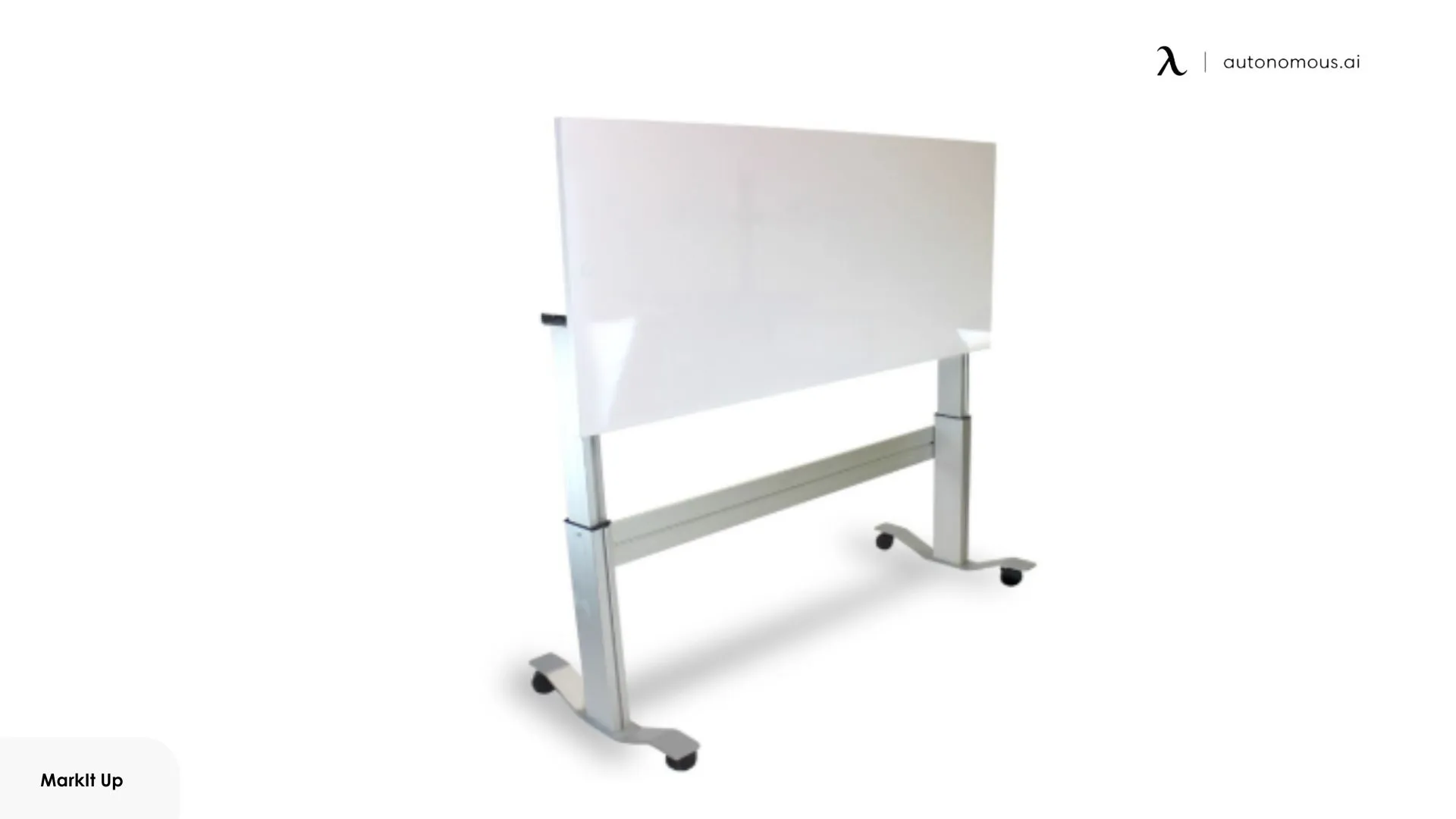
3. MarkIt Up Adjustable Standing Desk with Flip-Up Whiteboard
A new standing desk with a whiteboard top introduces a mechanical separation between desk work and writing through a flip-up whiteboard panel integrated into the desktop. When the board is closed, the desk functions like a conventional standing workstation. When opened, the writing surface becomes the dominant element, shifting posture and attention away from screens.
This design enforces a clear boundary: writing is something you enter and exit, not something that passively remains on the desk. As a result, notes are typically complete artifacts rather than evolving drafts. The flip-up mechanism also changes the writing plane. Compared to flat desktop writing, the raised surface reduces reach and improves legibility for larger shapes or text, but it limits the amount of information that can coexist with active screen work.
Because writing and typing cannot happen comfortably at the same time, this desk aligns with setups where space and function are deliberately segmented. In a small office desk setup, this separation can help prevent visual overload by keeping writing sessions distinct from daily screen-based tasks, rather than competing for the same surface.
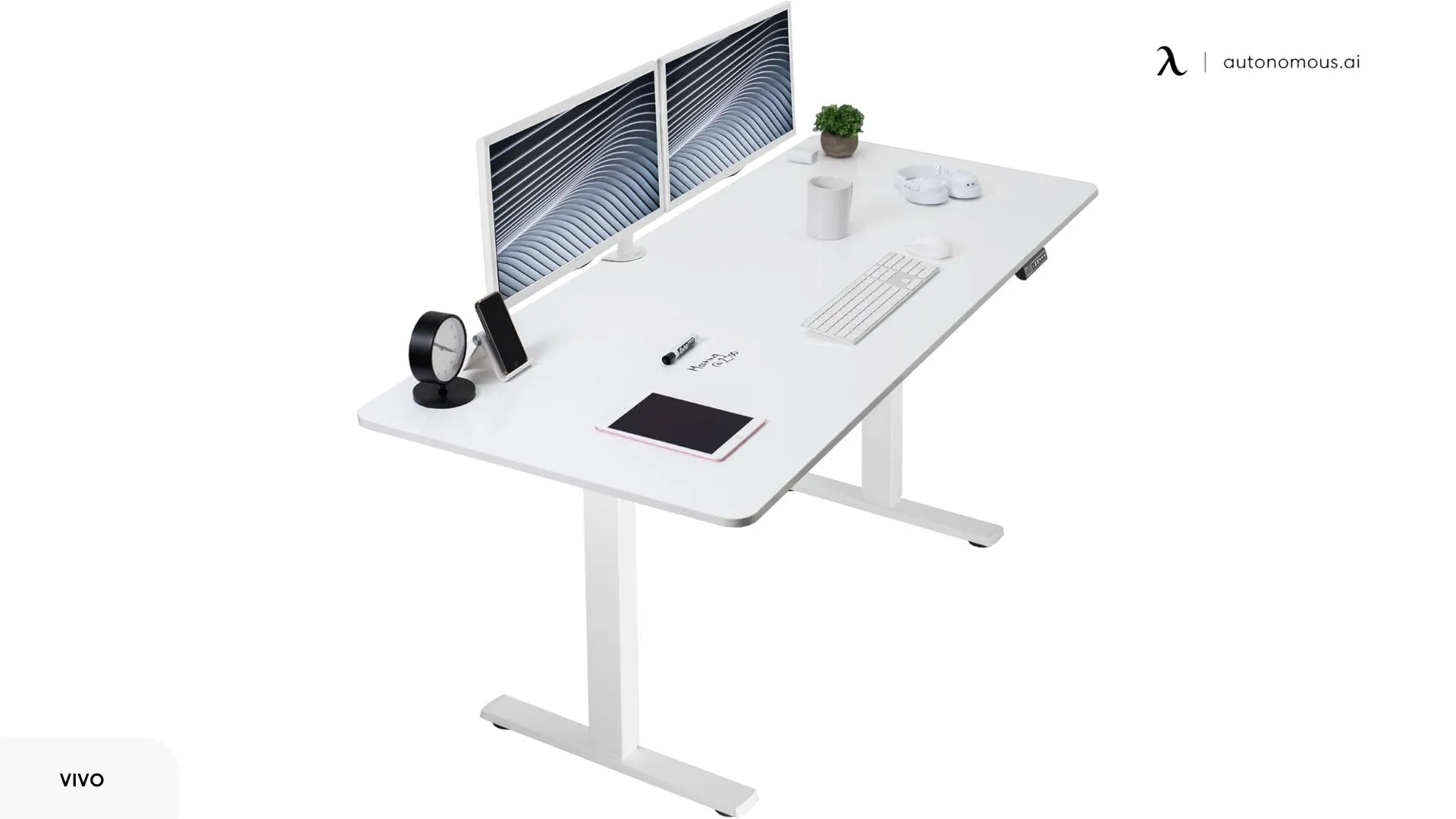
4. VIVO Electric Dry Erase 71 × 30 in Standing Desk
The VIVO Electric Dry Erase Standing Desk uses a full-surface whiteboard top measuring approximately 71 × 30 inches, which is significantly larger than most writable desks in this category. Because the entire surface is writable, there is no defined “note area.” In practice, this allows multiple sections of information to remain visible simultaneously without overlap, something smaller desks physically cannot support.
That same scale introduces trade-offs. At around 30 inches, it can accommodate monitors while still leaving usable writing space in front or to the side. However, once monitors and peripherals are placed, the effective writable area becomes fragmented, which means this desk works best when the office accessories are kept minimal or pushed toward the back edge.
The whiteboard surface is laminated rather than glass, which affects marker behavior. Writing pressure is forgiving, but the surface is more prone to marker residue if notes are left uncleared for long periods. This encourages active use and regular erasing rather than long-term archival writing.
At standing height, the electric frame handles normal writing pressure well, but the desk does not feel rigid under sustained lateral force. Broad, aggressive sketching exposes slight movement, which subtly discourages heavy diagramming and favors controlled layouts, lists, and structured sequences instead.
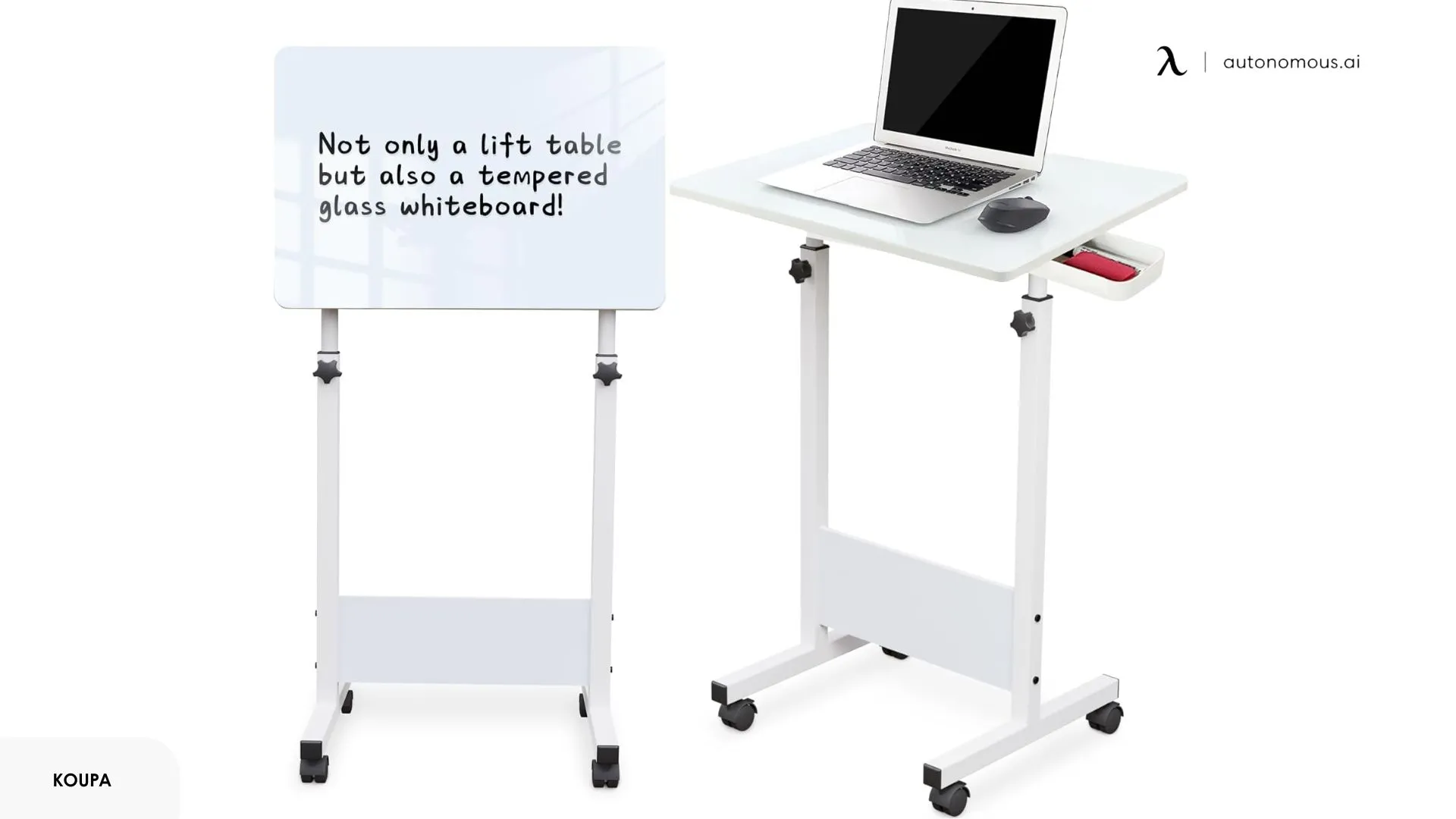
5. KOUPA Adjustable Height Standing Desk with Writable Tempered Glass Desktop
The KOUPA desk differs from other whiteboard standing desks primarily through its tempered glass writing surface and mechanical design. The glass top is writable but behaves differently from coated whiteboard finishes. Marker choice, pressure, and erasing technique matter more, which naturally limits how casually the surface is used.
The desktop can tilt, changing the writing angle from horizontal to inclined. This alters how writing is approached: text and figures are typically larger and more deliberate, while dense layouts are less practical. The tilt mechanism also means the desk is often cleared before writing, reinforcing its role as an annotation surface rather than a mixed-use workstation.
Mobility further defines its use. With caster wheels, the desk can be repositioned easily, but this comes at the cost of the mass and rigidity seen in fixed desks. In spaces where footprint matters, a small desk often forces writing to be selective and temporary rather than expansive. The KOUPA follows a similar pattern, supporting short, intentional notes instead of surfaces meant to hold evolving plans.
Each of these desks reflects a different way of thinking on paper while working on screen. The distinctions come down to how writing is given space, whether it stays visible or fades quickly, and how it shares the desk with daily tools. When the structure of a desk matches the way ideas naturally form and evolve during the day, writing feels less like an extra step and more like part of the work itself.
FAQs
Is a whiteboard standing desk stable enough for writing while standing?
Yes, but stability depends on the desk’s frame and weight. Fixed, full-size whiteboard standing desks are generally stable enough for writing, while lightweight or mobile models require lighter writing pressure.
Do whiteboard standing desks ghost or stain over time?
Yes, they do. Coated whiteboard surfaces may ghost if writing is left uncleared for long periods, while tempered glass whiteboard standing desks are more resistant to staining and residue.
Is a whiteboard standing desk practical for multi-monitor setups?
It can be limiting. Multi-monitor setups work best with larger or full-surface whiteboard standing desks, as smaller desks quickly lose usable writing area.
What size whiteboard standing desk is best for planning and diagrams?
Desks wider than 60 inches allow multiple notes or diagrams to remain visible at once. Smaller desks are better suited for short notes rather than complex layouts.
Is a whiteboard standing desk better than a separate whiteboard?
A whiteboard standing desk keeps notes within arm’s reach during work. A separate whiteboard offers more space and avoids competing with desk equipment, which can be better for large or permanent displays.
Are whiteboard standing desks suitable for daily, long-term use?
Yes, if notes are updated frequently. They are less suitable for information that needs to remain unchanged for weeks or months.
Does a tempered glass whiteboard standing desk change how you write?
Yes. Glass surfaces encourage shorter, more deliberate writing and are less forgiving for dense sketching compared to traditional whiteboard coatings.
Conclusion
A whiteboard standing desk is less about novelty and more about how writing fits into daily work. The differences between these desks are not cosmetic. They are defined by where writing happens, how long it stays visible, and whether it replaces or supports other tools. Some designs integrate writing directly into a full workstation, others isolate it into focused sessions, and a few treat it as a temporary reference layered onto a mobile or adjustable surface.
Choosing the right option comes down to understanding your own writing behavior. Whether notes evolve over days, appear briefly during tasks, or remain central throughout active work will determine which design actually adds value rather than friction.



Restez connecté avec nous !
Abonnez-vous à nos mises à jour hebdomadaires pour rester au courant de nos dernières innovations et de l'actualité de la communauté !
Intéressé par un placement de lien ?

Faire connaitre