Apple Watch Series 11 Review: Should You Upgrade?


Table of Contents
- What's New in the Apple Watch Series 11?
- Apple Watch Series 11: Pros & Cons
- Design & Build Quality
- Battery Life: The Game-Changer
- Health & Fitness Features
- Performance & Connectivity
- Apple Watch Series 11 vs Series 10: Key Differences
- Who Should Buy the Apple Watch Series 11?
- FAQs
- Final Verdict: A Safe Choice, No More No Less
I've worn the Apple Watch Series 11 on my wrist for the past three weeks, testing everything from sleep tracking to intense workout sessions. This Apple Watch Series 11 review cuts through the marketing hype to answer one critical question: should you actually buy it? At $399, it maintains the same price point as its predecessor while delivering one game-changing upgrade that fundamentally altered my charging routine, 24-hour battery life. Here's what matters after real-world testing.
What's New in the Apple Watch Series 11?
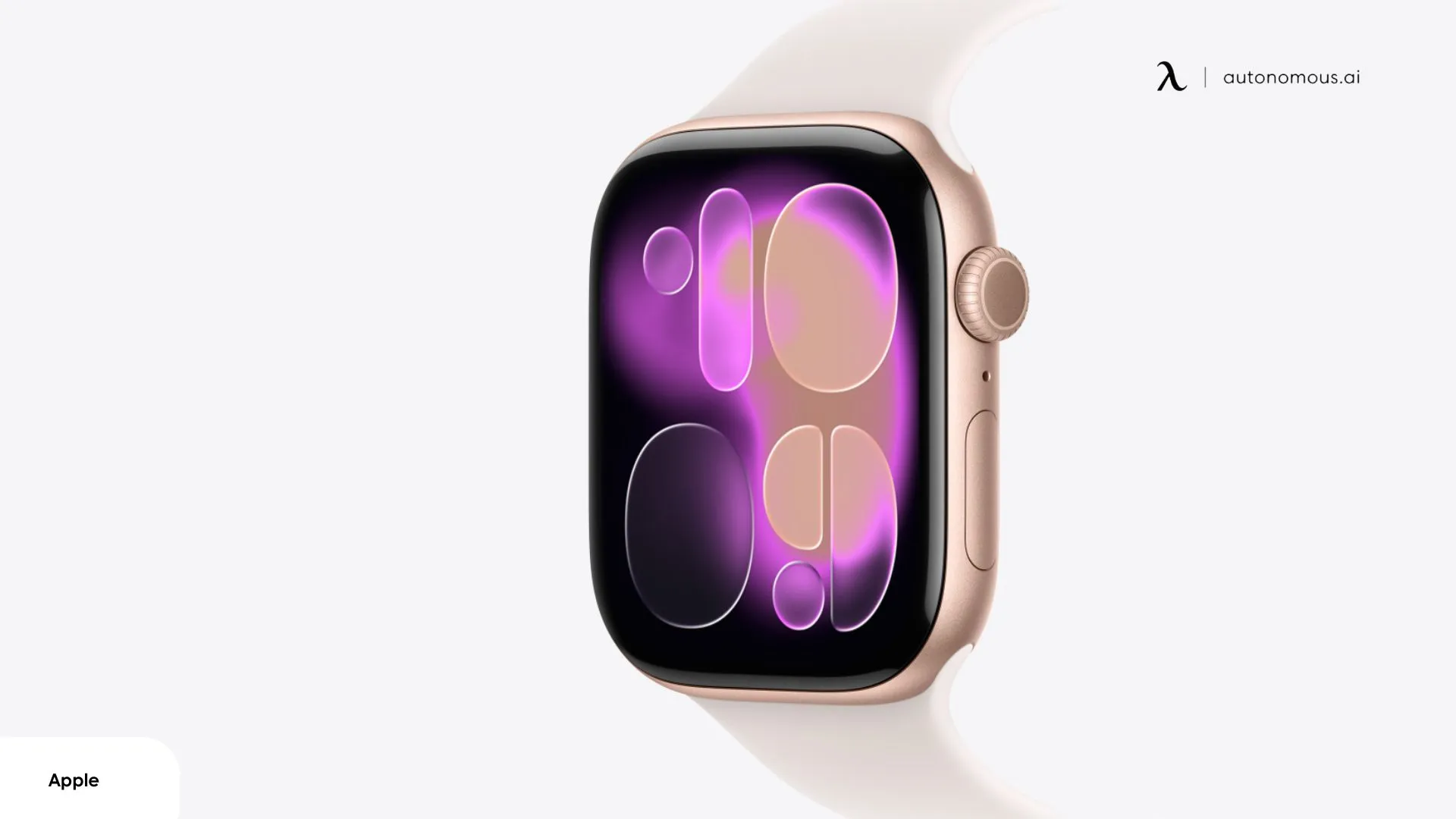
Apple didn't reinvent the wheel with the Series 11, but the refinements are meaningful enough to shift the value equation. Released in September 2025, the Apple Watch Series 11 maintains the same starting price of $399 while introducing targeted improvements that address long-standing user pain points.
Whether you're considering the 42mm or 46mm size, aluminum or titanium finish, the core upgrades remain consistent across all models. This section of my Apple Watch Series 11 review breaks down what actually changed and what stayed identical to last year's hardware:
1. The Big Upgrades
- 24-hour battery life:
Up from 18 hours on the Series 10. In practice, this meant I could wear the watch through a full day, track sleep overnight, and still wake up with 15-20% battery remaining. That's a genuine shift from the nightly charging ritual I had with previous models.
- 2x more scratch-resistant Ion-X glass:
According to Apple's specs, the aluminum models feature reinforced glass coating. After three weeks of desk work, gym sessions, and the occasional doorframe collision, my review unit remains pristine. Whether it truly doubles the durability is hard to verify without controlled testing, but the peace of mind is tangible.
- Hypertension notifications:
Apple's push into preventive health monitoring. The optical sensor analyzes blood vessel responses over 30-day periods to detect potential chronic high blood pressure. It's not a blood pressure cuff replacement, it flags patterns worth discussing with your doctor.
- 5G cellular connectivity:
Replaces LTE on cellular models. Real-world performance? App downloads and music streaming felt marginally faster when away from my iPhone, but nothing transformative. It's future-proofing more than a must-have today.
- Emergency SOS via satellite:
Crucial for backcountry scenarios where cellular coverage drops. Gives the watch standalone emergency communication capabilities similar to iPhone 14 and newer.
- Sleep Score:
Provides a simple 0-100 rating each morning based on sleep duration, consistency, and stages. Less detailed than dedicated sleep trackers like Whoop, but sufficient for most users.
- Wrist flick gesture:
Dismiss notifications with a quick wrist rotation. Surprisingly intuitive after the learning curve, especially useful when hands are occupied.
2. What Stayed the Same
Apple kept the Series 10's foundation largely intact:
- Design and case sizes:
The thin profile and 42mm/46mm dimensions carry over unchanged. I tested the 46mm aluminum model, which maintains that comfortable, barely-there feel during sleep tracking.
- Display quality:
Same LTPO OLED panel with 2,000 nits peak brightness and always-on functionality. Still excellent outdoors and in bright sunlight.
- Core health sensors:
Heart rate monitoring, ECG, blood oxygen (SpO2), and temperature tracking all use the same hardware foundation as Series 10.
- Performance:
The S11 chip feels identical to the S10 in daily use. App launches, Siri responses, and UI animations show no perceptible difference.
Apple Watch Series 11: Pros & Cons
After three weeks of testing for this Apple Watch Series 11 review, the strengths and weaknesses are clear. If you're weighing whether to buy or upgrade, here's what works, what doesn't, and what hasn't changed enough to matter.
Pros | Cons |
24-hour battery life – Improved for practical sleep tracking. | Minimal upgrade from Series 10 – Only battery life improves. |
Fast charging – 15 minutes = 8 hours of use. | Still requires daily charging – 24 hours still needs daily top-up. |
Durable display – 2x scratch-resistant Ion-X glass. | No dual-band GPS – Drifts under heavy tree cover or urban areas. |
Hypertension notifications – Early detection feature (FDA pending). | No lap button – Requires pressing two buttons during workouts. |
Sleep Score – Simple 0-100 rating for general wellness. | Hypertension feature not active yet – Not available until late 2025. |
Emergency SOS via satellite – Free for two years. | Cellular drains battery faster – LTE streaming reduces battery life. |
5G cellular – Future-proof for network congestion. | Sleep tracking less detailed – Lacks advanced recovery metrics. |
Design & Build Quality
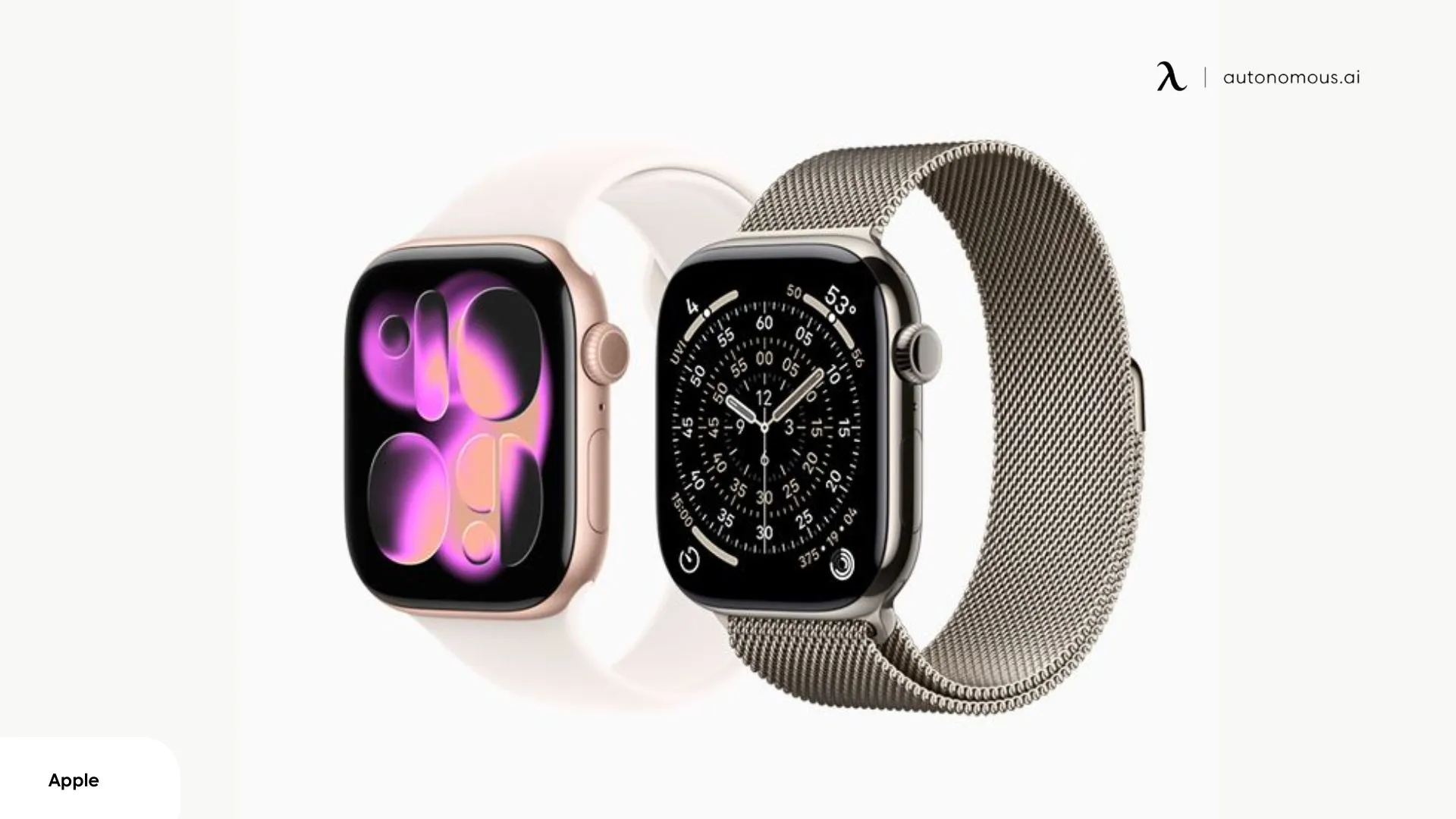
The Apple Watch Series 11 reveals no surprises in design, Apple carried over the refined form factor from Series 10 with minimal changes. The meaningful updates center on durability rather than aesthetics: scratch-resistant glass and new color options.
1. Slim, Comfortable, and Familiar Design
The Apple Watch Series 11 carries forward the refined design language introduced with the Series 10, thin bezels, curved edges, and a profile that disappears on the wrist. Apple continues offering two Apple Watch Series 11 sizes: the 42mm and 46mm cases, both measured diagonally across the display.
I tested the Apple Watch Series 11 46mm aluminum model, which suited my wrist size well, though the choice between sizes comes down to personal preference and wrist circumference rather than gender-specific design.
- Apple Watch Series 11 42mm: Best for wrist circumferences under 180mm (roughly 7 inches). Despite being the smaller option, the display remains highly readable thanks to minimal bezels.
- Apple Watch Series 11 46mm: Ideal for wrist circumferences above 160mm. The larger display provides more screen real estate for complications and text, making it popular among users who prioritize visibility.
Both sizes weigh nearly identical to their Series 10 predecessors. The aluminum models come in at 32.2g (42mm) and 36.4g (46mm), while titanium variants add minimal weight despite the premium material.
2. Display Performance
The 2,000-nit peak brightness proves its worth in real-world conditions. During afternoon runs in direct sunlight, workout metrics remained clearly visible without squinting or shielding the screen. The always-on display intelligently dims to 1 unit in dark environments, dim enough to avoid disturbing sleep or becoming distracting during movies, yet still glanceable when needed. Screen real estate is maximized across both sizes, with minimal bezels ensuring text and complications remain legible even on the smaller 42mm model.
Combined with the Apple Watch Series 11 waterproof rating (50m water resistance), the display holds up well across varied environments from pool workouts to outdoor runs. If you’re searching for the perfect gift for gym rats, the Apple Watch Series 11 is an ideal choice to complement their active lifestyle.
Battery Life: The Game-Changer
The Apple Watch Series 11 battery life represents the only hardware upgrade that fundamentally alters daily usage patterns. While 24 hours doesn't sound revolutionary on paper, the six-hour improvement over Series 10 eliminates the nightly charging ritual and makes sleep tracking genuinely practical.
This isn't about squeezing out marginal gains - it's the difference between a watch that barely survives a full day and one that comfortably handles 24/7 wear with a buffer to spare.
Fast charging delivers 8 hours of use from 15 minutes on the charger, and 0-80% in about 45 minutes. Full charge takes 75 minutes. This matters because you can top up quickly during breakfast or a shower rather than leaving it plugged in all evening.
The Apple Watch Series 11 GPS cellular model drains faster during standalone use, about 50% more power when streaming music over LTE versus GPS-only with local music. If you regularly run without your iPhone, expect 18-20 hours instead of the rated 24.
Low Power Mode extends runtime to 38 hours by disabling the always-on display and reducing background heart rate monitoring from continuous to every 10 minutes. You lose real-time health data and have to raise your wrist to see the time, but basic tracking still works.
The battery improvement is significant if you want sleep tracking without charging overnight. If you already charge nightly and don't track sleep, it won't change your routine.
Health & Fitness Features
The Apple Watch Series 11 health features introduce two meaningful additions to Apple's preventive health strategy: hypertension notifications and Sleep Score. While the core sensor array, heart rate, ECG, blood oxygen, temperature, remains unchanged from Series 10, these software-driven upgrades expand the watch's utility for long-term wellness monitoring.
After three weeks of continuous wear including sleep tracking and daily monitoring, here's how the new capabilities performed in practice.
1. Hypertension Notifications
The Apple Watch Series 11 blood pressure monitoring doesn't provide real-time systolic/diastolic readings like a traditional cuff. Instead, it analyzes pulse wave velocity—how fast blood pressure waves travel through arteries—to detect patterns suggesting chronic hypertension over 30-day periods.
During my three-week testing window, the feature remained in calibration mode collecting baseline data. I couldn't evaluate its detection accuracy since Apple's FDA clearance timeline means most users won't see active notifications until late 2025 or early 2026. The watch silently gathered readings during normal wear without any noticeable battery impact.
This isn't a diagnostic tool or medication management device—it's a screening system that flags patterns worth discussing with your doctor. If you're under 22 or already managing high blood pressure with medication, this feature isn't designed for you. For everyone else, it operates passively in the background without requiring any interaction. The feature works via watchOS 26 software, meaning Series 9 and Series 10 owners get the same capability through a software update.
2. Sleep Tracking & Sleep Score
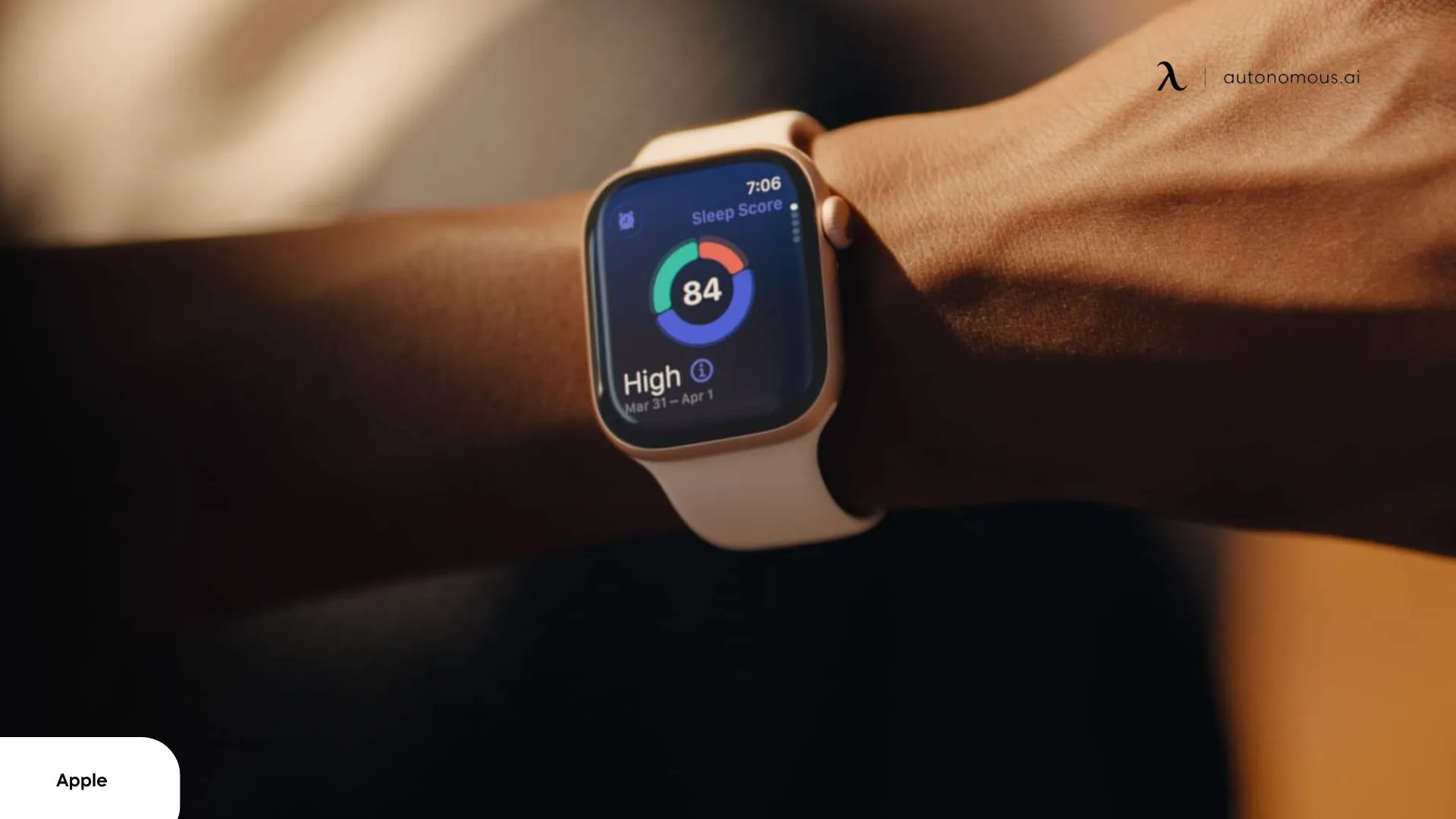
Sleep Score delivers a 0-100 rating each morning synthesizing sleep quality, duration, consistency, and stage distribution. I woke to scores ranging from 72-85 across three weeks, with detailed breakdowns showing time in REM, Core, and Deep sleep stages, plus respiratory rate and wrist temperature deviations.
The data helped identify actionable patterns. Late-night screen time consistently dropped my score by 8-12 points when I used my phone past 11 PM, correlating with reduced REM sleep. Sleep consistency metrics also showed that deviating from my regular bedtime, particularly on weekends, affected my overall sleep quality. If you’re looking to improve your bedtime habits, you might find useful tips on how to go to bed earlier.
Compared to dedicated sleep trackers like Whoop or Oura Ring, the Apple Watch Series 11 2025 provides less granular data. Those devices offer detailed HRV trends, recovery scores, and strain metrics tailored for athletic performance. The Series 11's sleep data works for general wellness awareness, understanding how lifestyle choices affect rest, but serious athletes optimizing training recovery will find it limiting.
The Apple Watch Series 11 health features benefit from Apple's longitudinal data collection. The Health app builds your personal baseline across months and years, making trend detection increasingly valuable over time.

Performance & Connectivity
The S11 chip performs identically to the S10—no speed improvements worth discussing. The real connectivity story centers on two additions: 5G cellular replaces LTE, and Emergency SOS via satellite debuts on the watch. Here's how these features are tested in real-world conditions.
1. watchOS 26 & Liquid Glass UI
The Apple Watch Series 11 ships with watchOS 26 pre-installed, bringing Apple's Liquid Glass design language to the wrist. The aesthetic overhaul is more subtle than on iPhone, the smaller display prevents the glossy, translucent effects from being as prominent, but the refinement is noticeable in app transitions, notification cards, and watch face animations.
Notable watchOS 26 additions:
- Notes app for quick reference (shopping lists, saved info)
- Offline Maps let you download regions for GPS navigation without your iPhone
- Double Tap and Wrist Flick gestures for one-handed control
None of these are Series 11-exclusive—they work on Series 9 and 10 through the watchOS 26 update. The S11 chip delivers the same speed as S10: apps launch instantly, Siri responds without lag, workout views switch smoothly. If you own a Series 10, you won't notice any performance difference.
2. 5G Cellular Performance
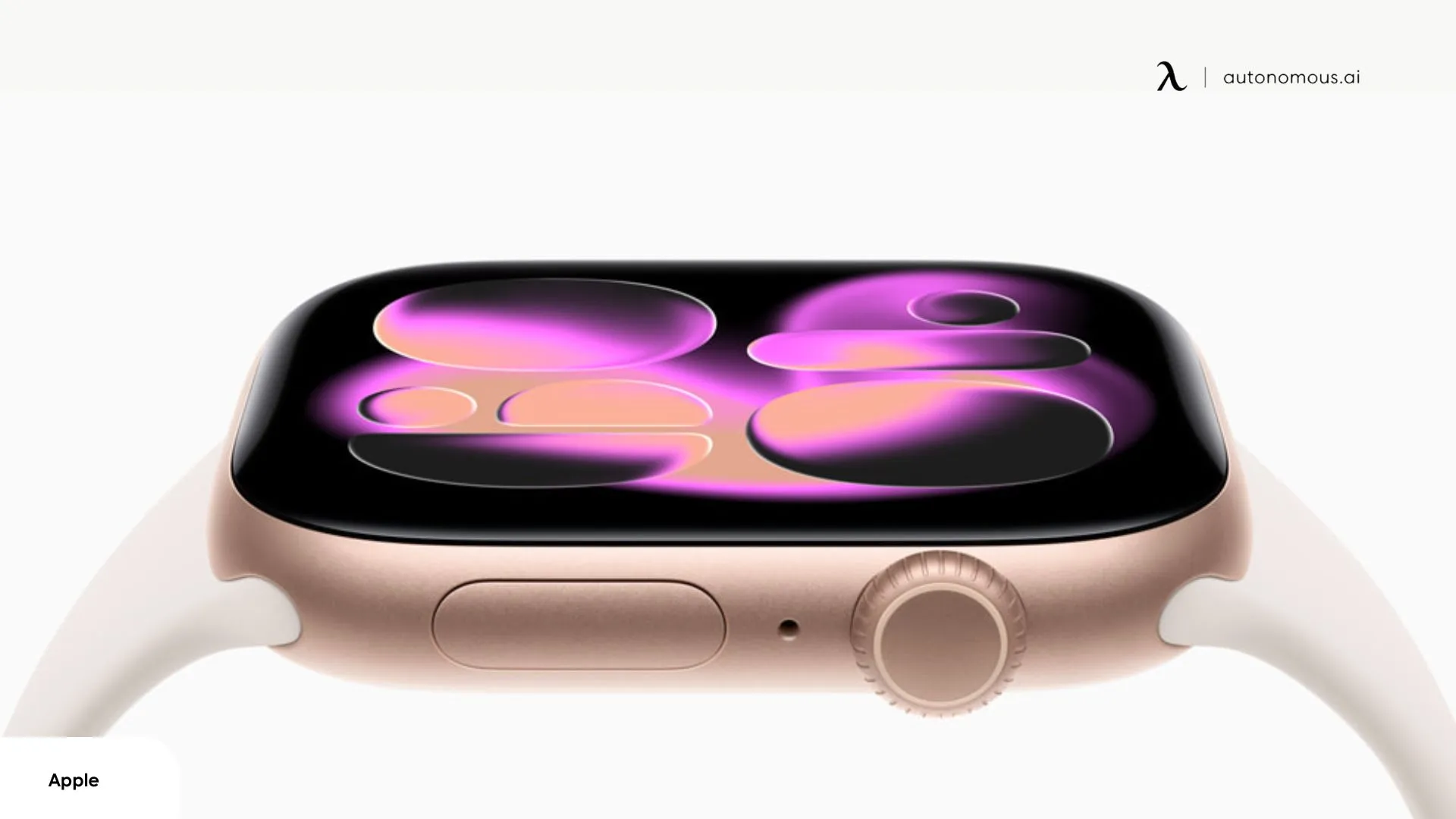
The Apple Watch Series 11 GPS cellular model upgrades from LTE to 5G. Real-world improvements are marginal, streaming Apple Music tracks loaded in 1-2 seconds versus 3-4 seconds on LTE, podcast downloads finished in roughly half the time.
The difference shows up in crowded venues where LTE networks get congested, stadiums, concerts, and dense urban areas. The 5G radio handles simultaneous connections better, potentially providing more consistent performance when thousands of people are on the same network. For normal daily use, most watchOS apps are small enough that the speed difference is imperceptible. If you're mostly using the watch near your iPhone or on Wi-Fi, 5G provides negligible benefit.
The 5G radio doesn't drain noticeably more than LTE based on my testing, but any cellular usage compresses the 24-hour battery estimate to 18-20 hours with regular standalone use. This applies whether you're on 5G or LTE, it's cellular connectivity itself that drains faster, not the specific generation.
The cellular model costs $100 more upfront plus $10/month for carrier service. Unless you regularly work out without your iPhone or need Emergency SOS via satellite (cellular-only feature), GPS-only at $399 delivers the same experience for less.
3. Emergency SOS via Satellite
The Apple Watch Series 11 brings satellite emergency communication to the wrist—a feature previously limited to iPhone 14 and newer models. This allows you to contact emergency services in areas completely outside cellular and Wi-Fi coverage.
When you trigger Emergency SOS in a location without connectivity, the watch guides you through pointing it toward available satellites. You answer a series of pre-formatted questions about your emergency (injury type, medical conditions, location details), and the watch transmits this information via satellite to emergency responders. The entire process takes 15 seconds to several minutes depending on satellite visibility and tree canopy.
Outdoor enthusiasts who regularly venture beyond cell range will find this valuable. If you stick to cities, suburbs, and populated trails, you'll never use it. Peace of mind for some, irrelevant for most. Satellite SOS requires the cellular model of the Apple Watch Series 11—it doesn't work on GPS-only versions. If this feature appeals, factor the $100 premium plus monthly carrier fees into your decision.

Apple Watch Series 11 vs Series 10: Key Differences
The Apple Watch Series 11 vs Series 10 comparison reveals a pattern of incremental refinement rather than revolutionary change. If you own a Series 10, the decision to upgrade hinges almost entirely on whether the 6-hour battery improvement justifies the cost. For Series 9 or older owners, the cumulative upgrades become more compelling. Here's a detailed breakdown of what separates the two generations.
Feature | Series 11 | Series 10 |
Battery Life | Up to 24 hours (38 hours Low Power Mode) | Up to 18 hours (36 hours Low Power Mode) |
Display Glass | 2x scratch-resistant Ion-X (aluminum) / Sapphire (titanium) | Standard Ion-X (aluminum) / Sapphire (titanium) |
Cellular | 5G | LTE |
Emergency SOS | Satellite + Cellular | Cellular only |
Pricing (GPS) | $399 (42mm) / $429 (46mm) | $399 (42mm) / $429 (46mm) |
Pricing (Cellular) | $499 (42mm) / $529 (46mm) | $499 (42mm) / $529 (46mm) |
Processor | S11 chip | S10 chip |
Weight (Aluminum) | 32.2g (42mm) / 36.4g (46mm) | 31.9g (42mm) / 36.2g (46mm) |
The Apple Watch Series 11 vs Series 10 decision ultimately boils down to battery life. If that 6-hour extension solves a daily frustration, upgrade. If your current charging routine works fine, the Series 10 remains an excellent watch that will continue receiving software updates for years. The Apple Watch Series 11 colors and minor spec bumps don't justify an upgrade on their own, battery life is the only compelling reason for Series 10 owners to make the switch.
Who Should Buy the Apple Watch Series 11?
Released in September 2025, the Apple Watch Series 11 presents a clear buying decision after three weeks of testing: it's a worthwhile upgrade for anyone on Series 9 or older, but Series 10 owners can skip this generation. The extended battery life is the differentiator, if that solves a problem for you, buy it. If not, wait. Here's how to decide based on your current situation:
1. Buy the Apple Watch Series 11 if:
- You own Series 8 or older:
The Apple Watch Series 11 brings substantial upgrades - 24-hour battery life, a larger display, faster charging, and a full suite of health features, making it a worthy investment. If you’re upgrading your tech, the Apple Watch Series 11 is the perfect addition to complement your collection of awesome gadgets for tech nerds.
- You're a first-time buyer:
At $399 for GPS models, you get the latest hardware with 5+ years of software support. Choose the Apple Watch Series 11 42mm for smaller wrists or the 46mm for more screen space. If you’re looking for tech gifts for teens, the Apple Watch Series 11 is a great option.
- Battery life is critical:
The 24-hour battery with morning charging makes sleep tracking practical without nightly charging anxiety. If daily charging has kept you from buying an Apple Watch, this addresses that concern.
2. Skip the Apple Watch Series 11 if:
- You own Series 10:
The $150-200 net upgrade cost doesn't justify the 6-hour battery improvement unless you regularly hit 0% or prioritize sleep tracking. Series 10 receives identical software updates.
- You charge overnight anyway:
If sleep tracking isn't a priority and you already charge nightly, the battery advantage disappears. The remaining upgrades (5G, scratch resistance, satellite SOS) are too minor to justify replacement.
- You rarely leave urban areas:
Emergency SOS via satellite and 5G deliver minimal benefits for users who stay within Wi-Fi/cellular coverage.
The Series 11 is objectively the best standard Apple Watch you can buy right now, but that doesn't automatically make it worth upgrading to. The improvements are real, battery life genuinely changes daily usage patterns, but they're evolutionary, not revolutionary.
FAQs
Is the series 11 Apple Watch worth it?
Yes, the Apple Watch Series 11 is a solid upgrade, especially for users coming from Series 8 or older. With a 24-hour battery life and improved health features, including sleep tracking and hydration monitoring, it offers practical improvements at the same price point as previous models.
Does the Apple Watch Series 11 measure blood pressure?
The Apple Watch Series 11 doesn’t measure blood pressure in real-time like a traditional cuff, but it tracks patterns that may suggest chronic hypertension by analyzing pulse wave velocity. However, Apple Watch Series 11 blood pressure analysis can help you monitor your health and flag potential concerns for your doctor.
Can you take a shower with an Apple Watch Series 11?
Yes, the Apple Watch Series 11 is waterproof up to 50 meters, making it ideal for swimming, showering, and even pool sessions. Its water resistance allows for a wide range of water activities without worry, which is a major upgrade over earlier models.
What are the Apple Watch Series 11 sizes and which one should I choose?
The Apple Watch Series 11 sizes come in 42mm and 46mm, offering a comfortable fit for most wrist sizes. Whether you choose the larger or smaller model depends on your personal style preference and wrist size.
What is the Apple Watch Series 11 price?
The Apple Watch Series 11 is priced starting at $399 for the GPS model (42mm) and $429 for the 46mm version. If you're opting for the GPS Cellular model, prices start at $499 for the 42mm and $529 for the 46mm.
How much better is the Apple Watch Series 11 battery life?
The Apple Watch Series 11 battery life is a significant improvement over its predecessor, offering up to 24 hours of use and an additional 38 hours in low power mode. This makes it much more practical for users who rely on their watch throughout the day and even for overnight sleep tracking.
What are the health features of the Apple Watch Series 11?
The Apple Watch Series 11 health features include heart rate monitoring, ECG, SpO₂, temperature tracking, and sleep tracking. Additionally, it introduces advanced hydration tracking, making it an excellent tool for users focused on improving their overall well-being and maintaining a healthy lifestyle.
What colors are available for the Apple Watch Series 11?
The Apple Watch Series 11 colors include Space Gray, Jet Black, Rose Gold, and Silver for the aluminum version, allowing users to choose a style that best suits their preferences.
Does the Apple Watch Series 11 support sleep tracking?
Yes, the Apple Watch Series 11 supports advanced sleep tracking, allowing users to monitor their sleep patterns and overall health more effectively. This is part of the broader Apple Watch Series 11 health features that aim to provide deeper insights into your wellness, including hydration and hypertension.
Final Verdict: A Safe Choice, No More No Less
The Apple Watch Series 11 is objectively the best standard Apple Watch available in 2025, but "best available" doesn't automatically mean "worth upgrading to." The 24-hour battery life is a genuine improvement that changes daily usage patterns—sleep tracking becomes practical, morning charging routines work, and battery anxiety disappears. That's meaningful progress.
But it's evolutionary, not revolutionary. The design, performance, display, and core sensors are identical to Series 10. If you own last year's model and your battery lasts comfortably through the day, there's no compelling reason to upgrade unless sleep tracking specifically matters to you. For those considering alternatives, there are various options in the fitness watch category.
Is the Apple Watch Series 11 worth it? Yes for Series 8 and older owners or first-time buyers—no for Series 10 owners unless battery life specifically frustrates you.
For those interested in enhancing their smart home, there are many options available, including Apple HomeKit devices and Apple HomeKit thermostats that provide seamless integration with your existing setup.