
.svg)


Table of Contents
Making a video used to require a camera, editing software, and hours of production time. AI video generators have changed that equation — significantly. Today, a text prompt or a single image can produce a publish-ready video clip in minutes, without a production crew or technical background.
But not every tool delivers the same results. Output quality, audio capabilities, free tier limits, and supported use cases vary widely across platforms. This guide breaks down the best options available right now, matched to what you actually need to produce.
What to Look for Before Picking an AI Video Generator
Choosing the right AI video generator comes down to five variables. Getting these wrong early means wasted credits, watermarked exports, or output that doesn't fit the platform you're publishing to.
- Input type determines your starting point. Most tools support text-to-video AI generation — you write a prompt, the tool builds the scene. Others specialize in image-to-video AI generation, animating a still photo or product shot into motion — a workflow that starts with an AI tool to generate images before the video generation step.
- Output quality and length vary more than most users expect. Free tiers frequently cap at 720p or limit clips to eight seconds. Paid plans unlock 1080p, extended timelines, and higher generation limits.
- Audio capabilities are now a genuine differentiator. Tools powered by models like Veo 3 or Kling generate native audio — dialogue, ambient sound, music — directly from the prompt. Others produce silent clips that require separate voiceover or sound design work.
- Avatar and talking head support matters specifically for faceless content creators and B2B teams producing training or onboarding videos. Not every AI generator video platform includes this — it narrows the field quickly for this use case. Not every AI generator video platform includes this — it narrows the field quickly for this use case. Teams handling sensitive internal content may also want to evaluate private AI assistants for adjacent communication workflows.
- Free tier limitations deserve direct scrutiny before committing to a workflow. Most free AI video generator options include watermarks on exports, weekly credit resets, resolution caps, or export quantity limits. What looks free at sign-up often hits a paywall at the exact moment the output is usable.
Knowing where a tool stands on each of these five points eliminates most mismatches before you generate your first clip.
10 Best AI Video Generators
The tools below are organized by what you're trying to produce, not by overall ranking. A tool that excels at cinematic short films handles faceless YouTube content differently than one built for marketing ads. Matching the tool to the output type saves time and avoids the trial-and-error most users run into after their first generation.
1. InVideo AI
Best for: Social media managers, digital marketers, and small business owners producing consistent short-form content.
InVideo AI is built around a prompt-to-publish workflow. You input a topic or script — a typical Script to video AI workflow — set the target platform and video length, and the tool handles scene selection, voiceover, subtitles, transitions, and background music automatically.
The edit layer accepts natural language commands after generation, reducing per-video production time for teams producing consistent social content. Results respond accurately to simple commands; more layered instructions occasionally require two passes.
The output quality on this AI video generator is prompt-dependent in a way that punishes casual inputs more than most tools. Veo 3.1 model access, which drives genuine scene generation, is locked behind paid plans; free tier outputs rely on InVideo's stock media library, which is broad but not generative. For marketing content requiring original visuals or brand-specific scenes, the free tier hits its ceiling quickly.
- Free tier: 4 exports/week, watermarked, 2 video minutes per week.
- Paid: From ~$25/month — removes watermark, unlocks generative features, and higher export volume.
2. CapCut
Best for: Content creators and social media teams working with existing footage who need fast, platform-ready output.
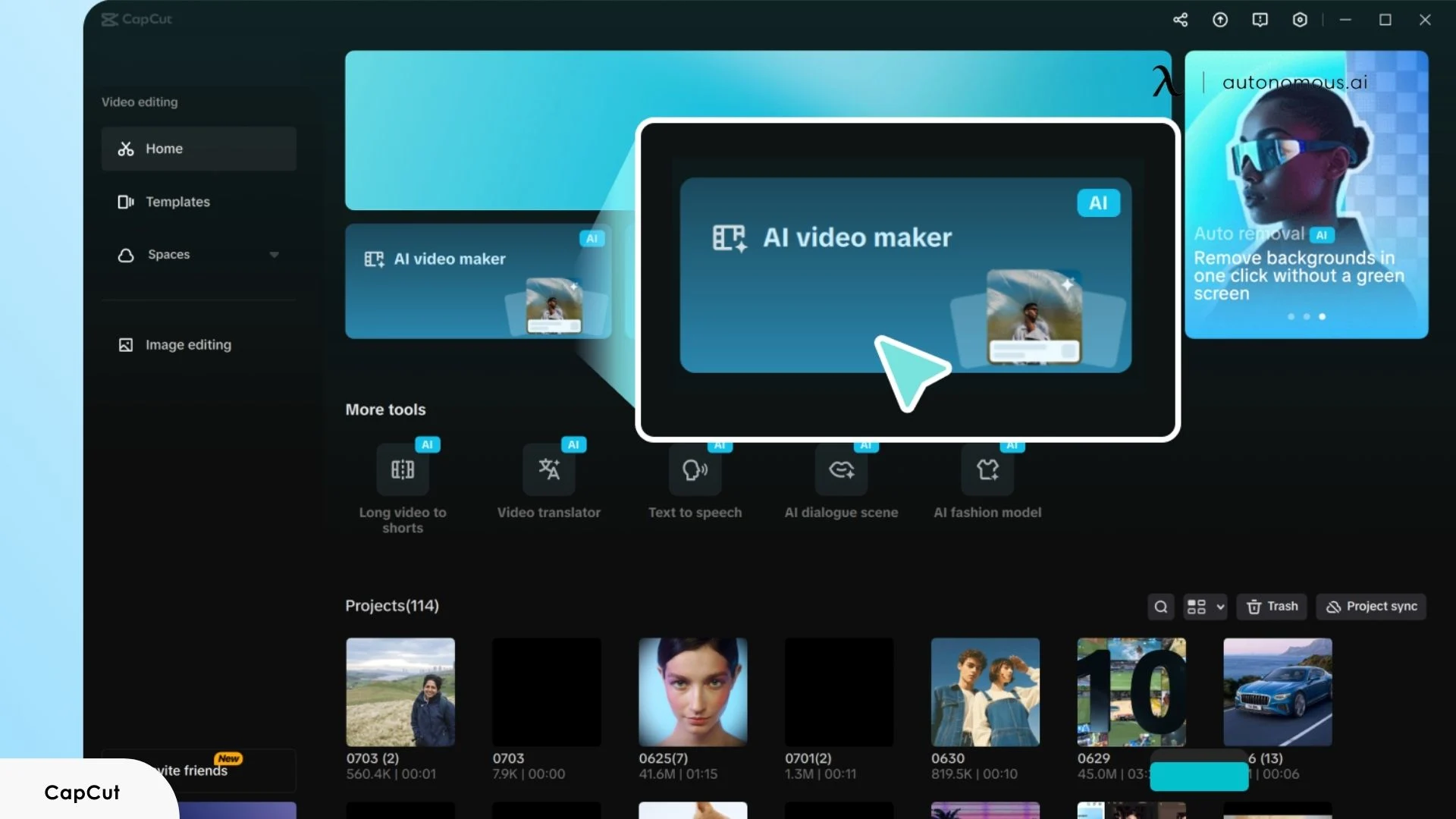
CapCut approaches AI video generation from the editing side. The AI handles auto-captioning, scene pacing, background removal, and platform formatting automatically — its aspect ratio intelligence detects the target platform and reformats output without manual adjustment. The free tier is genuinely usable, with 1080p resolution and selective watermarking on most export types.
Where CapCut video AI generator underperforms is in original scene generation. It is not a text-to-video AI generator in the same way InVideo or Veo-powered tools are — it does not build scenes from scratch via prompt. It works best when source material already exists and needs rapid, AI-assisted shaping for social distribution.
- Free tier: 1080p exports, selective watermarking, no generation credit cap on basic features.
- Paid: From ~$9.99/month — unlocks full avatar suite, advanced AI features, and priority processing.
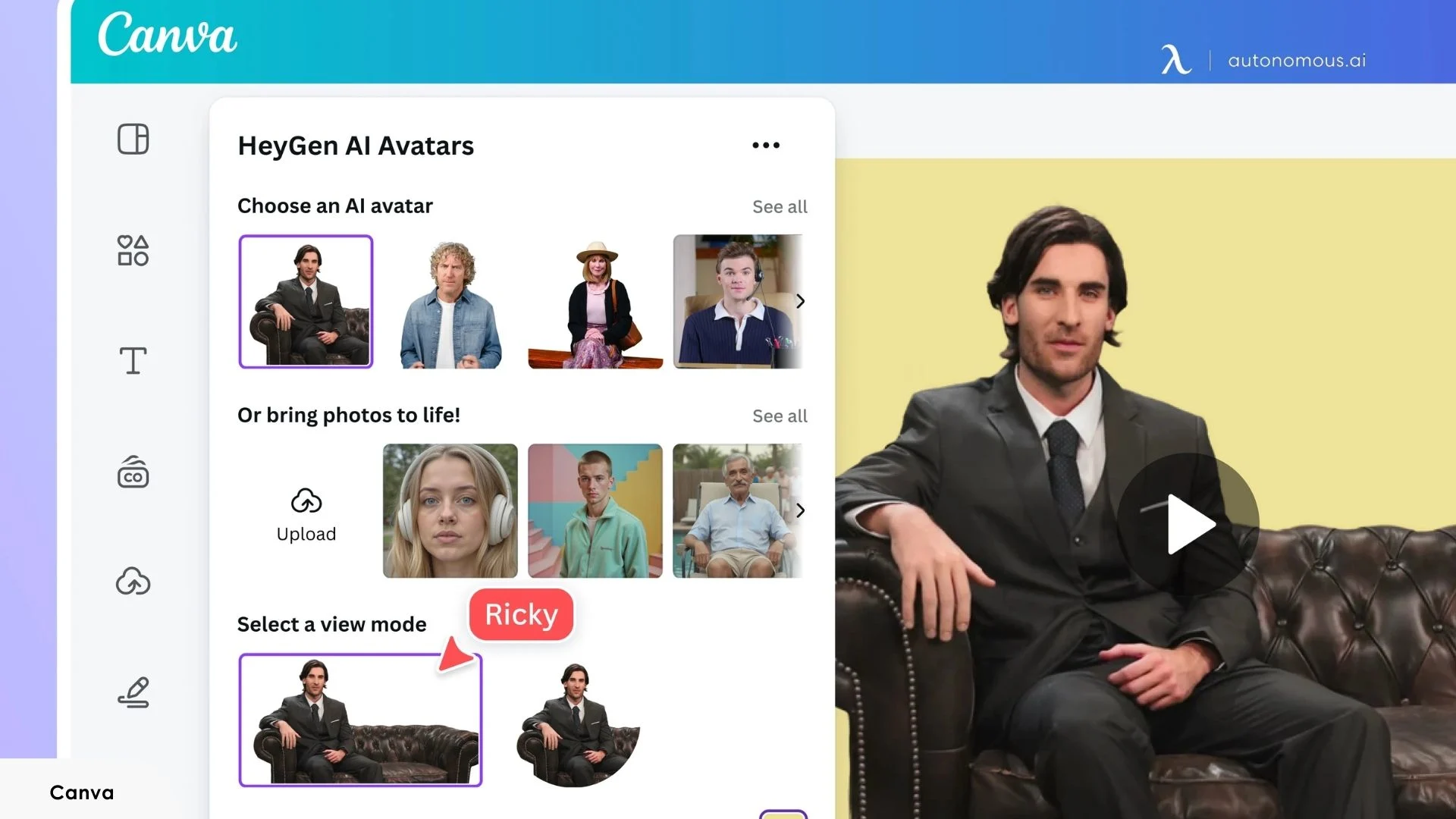
3. Canva (Veo 3 powered)
Best for: Designers and marketing teams already using Canva who need short generative clips without leaving their existing workflow.
For designers and marketing teams already inside the Canva ecosystem, the image-to-video AI generator capability adds meaningful utility without introducing a new tool to the stack. Veo 3 integration produces cinematic 16:9 clips up to eight seconds with synchronized audio, including dialogue and ambient sound, directly within the design workspace.
The eight-second clip ceiling is a hard limit at the current plan tier. For users needing anything beyond short B-roll, scene inserts, or social clips, Canva video AI generation reaches its boundary fast. It is not designed for long-form output or full video production workflows.
- Free tier: No access to Veo 3 generation.
- Paid: From ~$15/month (Pro) — unlocks Veo 3 clip generation with a monthly credit limit.
4. Adobe Firefly
Best for: Marketing teams, agencies, and brands producing commercially distributed content where IP clearance is a priority.
Adobe Firefly's primary differentiator is commercial clearance. The model is trained exclusively on licensed and public domain content, and generated videos carry a lower legal risk profile for paid media and branded content than tools trained on scraped web data. Camera angle, aspect ratio, and motion intensity are adjustable before generation — a level of pre-generation control most tools don't offer.
The trade-off is creative range. Firefly's content moderation is tighter than competitors, which limits output in edgier creative directions — stylized violence, ambiguous scenarios, or highly abstract scenes are frequently filtered or softened. Generation credits deplete faster than the interface suggests, and the free tier allocation is thin relative to production use.
- Free tier: Limited monthly credits — sufficient for testing, not for production volume.
- Paid: Included in Creative Cloud plans from ~$54.99/month, or via Firefly standalone credits.
5. Runway Gen-4.5
Best for: Creative professionals, filmmakers, and agencies requiring directorial control over AI-generated footage.
Runway is built for users who need creative control over the generation process. Gen-4.5 accepts text prompts, reference images, and existing footage simultaneously — producing more directed results than prompt-only tools. Camera choreography is a specific strength: pan, truck, and handheld feel can be specified using standard filmmaking language, and the model responds with reasonable fidelity.
The learning curve is steeper than most tools in this list. The interface rewards users with some familiarity with filmmaking concepts — users approaching it as a simple photo-to-video AI generator or basic text prompt tool will underutilize what the model can do.
- Free tier: 125 one-time credits, watermarked, 720p max.
- Paid: From ~$15/month — higher resolution, more credits, watermark removal.
6. HeyGen
Best for: B2B teams, educators, and marketers producing script-driven, presenter-led video content at scale.
HeyGen is purpose-built for avatar-driven video — presentations, product explainers, onboarding content, and spokesperson-style clips where a talking presenter is the core format. Voice cloning replicates a provided voice sample with professional-grade fidelity, and multilingual output covers 175+ languages with auto-dubbing and synchronized lip adjustment.
The distinction between HeyGen and general-purpose AI video generators is important to state directly. HeyGen does not generate open-ended scenes from text prompts — it produces presenter-led videos from scripts. Users looking for a free image-to-video AI generator or cinematic scene generation will find HeyGen outside its designed use case. Within avatar video production, however, it executes with more consistency and polish than most alternatives.
- Free tier: Watermarked exports, limited monthly credits.
- Paid: From ~$29/month — custom avatars, higher export volume, brand kit integration.
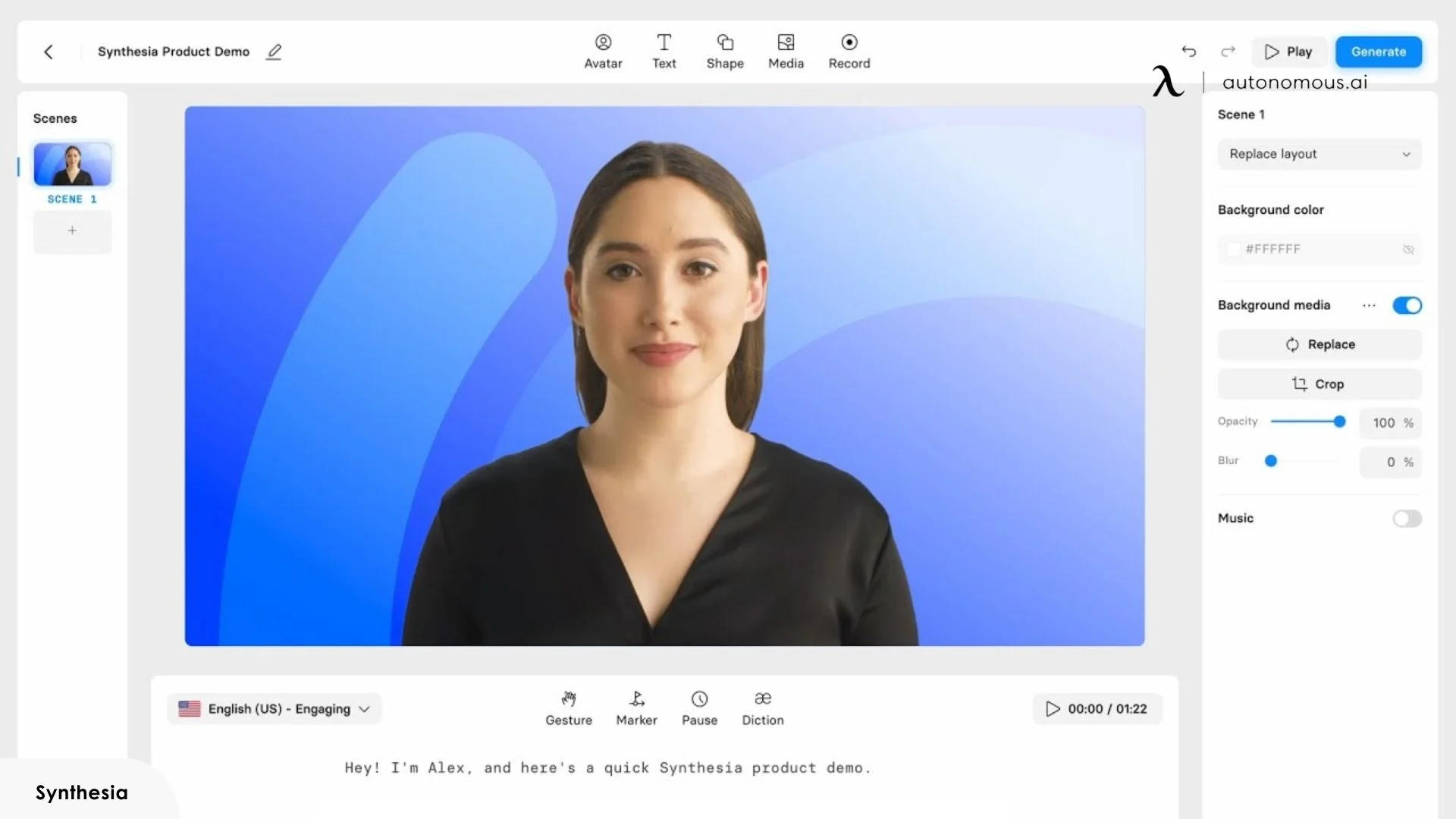
7. Synthesia
Best for: Enterprise teams producing training, onboarding, compliance, and internal communication videos at scale.
Synthesia occupies a specific position in the AI video generator landscape: enterprise-grade avatar video for internal and external business communication. Training content, compliance videos, HR onboarding, and product documentation are its primary output types. Over 200 stock avatars are available, with custom avatar creation supported on higher plans. The platform integrates directly with learning management systems via SCORM export, which separates it from every other tool in this list for corporate training use cases.
Output is controlled and predictable — what you script is what renders. That predictability is the point for enterprise teams where brand consistency is non-negotiable. The trade-off is the creative ceiling. Synthesia is not the best image-to-video AI generator for open-ended creative work, and it is not designed for social media or cinematic content. The avatar-and-script format is fixed — users who need visual variety, dynamic scene generation, or stylistic flexibility will find the platform constrained.
- Free tier: 1 video per month, limited avatar access.
- Paid: From ~$29/month — full avatar library, custom avatars, LMS integration on higher tiers.
8. Kling (by Kuaishou)
Best for: Creators and marketers needing consistent character or product visuals across multiple AI-generated clips.
Kling's primary technical advantage is character and object consistency across shots. Its multimodal reference system uses input images to anchor visual elements across scenes — making it one of the stronger best image to video AI generator options for product-focused content or character-driven storytelling requiring visual continuity across clips.
For workflows that extend beyond video into static visual assets, a private AI image generator covers the reference image creation side of the same pipeline — useful for generating source visuals that feed directly into image-to-video AI generation.
The free tier provides daily generation credits that reset every 24 hours — usable for experimentation but insufficient for production volume. The interface is less polished than other tools, and prompt interpretation occasionally diverges from what English-language users expect, likely reflecting training data distribution.
- Free tier: Daily credit reset — limited but functional for testing.
- Paid: From ~$10/month — higher resolution, more daily credits, priority generation.
9. Pika
Best for: Creators producing short, stylized generative clips for social media, concept visualization, or creative experimentation.
Pika operates in the short-form generative clip space — 3 to 10 second outputs from text prompts, reference images, or existing video. The free image-to-video AI generator tier is one of the more accessible entry points in this list, requiring minimal setup to produce a first result. Output style leans toward stylized and cinematic rather than photorealistic — well-suited for creative content and social teasers.
The ceiling hits earlier than most tools in this list. Longer sequences, complex scene instructions, and high-realism requirements push past what Pika's current model handles reliably. Free tier resolution caps at 480p — usable for drafts and concept testing, but not for published content without upscaling through a separate tool.
- Free tier: 480p, watermarked, limited weekly credits.
- Paid: From ~$8/month — 1080p exports, watermark removal, higher generation volume.
10. Google Veo 3 / Google Flow
Best for: Production teams, filmmakers, and agencies where photorealistic output quality and native audio generation are the primary requirements.
Veo 3 currently sets the benchmark for photorealistic AI video generation. Physics simulation, lighting behavior, and camera motion hold together with a consistency that competing models have not matched at equivalent prompt complexity. Native audio generation — dialogue, ambient sound, and music — is produced from a single text prompt, compressing the production workflow significantly for cinematic short-form content.
The image-to-video AI generator capability accepts multiple reference images simultaneously, allowing character, object, and style anchoring across a scene — directly comparable to Kling's consistency advantage but with higher base output quality.
The access structure is the primary friction point. For individual creators and small teams, the cost-to-access ratio makes Google video AI generator a reference point for output quality rather than a practical daily production tool. For teams where cinematic output quality justifies the spend, it is currently the strongest option available.
- Free tier: None — requires Google AI Pro ($19.99/month) minimum for Veo 3.1 Fast access.
- Paid: AI Pro ~$19.99/month / AI Ultra ~$249.99/month for full Veo 3 access.

Which AI Video Generator Is Right for You?
Tool | Best For | Free Tier | Native Audio | Avatar Support | Watermark on Free | Max Resolution |
InVideo AI | Marketing videos, faceless YouTube | Yes (4 exports/week) | Yes | Yes | Yes | 1080p |
CapCut | Social media, footage-based editing | Yes | Yes | Yes (100+) | Selective | 1080p |
Canva | Short clips within the design workflow | No | Yes | Yes | Yes | 1080p |
Adobe Firefly | Commercial, brand-safe content | Limited credits | Yes | No | Yes | 1080p |
Runway Gen-4.5 | Creative filmmaking, multi-shot sequences | Yes (125 credits) | Yes | No | Yes | 4K (paid) |
HeyGen | Presenter-led, multilingual B2B video | Yes (limited) | Yes | Yes (700+) | Yes | 1080p |
Synthesia | Enterprise training, onboarding | Yes (1 video/month) | Yes | Yes (200+) | Yes | 1080p |
Kling | Character consistency, product visuals | Yes (daily credits) | Yes | No | Yes | 1080p |
Pika | Short-form stylized clips | Yes (limited) | No | No | Yes | 1080p (paid) |
Google Veo 3 | Cinematic, photorealistic content | No | Yes | No | Yes | 1080p |
How to Get Better Outputs from Any AI Video Generator
Output quality across every tool in this list responds directly to how instructions are structured. The gap between a mediocre and a usable generation is rarely the tool — it is the input.
- Prompt structure is the highest-leverage variable:
A reliable framework follows this sequence: scene setting + subject + motion + camera behavior + audio intent. "A white sneaker on marble, rotating slowly, low angle, soft studio lighting, no music" will outperform "show a sneaker" on every platform without exception.
- Input type selection affects output consistency more than model quality:
For any generation requiring a specific subject, starting with an image to video AI generator workflow rather than text-only produces more controlled results. Text prompts leave visual interpretation to the model; a reference image anchors it.
When character or object consistency across multiple clips is the requirement, image input is not optional — it is the mechanism that makes consistency possible.
- Aspect ratio and duration should be set before generation, not after:
Outputs generated at the wrong ratio show cropping artifacts that post-generation reformatting rarely fully corrects. Set the target format — 9:16, 16:9, or 1:1 — at the prompt stage.
- Iteration is faster than perfection on the first pass:
Most AI video generator platforms respond better to sequential refinement than to exhaustive single prompts. Generate a rough version, identify the specific element that missed — motion speed, lighting tone, subject placement — and issue a targeted correction rather than rewriting the entire prompt. This approach cuts generation time significantly across tools that support natural language editing, including InVideo AI and CapCut.
FAQs
Which AI is best for creating video?
The best AI for creating video depends on your needs. For cinematic content, Google Veo 3 offers photorealistic quality, while InVideo AI excels in social media and marketing videos. For avatar-driven or presenter-led content, HeyGen and Synthesia are top choices.
Which is the best AI video generator for YouTube?
For YouTube, InVideo AI is highly recommended due to its ability to quickly generate video content with features like voiceovers and automatic subtitles. CapCut also offers a user-friendly interface with social media optimization, perfect for YouTube creators.
Is there any 100% free AI video generator?
Yes, several AI video generators offer free plans. CapCut and Pika provide solid free tiers with features like 1080p exports and limited credits, though some may include watermarks or restrict certain functionalities like audio generation.
How much does an AI video generator cost?
AI video generators typically range from free plans with basic features to paid plans starting at $8–$30/month. Paid tiers unlock premium features such as higher video resolutions, watermark removal, and extended generation limits.
Can AI generate videos from text?
Yes, many AI video generators, such as InVideo AI and Runway Gen-4.5, allow you to create videos from text prompts. Simply input a text description, and the tool automatically generates a scene, adding elements like voiceovers and background music.
Is there an AI video generator without watermarks?
Yes, CapCut and InVideo AI both offer watermark-free exports with their paid plans. Free plans typically include watermarks, but upgrading to a paid plan removes them for a clean, professional video output.
Which AI video generator is best for social media content?
CapCut and InVideo AI are among the best AI video generators for social media, offering tools for fast editing, platform-specific formatting, and features like captions and music integration, making them ideal for platforms like Instagram and TikTok.
What is the best AI tool for marketing videos?
InVideo AI is one of the best tools for marketing videos, providing fast, customizable video creation with automatic voiceovers, subtitles, and transitions. Adobe Firefly is also a strong contender for commercial content, with a focus on IP clearance for branded media.
Can AI video generators create avatars?
Yes, HeyGen and Synthesia are excellent for creating presenter-led videos with avatars. These platforms offer features like voice cloning, multilingual support, and customizable avatars, making them ideal for training, onboarding, or explainer videos.
What are the limitations of free AI video generators?
Free AI video generators typically have limitations like watermarks, resolution caps (often 480p or 720p), and restrictions on export quantity. Some also limit credits per day or week, which can hinder high-volume production.
How long can AI video generators create videos?
AI video generators can produce short-form videos, usually 3 to 10 seconds in length, on free plans. Paid plans often allow for longer videos, sometimes several minutes, with higher quality and fewer restrictions.
Is AI video generation good for professional use?
Yes, AI video generation tools like Runway Gen-4.5, Adobe Firefly, and Synthesia are professional-grade platforms suitable for corporate, marketing, and training videos. These tools offer high-quality outputs, customizable avatars, and seamless integrations for enterprise use.
Conclusion
The right AI video generator is determined by output type and workflow fit, not by which tool ranks highest on a benchmark. A marketer producing daily social content and a filmmaker building a cinematic short have different requirements — and the tools that serve each use case well are largely distinct.
InVideo AI and CapCut are ideal for high-volume short-form content, while HeyGen and Synthesia are perfect for avatar-driven and presenter-led videos. Kling stands out for image-to-video generation with character consistency, and Runway Gen-4.5 and Google Veo 3 set the bar for cinematic quality. The free tiers across InVideo AI, CapCut, Runway, and Pika provide enough output volume to identify which tool matches the workflow before committing to a paid plan.
AI video generators sit within a broader shift toward AI-assisted content workflows — one that also includes AI assistants handling research, scheduling, and communication tasks alongside video production. For teams managing sensitive content or internal communications, private AI chat tools address a distinct but related need in the same stack.
The best AI video generators are the ones that fit the production requirement — everything else is a feature list.

Stay connected with us!
Subscribe to our weekly updates to stay in the loop about our latest innovations and community news!
Interested in a Link Placement?
Spread the word