AI Agents Explained: How They Work and What They Can Do

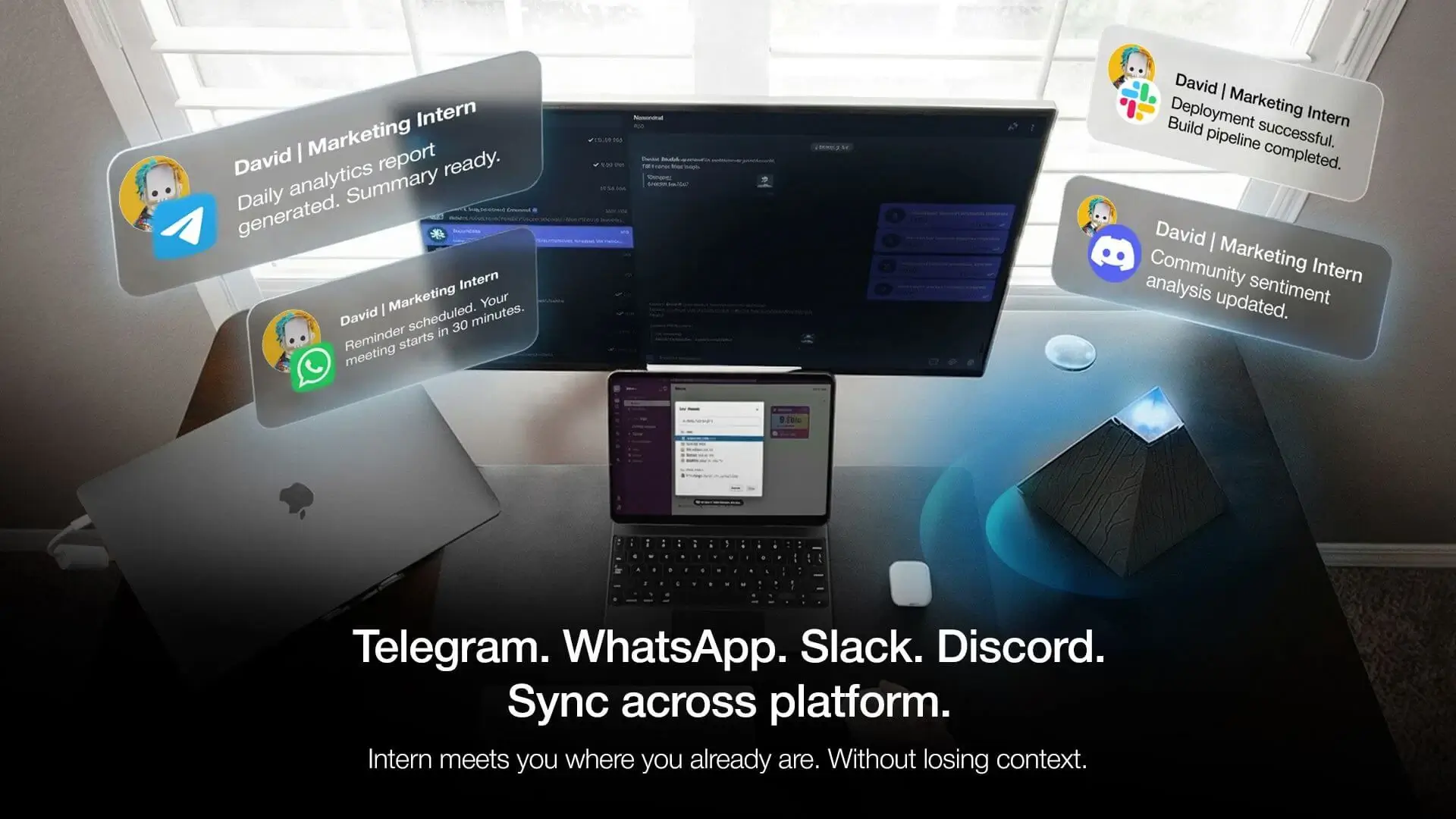
Table of Contents
If you've used any AI tool recently, you've likely run into the same ceiling: it responds well, but it doesn't follow through. You still have to take the answer somewhere, act on it, remember to follow up.
That gap is where AI agents sit. An AI agent is a system designed to act on your behalf — not just respond. It can plan steps, use tools, and work toward an outcome without being re-prompted at every stage. This guide covers how AI agents work, what they can actually do, and what to look for when evaluating one — whether for yourself or your team.
What Is an AI Agent?
An AI agent is software that perceives its environment, decides what to do, takes action, and learns from the results — with enough autonomy to complete multi-step tasks without human input at every stage.
That last part is what separates agents from the AI tools most people use daily. A language model generates a response when prompted. An AI agent takes a goal, works out the steps required to reach it, executes those steps across whatever tools it has access to, and keeps going until the task is done — or until it hits a decision point that needs human judgment.
The core components are these: at the core is a large language model handling reasoning and language. Around that: memory to retain context across interactions, tools to take action in external systems, and a runtime that keeps the process moving between steps.
For beginners, a useful frame: a language model is like a capable consultant who gives excellent advice on demand. An AI agent is that same capability, but configured to also execute — make calls, send follow-ups, report back — rather than waiting for you to act on its recommendations.
That's also the distinction between AI agents and agentic AI, two terms that often get used interchangeably. AI agents are the individual systems performing specific tasks. Agentic AI refers to the broader architectural approach — systems designed around autonomous, multi-step action rather than single-turn response. One is the component; the other describes the design philosophy.
Across business contexts, agents are being deployed wherever work involves repetitive decision-making, multi-system coordination, or tasks that need to happen continuously rather than on demand. How those components work together is what the next section covers.

How AI Agents Work
Every AI agent — regardless of what it's built for or how it's deployed — runs on a variation of the same four-stage cycle. Understanding this cycle is the most direct way to understand what actually happens between receiving a goal and producing an outcome.
- Perceive
The agent monitors its environment for inputs — incoming messages, calendar events, document changes, API signals, or any data source it's been given access to. This is what distinguishes active monitoring from passive response. The agent isn't waiting to be opened. It's reading what's coming in — a behavior defined more precisely as proactive AI.
A practical example: it's 7am. A client message arrives on WhatsApp asking to reschedule tomorrow's call. An agent connected to that channel reads it immediately — no tab opened, no prompt typed.
- Plan
Given the input and the goal, the agent determines what steps are needed. For simple tasks this happens quickly. For complex goals, a higher-level orchestrator may break the work into subtasks and assign them to specialized sub-agents — each handling a specific part of the workflow.
In the same scenario: the agent doesn't just register the message. It identifies that a response is needed, checks the calendar for available slots, and structures a reply — before you've looked at your phone.
- Act
The agent executes. This means calling APIs, drafting and sending messages, running searches, updating records, or triggering downstream processes — using the tools available to it within its defined permissions.
The Thursday follow-up you set last week? If you hadn't heard back from a vendor by a specified time, the agent sent it at 9am Thursday. You forgot. The agent didn't.
- Learn and Reflect
After acting, the agent checks whether the outcome matches the goal. It stores what it learned, flags anything that needs human review, and adjusts how it handles similar tasks going forward. This is what separates a learning agent from an automation script running on a fixed schedule.
In practice: the agent starts to recognize which message types you handle yourself and which you want it to draft, based on how you respond to its outputs over successive interactions.
1. Why the Loop Matters
The four-stage loop is what separates an agent from a language model responding to a single prompt. Without the evaluate step, errors compound. Without the act step, nothing gets done. Without reasoning and perception, the agent can't adapt when conditions change.
For practical purposes, this means a few things worth knowing:
The agent can handle exceptions. If a tool isn't working or a search comes back empty, it doesn't stop — it tries another path. You don't need to anticipate every edge case before starting a task.
The agent maintains context across steps. It remembers what it's already tried, what worked, and what didn't — within a single task session. That context is what allows it to make reasonable decisions without being re-prompted at every stage.
The agent can pause and ask. When it hits a decision point that requires judgment — confirming a date with you, clarifying an instruction, flagging something that looks wrong — it can stop and ask rather than guessing.
2. What Determines What an Agent Can Do
The capabilities above describe how agents work in principle. In practice, what an agent can actually do depends on what tools it has access to, how it's configured, and what data it can reach.
An agent connected to your calendar, email, and file storage can act across those systems. One with no tool integrations can still reason and plan, but can't execute outside of generating text. The distinction matters when evaluating what an agent is actually capable of in your workflow.

AI Agent vs. Chatbot vs. Copilot — What's Actually Different
The three terms appear interchangeably in most product marketing. They describe meaningfully different systems — and the difference becomes relevant the moment you're deciding which one actually solves the problem in front of you.
Chatbot | Copilot | AI Agent | |
Primary function | Responds to prompts | Assists work in progress | Completes tasks end-to-end |
What it does | No | No | Yes |
Handles multi-step tasks | No | Limited | Yes |
Operates without re-prompting | No | No | Yes |
Memory across sessions | No | Limited | Yes |
Acts in external systems | No | Limited | Yes |
Manages exceptions | No | No | Yes — adjusts when a step fails |
Who handles follow-through | You | You | The agent |
Typical use | FAQs, support queries, single-turn tasks | Drafting, coding, in-tool suggestions | Inbox triage, scheduling, multi-system workflows |
Examples | ChatGPT, support bots | MS Copilot, GitHub Copilot | AutoGPT, CrewAI, Autonomous Intern |
The difference worth holding onto: all three can be built on the same underlying models. What separates them is autonomy — specifically, how much of the execution happens without human input between steps.
As more tools acquire agentic capabilities, the distinction between AI agents and AI assistants continues to narrow — the label matters less than understanding what the system is actually doing on your behalf.
Types Of AI Agents
Not all AI agents are built the same way or deployed for the same purpose. The most useful way to categorize them is by the type of work they're designed to handle — and the level of human involvement they require.
1. Collaborative Agents
The most common type in everyday use. Copilot agents work alongside a human who remains in control of decisions — the agent suggests, drafts, retrieves, and summarizes, but doesn't act independently. They're embedded in tools people already use: document editors, coding environments, communication platforms — functioning closer to an AI assistant than a fully autonomous agent.
Best suited for: Individuals who want AI assistance without delegating decision-making.
2. Workflow Automation Agents
These agents execute defined processes end-to-end — triggered by an event, a schedule, or a condition being met. Unlike rule-based automation, they can handle variability: if a step produces an unexpected result, the agent adapts rather than breaking. This makes them practical for business processes that involve consistent structure but unpredictable inputs. For example, in customer service environments, AI copilot tools can support more efficient workflows by helping agents triage requests, surface relevant information, and suggest responses based on customer intent for faster query resolution.
Best suited for: Teams running repeatable processes across multiple systems.
3. Autonomous Background Agents
The category closest to what most people picture when they hear "AI agent." These systems operate continuously without requiring a prompt to start each cycle. They monitor, decide, and act within defined boundaries — surfacing what matters, handling what falls within their scope, and flagging what doesn't.
This is also the category that carries the most operational responsibility. An autonomous agent with poorly defined boundaries or insufficient oversight can act on something it shouldn't. Scope definition and human review checkpoints are not optional in serious deployments.
Best suited for: Individuals and teams who need work to happen in the background — across time zones, outside working hours, or across more channels than any one person can monitor consistently.
4. Multi-Agent Systems
Rather than a single agent handling everything, multi-agent systems distribute work across specialized agents coordinated by an orchestrator. Each agent handles a defined domain — research, drafting, scheduling, quality review — and the orchestrator assigns tasks, manages dependencies, and synthesizes outputs.
The practical advantage is depth: a specialized agent trained on a narrow domain generally outperforms a generalist agent attempting the same task. The tradeoff is complexity — more agents means more configuration, more potential failure points, and more governance overhead.
Best suited for: Complex workflows where different parts of the task require genuinely different capabilities.
5. Embodied Agents
Agents running on physical hardware that interacts with the real world — robotics, smart devices, on-device AI assistants. The perceive-plan-act-evaluate loop applies, but the actions extend beyond digital systems into physical environments.
This category is earlier in its development curve than software-based agents, but relevant for understanding where the field is heading — and for understanding products that sit at the intersection of hardware and agentic software.
Best suited for: Physical task automation, smart workspace environments, and on-device processing where data privacy is a priority.
The category that matters most depends entirely on the problem being solved. For most individuals evaluating AI agents for the first time, the relevant question isn't which type is most advanced — it's which type matches the level of autonomy they're ready to hand off.

What AI Agents Are Actually Used For
Understanding how AI agents work is one thing. Where they add practical value is a more useful question — particularly for anyone evaluating whether an agent fits into an existing workflow rather than building one from scratch.
The use cases below aren't theoretical. They reflect where agents are currently deployed across different work contexts, based on the capabilities covered in the previous sections.
- For Individual Contributors:
The highest-friction tasks in most knowledge work aren't the hard ones — they're the coordination tasks that sit between the hard ones. Following up on an unanswered message. Pulling context from three different threads before a call. Remembering to send something that was agreed on two weeks ago.
Agents handle this layer well: inbox and message triage, meeting preparation, research synthesis across multiple sources, and follow-up sequences that execute on the schedule set — not the schedule remembered as a personal AI assistant. The output is less about speed and more about continuity — work that happens whether or not the person is actively driving it.
- For Managers and Team Leads:
At a team level, the coordination overhead compounds. Status updates, cross-functional dependencies, recurring reporting, async communication across time zones — these tasks consume time that isn't reflected in any deliverable.
Agents deployed in this context typically handle status aggregation without requiring the team to be asked, conflict detection across schedules and priorities, and recurring report generation from live data sources. The practical effect is fewer touchpoints needed to maintain visibility across moving parts.
- For Developers and Technical Teams:
In technical workflows, AI agents are being used for code review, documentation generation, error triage, and monitoring — tasks that are well-defined enough for an agent to handle reliably but time-consuming enough to justify automation. An agent connected to a repository can surface failing tests, flag anomalies in a pipeline, and draft fix suggestions before a developer has opened their IDE.
The distinction from standard DevOps tooling: the agent reasons about what it finds rather than applying fixed rules, which makes it more adaptable when the codebase or the conditions change.
- For Small Businesses and Solopreneurs:
For operations running on a small team or a single person, the staffing constraint is real. An agent doesn't replace judgment, but it can handle the first layer of operations — functioning effectively as an AI secretary for scheduling, routing, and follow-up without requiring dedicated administrative time.
This is where the accessibility of consumer-grade agents becomes relevant. The value isn't just what the agent can do — it's that it can do it without requiring a technical implementation to get started.
Across all four contexts, the pattern is consistent: agents add the most value where work is continuous, multi-step, and coordination-heavy — not where it requires judgment that only the person closest to the problem can apply. That boundary is worth keeping in mind when evaluating where an agent fits and where a human needs to stay in the loop.

What AI Agents Handle Well, and What Still Requires Your Attention
AI agents offer real advantages — but they're not without tradeoffs. Understanding both helps you evaluate whether an agent is the right fit for a given workflow, and what to watch out for before committing.
1. What AI Agents Do Well
Speed and continuity. An agent doesn't forget, lose context, or need to be reminded. Tasks that would otherwise require your attention at multiple stages — follow-ups, status checks, research iterations — execute on the agent's schedule, within parameters you've set. You get the output without necessarily managing the process.
Reduced coordination overhead. For work that involves multiple steps across multiple systems or people, an agent can handle the handoffs. Scheduling, routing, status updates, confirmation messages — the administrative layer that work generates gets handled without a human in the middle of every exchange.
Sustained attention. Unlike a human, an agent can monitor continuously. If a vendor hasn't responded by Thursday, the agent notices and acts — without you remembering to check. This applies across time zones, across platforms, and across the gaps in a workday that typically lose momentum.
Scalability of effort. A well-configured agent can handle the coordination work that would otherwise scale with headcount. One person with the right agent setup can maintain workflows that previously required a team to manage — not by replacing judgment, but by handling what doesn't require it.
2. The Risks
Scope creep. An agent acting without clear boundaries can take actions that weren't intended. Without defined permissions, review checkpoints, and explicit limits on what it can modify or send, autonomy can become liability. Scope definition isn't a setup step — it's an ongoing discipline.
Data exposure. Any agent with access to your systems — email, calendar, files, messages — is processing sensitive information. Cloud-based agents in particular mean that information leaves your environment. The value of an agent's context is directly proportional to the sensitivity of what it's given access to.
Over-reliance. When agents handle follow-through well, there's a risk of disengagement — the work happens, but without the human oversight that catches errors, misreads context, or identifies when something needs escalation. Agents handle the pattern; humans handle the exceptions.
Quality variance. Agents depend on the models and tools they operate with. Outputs aren't always consistent, and the quality of an agent's work needs monitoring — particularly for communications, decisions, or actions that represent you or your organization externally.
3. Before You Hand Anything Off
Before deploying any AI agent — cloud-based or local:
Start with a narrow scope. A limited, well-defined task beats a broad mandate. You can expand once the agent has demonstrated reliability in the defined area.
Clarify what it can and cannot do. Permissions, review checkpoints, and escalation paths should be explicit before the agent starts operating, not after something goes wrong.
Review outputs, especially early. The agent's behavior in the first weeks establishes patterns that persist. Check what it's doing, correct errors, and refine the scope based on observed behavior.
Understand the data exposure. The more an agent can access, the more important it is to understand where that data goes and who processes it.
Test how it fails. Run the agent against edge cases before giving it scope over consequential tasks. How it handles errors, empty results, and unexpected inputs is a more reliable signal of readiness than how it performs when everything goes to plan.

Autonomous Intern — An AI Agent Running on Your Desk
Most of what this guide has covered exists, for the majority of people, as software — something accessed through a browser, configured through a dashboard, and dependent on a cloud infrastructure that sits somewhere outside your immediate environment.
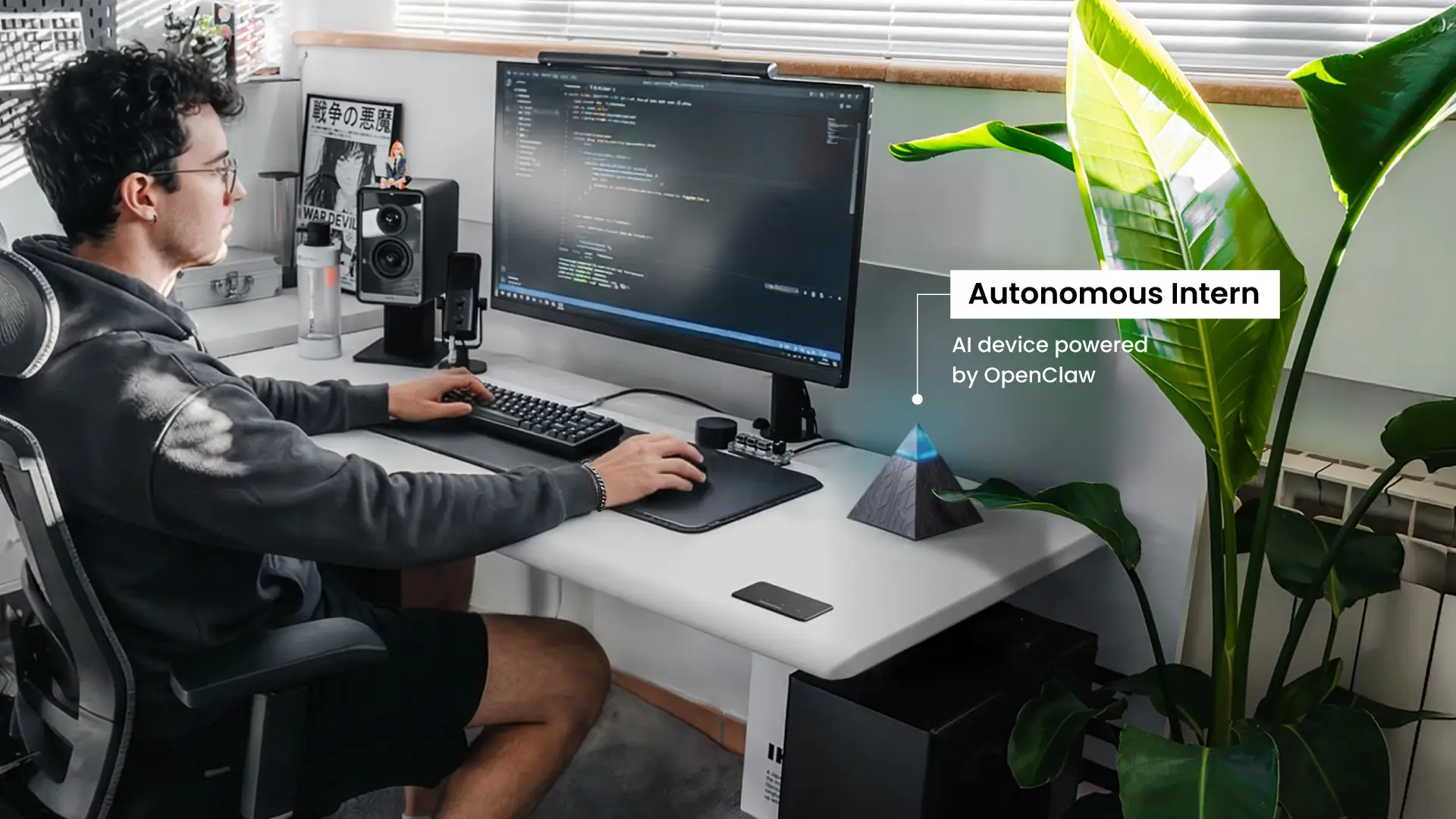
Autonomous Intern is built around one design choice: the agent runs on a device in your space, not in a cloud service you don't control.
Most AI agents — from major vendors and smaller platforms alike — process your data on cloud servers. You connect your accounts, the agent accesses your information, and the work happens on someone else's infrastructure. That's why the data exposure question matters so much: with cloud-based agents, the answer is typically "your data goes to their servers."
This personal AI device takes a different approach. When you run AI locally, the processing happens on your own device — not on remote servers. Your emails, your calendar, your files — the context the agent uses stays in your environment. The agent works with your data; it doesn't hand it off to a third-party service to process.
This isn't a compromise position. The agent capabilities are the same — reasoning, tool use, memory, autonomous action. What's different is where the processing happens.
1. What Autonomous Intern Can Do
Autonomous Intern runs an AI agent with access to the tools and data in your personal workspace. It can:
- Monitor your email and calendar, draft responses and schedule meetings — processing that context locally, without it leaving your environment
- Research topics and synthesize findings from web sources
- Manage content workflows — drafting, coordinating, following up
- Handle the coordination tasks that accumulate throughout a workday
- Operate continuously in the background — on your desk, on your hardware, within the boundaries you've set
The agent maintains context across sessions. It learns your preferences, your communication style, your recurring tasks — and acts on them without being re-prompted each time.
2. Setup and Ongoing Use
One practical difference from cloud-based agents: there's no ongoing subscription management, no API configuration, and no usage-based billing to monitor. The device comes pre-configured with the agent software. You connect it to your accounts once, and the agent operates from there.
This matters for the evaluation criteria in the previous section: the scope of what Intern can access is visible and contained. You're not granting access to a service whose permissions can change, whose terms can update, or whose data handling you can't audit.
3. How to Think About It
If you've been evaluating AI agents and the data exposure question has given you pause — or if the setup complexity of cloud-based agents has made the category feel out of reach — Intern is a direct answer to both.
The agent runs where you expect it to run. Your data stays where you expect it to stay. And the work happens the way the previous section described — with continuity, without constant re-prompting, and with context that builds over time.

FAQs
What is an AI agent?
An AI agent is software that perceives its environment, plans a course of action, executes tasks across tools and systems, and learns from the results — without requiring a human prompt at every step. Unlike a chatbot that responds to a single input and stops, an AI agent works toward a goal autonomously, handling multi-step workflows from start to finish.
How do AI agents work?
AI agents operate on a four-stage loop: perceive inputs from their environment, plan the steps needed to reach a goal, act by executing those steps across connected tools and systems, and reflect by evaluating the outcome and adjusting future behavior. This cycle runs continuously, which is what allows agents to handle variable, multi-step tasks without constant human input between stages.
What is the difference between an AI agent and a chatbot?
A chatbot responds to a prompt within a conversation and stops when the conversation ends — the human handles any follow-through. An AI agent is designed to complete work end-to-end: it initiates action, operates across multiple systems, maintains context across sessions, and manages follow-through without being re-prompted at every stage.
Do AI agents store or share my data?
It depends on how the agent is deployed. Cloud-based agents process data on external servers, meaning your messages and files pass through third-party infrastructure. Locally deployed agents process everything within your own environment — nothing is routed externally unless you explicitly connect it.
How much does an AI agent cost?
AI agent costs vary by deployment model. SaaS-based agents run on monthly subscriptions; custom builds require developer time plus ongoing API costs. Pre-configured consumer agents, like Autonomous Intern, are available as a one-time hardware purchase, with no recurring fees.
What are the risks of using AI agents?
The main risks are misconfigured autonomy, data exposure through external servers, and over-reliance that reduces human oversight. Starting with a narrow scope, defining clear permissions, and understanding where your data is processed are the practical safeguards before deployment.
Conclusion
AI agents represent a meaningful shift in how software can support work — not by responding faster, but by handling the follow-through that currently depends on a person being present, attentive, and remembering to act.
The categories covered in this guide — how agents work, what distinguishes them from other AI tools, the types in active deployment, and where they add practical value — point toward the same underlying principle: the most useful thing an agent does isn't generate better output. It reduces the gap between a decision being made and the work that decision requires actually getting done.
That gap exists in every workflow, at every scale. How much of it makes sense to hand off — and to what kind of agent — depends on the work, the data involved, and how much autonomy fits the context.