How to Scale Up a Business Without Doubling Headcount


Every growing company hits the same wall. Demand climbs, the to-do list climbs with it, and the reflex is to hire. But the faster way to scale up a business is often to take repeatable work off your team before you add people to it. A lot of that work, sorting your inbox, pulling a morning briefing, watching a repo, tracking a competitor, follows a set pattern and does not need human judgment. This guide covers how to move that layer to the Autonomous Intern, a small AI device that sits on your desk and runs those jobs on a schedule, so your team's hours go to the decisions only people can make.
Scaling vs. hiring: the work that does not need a person
Scaling a business means growing revenue faster than costs, usually by improving systems instead of adding headcount. Growing means revenue and costs rise together. Both bring in more money, but only scaling improves your margin as you get bigger. The Eurostat-OECD manual originally set the bar for a high-growth firm at over 20% average annual growth across three years, starting with at least 10 employees, a level most companies reach by getting more out of what they already have rather than by hiring for every new task.
The practical version of that idea is simpler. Before you open a role, sort the work into three buckets. Judgment-intensive work needs reasoning, discretion, and relationships, and that stays with people. Process-intensive work has defined inputs and outputs. Volume-intensive work is high-frequency and low-complexity, and it grows straight in line with demand. The last two buckets are where hours pile up quietly, and they are the first place to look before you post a job. An AI agent handles that repeatable layer well because consistency, not expertise, is what the work rewards.

What the Autonomous Intern does for a scaling team
The Autonomous Intern is a local AI device that runs the repeatable jobs a small team used to cover: inbox triage, morning briefings, change monitoring, research digests, and GitHub watching, on a schedule while your laptop sleeps. It is a 4.7-inch cube that plugs in over USB-C, and it starts working right away without a developer setting it up.
You assign work to it the way you would message a coworker.
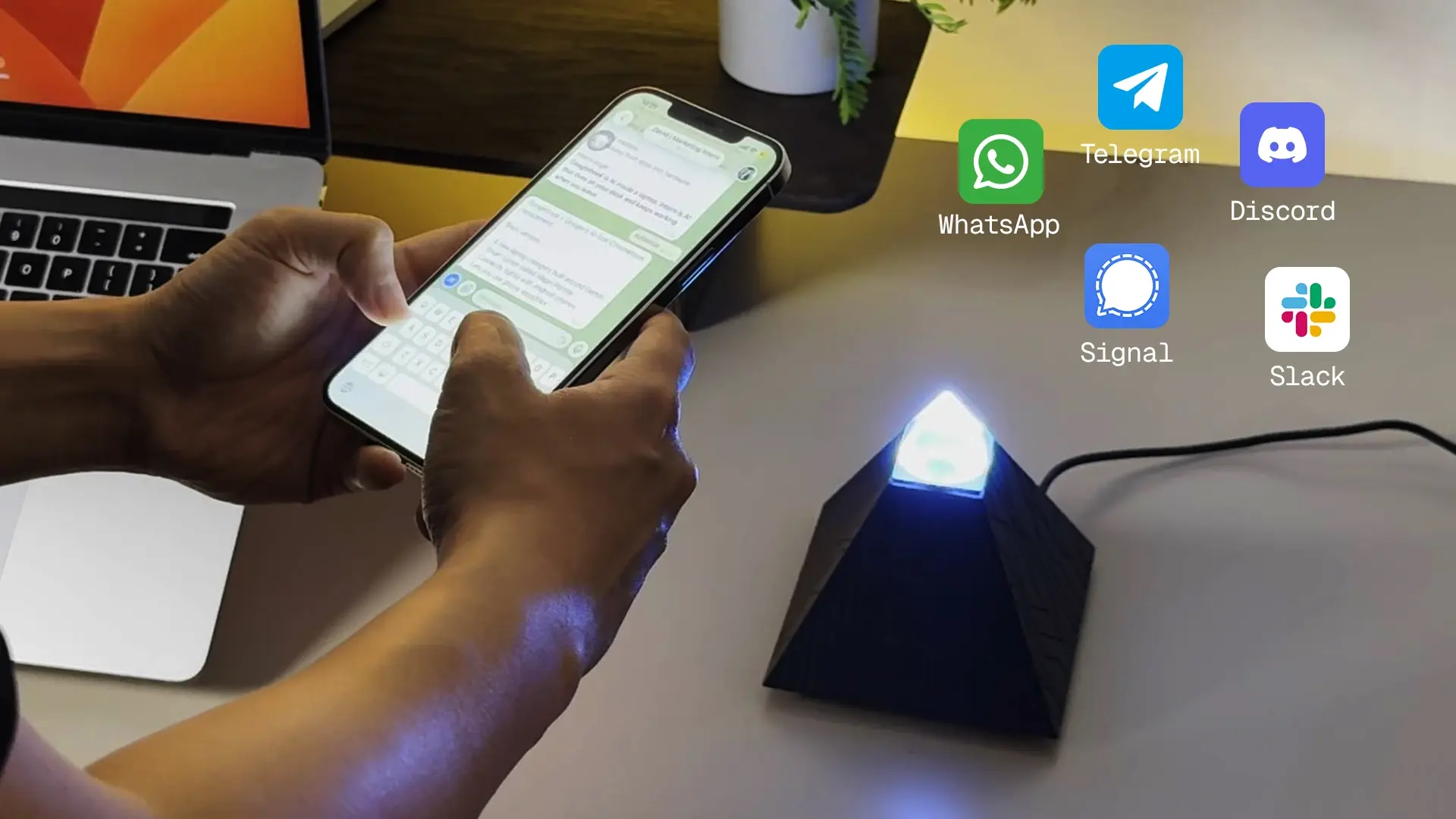
It connects to Telegram, Slack, Discord, or your team chat, and you hand it tasks in plain language. From there it handles your inbox, your DMs, and your GitHub issues in the background. It can pull a morning briefing before you sit down, watch a page or an inbox and alert you only when something changes, and return research digests with the sources attached so you can check the work.
One detail matters for a scaling team that runs different kinds of tasks.
The Intern picks the model for each job on its own: a reasoning model for hard problems, a balanced model for everyday work, a knowledge model for lookups, and a multilingual model for cross-language tasks. You do not manage that routing, and more models get added over time.
It also holds context so you are not re-briefing it every week.
Your project notes, writing style, team vocabulary, and API keys are stored as local files on the device. That means the first useful output is not the ceiling. The more it works with your material, the closer its drafts and summaries land to how your team already writes and decides.
A common early setup shows how this adds up.
A founder who was personally reading every email and rebuilding the same status report by hand points the Intern at the inbox and asks for a morning summary. The device sorts overnight mail, flags what needs a reply, and has the report waiting before the day starts. That is an hour or two back every morning, and it is work the founder no longer has to hire for as volume grows. Because it runs while the laptop sleeps, the output is ready when the team logs on rather than something that competes for their working hours.
Why a local device instead of another software seat
A local AI device removes three recurring costs of scaling on software: repeated setup time, per-seat subscriptions, and sending your data to an outside cloud. Those three costs are usually what makes a growing software stack more expensive than it looks.
On setup, the Intern ships preloaded and tested end to end, so it is chatting on your platform within minutes rather than after a day of configuration. On cost, it is a one-time device, not a monthly seat you pay for every user. The running cost is model tokens: a free daily allowance covers light use, and heavier use runs on paid plans or your own API keys, so the spend tracks actual usage instead of a fixed per-head bill. On data, your keys and memory stay on the device, with no cloud account and no third-party server holding your context.
There is also less lock-in than a typical tool. It ships with one of three editions, OpenClaw, Hermes, or a Developer build, and the device can switch between them and re-run its own setup. If you want to ship your own agent, the Developer edition has an open shell with Claude Code ready out of the box, so you can install packages or swap the framework. You are not stuck with the choice you made at checkout.
Autonomous Intern | Detail |
Form factor | 4.7 x 4.7 x 4.7 in cube, USB-C powered |
Main board | Orange Pi 4 Pro, 8-core, 6GB LPDDR5 |
Storage | 64GB, up to 256GB expansion |
Voice | Dual mic (up to 3m), 5W speaker, text and voice |
Connectivity | Wi-Fi 6, Bluetooth 5.4 |
Editions | OpenClaw, Hermes, Developer (switchable) |
Models | Opus, Sonnet, DeepSeek, Qwen (auto-selected) |
Support | 1-year warranty, 30-day returns |
What to hand Intern first when you scale
Start with the single function eating the most of your team's hours for the least strategic return, usually inbox triage or a manual morning report. Getting one job running reliably before you add a second is what keeps automation from turning into a coordination problem later.
First, the volume work: point the Intern at your inbox and set up a morning briefing.
In this role it works like a personal AI assistant, handling the routine reading and sorting before your day starts. These are the fastest wins because the pattern is obvious and the time back is immediate. Once that is steady, add the process work: research digests on a set topic, a monitor on a competitor page or a key inbox, and reporting that aggregates numbers from a few places into one summary. If your team ships code, a GitHub watcher fits here too.
Give each job a clear owner on your side.
The person who owns a workflow checks the output, keeps the instructions current, and catches errors before they compound. That review habit is what lets you add the next task with confidence instead of stacking half-working automations on top of each other. Scope narrowly, confirm it holds, then expand. A tightly defined task produces better output than a vague one, every time. The Intern is one of many AI assistants a team can run at this layer, and weighing it against the other best AI tools for each job keeps you from paying for overlap.
Keep the judgment work with your people through all of this.
The point of moving volume and process work to the device is not a smaller team. It is a team whose hours go to sales conversations, client relationships, and product calls instead of to sorting and summarizing.
Where Intern stops and a human hire starts
The Intern handles defined, repeatable work, but judgment, accountability, and relationship-driven roles stay with people. It is a tool that extends your team's capacity inside set boundaries, not a system that runs without direction.
Three lines are worth naming clearly.
Anything carrying legal, financial, or compliance accountability needs a human owner, because that responsibility cannot be handed to an automated workflow.
Anything that turns on trust or negotiation-closing a deal or managing a key client-is judgment-intensive by nature. If you're building out specialized outbound operations, combining human oversight with modern solutions for AI GTM strategy or setting up dedicated communications through Unitel Voice can help bridge the gap between automated workflows and direct client interaction.
Finally, any brand-new territory, such as a new market or product with no repeatable process yet, is exploratory work that people should lead until it settles into a pattern the device can pick up.
Two honest caveats on running it. Every job needs to be scoped before you hand it off, and output quality tracks how well you define the task. And the model tokens it uses are a real running cost past the free allowance, so heavier workloads carry a usage bill you should plan for. None of this is unique to the Intern. It is the boundary that applies to operational automation across the board.

FAQs
Can the Autonomous Intern help scale a small business?
Yes. The Autonomous Intern takes repeatable, high-volume work off a small team, such as inbox triage, morning briefings, monitoring, and research digests, so the same people can handle more demand without new hires. It extends capacity for defined tasks while judgment work stays human.
What work can the Autonomous Intern take off my team?
The Intern handles defined, repeatable jobs assigned through Telegram, Slack, Discord, or your team chat. It manages your inbox and DMs, watches GitHub issues, pulls morning briefings, monitors pages or inboxes for changes, and returns research digests with sources, running on a schedule while your laptop sleeps.
Does the Autonomous Intern need a subscription?
No monthly seat is required. The Intern is a one-time device purchase. The ongoing cost is model tokens: a free daily allowance covers light use, and heavier workloads run on paid plans or your own API keys, so spending tracks real usage rather than a fixed per-user fee.
Is my data safe with a local AI device?
Your data stays on the device. The Intern stores API keys, project context, writing style, and team vocabulary as local files, with no cloud account and no third-party server holding your information. That local-first setup is a main reason teams choose the hardware over cloud automation tools.
What does it mean to scale up a business?
Scaling up a business means growing revenue faster than costs, usually by improving systems rather than adding headcount at the same rate. Unlike general growth, where costs rise in step with revenue, scaling improves margins as the business gets bigger by getting more from existing resources.
How do you scale a small business with a limited budget?
Focus on the functions with the highest operational leverage first. Sort work into judgment, process, and volume tasks, then move the repeatable volume work to systems that do not add fixed cost. A one-time device that handles inbox, reporting, and research keeps that spend predictable.
When should you hire instead of automating?
Hire when the gap is judgment-intensive: strategic decisions, client relationships, negotiation, or roles carrying legal and compliance accountability. Automation covers repeatable process and volume work, but it cannot own responsibility or handle exploratory work in a new market. Those decisions stay with people regardless of the tools in place.

Conclusion
Scaling a business is mostly a sequencing decision. Sort the work into what needs human judgment and what does not, move the repeatable layer off your team first, and save new hires for the roles where people generate the clearest return. The Autonomous Intern fits that first step: a local device that runs your inbox, briefings, monitoring, and research on a schedule, keeps your data on your working desk, and holds your context so it gets more useful over time. Start with the one job eating the most hours, get it running reliably, then expand from there.
References
- OECD (2021). Understanding Firm Growth. Eurostat-OECD Manual definition of high-growth enterprises. https://www.oecd.org/en/publications/understanding-firm-growth_9dffeb82-en.html