Best Office Chairs With Spine Support: Beyond the Lower Back

Quick Takeaway
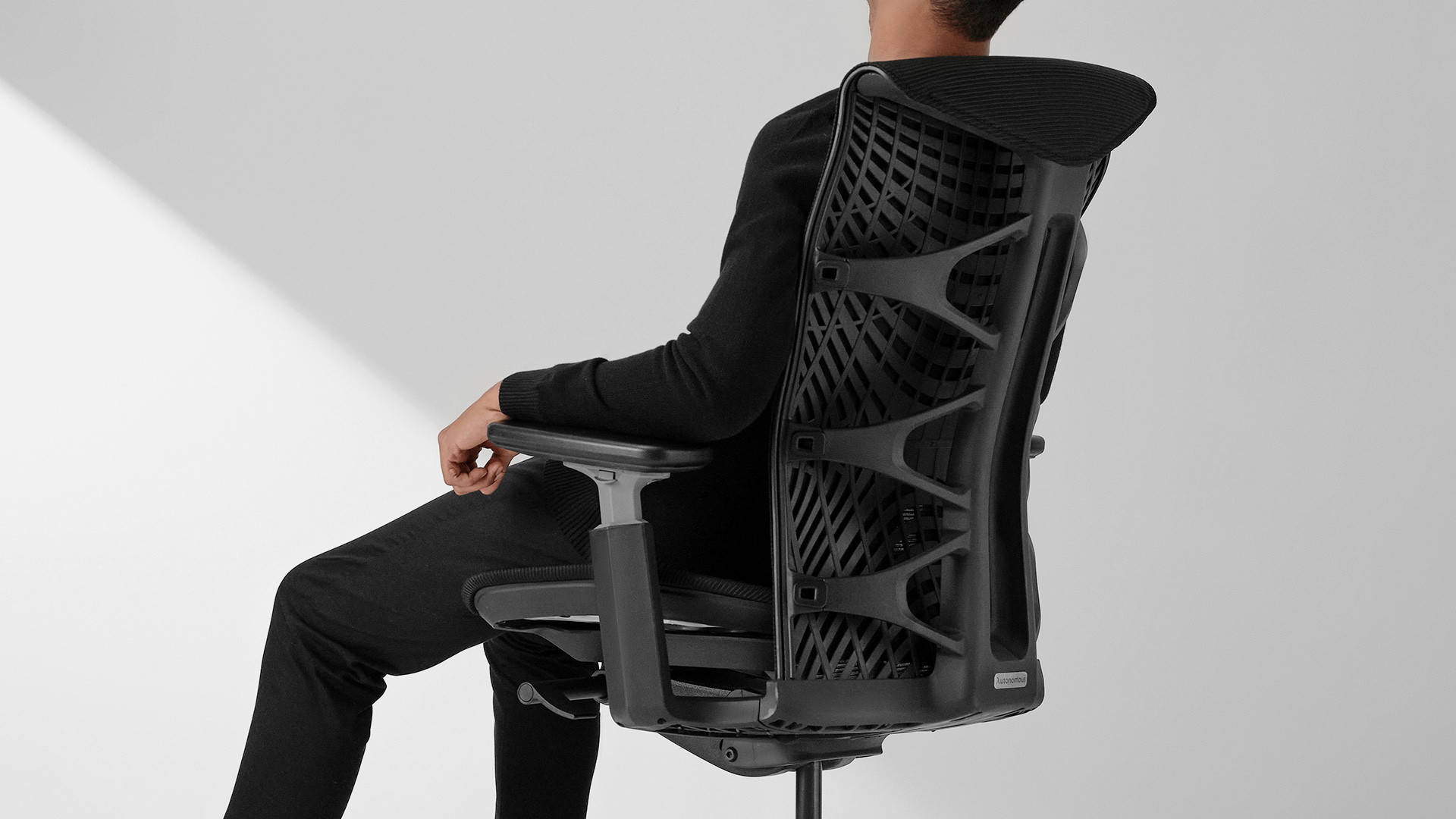
Most ergonomic chairs support the lumbar spine only. Full spine support requires addressing three distinct zones — each with different failure patterns and different chair mechanisms.
- Lumbar zone (L1–L5): Needs adaptive or adjustable lumbar contact maintained through recline, plus correct seat depth for pelvic positioning
- Thoracic zone (T1–T12): Needs a high-back design with a flex backrest that maintains mid-back contact during forward lean
- Cervical zone (C1–C7): Needs an adjustable headrest paired with sufficient recline range to transfer head weight off the neck
Before buying: Identify which zone is failing first — the right mechanism for one zone does nothing for anotherMost people shopping for an office chair with spine support focus on lumbar support — the padded section at the lower back. That's a reasonable starting point, but the spine doesn't end at the lower back. It runs from your tailbone to the base of your skull, and different sections of it load, compress, and fatigue in different ways during a workday.
Table of Contents
- Quick Takeaway
- Why "Lumbar Support" Doesn't Mean Spine Support
- Zone 1 — The Lumbar Spine (L1–L5): Where Most Chairs Start and Stop
- Zone 2 — The Thoracic Spine (T1–T12): The Zone No Chair Talks About
- Zone 3 — The Cervical Spine (C1–C7): The Zone That Pays for Everyone Else's Failure
- Which Zone Is Actually Failing You?
- FAQs
- Final Thoughts
Most people shopping for an office chair with spine support focus on lumbar support — the padded section at the lower back. That's a reasonable starting point, but the spine doesn't end at the lower back. It runs from your tailbone to the base of your skull, and different sections of it load, compress, and fatigue in different ways during a workday.
This guide breaks the spine into three functional zones, explains how each one fails under prolonged sitting, and maps those failure patterns to specific office chair mechanisms — so you can match the right support to the right part of your spine.
Why "Lumbar Support" Doesn't Mean Spine Support
Lumbar support addresses only one part of the spine — the lower five vertebrae (L1–L5). But the full spine has 33 vertebrae across three zones: lumbar, thoracic, and cervical.
Most ergonomic chairs are built around the lumbar zone. That makes sense — the lower back carries the most load when sitting and is the most common source of pain. But a chair designed only for lumbar contact can leave the mid-back and neck unsupported.
This matters practically. If your lower back feels fine but you develop tightness across the shoulders or at the base of the skull after a few hours, it’s not a lumbar issue. It’s a thoracic and cervical one — and a better lumbar pad won’t fix it.
The three zones are connected. When your lower back loses support, your mid-back rounds forward to compensate. Your neck then tilts back to keep your eyes level with the screen. One weak point creates a chain reaction. This is also how slouching develops over time — starting at the pelvis and moving upward through the spine.
Understanding which zone started that chain is what makes the difference between a chair that genuinely functions as a spine support chair and one that just has a padded lower back.
Zone 1 — The Lumbar Spine (L1–L5): Where Most Chairs Start and Stop
1. How the Lumbar Zone Fails Under Sitting
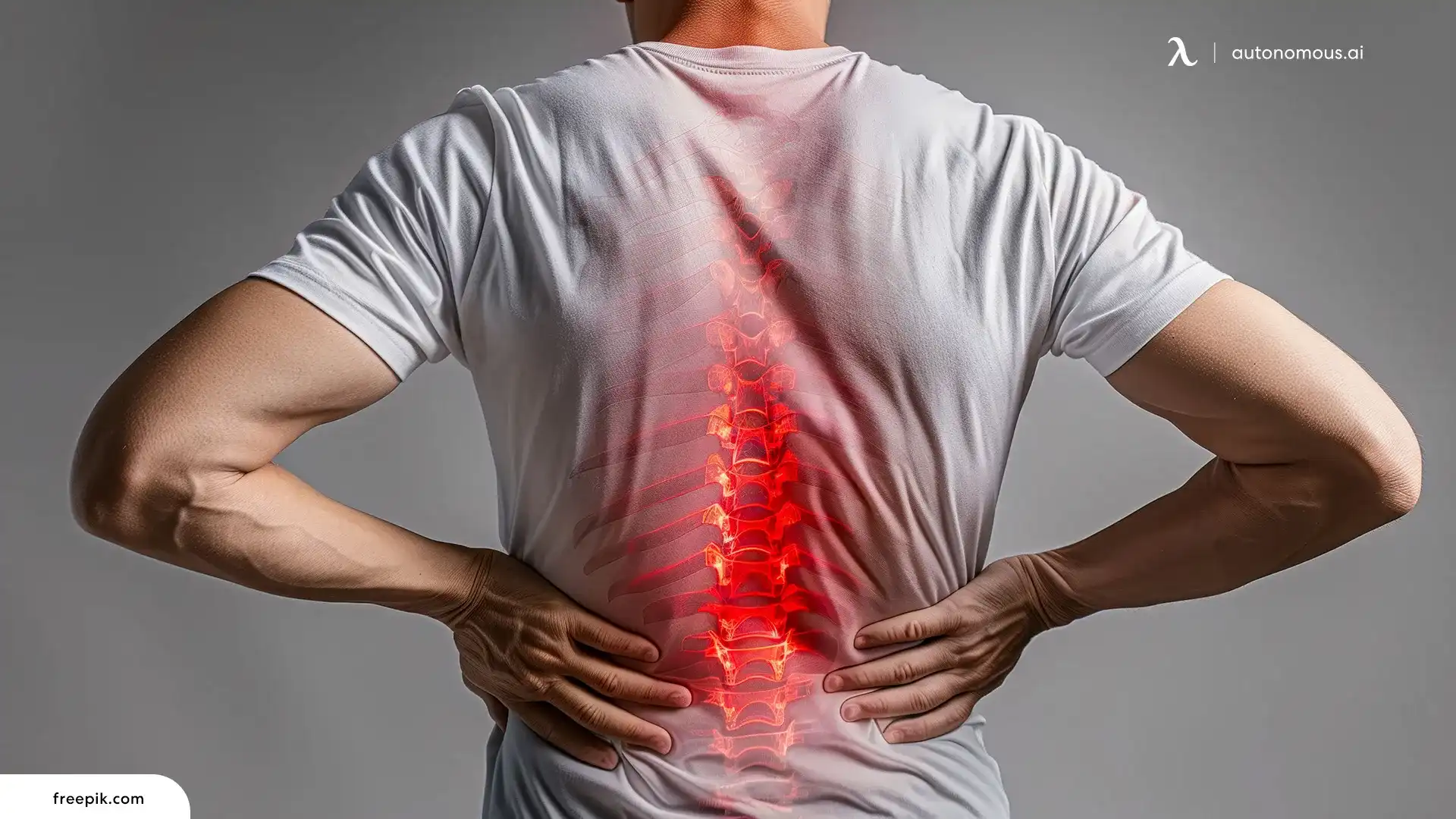
The lumbar spine is the lower back's five vertebrae, and it's the first zone to break down under prolonged sitting. When you sit, your pelvis naturally tilts backward. As that happens, the lower back loses its natural inward curve and rounds instead. This shifts pressure onto the spinal discs and forces the muscles around them to pick up the slack.
A 2023 study published in Ergonomics found that sitting without lumbar support pushes your back muscles to work harder to hold your spine in position — suggesting the chair should be doing that job instead. In practical terms: the longer you sit without lumbar contact, the harder your back muscles work — and that's what eventually becomes pain.
The timing matters: lumbar zone failure rarely announces itself immediately. It builds as concentration deepens and body awareness fades, which is why posture tends to be reasonable at 9am and collapses by 2pm.
2. What Chair Mechanism Actually Fixes the Lumbar Zone
A chair for spine support fixes this by maintaining contact with your lower back’s natural curve — keeping your pelvis stable instead of letting it tilt backward.
There are three main types of lumbar support:
Support Type | How It Works | Limitation |
Static lumbar pad | Fixed foam or plastic protrusion at a set height and depth | Cannot adjust to individual spinal curves; loses contact during recline |
Height + depth adjustable | Pad moves vertically and forward/backward | Stays where you set it — doesn't adapt when you shift position |
Dynamic / adaptive | Backrest flexes and follows the spine through movement | Maintains contact across sitting positions; closest to continuous support |
For desk workers who shift positions throughout the day, dynamic or adaptive lumbar is the tier worth prioritizing, especially when combined with movement patterns like active sitting, where posture changes frequently instead of staying fixed.
Seat depth is the mechanism most buyers overlook. When the seat pan is too deep, you perch forward automatically and the lumbar pad loses contact entirely. The standard fit: two to three fingers of clearance between the seat edge and the back of the knee when sitting fully back. This issue is more common for smaller users, which is why fit considerations like those in an office chair for short people become relevant.
Most pads push against the mid-lower back — but the pelvis actually tilts from further down, at the base of the spine. But the pelvis tilts from its base — the sacrum — and for anyone researching chairs for sciatica pain, that's also a common area of nerve irritation. A chair that stabilizes the sacrum first prevents the tilt before it starts. If you tend to slouch from the hips rather than the lower back, sacral stabilization is the more relevant feature to look for.
3. Best Office Chairs for Lumbar Zone Support
The best office chair for lumbar zone support maintains contact with the lower back's natural curve across different sitting positions — not just when you're sitting perfectly upright.
Chair | Mechanism | Best Sitting Profile | Seat Depth Range | Limitation |
Autonomous ErgoChair Ultra 2 | Adaptive flex backrest | Variable-position sitters who shift throughout the day | 18"–20.5" | Smaller seat platform (18"×18") |
Verte Chair | 11 individually adjustable spring vertebrae | Users with non-standard lumbar curve depth or shape | Not specified | Bulkier profile; higher price point |
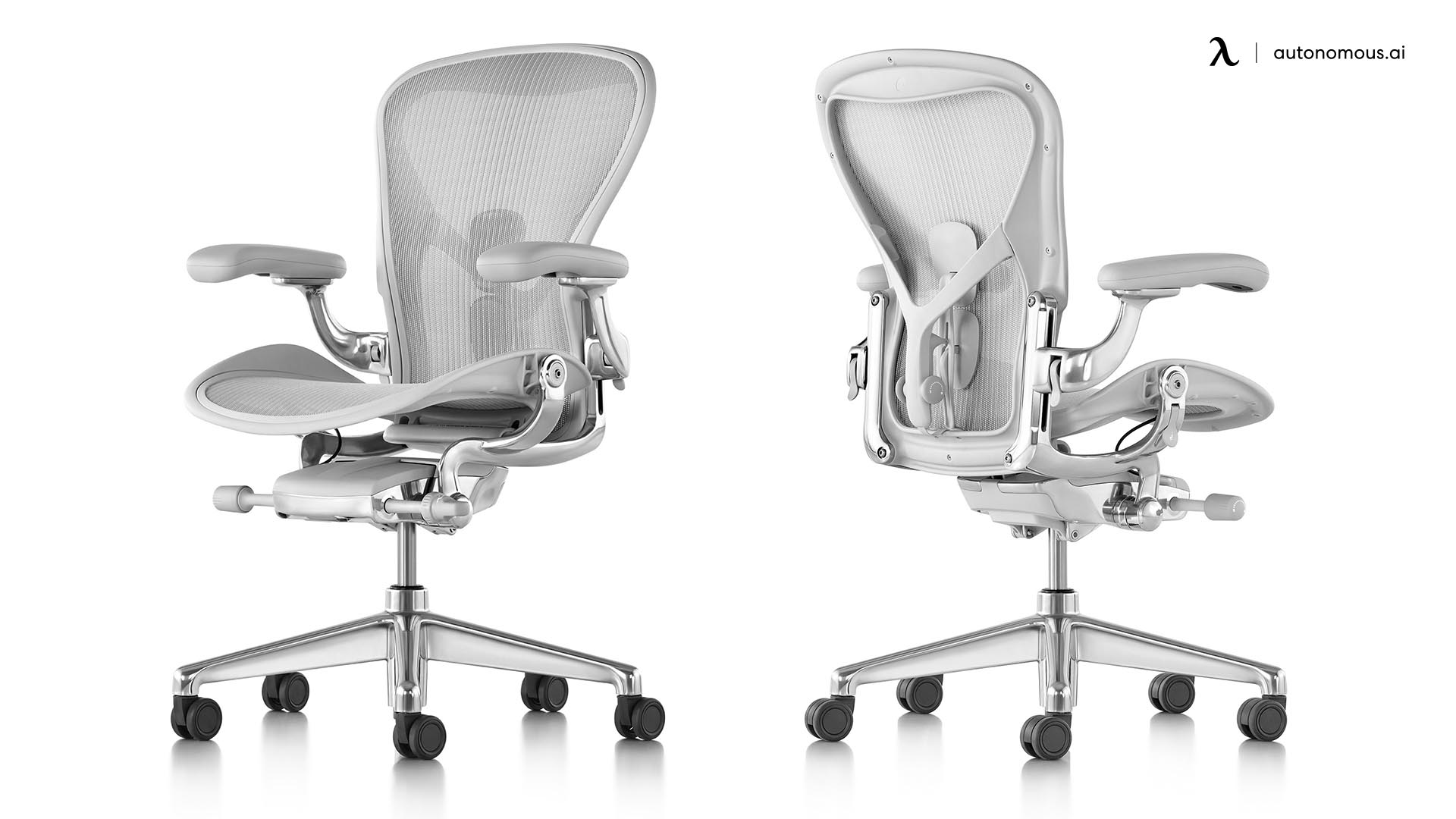
Herman Miller Aeron | Dual sacral + lumbar pads (PostureFit SL) | Long upright sitting sessions with minimal position changes | No adjustment | No seat depth adjustment |
- Autonomous ErgoChair Ultra 2
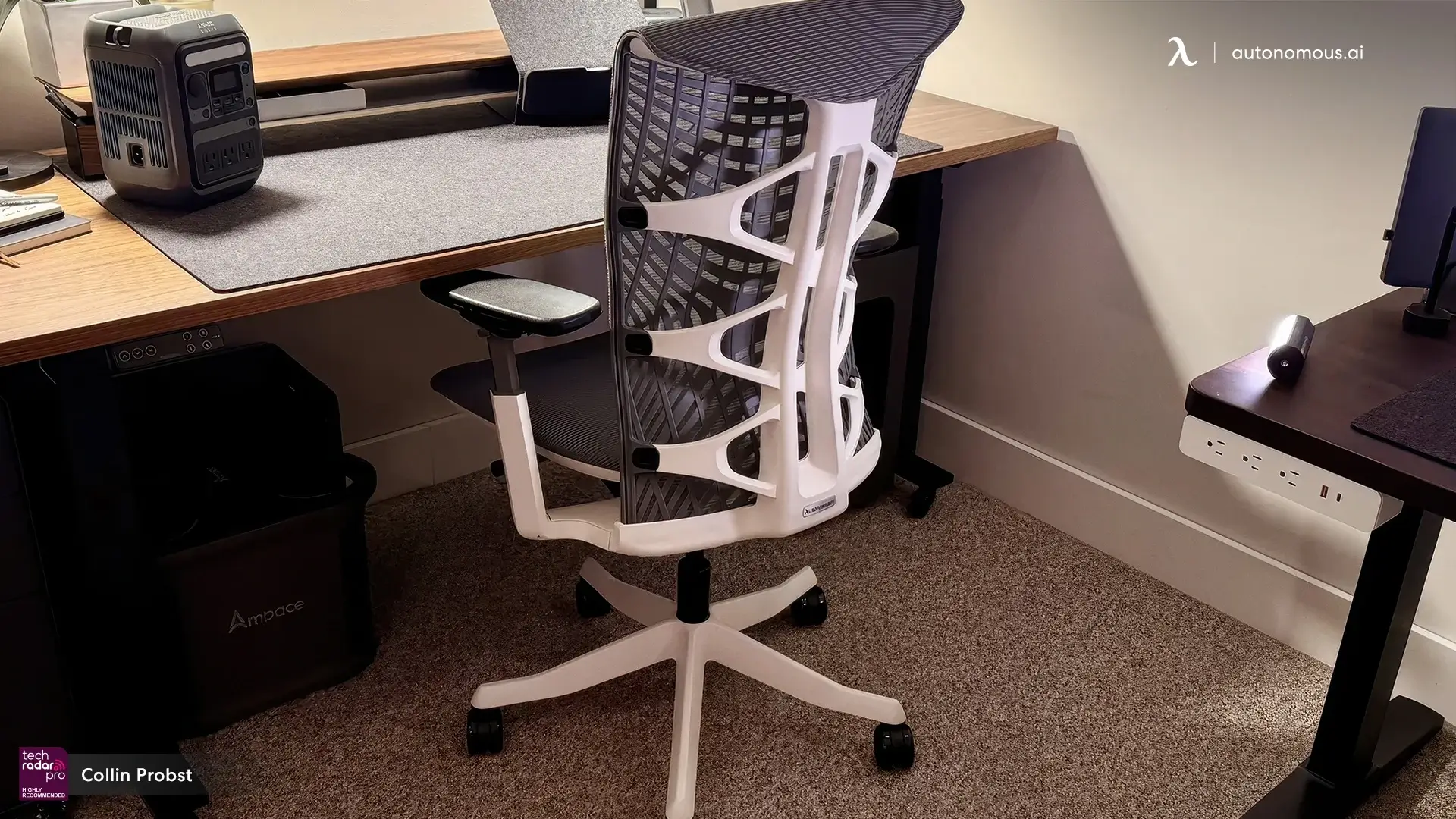
The ErgoChair Ultra 2's core lumbar feature is a backrest that flexes as your body moves rather than holding a fixed position. When you shift from upright typing to a slightly reclined reading angle, the lumbar section follows the spine's movement and maintains contact instead of staying fixed while your back pulls away from it. That contact continuity is the practical differentiator — most adjustable lumbar pads work well at 90° and lose their position the moment you move.
The seat depth range of 18" to 20.5" is a meaningful spec here, not a footnote. Lumbar contact is contingent on sitting fully back in the chair. If the seat pan is too deep for your leg length, you'll perch forward automatically, and whatever lumbar mechanism the chair has becomes irrelevant. The Ultra 2's depth range accommodates most body proportions without that compromise.
This ergonomic chair for back pain suits desk workers whose day involves genuine postural variety — switching between focused keyboard work, video calls, and reading — rather than those who sit in one locked position for hours at a stretch. The 25° tilt range gives enough recline for periodic deloading without pushing into full recliner territory.
Where it falls short: the 18"×18" seat platform is on the smaller side. Broader-framed users may find the seat width limiting before the lumbar features become a consideration.
Choose this if you shift between multiple positions across the day and need lumbar contact that holds through movement, not just when sitting still.
- Verte Chair
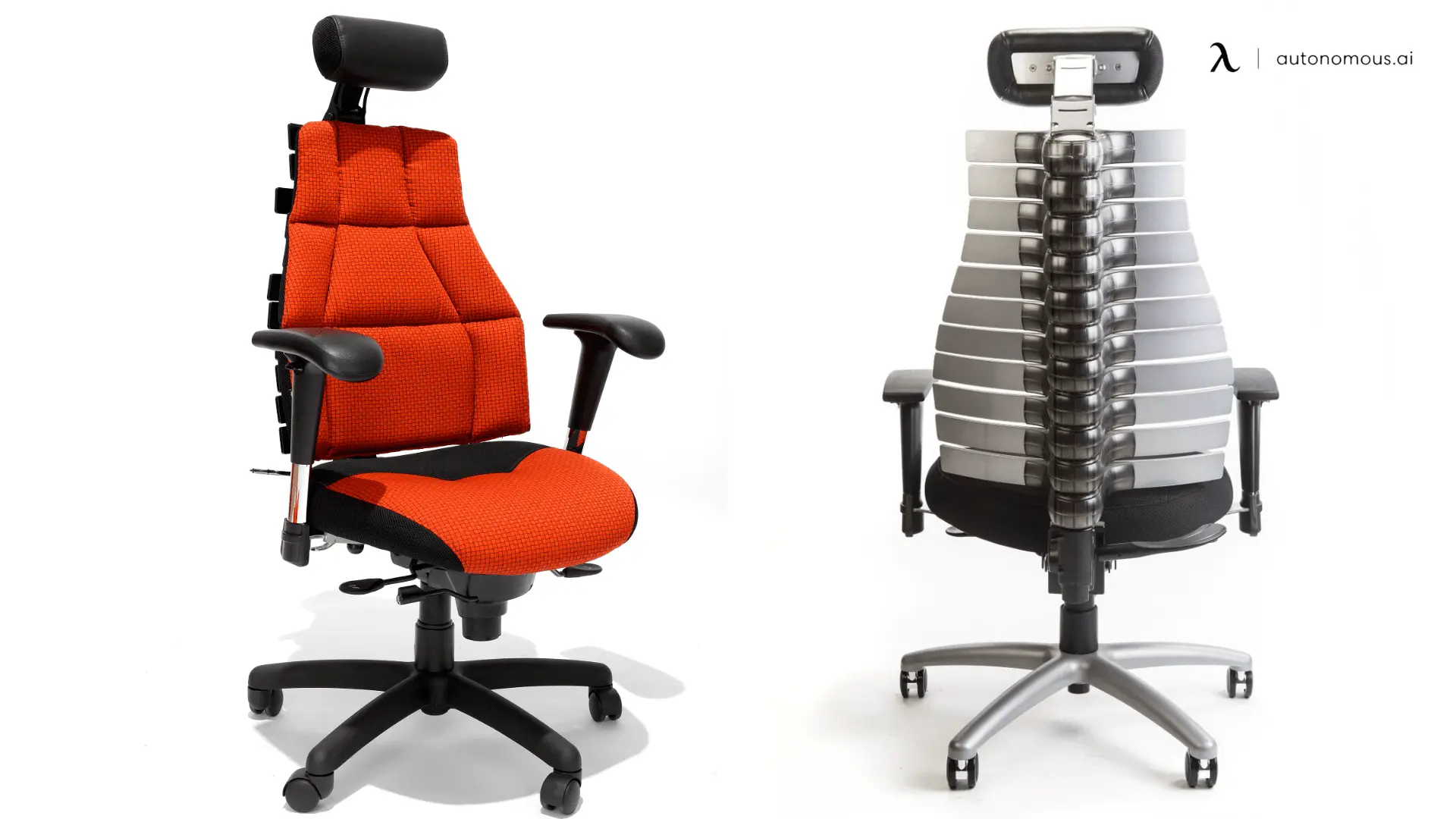
The Verte addresses a limitation that most lumbar systems — including high-end ones — don't solve: individual variation in lumbar curve shape. Height and depth adjustment can position a pad at the right spinal level and push it forward the right amount, but a single-piece pad still assumes a standard curve geometry.
Its 11 spring-loaded vertebrae each adjust and lock independently across the height of the backrest. In practice, this means the support surface takes the shape of the individual spine sitting against it rather than approximating a generic curve. Each vertebra can be set forward or backward independently, which is also relevant for users with mild scoliosis or significant left-right differences in muscle tension.
The quick-release back upholstery is a functional detail worth noting. Removing it exposes the metal vertebrae directly, which changes both the feel and the thermal properties of the chair.
The trade-offs are real: the Verte is physically larger than most task chairs, the mechanism requires more initial setup time to dial in correctly, and the price reflects the mechanical complexity. It's a specialist tool, not a daily-driver default.
Choose this if you've tried standard adjustable lumbar pads and found none of them sit in the right place for your back.
- Herman Miller Aeron
The Aeron's PostureFit SL uses two separate pads — one targeting the sacrum, one targeting the lumbar vertebrae — that adjust independently. This is the mechanism that addresses pelvic tilt at its origin rather than compensating for it higher up the spine. The sacral pad stabilizes the pelvis base; the lumbar pad supports the curve above it.
For users who sit in largely upright positions across long sessions with minimal position changes, the dual-pad system produces stable, consistent lumbar contact. The 8Z Pellicle mesh distributes weight across a broad surface rather than concentrating it at foam contact points, which becomes relevant during extended sessions..
The primary limitation for lumbar zone fit: the standard Aeron has no seat depth adjustment. If the seat pan depth doesn't match your leg proportions, the fit issue is non-adjustable without aftermarket modification.
Choose this if you sit largely upright for long sessions with minimal position changes and want pelvic stabilization as the primary support mechanism.

Zone 2 — The Thoracic Spine (T1–T12): The Zone No Chair Talks About
The thoracic spine is your mid-back. It’s less mobile than the lower back — which is exactly why it struggles during desk work.
1. How the Thoracic Zone Fails — And Why It's Misread as Neck Pain
That tight band across the upper back that appears by mid-afternoon and feels like stress or poor sleep — in some cases, it's a thoracic zone problem. The mid-back has been in sustained forward flexion since the first hour of the workday.
Unlike the lumbar zone, which collapses under body weight, the thoracic zone loads under sustained forward-reach posture. Typing pulls the shoulders forward and increases the mid-back's outward curve over time.
What makes this easy to miss is where the symptoms appear. When the mid-back rounds forward, the cervical spine extends backward to keep the eyes level. The resulting tension — across the top of the shoulders and base of the skull. In some cases, the origin may be a mid-back that has been in sustained forward flexion since 9am.
Lower back support does nothing to stop the mid-back from rounding forward.
2. What Chair Features Address the Thoracic Zone
An ergonomic chair for spine support addresses the thoracic zone by providing backrest contact above the lumbar region — high enough to reach the mid-back — and a surface that follows the spine's position rather than holding a fixed angle.
Two hardware requirements follow from that:
- Backrest height:
A mid-back chair — one whose backrest ends at or below shoulder blade level — provides no thoracic contact when you sit upright. The backrest needs to reach at least to the upper shoulder blades — the area just below the base of your neck — to make contact with this part of the spine. This is the structural distinction between a mid-back and a high-back chair design.
- Backrest flex behavior:
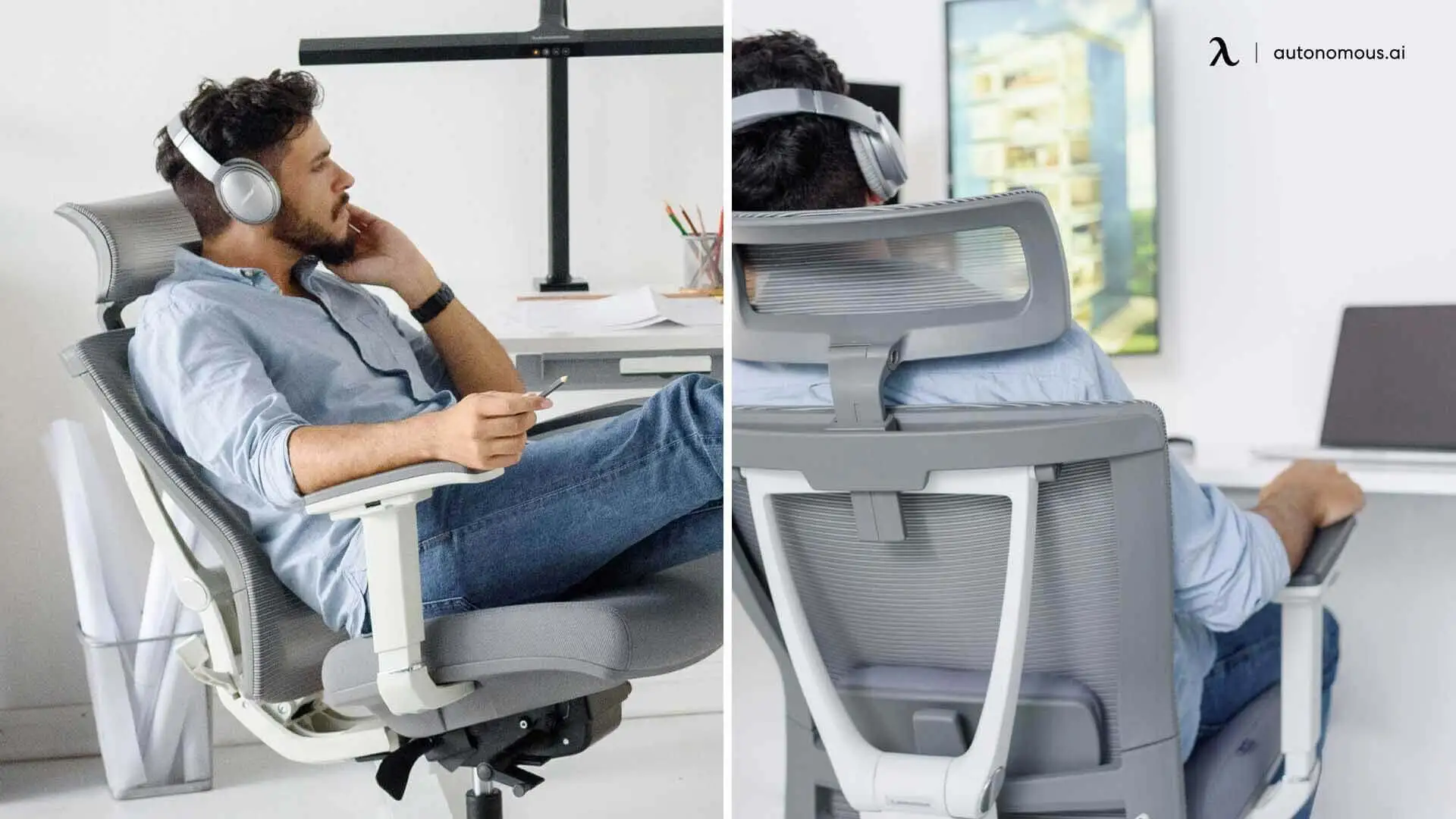
The thoracic spine moves differently than the lumbar spine — it curves outward rather than inward, and its range of movement is smaller. A backrest that flexes through its surface area, rather than rotating as a single panel, can maintain contact with the thoracic curve across a wider range of positions. Materials that flex — like those used in a mesh chair — maintain contact more effectively across working positions.
Recline also matters here, but for a different reason than the lumbar zone. Reclining to 110–135° shifts body weight back onto the chair surface, taking the forward-reach load off the thoracic zone entirely.
3. Best Chairs for Thoracic Zone Support
The best chairs for thoracic zone support combine a backrest tall enough to reach the upper back with a surface that maintains contact during the forward lean positions that desk work requires.
Chair | Backrest Height | Flex Behavior | Recline Range | Limitation |
Autonomous ErgoChair Pro | High-back — reaches upper shoulder blades | Mesh flex follows thoracic curve through recline arc | 22° | Does not actively correct existing thoracic rounding |
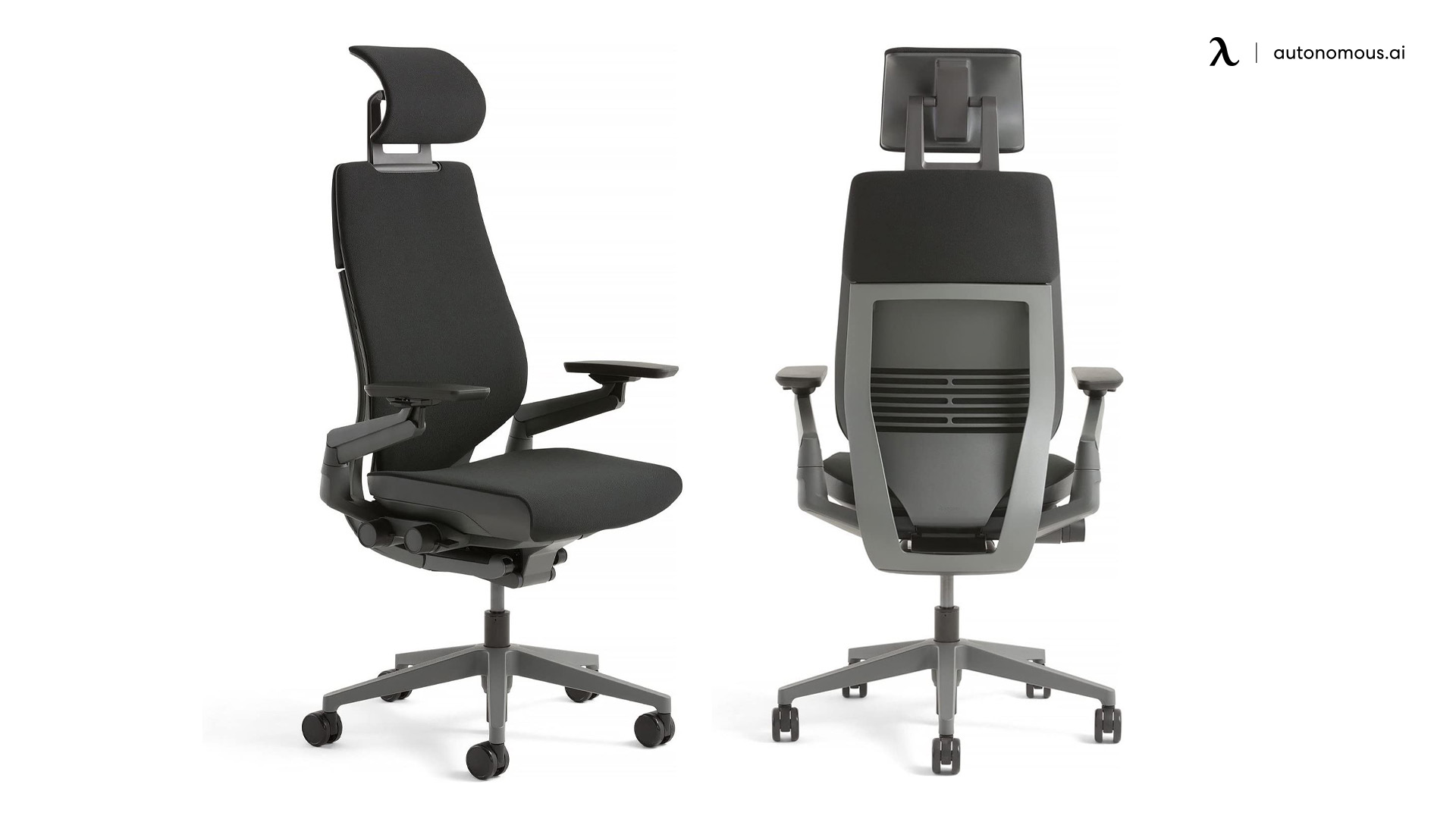
Steelcase Gesture | High-back | LiveBack mirrors spine movement across the full backrest | Continuous recline with adjustable resistance | Price point; no lumbar depth adjustment |
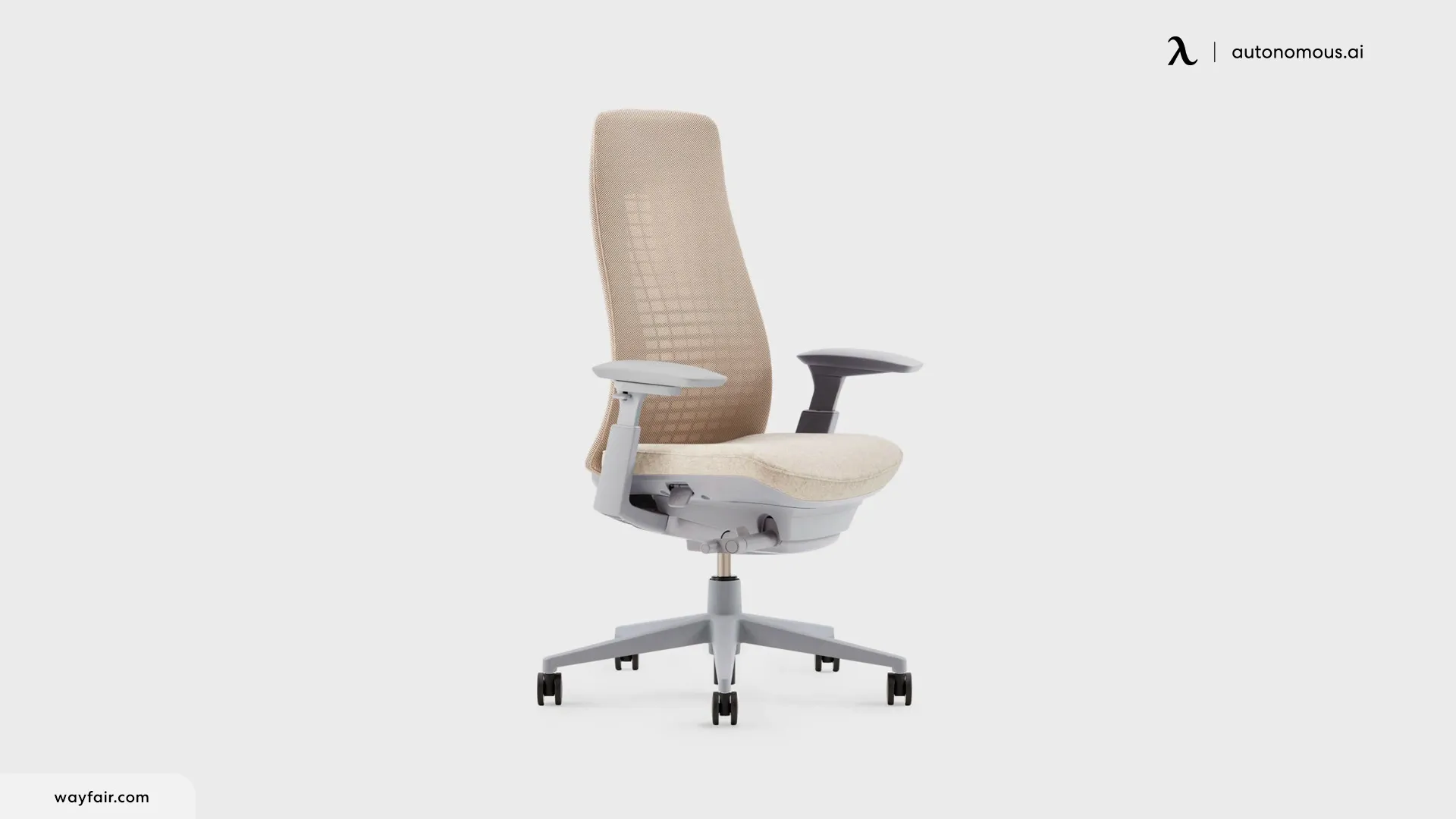
Haworth Fern | High-back — fronds calibrated across full back length | Wave Suspension segments flex independently per spinal zone | 4 back-stop positions with adjustable tension | Lumbar support is an optional add-on, not built in |
- Autonomous ErgoChair Pro
The ErgoChair Pro's high-back mesh design is its primary qualification for the thoracic zone. The backrest reaches the upper shoulder blade region, which puts it in contact with the T1–T4 area during upright sitting — the section of the thoracic spine most exposed during desk work.
What makes the chair material relevant here is how it behaves during the slight forward lean that happens during active typing. Rather than creating a gap as a rigid panel would, the mesh surface maintains contact with the mid-back across a moderate forward lean range. This isn't active thoracic correction — the chair doesn't push the mid-back into a different position. What this office chair with spine support does is maintain contact through the recline arc so the thoracic zone has continuous surface support rather than losing contact the moment you lean into work.
The 22° recline with adjustable tension gives enough range for periodic thoracic deloading without requiring the user to fully recline away from the desk. For workers who spend the majority of the day in an upright-to-slightly-reclined range, that's a practical fit.
The honest limitation: the ErgoChair Pro supports the thoracic zone under its current position — it doesn't correct existing kyphosis or actively reshape a rounded mid-back. Users with significant forward mid-back rounding will notice support and contact, but not structural correction.
Choose this if you spend most of your day in an upright-to-slightly-reclined range and want thoracic contact without moving to an expensive office chair.

- Steelcase Gesture
The Gesture's LiveBack system is the strongest thoracic zone mechanism currently available at scale. The backrest is designed to mirror the spine's movement — as the user shifts between upright typing, reaching forward, and reclining, the backrest adjusts across its surface area rather than rotating as a single rigid panel. This produces continuous mid-back contact across a wider range of positions than any high-back mesh chair with a fixed backrest shape.
For users whose work involves frequent positional shifts — between dual monitors, standing-to-sitting transitions, or extended video call postures — the adaptive backrest addresses the thoracic zone more completely than fixed-surface alternatives.
Choose this if you move frequently between postures throughout the day — dual monitors, reaching, video calls — and thoracic contact across all of those positions is the primary requirement.
- Haworth Fern
Its backrest uses a three-part structure — a central stem, flexible fronds, and an outer cradle. Each frond is calibrated to support a different section of the back, from the lower spine to the base of the neck. This means the mid-back fronds flex independently in response to thoracic movement rather than the entire backrest rotating as a single panel. During the forward lean that desk work requires, the relevant fronds follow that movement and maintain contact — rather than creating a gap the way a fixed-profile backrest does.
The seat depth adjusts across a 3" range, and 4D armrests help reduce the forward shoulder load that initiates mid-back rounding in the first place.
Two limitations worth noting: lumbar support is an optional add-on on most configurations rather than built in, and the price sits at the top of the task chair category. For an ergonomic chair for spine support used across long daily sessions, the price reflects the mechanical complexity of the three-part system.
Choose this if you need the backrest to follow varied movement rather than hold a fixed angle, and the budget supports a specialist mechanism.
Zone 3 — The Cervical Spine (C1–C7): The Zone That Pays for Everyone Else's Failure
The cervical spine (your neck) carries the weight of your head — around 10–12 pounds in a neutral position.
1. How Cervical Load Accumulates From the Zones Below
If you've adjusted your monitor, added a headrest, and stretched regularly — and your neck still aches by mid-afternoon — the problem is likely not your neck. It's the zone below it that is loaded first.
When the lumbar collapses and the thoracic rounds forward, your head shifts forward to stay level. This increases load on the neck. The result — tension across the top of your shoulders, tightness at the base of the skull, afternoon headaches — feels like a neck problem.
A high-back office chair with headrest that provides no thoracic contact delays the symptom without resolving the cause. The cervical zone benefits most when the two zones below it are already addressed.
2. What Chair Features Support the Cervical Zone
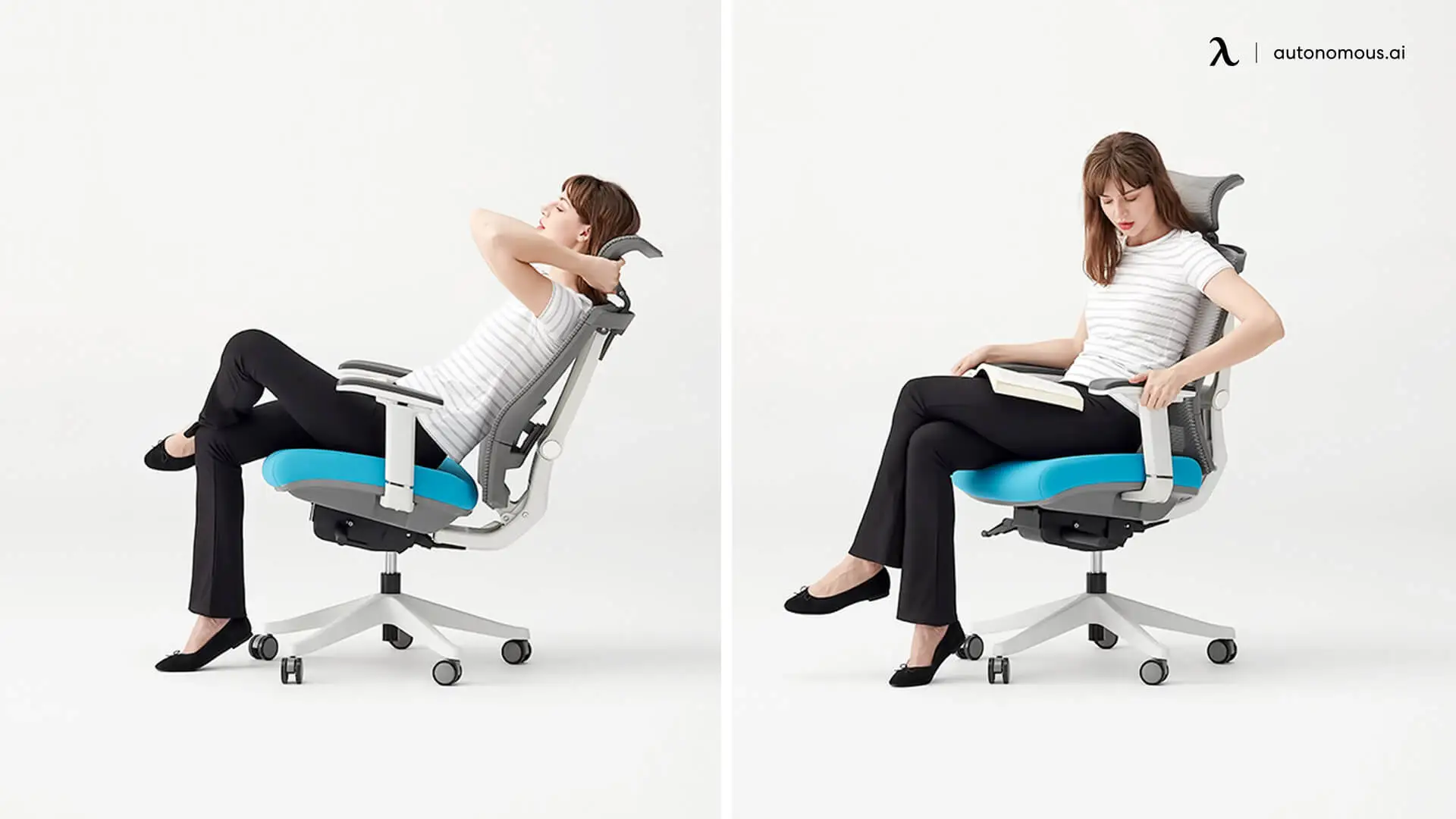
A chair supports the cervical zone through two mechanisms: a headrest that contacts the skull base in reclined positions, and a recline function that shifts the head's weight off the cervical vertebrae entirely.
The headrest distinction matters more than it appears on spec sheets. A fixed headrest at a set height contacts the skull for one body height and misses it for everyone else. An office chair with adjustable headrest — one that moves both vertically and in angle — can be positioned to make contact at the base of the skull regardless of the user's seated height. That contact point is what provides actual cervical support; a headrest that sits at the wrong height provides neither support nor harm, just a surface the head never reaches.
Recline is the more consequential mechanism. Sitting upright, the head's weight rests entirely on the cervical spine — a headrest only deloads it when reclining brings the head back into contact with the chair surface. When that contact is made at 110° or beyond, the chair absorbs a portion of that load directly. For users who sit upright-only throughout the day, the cervical zone never gets that relief.
One dependency worth noting: headrest support depends on your monitor setup. If your screen is too low, a reclined position will pull your head forward and cancel the benefit.
3. Best Chairs With Genuine Cervical Zone Support
A true office chair with spine support reduces neck load when its headrest follows the skull's position through recline rather than staying fixed, and when the recline mechanism actually reduces the load the neck carries during the workday.
Chair | Headrest Type | Recline Activation | Cervical Contact in Recline | Limitation |
Humanscale Freedom | Articulating — moves automatically with recline | Passive — body weight triggered, no levers | Yes — headrest repositions as backrest angle changes | Requires monitor arm and keyboard tray to work correctly in recline |
Steelcase Leap V2 | Height + angle adjustable (optional add-on) | Active — manual, 4 back-stop positions | Partial — depends on headrest add-on; factory version has limited adjustability | Factory headrest is minimally adjustable; aftermarket options exist but add cost |
Ergohuman | Height + angle adjustable (included) | Active — synchro-tilt with 3-position lock | Yes — headrest pivots to maintain contact across tilt range | Headrest doesn't extend forward; users with pronounced forward head posture may not achieve full contact |
- Humanscale Freedom
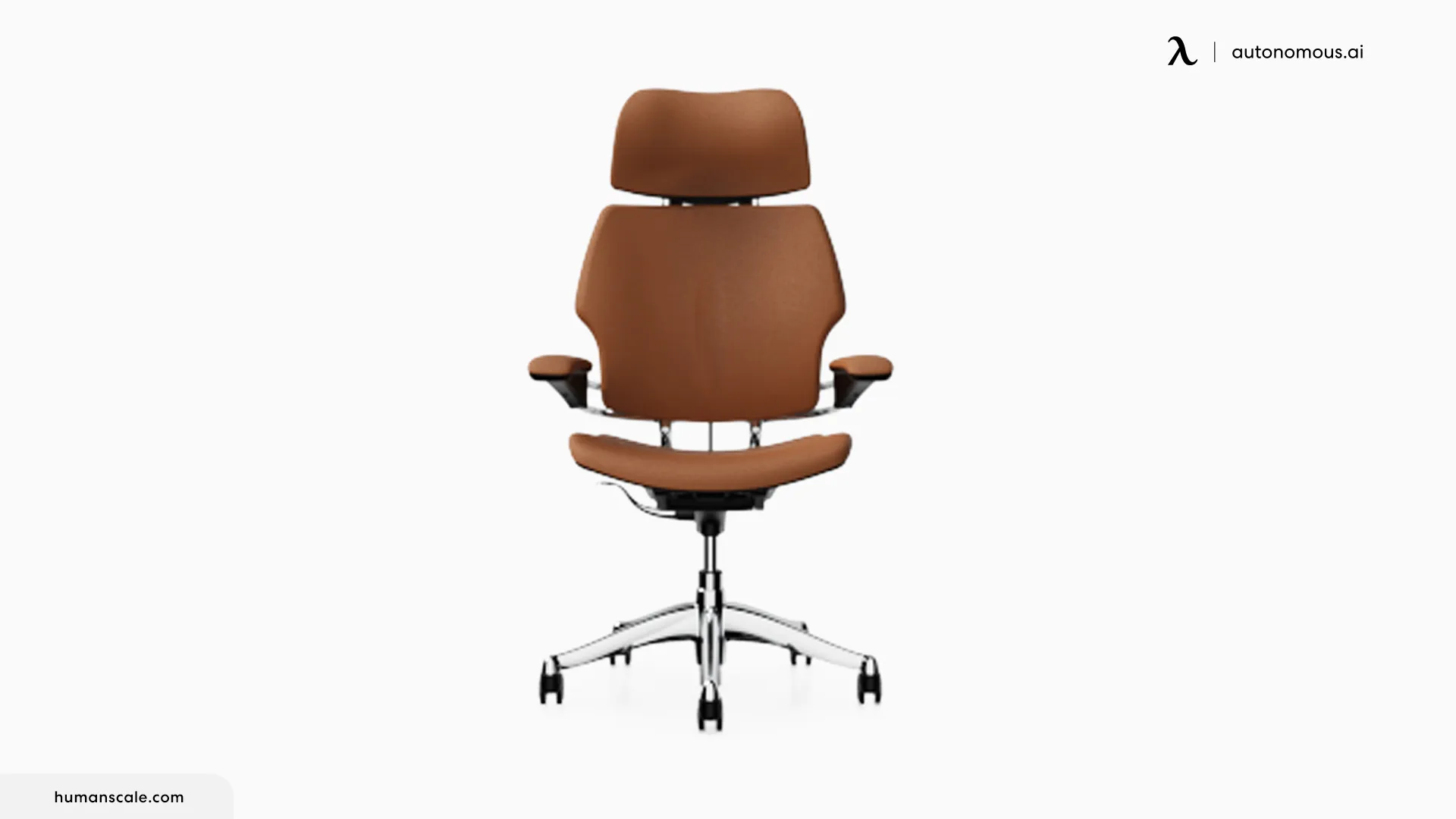
The Freedom's headrest is position-sensitive — it moves into a supporting position as the backrest reclines and returns to a neutral position when the user sits upright. This means cervical contact during recline happens without requiring manual repositioning each time. The recline mechanism itself is weight-activated: it uses the sitter's body mass as a counterbalance rather than relying on a tension knob, so the chair adjusts to each person's weight automatically across the full recline range.
For cervical zone purposes, the practical result is that recline actually gets used. Chairs that require manual recline activation often stay in their upright position throughout the day — the friction of reaching for a lever interrupts workflow. It removes that step, which means the cervical spine gets the periodic deloading that only recline provides.
One limitation worth stating clearly: this chair for spine is designed to be used with an articulating keyboard tray and a monitor arm. In a fully reclined position, a fixed desk and standard monitor placement pull the head forward and down, which defeats the cervical benefit.
Choose this if you want recline to happen automatically during the workday rather than requiring a conscious decision to activate it — and you're able to pair the chair with a monitor arm.
- Ergohuman Eurotech High Back Office Chair
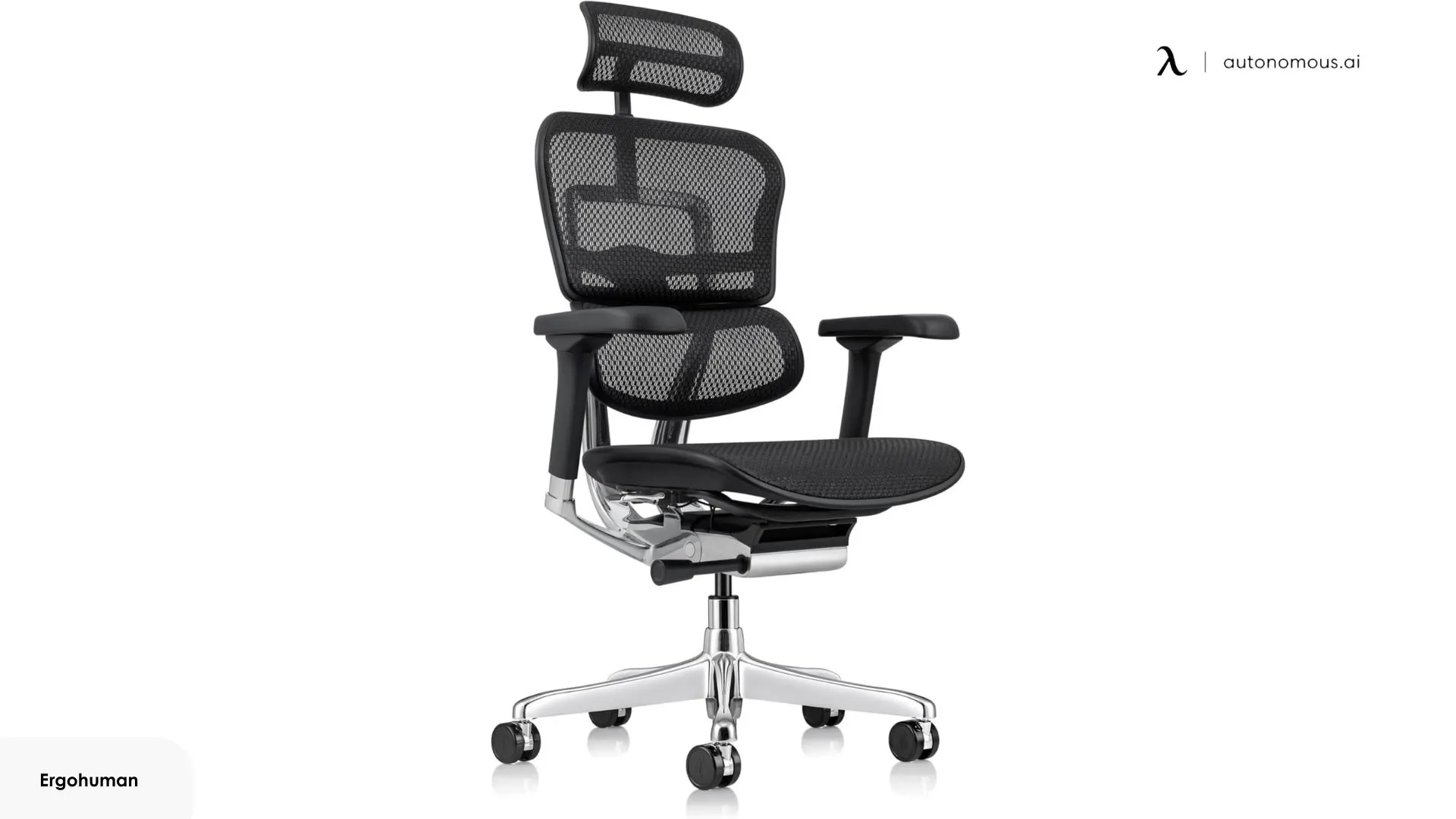
It is a high-back mesh chair with a headrest included as standard — not an add-on. The headrest adjusts in both height and angle, which covers the two variables most relevant to cervical contact: positioning it at skull-base height and tilting it forward enough to make contact without requiring the user to push their head backward to reach it.
The synchro-tilt mechanism reclines the backrest and seat at a 2:1 ratio, with a 3-position tilt lock. This gives enough recline for periodic cervical deloading across a workday without requiring a full recliner-level position. The tilt tension control adjusts to user weight, which keeps the recline effort consistent regardless of body size.
The honest limitation: the headrest doesn't extend forward. Users whose head naturally sits forward of the shoulder line may find the headrest doesn't make contact without leaning back toward it. For those with neutral or near-neutral head position, the height and angle adjustment is sufficient.
Choose this if you want a built-in adjustable headrest without the premium price of the Freedom or Leap V2, and your head position is close to neutral.
- Steelcase Leap V2
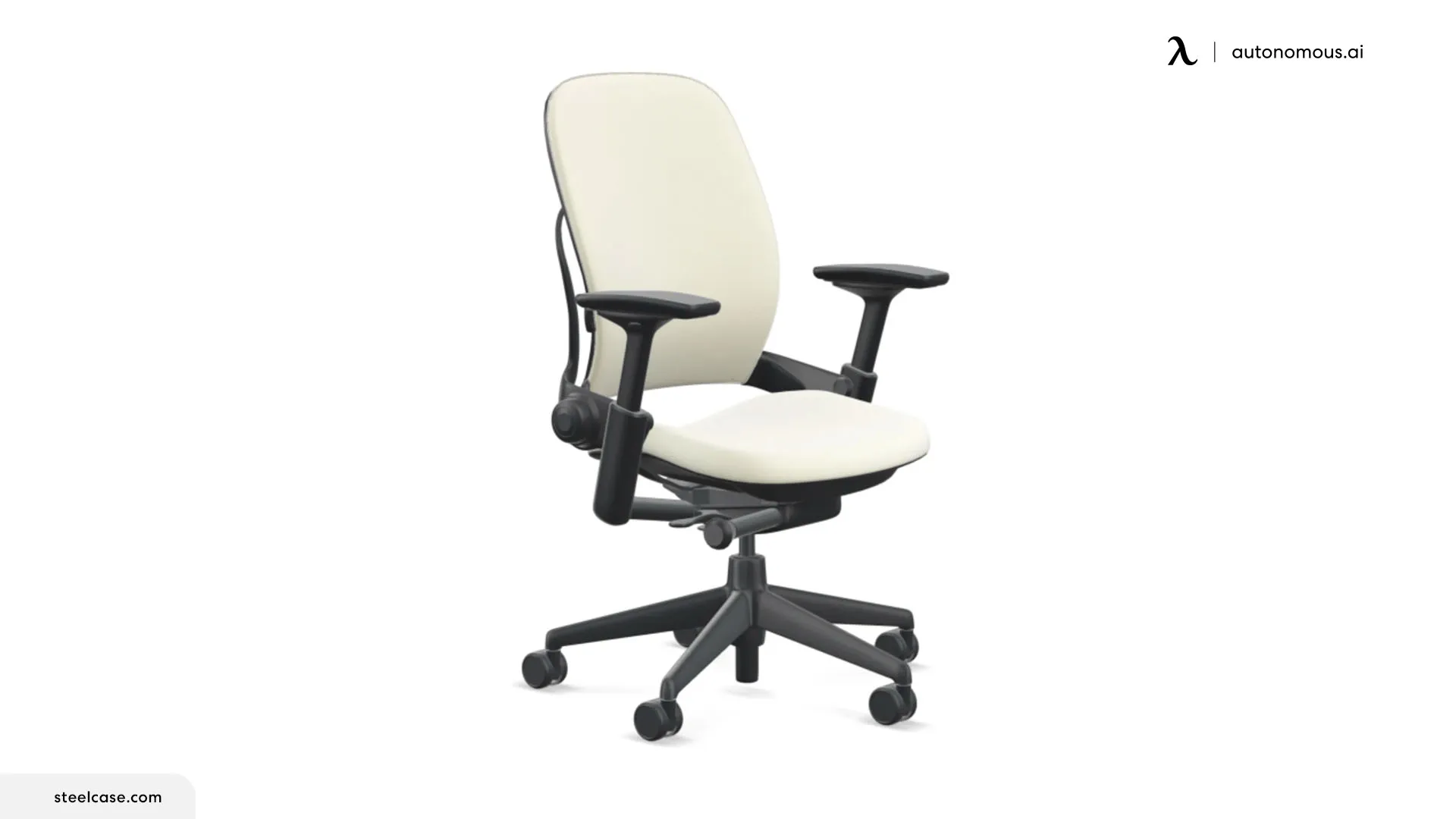
Its upper back force control is its most cervical-relevant feature — a separate adjustment that controls how much resistance the upper backrest provides as the user reclines. By adjusting the upper back tension independently of the lower back, the transition zone between the thoracic and cervical spine can be tuned to the user's frame rather than set to a single fixed resistance. This is a different point to cervical support than a headrest — it addresses the region just below where cervical load originates.
The Natural Glide System moves the seat forward as the backrest reclines, which keeps the user oriented to their desk during recline rather than pulling them away from it. This makes active reclined working more practical than on chairs where reclining means losing arm access to the keyboard.
The headrest carries a notable limitation: the factory version adjusts only in height, with limited angle control. For users who prioritize the upper back force control, it is a strong cervical-adjacent chair; for users whose primary need is headrest contact, that gap is worth factoring in before purchasing.
Choose this if upper back tension at the thoracic-cervical transition is the primary issue and staying oriented to your desk during recline matters more than headrest precision.
Which Zone Is Actually Failing You?
The best office chair with spine support depends on which part of your spine needs support most. Not all spine issues are the same — and the feature that fixes one zone may do nothing for another.
Three questions help narrow it down:
Where does the discomfort appear?
- Lower back or tailbone → Lumbar zone issue (needs lumbar support)
- Upper back or between shoulder blades → Thoracic zone issue (needs upper-back support)
- Neck or base of skull → Cervical symptoms (often caused by poor thoracic support)
When does it appear during the workday?
- Starts early and stays → Lack of constant spinal support
- Builds during focused work → Thoracic strain from forward posture
- Appears after 2–3 hours → Chain reaction (lumbar → thoracic → neck)
Does it improve with standing or with reclining?
- Feels better when standing → Lumbar pressure issue
- Feels better when reclining → Thoracic or neck load issue
- Neither helps → Multiple zones involved
Mapping your symptoms to the right chair features:
The best ergonomic chair for spine support depends on which zone needs fixing:
Zone | Primary Feature to Prioritize | Secondary Feature |
Lumbar | Adaptive or adjustable lumbar support (height + depth) to maintain contact | Seat depth adjustment for proper pelvis position |
Thoracic | High-back design that supports the upper back | Flexible backrest that moves with you |
Cervical | Adjustable or articulating headrest | Recline range that supports head weight |
Multiple zones | Fix the root zone first before stacking features | Full-support chairs require correct setup |
FAQs
What type of chair is best for the spine?
The best office chair with spine support supports all three spinal zones — lumbar, thoracic, and cervical — not just the lower back. Key features include adjustable or adaptive lumbar support, a high-back design that reaches the upper shoulder blades, and a recline function that allows the spine to unload throughout the day.
What is the difference between lumbar support and spine support in an office chair?
Lumbar support targets only the lower back, while spine support covers the entire spine — lumbar, thoracic, and cervical. A chair marketed with lumbar support is not the same as an office chair with spine support, because it addresses only one zone while leaving the others unsupported.
Is lumbar support enough for an office chair?
No — lumbar support is essential, but not enough for full spine support. The lumbar zone is usually the first to lose support during sitting, but if the mid-back and neck are not supported, discomfort will still develop over time.
Can an office chair help with back pain?
An office chair with spine support can reduce back pain caused by poor posture and unsupported sitting, but it cannot treat medical conditions. It works by improving spinal alignment and reducing the load placed on muscles and joints during long sitting sessions.
What features should I look for in an office chair with spine support?
Look for features that support all three spinal zones and maintain contact as you move. These include adjustable or adaptive lumbar support, a high-back design for thoracic support, an adjustable headrest, proper seat depth, and a recline function to reduce spinal load.
What is the best office chair for back support?
The best office chair for back support depends on where in the back the problem originates. For lower back issues, a chair with adaptive lumbar support and seat depth adjustment — such as the ErgoChair Ultra 2 — addresses the lumbar zone most directly.
How do I know if my office chair is causing back pain?
If pain builds during the workday and improves after standing or moving, your chair is likely the cause. Lower back pain after 1–2 hours suggests poor lumbar support or incorrect seat depth. Upper back or neck tension during focused work usually indicates lack of thoracic and cervical support.
What is the best chair to sit in after spinal surgery?
The best chair after spine surgery prioritizes stability, ease of use, and neutral posture. Look for a chair with firm support, proper seat height for easy sitting and standing, and minimal need for twisting or bending. Avoid chairs that are too low or too soft, as they increase spinal load during transitions.
How should I adjust my office chair for spine support?
Start with seat height, then adjust depth, lumbar support, and headrest to match your body. Feet should be flat on the floor with knees at about 90°. Leave 2–3 fingers of space behind the knees for proper seat depth. Align lumbar support with the natural curve of your lower back, and position the headrest at skull-base height. Use recline regularly to reduce load on the spine.
How long should you sit before taking a break for spine health?
You should change position or take a short break every 30 to 45 minutes, even in a good chair. No office chair with spine support can fully eliminate the effects of prolonged sitting. Regular movement helps reduce accumulated spinal load and improves overall comfort.
Final Thoughts
The spine doesn't have a single support requirement — it has three. Most buying decisions fail not because the chair is low quality, but because the mechanism doesn't match the zone that's actually failing.
If your lower back loads early in the day, the lumbar zone is the starting point. If upper back tension builds during keyboard work, the thoracic zone needs attention first. If neck tightness arrives late in the afternoon, check the two zones below it before reaching for a headrest.
The best office chair for spine support is the one correctly matched to your origin zone, set up to maintain contact through the positions you actually sit in — not just when you're perfectly upright.
Use the diagnostic section above to identify your zone, match it to the mechanism it needs, and treat the chair setup as part of the solution — not an afterthought.