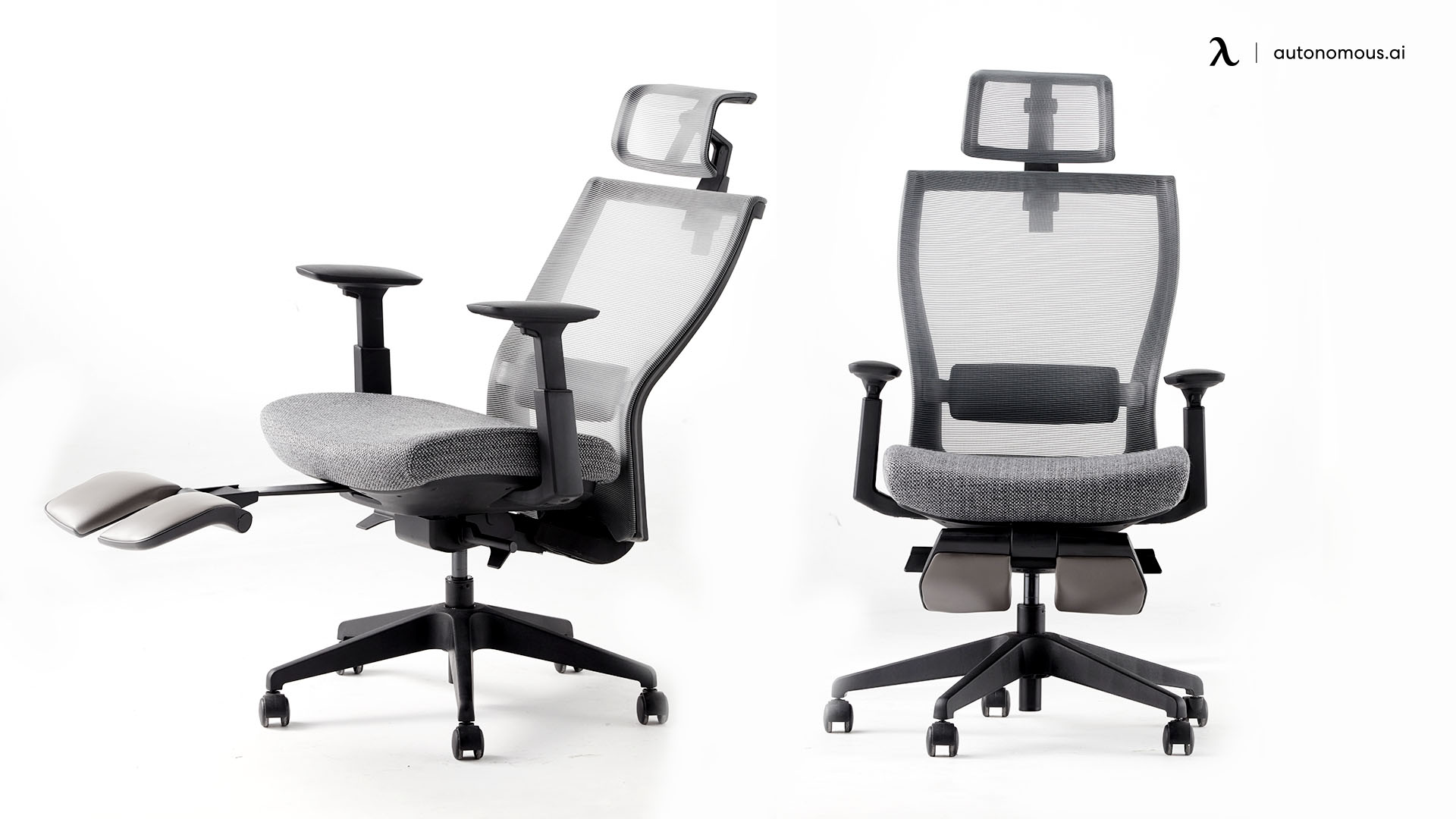
5 Best Office Chairs With Footrest for All-Day Comfort

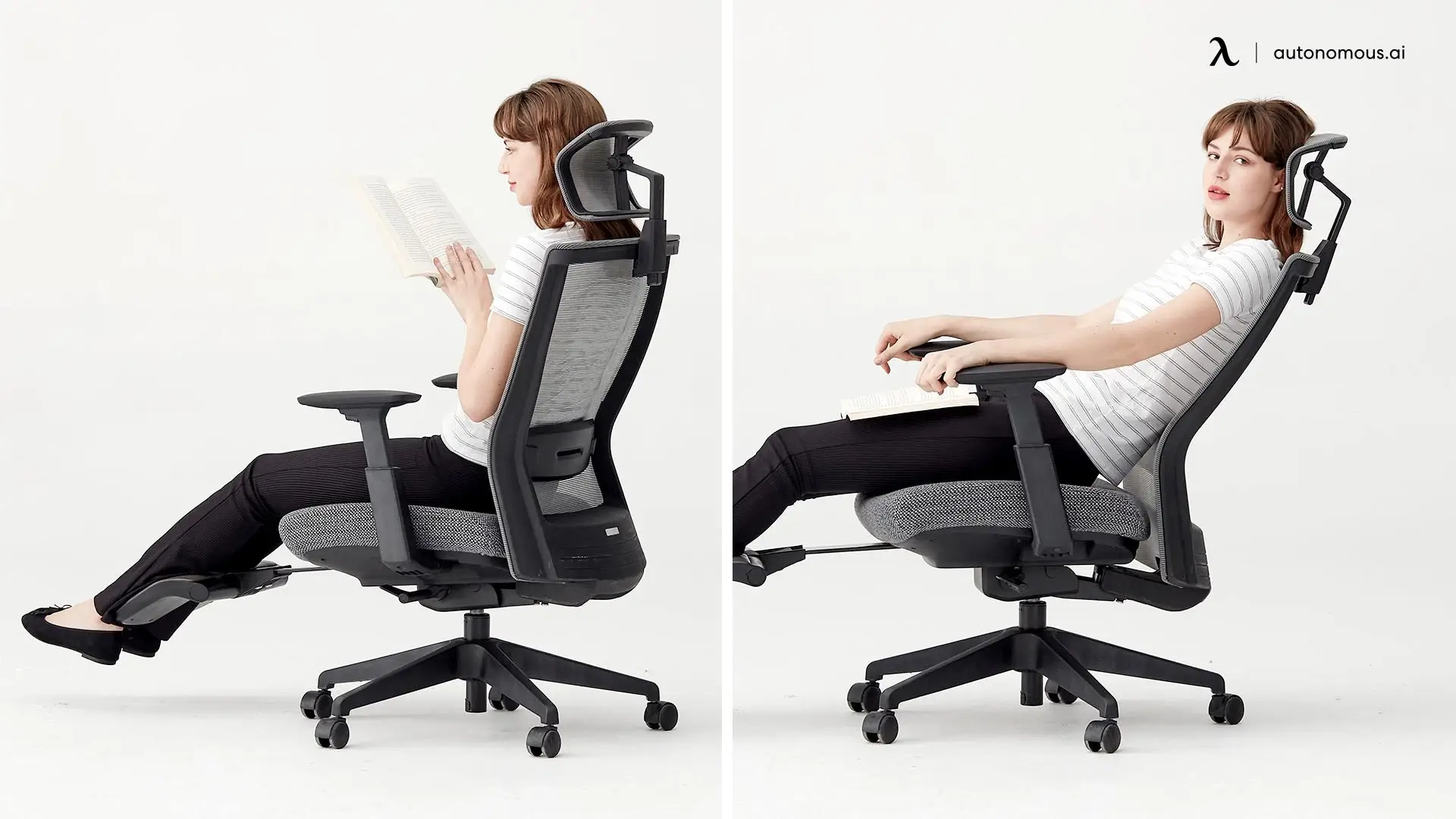
Finding the best office chair with a footrest can transform how you work. Whether you're managing long hours at your desk, dealing with leg fatigue, or simply seeking a more comfortable setup, an ergonomic chair with an integrated footrest offers genuine ergonomic benefits.
The right model supports proper sitting posture, improves circulation, and gives you the flexibility to switch between focused work and relaxed breaks, all without leaving your seat. We've tested and evaluated the top options to help you find a chair that truly fits your needs and workspace.
5 Best Ergonomic Office Chairs With Footrest
Choosing between office chairs with leg rest becomes easier when you understand what each model prioritizes—whether that's heavy-duty capacity, executive aesthetics, or budget-friendly ergonomics. The table below summarizes the core differences so you can quickly identify which chairs match your height, weight, and work patterns before exploring the detailed reviews.
Product | Ergonomic Highlights | Weight Capacity | Best For |
EMIAH Ergonomic Office Chair | Adjustable headrest, lumbar support, deep recline | ~400 lbs | Long work sessions with recline breaks |
COMHOMA Big and Tall Office Chair | Thick cushioning, wide seat, supportive backrest | ~400 lbs | Big & tall users needing daily comfort |
HOMRELEXA Big and Tall Office Chair | Flip-up armrests, wide seat, relaxed recline | ~400 lbs | Flexible sitting and lounging |
Sunaofe Boss Pro Leather Chair | Padded lumbar area, executive leather design | ~300 lbs | Executive offices and clean aesthetics |
Latitude Run Azteca Executive Chair | Adjustable tilt, lumbar support, plush cushioning | Standard build | Budget-friendly ergonomic option |
1. EMIAH Ergonomic Office Chair with Foot Rest – Best Budget-Friendly Ergonomic Option
The chair is best suited for people who spend long hours working upright and want relief without turning their chair into a recliner. It feels composed and work-forward, supporting a steady posture while allowing small, intentional breaks that help maintain focus.
The footrest is designed for brief, purposeful use. Extending it during short pauses takes pressure off the legs and improves circulation, then folds away easily when it’s time to return to work. In that sense, it behaves more like a productivity aid than a comfort feature, which fits users looking for a best office chair with footrest that doesn’t interrupt workflow.
The trade-off is indulgence. The footrest isn’t meant for long lounging sessions, and the overall feel is more practical than plush. This practical approach is common among affordable office chairs that prioritize function over luxury features. But for those who want a best ergonomic chair with footrest that supports long, focused days with controlled moments of relief, this model stands out in the office chair with footrest reviews for doing exactly that—and nothing more.
Best for: Budget-conscious users who want a functional footrest and don't mind firmer seating.
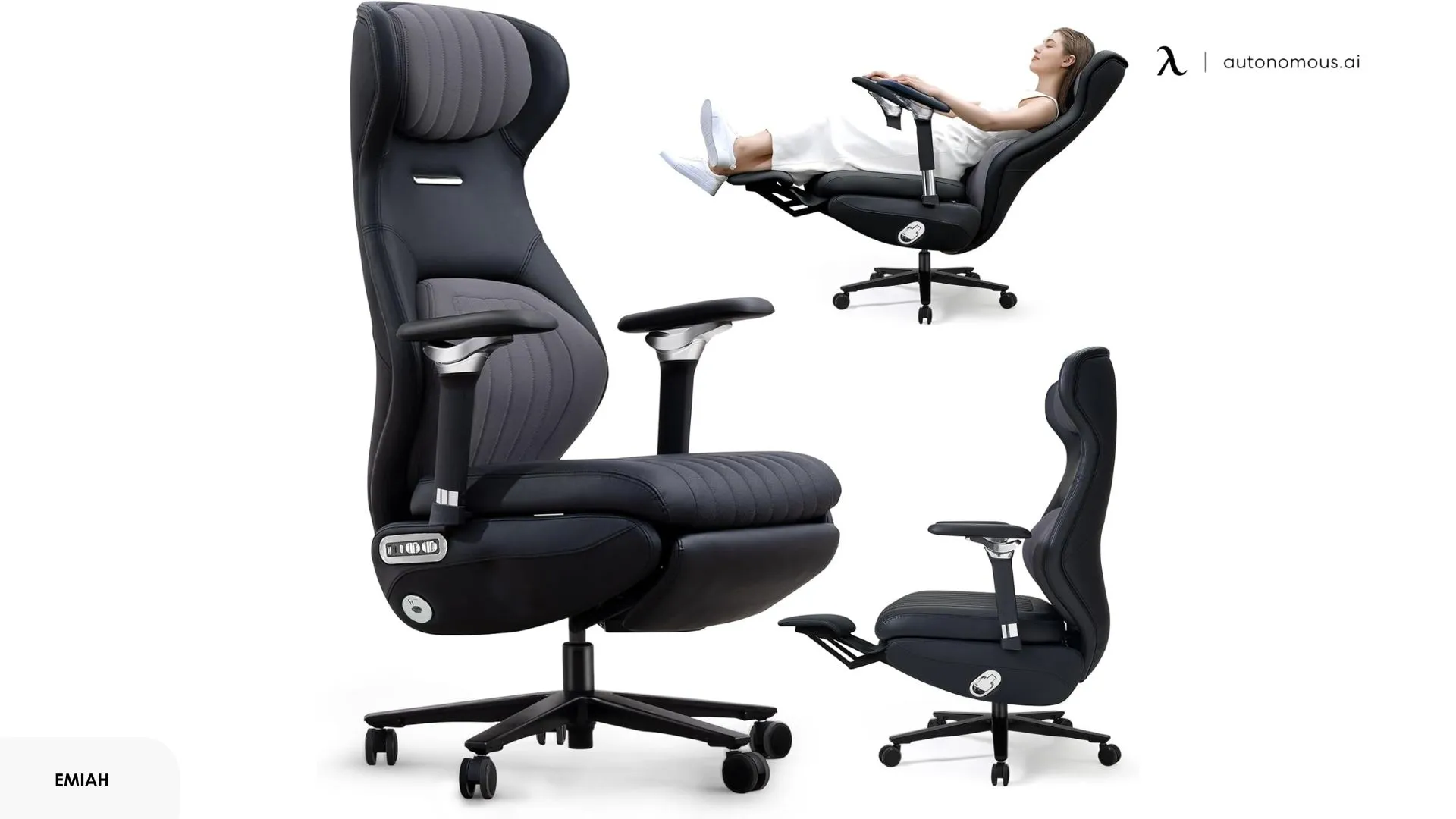
2. COMHOMA Office Chair with Footrest – Best for Heavy-Duty Use
This executive office chair with footrest is built wider and more spacious than standard office chairs, with thick padding across the seat and back. The footrest pairs naturally with the deeper recline, making it easy to lean back and actually relax during breaks. If you've felt cramped in other chairs, the extra room here makes a noticeable difference.
The cushioning is softer than the EMIAH, which feels more forgiving during long sitting sessions but may compress over time. The footrest extends far enough for most users, though it's designed more for occasional relaxation than constant use throughout the workday.
The PU leather upholstery gives it an executive look, though it's not as breathable as mesh, expect some warmth buildup in hot weather. The frame handles heavier weight well, and the overall construction feels solid without being overly rigid. Users looking for plus size office chair options will find the generous proportions and reinforced build particularly accommodating.
Best for: Larger users who need extra seat width and prefer cushioned comfort over firm support.
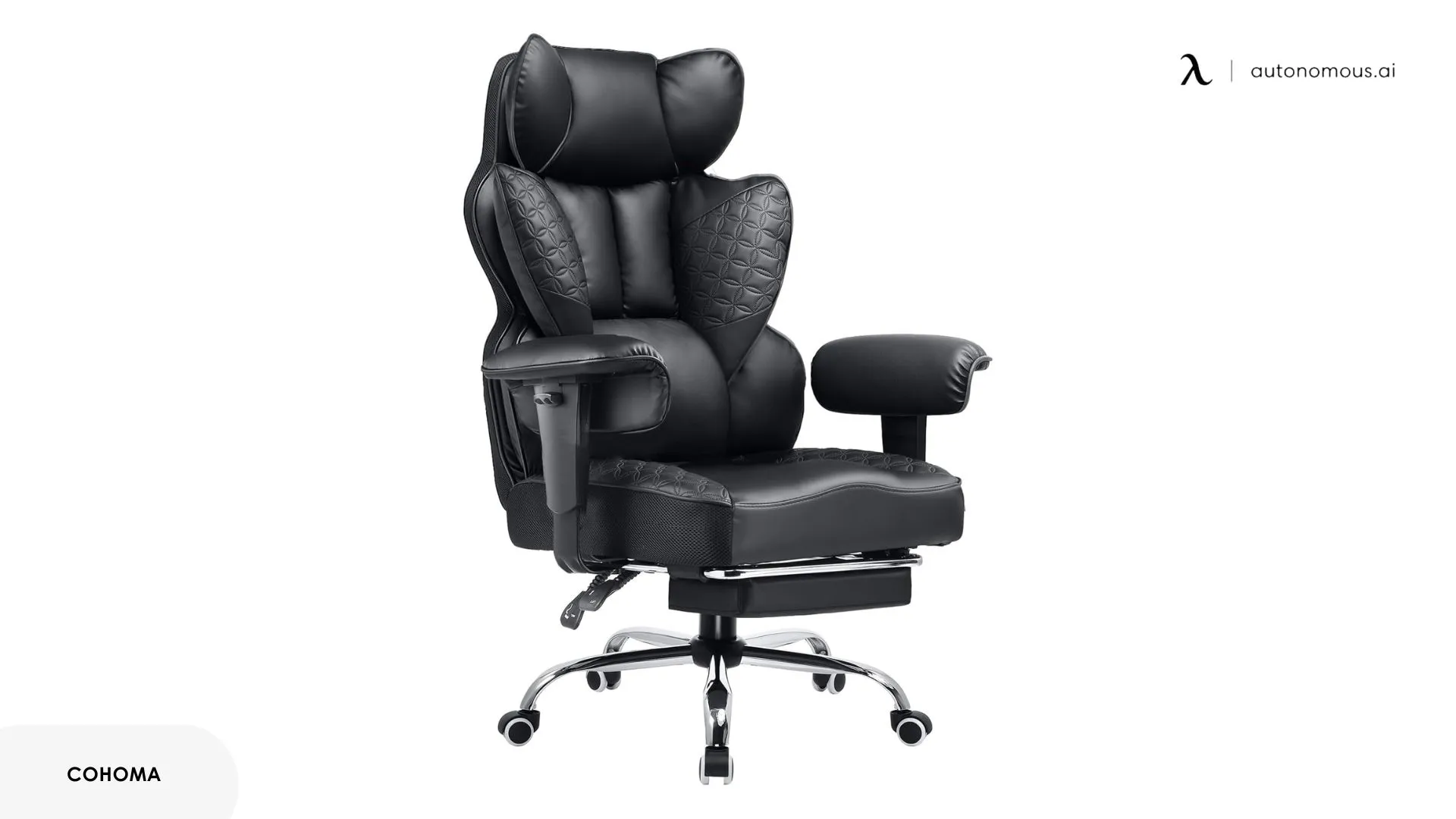
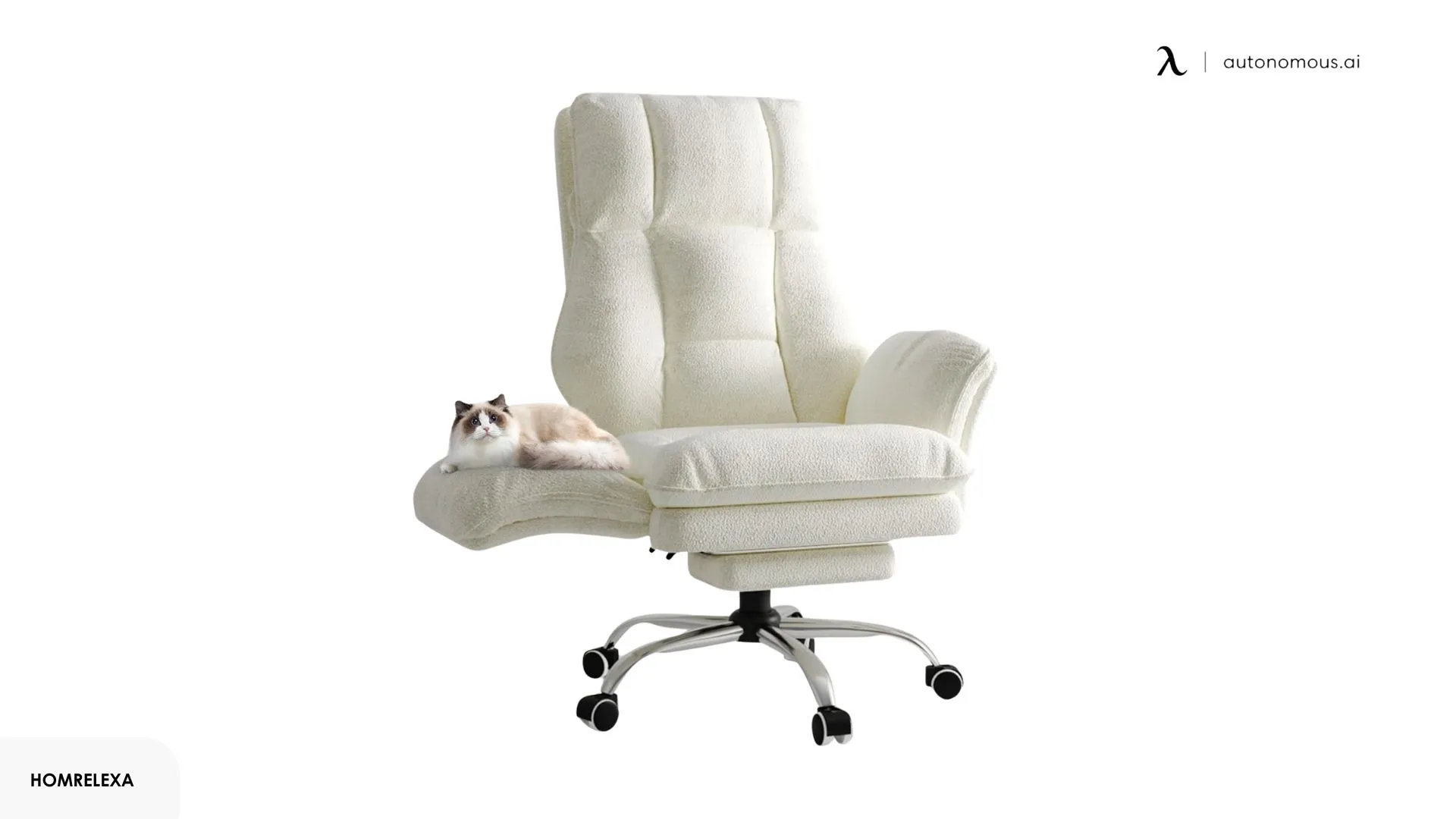
3. HOMRELEXA Office Chair with Footrest – Best for Flexible Positioning
This comfortable office chair with footrest stands out with its 500-lb weight capacity and flip-up armrests—a feature that actually matters if you like pulling up close to your desk or shifting positions throughout the day. The extra-wide 22-inch seat gives you room to sit however feels natural rather than locking you into one position.
The footrest works well for longer recline sessions when you're winding down or taking actual breaks. The cushioning is generous without being too soft, and the recline goes deeper than most chairs in this range. The flip-up armrests are surprisingly useful for getting in and out or just having more freedom to move.
The reinforced metal frame handles heavier weight without creaking or feeling unstable. It's noticeably sturdier than cheaper big-and-tall options, and the engineering reflects what you'd expect from a proper heavy-duty office chair.
Best for: Users who need serious weight support and prefer freedom to shift positions rather than structured ergonomic guidance.
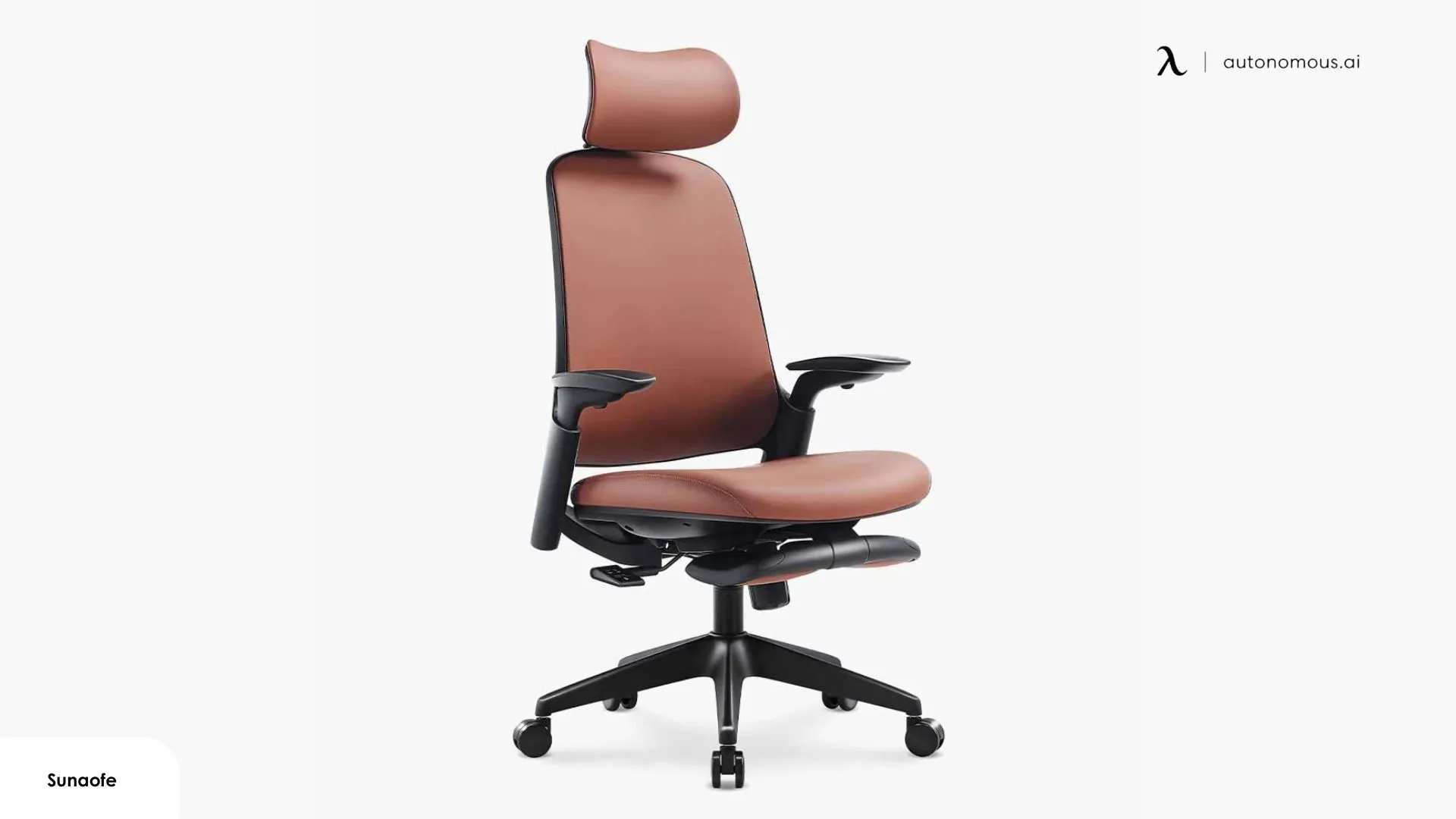
4. Sunaofe Boss Pro Leather Office Chair – Best for Executive Aesthetics
The Boss Pro leans into the executive office chair with footrest aesthetic—think traditional leather, high-back design, and a look that fits formal workspaces. The PU leather feels smooth and gives the chair a polished appearance, though it's not genuine leather at this price point.
The footrest here is more about occasional comfort than constant use. It works fine for leaning back during calls or end-of-day wind-down, but the overall design keeps you more upright than recline-focused models. The flip-up armrests are a practical touch, making it easier to pull close to your desk when the footrest is tucked away.
Where this chair differs from the best ergonomic office chair with footrest options is its emphasis on appearance over adjustability. The lumbar support is padded rather than adjustable, and the recline range is moderate. It's a comfortable office chair with footrest functionality, but it prioritizes traditional executive styling over deep ergonomic customization.
Best for: Professional settings where appearance matters and you want footrest convenience without a heavily adjustable ergonomic design.
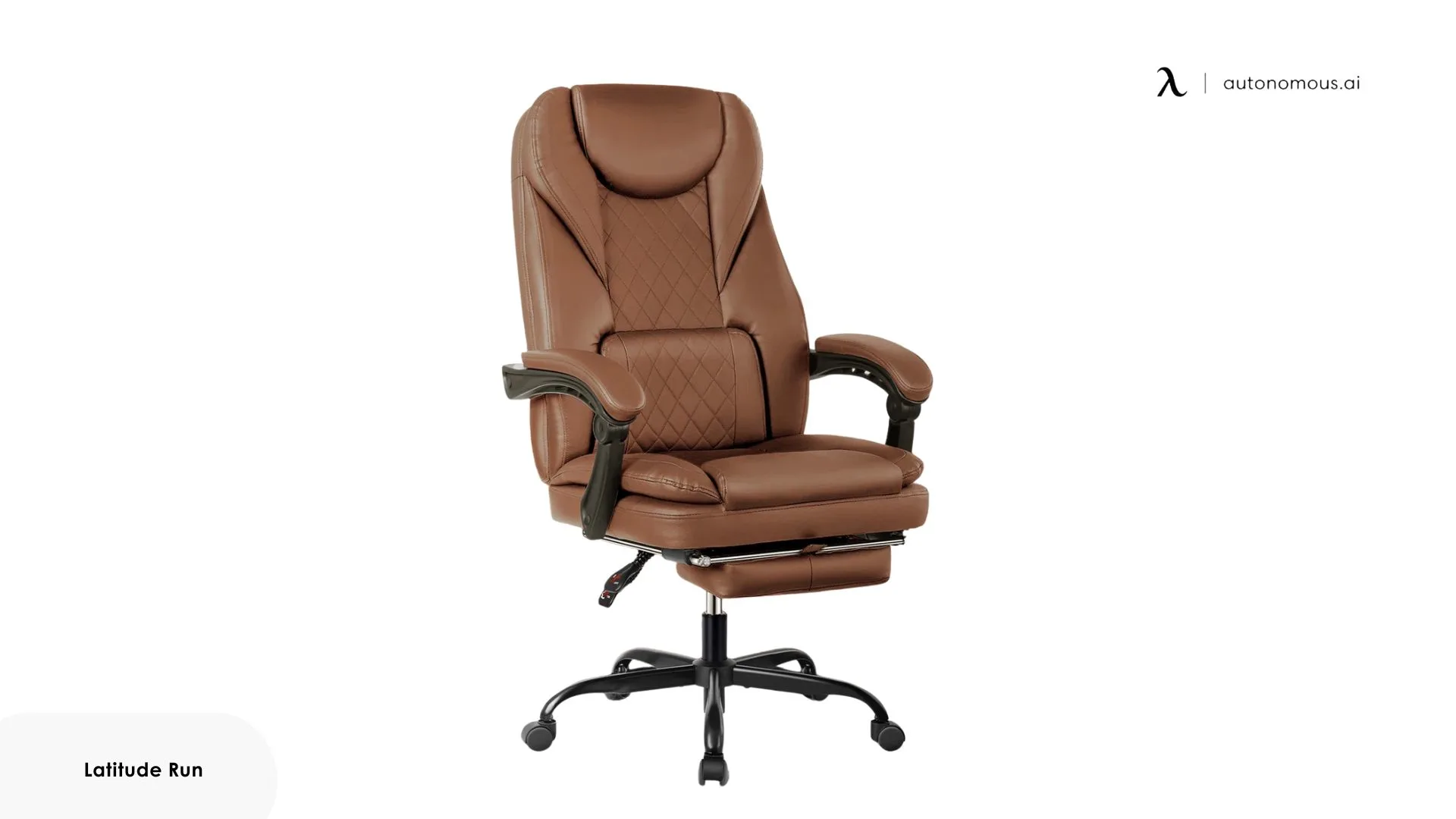
5. Latitude Run Azteca Ergonomic Executive Chair with Footrest – Best Mid-Range Balance
The Azteca splits the difference between executive styling and practical ergonomic features. It includes a padded headrest and adjustable tilt that make it more adaptable than purely aesthetic chairs, while still maintaining a professional look that works in traditional office settings.
The footrest extends smoothly and pairs well with the recline function for mid-day breaks, though the 125-degree maximum recline is more conservative than models designed specifically for deep relaxation. The ergonomic desk chair with footrest setup here focuses on supporting standard work posture with occasional comfort adjustments rather than encouraging constant position changes.
The cushioning hits a middle ground, not as firm as mesh ergonomic options, not as plush as the big-and-tall models. The 360-degree swivel and adjustable settings give you enough flexibility to find comfortable positions throughout the day, which some users appreciate for cross-legged office chair sitting or other alternative postures. At $350, it's positioned as one of the best ergonomic chairs with footrest choices for users who want both functionality and a polished appearance.
Best for: Users seeking a professional-looking ergonomic reclining office chair with footrest that balances style and practical adjustments.
Alternatives Worth Considering
The ErgoChair Pro takes a different approach by focusing on precise ergonomic adjustments rather than built-in footrest convenience. It's noticeably lighter and more streamlined than the footrest chairs above, with a modern mesh design that fits better in tighter home office setups or modern workspaces.
What sets this office chair for long hours apart is the level of control, dynamic lumbar support that moves with you, adjustable seat depth, and a breathable mesh construction that stays cool during long work sessions. The recline mechanism feels smoother and more refined than budget footrest models, though it stops at 126 degrees rather than the deeper angles you get with dedicated reclining chairs.
If you want footrest functionality with this chair, pair it with a standalone ergonomic footrest. This combination gives you a cleaner look, easier mobility (no footrest mechanism extending from the base), and the flexibility to position the footrest exactly where you need it rather than where the chair dictates.
Best for: Users who prioritize ergonomic precision and modern aesthetics over all-in-one convenience, or anyone working in small office desk setups where a bulkier footrest chair feels too imposing.
.webp)
Autonomous ErgoChair Ultra 2 serves as an excellent alternative for those who find standard leg rests flimsy or restrictive. The ErgoChair Ultra 2 features a frameless TPE polymer backrest with 62 pressure nodes that distribute your weight across a wide surface. Because it offers a 25° recline with a sophisticated synchro-tilt mechanism, it provides a "floating" sensation that mimics the comfort of a leg-rest chair without the mechanical failure points often found in retractable ottoman attachments.
It is the premier choice for users who want to pair a high-end ergonomic chair with a separate, adjustable footrest for a fully customized napping or relaxation station.

If your primary reason for seeking a chair with a leg rest is heat management or long-duration comfort, the ErgoChair Mesh is a top-tier alternative. Utilizing German-engineered "Ultra Air Mesh," this chair maintains constant airflow, which is critical if you are spending long periods in a reclined position.
The 22° recline range allows for a comfortable, stable resting angle, and its robust 300 lb weight capacity ensures it remains steady even when you shift your weight during a power nap. By opting for this high-breathability model and adding a separate ergonomic footrest, you get a clean, professional aesthetic that is significantly more durable and easier to clean than fabric or leather chairs with built-in rests.
.jpg)
FAQs
What is the best office chair with a footrest for long hours of work?
The best office chair with a footrest for long hours supports upright posture while allowing short leg-elevating breaks. Look for stable lumbar support, controlled recline, and a footrest designed for circulation rather than constant lounging.
Is an ergonomic desk chair with a footrest actually good for productivity?
Yes, an ergonomic desk chair with a footrest can improve productivity when the footrest is used briefly to reduce leg fatigue. Chairs designed for short recovery periods tend to support focus better than models built mainly for full recline.
What’s the difference between an ergonomic chair with a footrest and a reclining office chair?
An ergonomic chair with footrest prioritizes posture support and controlled movement, while a reclining office chair with footrest focuses more on relaxation. The former is better for work-first setups, while the latter suits longer breaks.
Is the best ergonomic office chair with footrest suitable for all-day sitting?
Yes, if the chair maintains proper lumbar support and seat firmness. The footrest should complement sitting posture, not replace it, especially during long work sessions.
Are office chairs with footrests good for lower back pain?
Office chairs with footrests can help reduce lower back strain by improving circulation and relieving pressure during recline. However, consistent lumbar support is more important than the footrest itself.
Are comfortable office chairs with footrests good for big and tall users?
Yes, many comfortable office chairs with footrests are designed with wider seats and higher weight capacity. Big and tall users should also check seat depth and frame stability for long-term comfort.
Should I choose a footrest chair or a separate under-desk footrest?
A built-in footrest offers convenience and integrated recline, while a separate footrest allows more precise positioning. Users who work upright most of the day often prefer a standalone footrest.
Final Verdict
Finding the right office chair with footrest comes down to understanding what you actually need. If you're working within a tight budget, prioritize reliable footrest mechanisms and breathable materials over premium finishes. For users requiring higher weight capacity, focus on reinforced frames and wider seat dimensions rather than just checking the listed maximum.
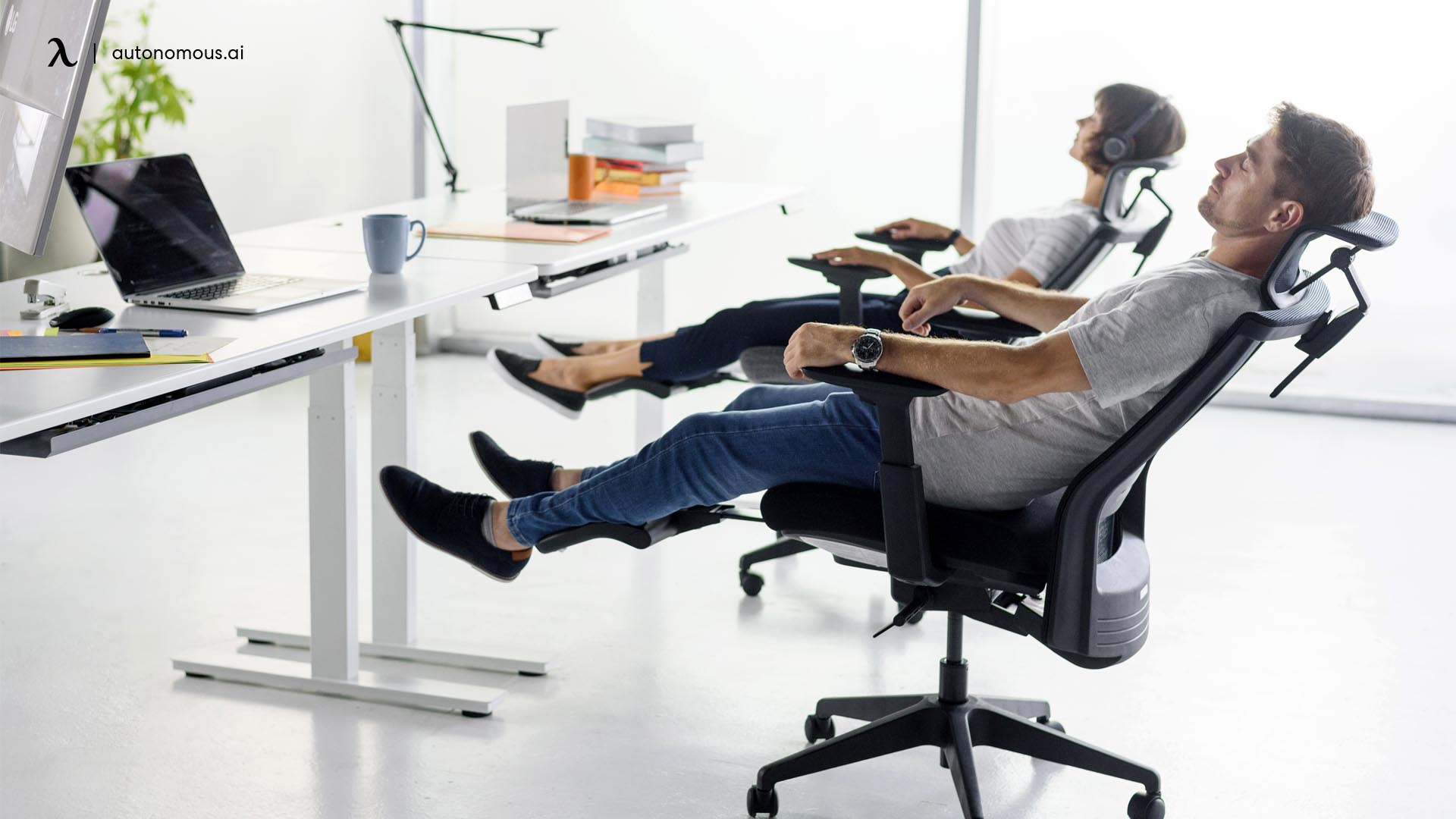
The footrest itself works best when used intermittently, extend it during breaks to relieve leg pressure, then tuck it away for focused work. Chairs designed for deep recline suit users who take longer rest periods throughout the day, while more upright models better serve those who stay active while sitting at their desks.
Take time to adjust your chair properly once it arrives. Chair height, lumbar position, and footrest angle all affect comfort more than the chair's price tag. A well-configured mid-range option will feel better than an expensive model with poor settings. Test your setup for a full workday and make small adjustments until everything feels natural rather than forced.