Cyber Monday Tech Deals 2026 Worth Buying or Skipping


Cyber Monday tech deals are worth buying when the exact device meets your needs and costs less than its recent selling price. A newer processor, bigger discount, or extra bundle is not automatically better if the hardware has the wrong specifications or creates ongoing costs.
Cyber Monday 2026 falls on November 30, three days after Black Friday. This guide compares AI computers, physical AI gadgets, laptops, headphones, monitors, creator gear, smart home devices, gaming accessories, and storage. Each category explains when buying makes sense, when to skip an offer, and what to verify before checkout.
Best Cyber Monday Tech Deals by Category
The best Cyber Monday tech deals are products with a competitive price, useful specifications, and no major compromises hidden in the configuration. AI hardware, laptops, audio equipment, displays, smart home devices, gaming accessories, and storage all have different buying criteria.
This roundup focuses on those criteria rather than predicting unconfirmed discounts. Start with the device's intended use, then compare the exact configuration and total ownership cost.
| Category | Worth buying when | Better to skip when |
|---|---|---|
| AI computers | You have a defined local AI workload and hardware requirements | Cloud services or existing hardware already meet your needs |
| Physical AI gadgets | You regularly use agents or want to build physical AI interactions | There is no clear task for the device |
| Laptops | Memory, storage, and performance meet your workload | The low price comes from an unsuitable configuration |
| Headphones | Fit, battery life, ANC, and call quality match your needs | You are paying for features you will not use |
| Monitors | Resolution, panel, and ports improve your setup | Your computer cannot use the advertised capabilities |
| Creator gear | It solves a specific recording or streaming problem | The bundle contains unnecessary accessories |
| Smart home | Products work with your existing ecosystem | Extra hubs and subscriptions outweigh the saving |
| Gaming accessories | They are compatible with your current system | You are buying accessories for hardware you do not own |
| Storage | Capacity and sustained performance meet your needs | The offer depends on an unsuitable speed or subscription tier |
AI Computers
Cyber Monday AI computer deals are worth considering when you have a defined local AI workload, know the GPU memory it requires, and can justify the cost of running dedicated hardware. A discount on an expensive workstation means little if the system spends most of its time idle.
Unlike a general-purpose laptop, an AI computer is purchased around compute requirements. The number and type of GPUs, available VRAM, system memory, storage performance, power consumption, and cooling all affect which models the machine can run.
Local hardware can make sense when workloads run frequently, require direct control over data, or benefit from dedicated compute capacity. For occasional inference or experimentation, hosted services and existing machines may be more economical.
Autonomous Computer: On-Premise AI Compute
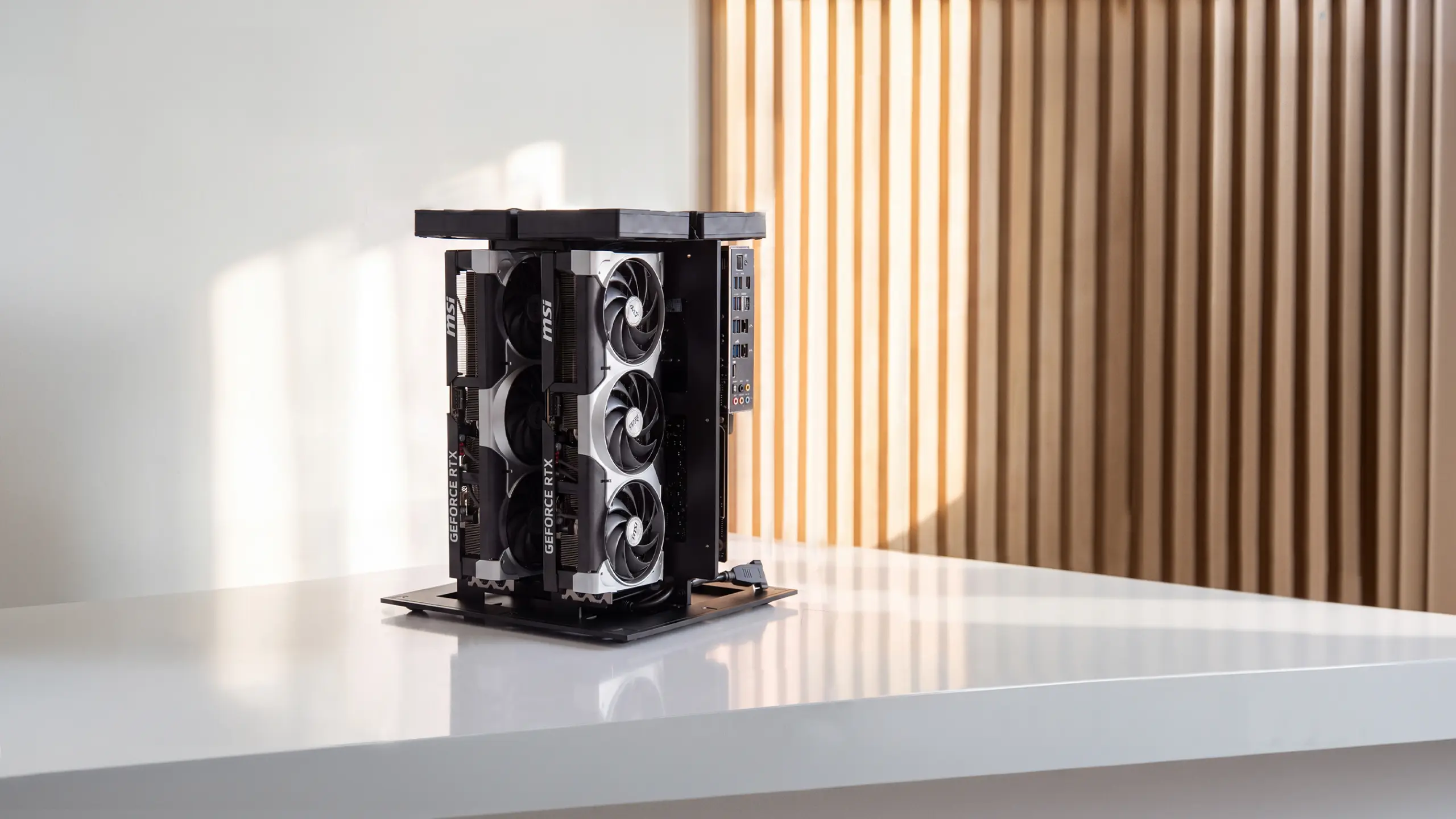
Autonomous Computer is a family of dedicated on-premise AI workstations designed for local model workloads. The range includes Computer 2, Computer 4, and Computer 8, with different compute configurations for developers and technical teams.
Computer 2 can be configured with dual RTX 5090 GPUs or professional GPU alternatives. The product line also provides open hardware documentation for buyers interested in building, modifying, or maintaining their own systems.
The most important specification is not the number of GPUs alone. Before choosing a system, determine whether the target models fit within the available GPU memory, whether your software supports the hardware configuration, and how frequently the machine will be used.
Power and thermal requirements deserve separate planning. A dedicated multi-GPU workstation requires more electrical and cooling capacity than an ordinary desktop. Those operating costs should be included when comparing an on-premise purchase with cloud compute.
| Product | Primary purpose | Current listed price |
|---|---|---|
| Autonomous Computer 2 | Local AI compute with configurable dual-GPU hardware | From $26,100 |
| Autonomous Computer 4 | Higher-capacity local AI workloads | Check current configuration |
| Autonomous Computer 8 | Multi-GPU compute for more demanding workloads | Check current configuration |
Worth buying: You have measured workloads, a realistic utilization estimate, and a clear technical reason to operate models locally. The exact configuration meets your memory and performance requirements, and the total cost compares favorably with available alternatives.
Better to skip: You only need occasional access to hosted models, have not identified the GPU memory required, or cannot estimate electricity, cooling, and maintenance costs. A promotional price does not justify hardware without a defined workload.
Before ordering, compare the complete configuration, including GPU selection, system RAM, storage, power requirements, cooling, and software support.
Physical AI Gadgets
Cyber Monday physical AI gadgets are worth buying when they provide a useful way to interact with software agents, automate recurring tasks, or experiment with physical computing. Their value depends on the workflow they support, not simply on having AI built into the product.
Autonomous offers several approaches to physical AI hardware. Lamp is a programmable desk robot, Harness provides physical interfaces for AI coding agents, and Intern 2 runs recurring agent workflows on dedicated hardware. Smaller devices such as Key and Hydrate focus on specific daily habits.
| Device | Primary purpose | Current listed price | Best suited for |
|---|---|---|---|
| Autonomous Lamp | Programmable desk robot with physical AI interaction | $999 | Developers, robotics enthusiasts, creators |
| Harness Device | Voice and display interface for coding agents | $149 | Developers already using AI coding agents |
| Harness Pro | Desk display for agents running across machines | $299 | Multi-agent and multi-computer workflows |
| Intern 2 | Dedicated AI agent hardware | $299 | Users running recurring agent tasks |
| Autonomous Key | Physical NFC tool for managing phone distractions | $19 | People who want a deliberate phone-use habit |
| Autonomous Hydrate | Water-tracking coaster with reminders | $39 | People working long hours at one desk |
Autonomous Lamp: A Programmable Desk Robot
Autonomous Lamp is an assembled desk robot built around voice interaction, a camera, physical movement, and customizable software skills. It can act as a physical interface for supported AI agents and user-defined workflows.
That makes Lamp different from a conventional smart speaker. Developers can build interactions that combine speech, camera input, motion, and connections to their own services.
Lamp Pro adds environmental sensing for readings such as CO₂, airborne particles, temperature, and humidity. Buyers should confirm the exact version because those sensors should not be assumed to be included with every Lamp.
For someone interested in robotics or physical AI, the ability to customize behavior may be more meaningful than a conventional voice assistant. However, that flexibility also makes the product more involved than a plug-and-play smart home accessory.
Worth buying: You want to create robot behaviors, experiment with physical AI interfaces, or connect a software agent to hardware that can move, see, and speak.
Better to skip: You only need a task lamp, a conventional voice assistant, or a standalone environmental sensor. Simpler devices can meet those specific needs with less configuration.
Check the selected edition, supported software services, shipping estimate, and any external model costs before ordering.

Harness Device and Harness Pro: Physical Interfaces for AI Coding Agents
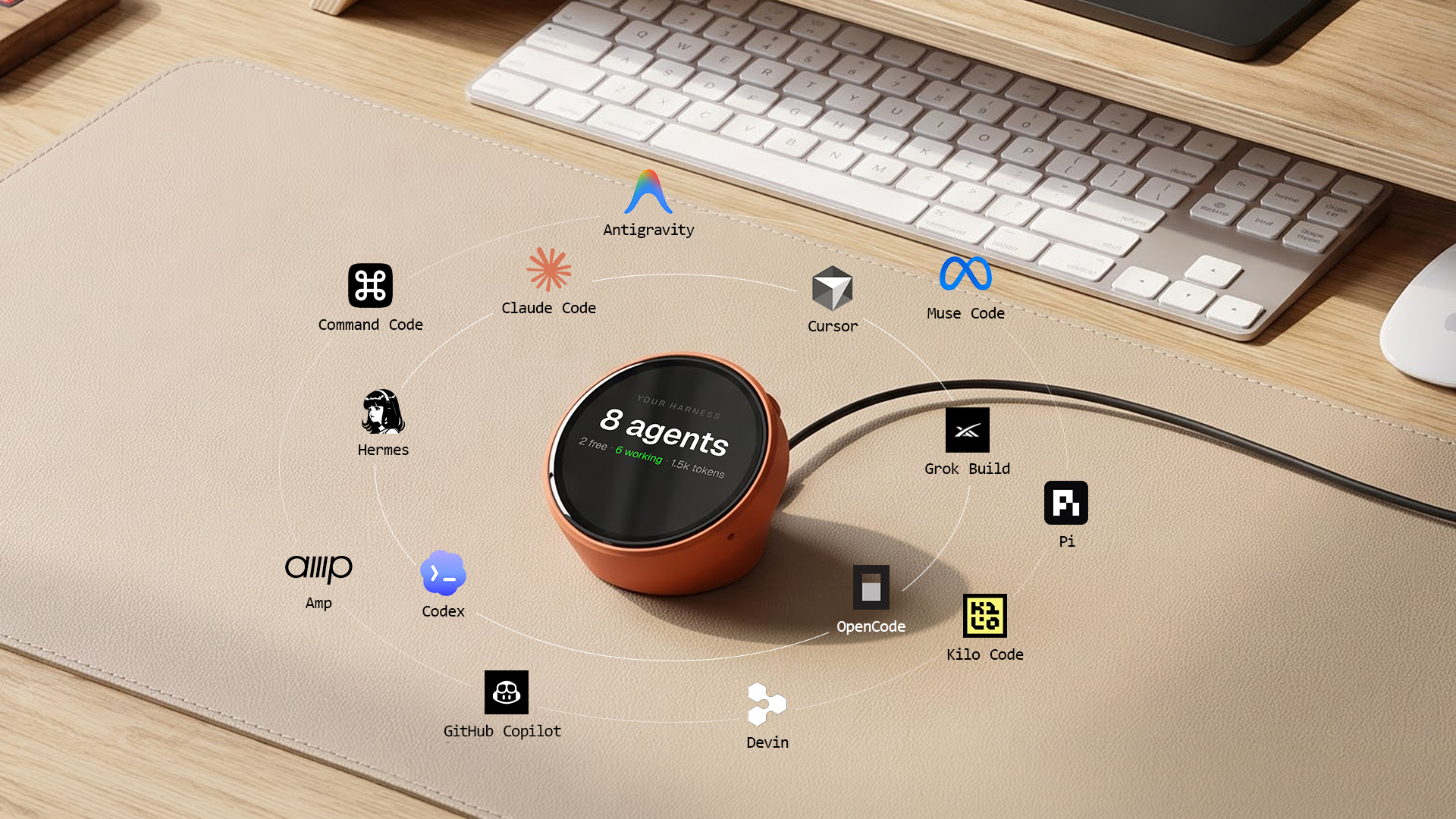
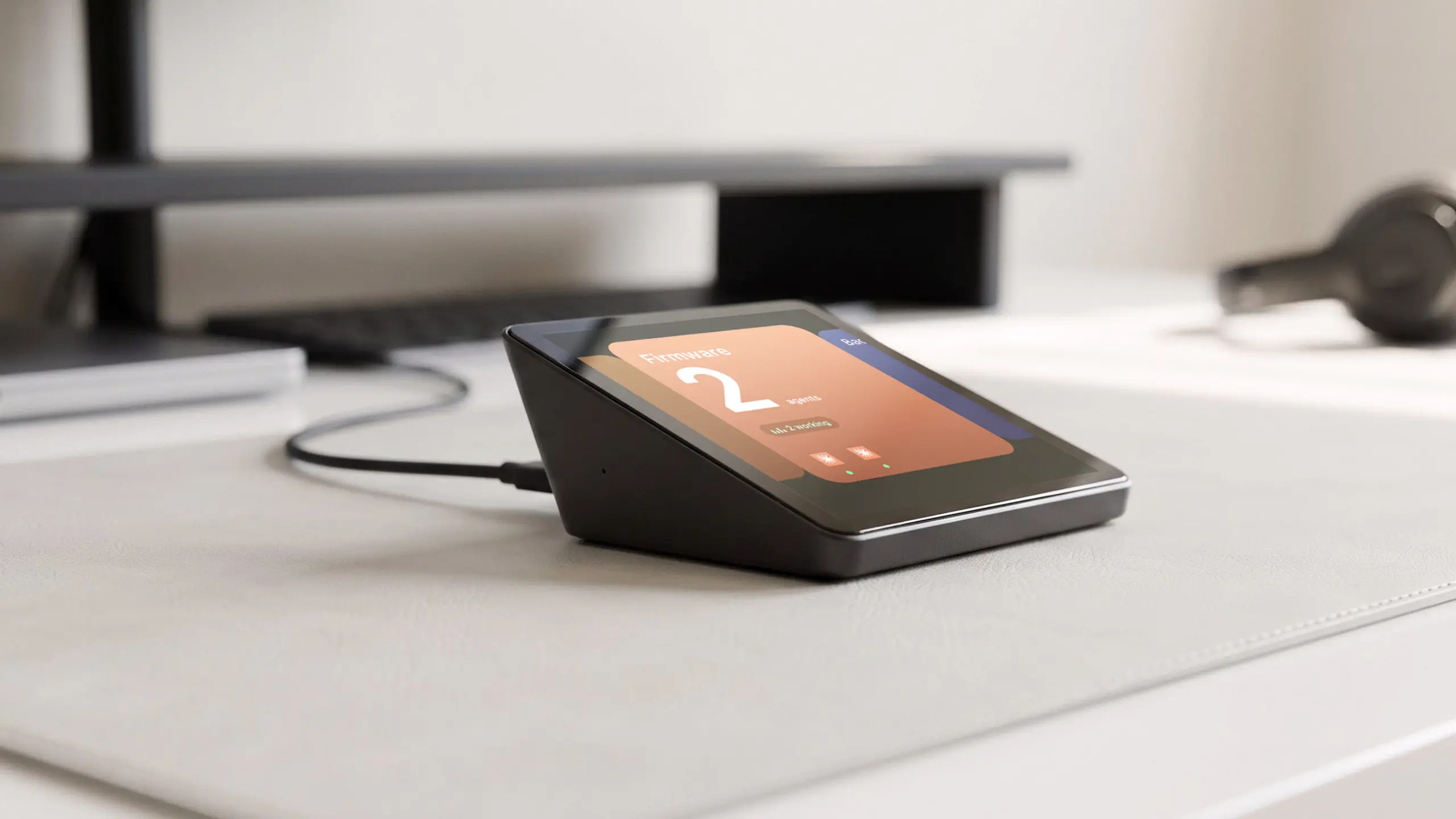
Autonomous Harness connects AI agents across computers and presents their activity through a shared interface. Its product family includes a free application, Harness Device, and Harness Pro.
Harness Device provides a physical way to issue requests and follow agent activity. It is designed around tools such as Claude Code, Codex, Cursor, and other supported coding agents.
Harness Pro takes a different approach, using a dedicated desk display to follow agents running across machines through the Harness app.
Neither device replaces the coding agents or computers themselves. Their purpose is to make an established workflow easier to direct, monitor, and manage without constantly switching windows.
For developers who run multiple agents throughout the day, a dedicated interface may reduce the friction of checking progress and directing work. For someone who only occasionally opens an AI chatbot, the additional hardware may provide little benefit.
Worth buying: You already use coding agents regularly, run parallel tasks, or move between agents on several computers.
Better to skip: You rarely use coding agents or have not established a recurring workflow. Start with the free Harness app and determine whether a physical interface would add practical value.
Check which product you are considering. Harness Device and Harness Pro have different hardware designs and intended uses.
Intern 2: Dedicated Hardware for Recurring AI Workflows
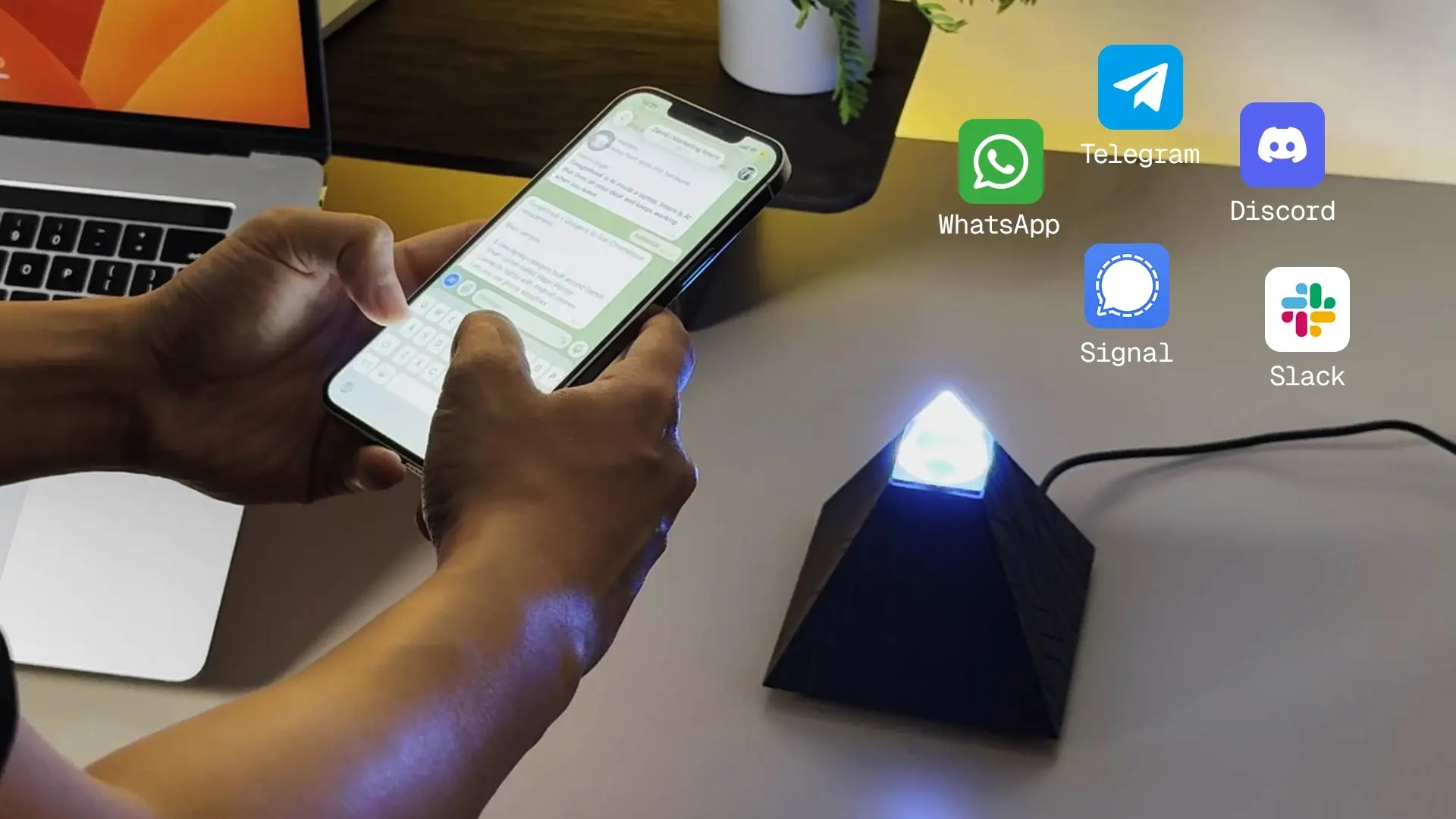
Autonomous Intern 2 is dedicated hardware for running AI agents such as OpenClaw and Hermes without keeping the main computer occupied.
It can support recurring tasks involving research, messages, scheduling, and connected digital services. Users still need to configure the accounts, permissions, and software tools involved in their workflows.
Intern 2 is not a conventional smart home hub or a substitute for a full AI workstation. Its purpose is to provide a separate device for agent-based work.
Worth buying: You already run recurring agent tasks and want dedicated hardware that can handle them independently of your main workstation.
Better to skip: Your automation needs are occasional, or an existing application already handles the same tasks adequately.
Review the supported frameworks, edition differences, and any third-party model or API costs.
Smaller AI Gadgets: Focus and Daily Habits
The Autonomous AI gadgets collection also includes smaller products designed around specific habits rather than general-purpose computing.
Autonomous Key is an NFC-based tool that adds a physical interaction to managing selected phone apps. Hydrate is a water-tracking coaster with configurable light, vibration, or sound reminders.
These products solve narrower problems than Lamp, Harness, or Intern 2. Their usefulness depends on whether the person wants help with the specific habit they address.
Worth buying: The device addresses a recurring behavior and fits naturally into how you work.
Better to skip: You do not need the function, dislike additional desk devices, or already use an effective alternative.
For small gadgets, practical fit often matters more than the discount percentage.


Laptops & Ultrabooks
Cyber Monday laptop deals are worth buying when the memory, storage, processor, and display meet your workload at a competitive price. A large discount on a weaker configuration is not necessarily a better purchase.
For routine work, 16GB of RAM is a useful starting point for people who keep many browser tabs, communication apps, and documents open. Developers running containers, local databases, virtual machines, or multiple IDEs may benefit from more memory.
Storage matters too. A laptop with 256GB may suit lightweight cloud-based work, but local development environments, media files, and large applications can fill it quickly.
For macOS, compare the processor generation, unified memory, storage, and external-display support. For Windows, check the processor model, memory upgradeability, display panel, and battery performance rather than relying on labels such as Core i7 or Ryzen 7 alone.
| Buyer | Prioritize | Avoid |
|---|---|---|
| Student or everyday user | Battery life, 16GB RAM, portable design | Paying for unnecessary GPU performance |
| Software engineer | Memory capacity, ports, CPU performance | Low-memory configurations for heavy tools |
| Video creator | Display quality, memory, storage, GPU support | Thin designs with insufficient sustained performance |
| Frequent traveler | Weight, battery, charging compatibility | Bulky hardware without a clear benefit |
Worth buying: The exact laptop configuration you already researched reaches a price below its recent selling range, with sufficient performance for your expected use.
Better to skip: The discount applies to a configuration with too little memory, insufficient storage, or a processor that does not support required applications.
A previous-generation premium laptop can be a sensible purchase, but only after comparing its actual capabilities with a current-generation alternative.
Noise-Canceling Headphones & Earbuds
Cyber Monday headphone deals make sense when the product offers the comfort, connectivity, noise control, and battery performance you need. Paying more for stronger noise cancellation is unnecessary if you mainly listen in quiet rooms.
Over-ear headphones generally offer a different fit and wearing experience from in-ear earbuds. Neither design is universally more comfortable.
For commuting or flights, active noise cancellation can matter. For office calls, microphone quality, sidetone, and comfort during longer sessions may be more useful.
Multipoint Bluetooth is another practical feature when switching between a work laptop and phone. However, support varies by product and ecosystem, so check whether the exact model can connect to both devices in the way you expect.
| Use case | Feature worth paying for | Feature you may not need |
|---|---|---|
| Commuting | ANC, portability, battery life | Studio-oriented wired audio features |
| Remote meetings | Microphone clarity, comfort, multipoint | Maximum advertised bass output |
| Exercise | Secure fit, sweat resistance | Large over-ear construction |
| Desk listening | Comfort, sound quality, easy device switching | Premium travel features used rarely |
Worth buying: A suitable model with a comfortable fit and the connectivity features you use regularly reaches a lower price than its usual selling range.
Better to skip: The headline discount belongs to an older version that lacks a function you need, or the product has not been comfortable during previous use.
Compare exact generations and model names before ordering. Standard earbuds and their active noise cancellation variants may share similar names without offering the same features.

Monitors & Displays
Cyber Monday monitor deals are worthwhile when the display improves text clarity, screen space, color accuracy, or gaming performance without creating compatibility problems.
A programmer may benefit more from higher resolution and appropriate scaling than from an extremely high refresh rate. A competitive gamer may prioritize refresh rate, response behavior, and adaptive synchronization.
For a single-cable laptop setup, USB-C power delivery and video input support can matter more than the monitor's advertised maximum refresh rate.
Display type also affects the decision. IPS, VA, and OLED panels have different strengths in viewing angles, contrast, motion, and image retention considerations. A discounted panel is not automatically appropriate for every task.
| Workload | What to prioritize | Common mistake |
|---|---|---|
| Coding and documents | Resolution, text clarity, ergonomics | Choosing size without considering pixel density |
| Gaming | Refresh rate, input behavior, adaptive sync | Buying a display the GPU cannot fully drive |
| Creative work | Color accuracy, panel consistency, calibration | Assuming every wide-gamut display is factory-accurate |
| Laptop docking | USB-C, power delivery, ports | Assuming every USB-C port carries video |
Worth buying: The exact monitor provides a useful upgrade in resolution, panel performance, or connectivity at a verified discount.
Better to skip: The sale price applies to a different display panel, lower refresh rate, or model without the ports you require.
For a deeper comparison of gaming-focused displays, the Black Friday gaming monitor deals guide covers specific screen configurations and reference prices.
Creator & Streaming Gear
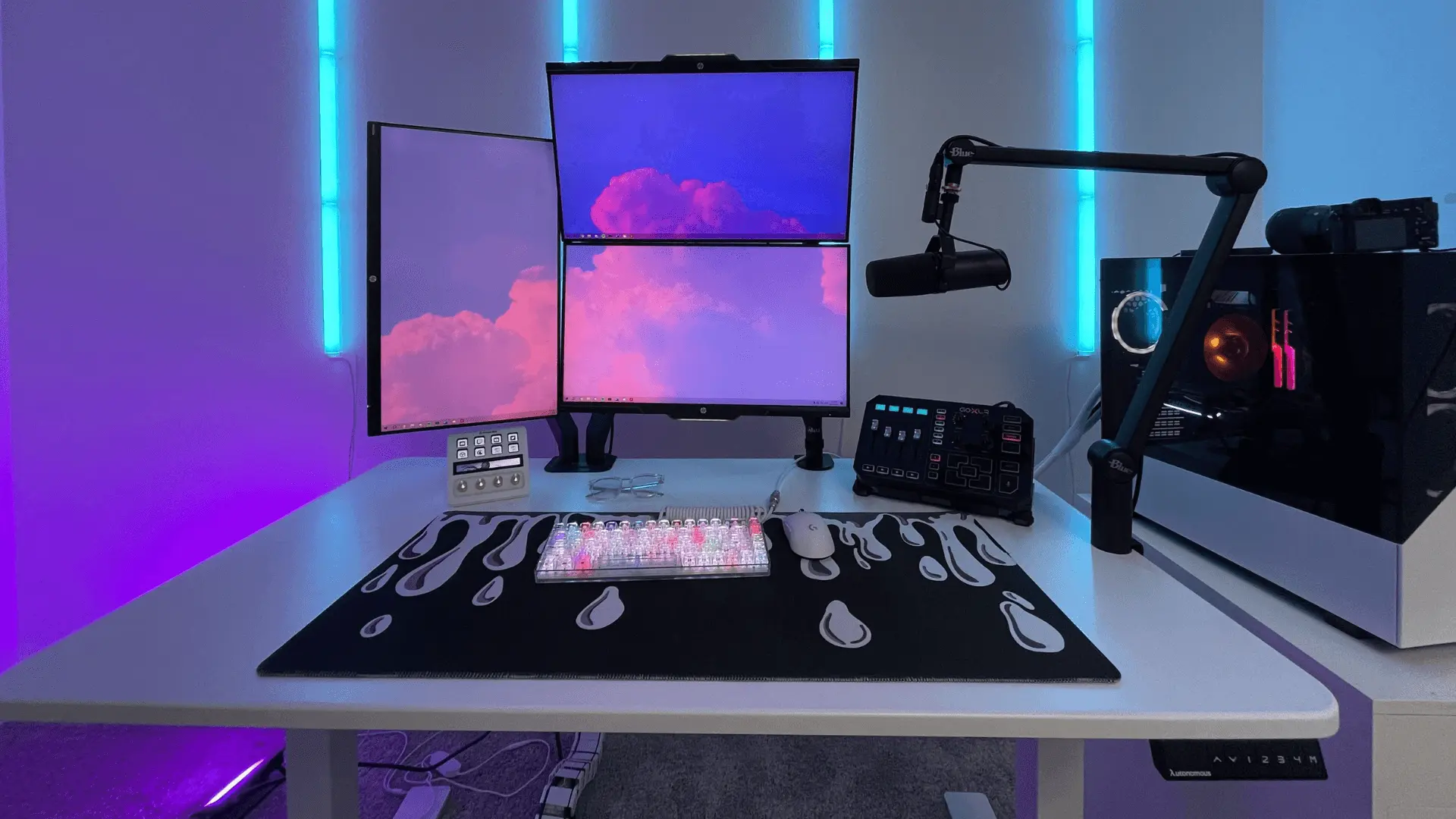
Cyber Monday creator gear is worth buying when it corrects a real limitation in your audio, video, or lighting setup. More expensive cameras and microphones do not automatically improve a recording environment.
If your voice sounds distant or inconsistent on calls, microphone placement and room acoustics may matter more than upgrading the camera.
Similarly, a controllable light can improve a webcam image when the existing problem is poor illumination. Upgrading to a more expensive camera without fixing backlighting may offer little benefit.
Streaming equipment is frequently sold in bundles. Those can be useful when you need every component, but an included microphone arm, webcam mount, or software trial should not be counted as a saving unless you intended to buy it.
| Problem | Consider buying | Skip when |
|---|---|---|
| Unclear voice recording | Suitable microphone and mount | The issue is mainly room echo or positioning |
| Dim video calls | Adjustable task or video lighting | The current lighting already works |
| Unstable camera placement | Tripod, arm, or mounting hardware | The bundle repeats accessories you own |
| Multi-source streaming | Compatible capture hardware | Your workflow uses only direct screen capture |
Worth buying: You have identified a specific recording problem and the equipment directly addresses it.
Better to skip: The bundle is appealing mainly because it contains many accessories or a trial subscription that will generate later costs.
Creators who automate editing, coding, or production workflows may also benefit from physical AI hardware, but that is a separate decision from improving the capture quality of a camera or microphone.
Smart Home Devices
Cyber Monday smart home deals are worth buying when the devices work with your existing network and automation ecosystem without adding unnecessary hardware or recurring fees.
Smart plugs, connected lighting, security cameras, thermostats, locks, and robot vacuums are common categories. They solve different problems, so the purchase decision should begin with a task rather than a promotional bundle.
For example, a smart plug is useful for switching compatible appliances on a schedule. It is not appropriate for every electrical load and cannot control an appliance's internal functions.
A connected security camera may offer local recording, cloud recording, or both. The subscription model matters if you plan to keep footage for long periods.
Matter can improve interoperability between supported ecosystems, but compatible controllers, Thread border routers, or manufacturer-specific apps may still be necessary for certain functions.
| Category | Worth buying when | Better to skip when |
|---|---|---|
| Smart lighting | You need schedules, dimming, or room-based scenes | A conventional light already meets your needs |
| Smart plugs | The appliance is safe and compatible with remote switching | Power cycling cannot operate the appliance properly |
| Security cameras | Recording and privacy features match your requirements | Required subscriptions are too expensive |
| Smart thermostats | Your HVAC system is compatible | Compatibility or installation remains uncertain |
| Robot vacuums | Navigation and cleaning functions match your flooring | Maintenance and dock space outweigh convenience |
Worth buying: The product fits a specific household need, supports your existing devices, and has manageable long-term costs.
Better to skip: A discounted bundle requires several new hubs, applications, or subscriptions that you did not plan to use.
For individual product comparisons, the Black Friday smart home deals guide covers models and compatibility questions in more detail.
Gaming Consoles & Accessories
Cyber Monday gaming deals are worth buying when the hardware works with the console or PC you already own and the discount applies to a useful upgrade.
Controllers, headsets, storage expansions, and displays are common accessory categories, but each involves compatibility decisions.
A second controller can support local multiplayer. A headset may improve communication if its microphone, wireless connection, and comfort meet your needs. Extra SSD storage is useful only when the device supports the drive's interface and performance requirements.
Console bundles deserve separate evaluation. An included game or accessory adds value only if you would otherwise purchase it.
| Item | Worth buying when | Better to skip when |
|---|---|---|
| Controller | Compatible with your system and needed for multiplayer | Connection or layout support is uncertain |
| Gaming headset | Comfort, microphone, and wireless support meet your needs | It adds features you will not use |
| SSD expansion | Interface, capacity, and performance are compatible | The console or PC cannot use the drive correctly |
| Console bundle | You want the included titles and accessories | Unwanted extras inflate the advertised value |
Worth buying: The price is competitive and the equipment adds a practical function to your existing setup.
Better to skip: The accessory requires a different console generation or the bundle contains items you would not buy separately.
For a closer look at console configurations and accessories, the PS5 Black Friday deals guide covers the PlayStation lineup.
External Storage & Cloud Services
Cyber Monday storage deals are worth buying when the capacity, sustained transfer speed, reliability, and connection standard match the way you store and move files.
Portable SSDs are useful for transferring large projects, while external hard drives may still be economical for some backup workloads. NAS systems support shared storage but can require separate drives, networking, and ongoing maintenance.
Cloud storage subscriptions are a different purchase. A discounted first year can be attractive, but the renewal price determines the longer-term cost.
For a developer or creator, a backup system also needs a recovery plan. A fast drive does not protect important files if it is the only copy.
| Storage type | Worth buying when | Better to skip when |
|---|---|---|
| Portable SSD | You regularly move large files between devices | Your connection cannot use the advertised speed |
| External HDD | You need economical bulk storage or backups | Portable performance and durability are critical |
| NAS | Several devices or users need shared storage | You do not need network access or maintenance |
| Cloud storage | Capacity and collaboration features justify recurring costs | Renewal pricing or account restrictions are unfavorable |
Worth buying: You have calculated your capacity needs and verified compatibility, warranty, and ongoing costs.
Better to skip: The promotion locks you into an expensive subscription or advertises speeds your current computer cannot reach.
Keep separate backups of important files regardless of the equipment selected.
Cyber Monday vs. Black Friday Tech Deals
Cyber Monday is not automatically cheaper than Black Friday for technology. Many retailers carry the same prices across the holiday weekend, while some introduce online-only promotions, different bundles, or discounts on remaining inventory.
The better shopping day depends on the exact product. If a laptop reaches your target price on Friday, waiting until Monday introduces the risk of losing the configuration you wanted. If its Friday discount is weak, checking Monday's offers makes sense.
| Factor | Black Friday | Cyber Monday |
|---|---|---|
| Date in 2026 | November 27 | November 30 |
| Shopping format | Online and in-store promotions | Primarily online promotions |
| Offer formats | Product markdowns, bundles, limited-stock offers | Extended promotions, online codes, digital bundles |
| Main advantage | Earlier access to available configurations | Another opportunity to compare remaining offers |
| Main risk | Assuming the first promotion is the lowest price | Waiting until a preferred model sells out |
For hardware with multiple configurations, the risk of waiting is often more important than the date itself. Memory, storage, display panels, colors, and bundled accessories can change between listings.
The Black Friday tech deals guide compares specific products and reference prices. Use it to identify models, then apply the buy-or-skip criteria above to judge whether a Cyber Monday offer is worth accepting.
For a broader comparison of the two shopping events, our Cyber Monday vs. Black Friday analysis covers historical spending and discount patterns.

What to Buy vs. What to Skip
The best Cyber Monday purchases are upgrades that solve an established problem without introducing disproportionate cost or setup complexity.
1. What to Buy
Products worth buying on Cyber Monday generally fall into a few patterns: necessary replacements, compatible upgrades, and specialized equipment for work you already perform.
| Buyer | Good purchase candidate | Reason |
|---|---|---|
| Remote worker | Suitable laptop, monitor, or headset | Improves equipment used throughout the week |
| Student | Reliable mid-range laptop or tablet | Meets daily study needs without unnecessary extras |
| Creator | Microphone, lighting, or storage | Addresses a specific production bottleneck |
| Software engineer | Higher-memory laptop or agent interface | Supports existing development workflows |
| AI developer | Local compute with a measured workload | May reduce dependence on hosted resources |
| Smart home user | Compatible device completing an existing system | Extends useful automation without unnecessary infrastructure |
For a physical workspace upgrade, a suitable standing desk or office chair may also provide more practical value than another electronic accessory. Those purchases require separate fit, size, and adjustment checks.
2. What to Skip
Cyber Monday products are better left in the cart when the discount is the main reason to buy them.
| Purchase to reconsider | Why it may not be worthwhile |
|---|---|
| Underpowered discounted laptop | Memory or storage limits may reduce its useful life |
| Unknown smart home bundle | Compatibility and subscriptions may add costs |
| Unneeded creator equipment | The package may not solve a recording problem |
| Novelty AI hardware without a task | It may remain unused after initial setup |
| Local AI workstation without utilization estimates | Hardware and energy costs may exceed alternatives |
| Short-term cloud subscription discount | Renewal charges may eliminate the initial saving |
| Incompatible gaming accessories | They may not work with your existing equipment |
Skip products that create more setup work, cost, or maintenance than the problem they solve. A substantial advertised discount does not change that calculation.
FAQs
Are Cyber Monday tech deals better than Black Friday tech deals?
Cyber Monday tech deals are not consistently better than Black Friday offers. Some retailers carry the same discounts across both events, while others introduce online-only promotions or change bundles. Compare the exact product and its recent selling price. If a well-researched item meets your target price on Friday, waiting until Monday may provide no benefit.
When is Cyber Monday 2026?
Cyber Monday 2026 falls on Monday, November 30, following Black Friday on November 27. Some retailers begin promotions earlier and extend them beyond the weekend. Check the dates and conditions for each product rather than assuming every online offer begins or ends at the same time.
What tech products are worth buying on Cyber Monday?
Tech products worth buying on Cyber Monday include laptops, headphones, monitors, storage, smart home devices, and specialized AI hardware when the exact configuration meets your needs. The strongest purchase is not necessarily the product with the largest discount. Compare specifications, price history, compatibility, and long-term costs before choosing.
Are Cyber Monday AI deals worth buying?
Cyber Monday AI deals are worth considering when the device supports an existing workflow or a defined computing requirement. Agent interfaces suit users already working with software agents, while local AI workstations require realistic estimates of GPU memory, utilization, electricity, and maintenance. A discount alone does not justify hardware without a clear purpose.
Should I buy an AI computer on Cyber Monday?
Buy an AI computer on Cyber Monday only if you have identified the models, GPU memory, workload, and operating costs your applications require. Dedicated local compute can be useful for frequent workloads or specific data-control requirements. For occasional tasks, hosted services or existing hardware may be more economical.
Are Black Friday gadgets cheaper on Cyber Monday?
Black Friday gadgets do not automatically become cheaper on Cyber Monday. Some retailers extend the same prices, others change bundles, and certain configurations may sell out. Compare the exact product with its Friday price and normal selling range. Avoid changing to a less suitable model just to obtain a larger advertised discount.
Are Cyber Monday smart home deals worth waiting for?
Cyber Monday smart home deals are worth waiting for when the current offer is weak and the desired device remains available. Before buying, verify ecosystem compatibility, hub requirements, subscription costs, and privacy features. An early discount on the right product may be better than a larger Monday discount on incompatible hardware.
How can I tell if a Cyber Monday discount is real?
A Cyber Monday discount is more meaningful when the final price is lower than the exact product's recent selling range. Check price history, model configuration, seller reputation, shipping charges, and return terms. Be cautious with inflated reference prices and bundles containing accessories you would not otherwise purchase.
Are refurbished tech products worth buying on Cyber Monday?
Refurbished tech can be worthwhile when the seller clearly states the condition, battery health where relevant, included accessories, warranty, and return terms. Compare the refurbished price against a new unit of the same generation. A small saving may not justify shorter coverage or uncertain component condition.
Should I wait until Cyber Monday to buy a laptop or monitor?
Wait until Cyber Monday if the Black Friday price is above your target or your preferred model has not been discounted. Buy earlier if the exact configuration reaches a competitive price and stock is limited. Memory, storage, display specifications, and seller terms matter more than the sale date alone.
Conclusion
Cyber Monday tech deals are worth buying when the hardware solves a real problem, the price is competitive, and the full cost fits your budget.
For AI computers, start with workloads and compute requirements. For physical AI gadgets, focus on how the device fits an existing workflow. For everyday electronics, prioritize useful specifications and compatibility over headline discounts.
Build your shortlist before Black Friday, record the prices, and use Cyber Monday to make an informed decision rather than buying whatever carries the largest discount.